
TechTrendsKE reports that Kaspersky logged 4,781,846 attempted attacks using content associated with workplace platforms during the preceding 12 months, with Zoom impersonations accounting for 2.66 million attempts and Outlook for 1.55 million. Those figures should be treated as telemetry detections, not as a count of breached organizations or uniquely targeted users. Kaspersky has not publicly supplied, in the reporting reviewed by WindowsForum, the underlying methodology, customer base, regional distribution, or deduplication rules behind that aggregate.
The important operational finding is independently supported. Microsoft’s own security researchers documented a widespread device-code phishing campaign in April 2026, while Kaspersky’s Securelist researchers separately described the same Microsoft identity-platform abuse last month. Kaspersky has also published a separate analysis of phishing messages delivered through Google AppSheet that impersonated recruiters.
For Microsoft 365 administrators, the immediate takeaway is simple: “the link goes to Microsoft” is no longer a sufficient safety test.
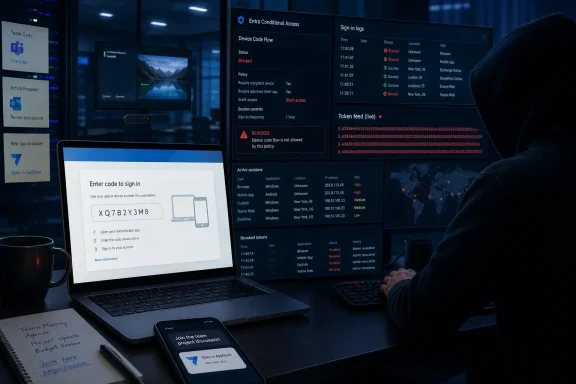 A real Microsoft sign-in page can be the trap
The Microsoft technique at issue is device code flow, an OAuth 2.0 authentication method intended for devices that cannot easily accept a password locally. A user might see it on a smart TV, conference-room system, printer, digital-signage device, or command-line tool: the device displays a short code, and the user completes sign-in on another browser.
In a phishing operation, the attacker starts that legitimate authorization flow from infrastructure they control, then sends the resulting code to a target in a lure framed as a document-share request, Teams alert, voicemail, security notice, invoice, or account-recovery task. The target is directed to Microsoft’s legitimate device-login page and asked to enter the code.
If the user signs in and approves the prompt, Microsoft authenticates the user — but the authorization is being completed for the attacker’s waiting session. The attacker receives access and, depending on the application and permissions involved, refresh tokens that can keep the session alive beyond the initial access token’s short lifetime.
Microsoft’s April research said attackers used stolen tokens for email exfiltration, Microsoft Graph reconnaissance, and malicious inbox rules intended to hide or redirect messages. This is why a password reset alone is an incomplete response if an organization discovers a successful device-code phishing incident. Administrators need to revoke active sessions and refresh tokens, investigate OAuth consent and enterprise-app activity, inspect inbox rules, and review access to Exchange Online, SharePoint, OneDrive and Teams.
The technique does not exploit a software vulnerability in Outlook, Teams, OneDrive, or Entra ID. It abuses a legitimate authorization design. That distinction matters when planning defenses: patching a workstation will not remove the risk, and a mail gateway may see a valid Microsoft destination rather than a plainly malicious credential-harvesting domain.
Kaspersky’s 4.8 million figure needs context
According to TechTrendsKE’s account of Kaspersky’s analysis, downloaders made up the largest detected category at 2.73 million cases, followed by Trojans at 989,377 and exploits at 341,165. The figures describe attempted or detected threats associated with workplace-platform content, not necessarily successful malware execution or account takeover.
That matters because brand-impersonation totals can combine very different events: a fake Zoom installer, a malicious Excel attachment, an Outlook-themed email, a OneDrive file-share lure, and a Teams meeting invitation can all be grouped under the same broad workplace-app framing. The raw volume supports the conclusion that attackers regard familiar productivity brands as valuable social-engineering bait. It does not establish that Zoom, Outlook, or OneDrive themselves were breached.
Zoom’s prominence in the reported tally is also not evidence that Zoom is uniquely unsafe. Meeting invitations are unusually useful lures because recipients are accustomed to opening calendar invitations quickly, accepting last-minute calls, and clicking links from unfamiliar people. Outlook’s position is similarly unsurprising: email remains the delivery mechanism for a large share of account-theft and malware campaigns, and “Outlook notification” language fits naturally into corporate workflows.
For defenders, the useful measure is not which brand tops a quarterly impersonation ranking. It is whether controls distinguish a legitimate service from a legitimate service being used in an illegitimate context.
Google AppSheet shows the same trust problem
The Kaspersky research into Google AppSheet adds another variation. Rather than spoofing Google with a lookalike sender domain, attackers used the legitimate AppSheet service to distribute messages posing as Google recruiters. The lures told recipients their professional experience had drawn attention and invited them to schedule an introductory call, before redirecting them to phishing pages.
The recruiter pretext is effective because it does not require the recipient to be a Google employee or customer. It asks for a response that can look reasonable to a job seeker, a contractor, or someone open to a career approach. A message delivered through a recognizable Google-linked service can also bypass the instinctive reaction users have to obviously misspelled domains and generic mass-mail wording.
This is the broader pattern behind Kaspersky’s warning: attackers are borrowing the credibility of services organizations already permit. They may use Microsoft’s login infrastructure for token theft, Google-linked AppSheet mail for delivery, trusted cloud-hosting domains for redirects, and familiar workplace brands for the initial lure.
The sender domain and destination URL still matter, but they answer only part of the question. A valid domain can establish who operates a page or sending service; it does not prove that the request was initiated by a trusted colleague, authorized application, or expected business process.
Device-code flow should be treated as an exception, not a default
Microsoft now explicitly classifies device code flow as a high-risk authentication method in its Entra Conditional Access documentation and recommends blocking it wherever possible. The company also warns administrators to assess existing usage before enforcing a blanket block, because some legitimate devices and workflows rely on it.
Microsoft Teams devices are one prominent example. Teams room systems and related resource accounts can require device code flow during initial sign-in and again after password or Conditional Access policy changes. Microsoft’s published deployment guidance uses a default-block approach with narrowly scoped, persistent exceptions for approved Teams device resource accounts, plus an exclusion for the Device Registration Service where needed.
That makes this an identity-policy project, not a switch to flip blindly. A security team should first inspect Entra sign-in logs for the deviceCodeFlow authentication protocol, identify which users, devices, applications and resources actually use it, then deploy a Conditional Access policy in report-only mode. The goal should be to allow device code flow only for documented and monitored business cases.
A practical response plan is short:
- Review Entra sign-in logs for device-code flow use before blocking it, rather than discovering a conference-room or shared-device dependency during an outage.
- Create a Conditional Access policy that blocks device code flow for ordinary users and pilot it in report-only mode before enabling enforcement.
- Keep exceptions account-scoped, owner-approved, and limited to known resource accounts or specific operational requirements.
- Train users never to enter a device authorization code delivered unexpectedly by email, chat, QR code, or a shared-document page, even when the browser opens a real Microsoft page.
- Treat successful device-code phishing as token compromise: revoke sessions, investigate mailbox rules and OAuth activity, and review the user’s recent Microsoft 365 access rather than relying solely on a password reset.
The user prompt needs to change
Most phishing training still tells employees to check whether a link points to the expected domain. That remains worthwhile advice, but it does not cover this attack. The more useful question is: Did I initiate this authentication flow for a device I recognize?
A user who is setting up a known Teams room system or signing into a personally initiated device-code workflow has context for the prompt. A user receiving a code in an unsolicited “shared file,” “meeting update,” or “account verification” message does not. No legitimate workflow should require an employee to authenticate a device or application they did not deliberately start using.
Kaspersky’s reported figures may be broad and incomplete as a measure of actual compromise, but the Microsoft and Google cases point to a concrete administrative problem. Workplace services have become part of the attacker’s delivery infrastructure, and the defenses need to focus on authorization context, token control, and narrowly permitted authentication flows — not merely on whether a page carries a familiar logo.
