
Microsoft 365 customers have 56 days left to open, convert, and verify Microsoft Publisher files before the app disappears from their subscription installs on October 1, 2026. The immediate risk is not that
That gives organizations with perpetual installations a short-term operational fallback. It does not solve the archival problem, nor does it make an unsupported desktop-publishing application a sensible long-term dependency.
Microsoft’s Publisher retirement guidance says Microsoft 365 subscribers can use Publisher with current functionality through October 1, 2026. After that date, Publisher will no longer be available to install or download through the subscription, and subscribers will no longer be able to open or edit
For perpetual-license customers, Microsoft’s own retirement page says support ends on October 13, 2026, when both Office LTSC 2021 and Consumer Office 2021 reach end of support. Microsoft’s Lifecycle documentation independently lists the same October 13 end date for Publisher LTSC 2021.
The distinction matters because the advice to “just keep using Publisher” applies only to a machine that already has a valid perpetual Publisher installation and a license that permits it. A Microsoft 365 installation is a much harder cutoff: the app itself is leaving the service. Office 2024 and Office LTSC 2024 do not include Publisher, so an upgrade to Microsoft’s current perpetual suite is not a route back to the program.
Microsoft’s guidance is somewhat imprecise in one place. It broadly tells customers to convert existing files before October 1 because they will no longer be able to open or edit them in Publisher, while its FAQ separately says perpetual-version customers can continue accessing and editing their files after support ends. The practical reading is straightforward: October 1 is the must-act date for Microsoft 365, while October 13 ends supported status for Office 2021-era perpetual deployments.
Neither date should be treated as a reason to postpone the work. A perpetual copy may continue to launch, but it becomes an unsupported exception inside an otherwise maintained Windows and Office environment. That has consequences for security baselines, help-desk support, deployment tooling, hardware refreshes, and the inevitable day the old install needs to be rebuilt.
But a PDF is an archive rendition, not an editable replacement for the source file. That distinction is the part most retirement checklists understate.
Microsoft suggests opening a PDF in Word to continue editing, while also warning that the resulting Word file is optimized for text editing and its layout can vary from the original, especially when the document has significant graphics. For basic letters, simple flyers, or text-heavy newsletters, that may be acceptable. For folded brochures, labels, mailing layouts, dense image placement, master-page-like designs, custom type treatments, and documents designed around exact print dimensions, it is a reconstruction workflow.
The safe approach is to retain three things for every important current document:
Microsoft specifically advises searching PCs, OneDrive, and SharePoint for
The reusable-template group deserves priority. A decade-old event poster may only need a PDF. A frequently reused newsletter, mailing-label sheet, business-card layout, membership form, or annual-report shell must be recreated and tested in a supported format before its next scheduled use.
Do not discard original
Microsoft labels the script instructional and tells users to modify and test it for their own use. That warning should be taken literally. Its published notes say the script continues after errors and reports files that failed conversion. It also refuses to overwrite an output file when a name conflict exists.
Those behaviors are useful, but they mean a completed PowerShell session is not proof that a migration succeeded. A sound bulk-export process should include a pilot folder, a reviewed error log, a count of source
The visual review is especially important where a PDF is intended for commercial printing or mail distribution. Check page count, trim size, bleed assumptions, missing images, substituted fonts, overflow text, and output resolution. The conversion is happening through Publisher, so it should generally preserve the composed document well; the risk lies in assuming every source file was intact and every generated file is suitable for its next real-world use.
For a small household or volunteer organization, this can be as simple as opening each exported PDF and printing a sample. For an IT team handling hundreds or thousands of documents, it should be a logged migration task with an exception queue and a named business owner for anything that fails.
Those recommendations are practical if the goal is to remain inside an existing Microsoft 365 deployment. They are not evidence of a one-for-one Publisher migration path. Publisher was designed around consumer and small-business desktop publishing; Word is fundamentally a document-flow application, and PowerPoint uses slide-sized canvases rather than a print-publication model.
For many users, that may be enough. A straightforward church newsletter can move to Word. A one-page event notice can move to PowerPoint. Labels may be better rebuilt with Word’s mail-merge and label tools than forced through a converted legacy design.
But teams producing publication-grade layouts should test their actual work rather than choosing a replacement based on a generic comparison chart. The key test is whether the new application handles the paper size, recurring layout, print vendor requirements, image placement, and editing skill level of the people who will inherit the files. Microsoft has not supplied a native
The decision therefore should be made at the template level, not at the product-name level. Rebuild one real newsletter, one brochure, one label sheet, and one high-graphics flyer. If the new workflow breaks in testing, discover that in August—not during the week before an October event.
Publisher’s retirement is close enough that organizations should stop treating it as a future Office lifecycle notice. Microsoft 365 users need their conversion and replacement work completed before October 1, 2026; Office 2021 users have a little more operational runway, but lose support on October 13, 2026 and cannot upgrade to Office 2024 to retain Publisher.
The immediate deliverable is not a folder full of PDFs. It is a verified archive plus rebuilt, supported templates for the documents people will need to change after Publisher is gone.
.pub files will be deleted from Windows, OneDrive, SharePoint, backups, or external drives. It is that a large archive of proprietary documents can become unreadable in its original application at the moment someone needs to update an old church bulletin, a school program, a price sheet, or a multi-page newsletter.
How-To Geek correctly flags the approaching retirement, but Microsoft’s current support record adds an important distinction for Windows users and IT administrators: October 1 is the access cutoff for Microsoft 365 Publisher, not the date every installed copy stops running. A perpetual Publisher license included with Office 2021 or Office LTSC 2021 can remain installed and usable after that date, although Microsoft ends support for those editions on October 13, 2026.That gives organizations with perpetual installations a short-term operational fallback. It does not solve the archival problem, nor does it make an unsupported desktop-publishing application a sensible long-term dependency.
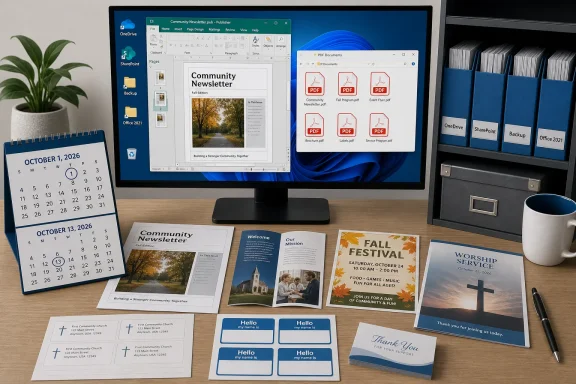 October 1 and October 13 are different deadlines
Microsoft’s Publisher retirement guidance says Microsoft 365 subscribers can use Publisher with current functionality through October 1, 2026. After that date, Publisher will no longer be available to install or download through the subscription, and subscribers will no longer be able to open or edit .pub files in Publisher.For perpetual-license customers, Microsoft’s own retirement page says support ends on October 13, 2026, when both Office LTSC 2021 and Consumer Office 2021 reach end of support. Microsoft’s Lifecycle documentation independently lists the same October 13 end date for Publisher LTSC 2021.
The distinction matters because the advice to “just keep using Publisher” applies only to a machine that already has a valid perpetual Publisher installation and a license that permits it. A Microsoft 365 installation is a much harder cutoff: the app itself is leaving the service. Office 2024 and Office LTSC 2024 do not include Publisher, so an upgrade to Microsoft’s current perpetual suite is not a route back to the program.
Microsoft’s guidance is somewhat imprecise in one place. It broadly tells customers to convert existing files before October 1 because they will no longer be able to open or edit them in Publisher, while its FAQ separately says perpetual-version customers can continue accessing and editing their files after support ends. The practical reading is straightforward: October 1 is the must-act date for Microsoft 365, while October 13 ends supported status for Office 2021-era perpetual deployments.
Neither date should be treated as a reason to postpone the work. A perpetual copy may continue to launch, but it becomes an unsupported exception inside an otherwise maintained Windows and Office environment. That has consequences for security baselines, help-desk support, deployment tooling, hardware refreshes, and the inevitable day the old install needs to be rebuilt.
A PDF archive preserves output, not the ability to revise it
Microsoft recommends exporting Publisher files to PDF, and that is the correct first step for documents that need to remain printable, shareable, and visually faithful. A properly produced PDF captures the layout of the finished publication far better than a casual conversion to Word.But a PDF is an archive rendition, not an editable replacement for the source file. That distinction is the part most retirement checklists understate.
Microsoft suggests opening a PDF in Word to continue editing, while also warning that the resulting Word file is optimized for text editing and its layout can vary from the original, especially when the document has significant graphics. For basic letters, simple flyers, or text-heavy newsletters, that may be acceptable. For folded brochures, labels, mailing layouts, dense image placement, master-page-like designs, custom type treatments, and documents designed around exact print dimensions, it is a reconstruction workflow.
The safe approach is to retain three things for every important current document:
- Keep the original
.pubfile as the source record, even after it is no longer convenient to open. - Export a PDF that can be opened and printed independently of Publisher.
- Rebuild active templates in the new tool chosen for future edits, then test-print the result before retiring the old workflow.
Find the files before conversion becomes an incident
Searching for*.pub on the local PC is necessary but insufficient. Publisher archives tend to accumulate in places users no longer think of as live storage: retired departmental shares, personal OneDrive folders, SharePoint document libraries, USB drives, old laptop images, redirected Documents folders, and backup sets. The file that matters is often not the one in the current working folder; it is last year’s template copied whenever a new event begins.Microsoft specifically advises searching PCs, OneDrive, and SharePoint for
.pub files. For administrators, that should become a scoped inventory exercise rather than an email asking staff to “check their files.” Search file servers and collaboration repositories where that is permitted, identify ownership, and separate documents into three categories: historical records, reusable templates, and actively edited publications.The reusable-template group deserves priority. A decade-old event poster may only need a PDF. A frequently reused newsletter, mailing-label sheet, business-card layout, membership form, or annual-report shell must be recreated and tested in a supported format before its next scheduled use.
Do not discard original
.pub files once PDFs exist. Preserve them alongside their exported renditions, with a simple inventory that records the owner, last revision date, intended replacement format, and conversion status. In a business setting, that inventory is what prevents the “we converted everything” claim from collapsing when someone finds a 2014 publication with no usable PDF and no remaining Publisher installation.
Microsoft’s bulk-conversion script needs quality control
For large archives, Microsoft has published a sample PowerShell script,Convert-PubFileToPDF.ps1, that can export individual files or recursively process folders of .pub documents. The script depends on a working, licensed Publisher installation; it is not a standalone file converter that can rescue an archive after Microsoft 365 removes the application.Microsoft labels the script instructional and tells users to modify and test it for their own use. That warning should be taken literally. Its published notes say the script continues after errors and reports files that failed conversion. It also refuses to overwrite an output file when a name conflict exists.
Those behaviors are useful, but they mean a completed PowerShell session is not proof that a migration succeeded. A sound bulk-export process should include a pilot folder, a reviewed error log, a count of source
.pub files against generated PDFs, and visual checks of representative documents: image-heavy flyers, multi-page newsletters, forms, custom paper sizes, labels, and publications using embedded fonts.The visual review is especially important where a PDF is intended for commercial printing or mail distribution. Check page count, trim size, bleed assumptions, missing images, substituted fonts, overflow text, and output resolution. The conversion is happening through Publisher, so it should generally preserve the composed document well; the risk lies in assuming every source file was intact and every generated file is suitable for its next real-world use.
For a small household or volunteer organization, this can be as simple as opening each exported PDF and printing a sample. For an IT team handling hundreds or thousands of documents, it should be a logged migration task with an exception queue and a named business owner for anything that fails.
Word and PowerPoint are replacements for specific jobs
Microsoft’s proposed replacements are Word and PowerPoint, with Word recommended for newsletters, programs, envelopes, labels, letterhead, forms, invoices, and many document-style publications. PowerPoint is Microsoft’s suggested starting point for posters, signs, banners, and other visual layouts, while either can be used for flyers, brochures, certificates, business cards, calendars, and greeting cards.Those recommendations are practical if the goal is to remain inside an existing Microsoft 365 deployment. They are not evidence of a one-for-one Publisher migration path. Publisher was designed around consumer and small-business desktop publishing; Word is fundamentally a document-flow application, and PowerPoint uses slide-sized canvases rather than a print-publication model.
For many users, that may be enough. A straightforward church newsletter can move to Word. A one-page event notice can move to PowerPoint. Labels may be better rebuilt with Word’s mail-merge and label tools than forced through a converted legacy design.
But teams producing publication-grade layouts should test their actual work rather than choosing a replacement based on a generic comparison chart. The key test is whether the new application handles the paper size, recurring layout, print vendor requirements, image placement, and editing skill level of the people who will inherit the files. Microsoft has not supplied a native
.pub import path into Word or PowerPoint, and it has not promised one before retirement.The decision therefore should be made at the template level, not at the product-name level. Rebuild one real newsletter, one brochure, one label sheet, and one high-graphics flyer. If the new workflow breaks in testing, discover that in August—not during the week before an October event.
Publisher’s retirement is close enough that organizations should stop treating it as a future Office lifecycle notice. Microsoft 365 users need their conversion and replacement work completed before October 1, 2026; Office 2021 users have a little more operational runway, but lose support on October 13, 2026 and cannot upgrade to Office 2024 to retain Publisher.
The immediate deliverable is not a folder full of PDFs. It is a verified archive plus rebuilt, supported templates for the documents people will need to change after Publisher is gone.
References
- Primary source: howtogeek.com
Published: 2026-08-06T14:30:14+00:00
Publisher's retirement deadline is closer than you think—do these things before it's too late
Publisher is going away, but the right preparation can help you preserve important designs and continue creating. www.howtogeek.com
- Related coverage: support.microsoft.com
Microsoft Publisher will no longer be supported after October 2026 | Microsoft Support
Microsoft Publisher will no longer be supported after October 2026support.microsoft.com - Related coverage: learn.microsoft.com
Office LTSC 2021 reaching end of support on October 13, 2026 - Microsoft Lifecycle | Microsoft Learn
Announcing Office LTSC 2021 reaching end of support on October 13, 2026.learn.microsoft.com - Related coverage: learn.microsoft.com
Publisher LTSC 2021 - Microsoft Lifecycle | Microsoft Learn
Publisher LTSC 2021 follows the Fixed Lifecycle Policy.learn.microsoft.com - Related coverage: support.microsoft.com
WordArt Tools | Microsoft Support
See how to insert or delete WordArt in Publisher.support.microsoft.com - Related coverage: frontrowtech.com.au
Microsoft Publisher retires in October 2026: what replaces it and what to do with .pub files | Frontrow
Publisher leaves Microsoft 365 in October 2026 and perpetual copies lose support. Here is what replaces it and how to convert .pub files. Checked July 2026.frontrowtech.com.au - Related coverage: rescuepub.com
Microsoft Publisher End of Life: What Happens to .pub Files
Microsoft Publisher is discontinued October 13, 2026. Exact dates, what happens to your .pub files, and every way to convert them — explained in plain language.rescuepub.com - Related coverage: answers.microsoft.com
Is it still possible to buy Microsoft Publisher or Office Professional which has Microsoft Publisher with a one time licence? - Microsoft Q&A
Is it still possible to buy Microsoft Publisher or Office Professional which has Microsoft Publisher with a one time licence?answers.microsoft.com - Related coverage: answers.microsoft.com
Why is Publisher being Discontinued? Why not keep it as an optional side program? - Microsoft Q&A
Firstly, why is it that Publisher is being dropped from Office 365? Secondly, if it can't be part of 365 anymore, can it not be a separate standalone program that can be purchased one it's own for those who still want it? I recall the original disc based…answers.microsoft.com - Related coverage: techcommunity.microsoft.com
