
The August 6 YouTube tutorial on using OpenAI Codex to create and edit Lottie animations demonstrates a real workflow, but its most important detail is easy to miss: Codex is not directly generating a finished animation file by magic. It is acting as an agent in front of LottieFiles Creator, using the Lottie Creator MCP bridge to create layers, set keyframes, alter paths, and export the result. For developers, that turns animation from a separate design handoff into an asset Codex can generate, revise, and place beside the code that uses it.
The tutorial’s examples cover a broad range: a looping success state built from scratch, an animation recreated from a reference video, star-to-heart substitutions that preserve motion, SVG logo animation, an interactive navigation bar based on a Figma design, and natural-language editing of existing LottieFiles assets. It also pairs Lottie with HTML, CSS, JavaScript, and the
But “without writing code” needs a more precise reading. The Lottie Creator MCP lets an agent manipulate a visual animation editor through prompts; it does not remove the need for a development environment, a runtime integration, or quality control. The tutorial itself uses
LottieFiles introduced its Creator MCP in April 2026 as a local bridge between an MCP-capable AI assistant and the browser-based Lottie Creator application. Its documentation explicitly lists Codex among the supported clients and says the agent can create scenes and layers, inspect keyframes, animate transforms and paths, modify fills and strokes, apply easing, import SVG files, and export Lottie JSON.
That means the agent is operating against structured animation data rather than attempting to approximate motion by emitting a block of opaque JSON. A request such as “replace the stars with hearts but preserve their timing and travel paths” has a plausible mechanical basis: read the existing layer structure, retain transforms and keyframes, replace the relevant vector shapes, then render or export the revised scene.
This is a better fit for Lottie than a generic prompt-to-video system. Lottie animations are structured vector assets built from shapes, paths, layers, transforms, and timing data. They can be rendered by supported runtimes on the web and in mobile applications, and they remain editable after generation. For an engineer responsible for a design system, that is the meaningful payoff: an approved loader, empty state, onboarding accent, or success indicator can become a parameterized source asset rather than a one-off GIF dropped into a repository.
OpenAI’s own recent Codex material frames the product as increasingly useful outside traditional programming work, including design-constrained briefs and creative production tasks. The Lottie integration is a concrete example of that broader direction, though the actual animation capability comes from LottieFiles’ tools and schema access rather than an OpenAI-native animation editor.
The Lottie Creator MCP is the one used to build and edit animation content. It runs locally through an npm package and connects to an open Lottie Creator browser tab. LottieFiles instructs users to keep that tab open, enable MCP in Creator’s settings, and verify a “Local MCP bridge connected” notification. This is the bridge that gives Codex access to the current animation document.
The separate LottieFiles MCP is a hosted remote service for workspace data: projects, stored animations, and account-managed assets. It uses OAuth and is designed to organize or retrieve material from a LottieFiles workspace. In practice, a team could use both: Codex can edit an animation in Creator through the local bridge, then manage or locate project assets through the hosted account connection.
That split matters for administrators. A developer who believes they have merely connected an AI assistant to a design file may, depending on the configuration, also be authorizing access to a cloud workspace. Conversely, the local Creator bridge is not headless automation: it depends on a running browser session and an enabled Creator tab. This is a desktop workflow with a cloud-backed editor, not a self-contained Codex feature.
LottieFiles says Creator continuously saves work to a LottieFiles account and makes it available across devices. That is convenient for collaboration, but it means teams with asset-retention, client-confidentiality, or regulated-content requirements should treat generated animation drafts as cloud-synced design material unless their LottieFiles plan and organizational controls say otherwise.
The claim that the process requires no coding is more limited. LottieFiles’ own installation instructions require Node.js 18 or later because the Creator MCP is launched through
Then there is deployment. An exported
For Windows users, the practical setup is straightforward but should be treated like any other local developer integration: install a supported Node.js version, make sure the Codex client is approved for MCP use, open Creator in a modern desktop browser, enable its MCP setting, and start in a disposable project before granting the agent access to production brand assets.
The security catch is the
LottieFiles’ recommended command invokes
Using
The MCP capability itself deserves scrutiny. LottieFiles says the connection can create and delete assets, modify layers, alter timing, import images and SVGs, and export scenes. Those are useful permissions, but they are write permissions. The safer operating model is to use a dedicated animation workspace, keep source SVG and Figma exports in version control where possible, and require a human preview before replacing an approved production asset.
The risk is not that an animation agent is uniquely dangerous. It is that “describe it and ship it” collapses several previously visible steps—editing, export, and integration—into a single conversational instruction. That makes review more important, not less.
That has immediate value for product teams. A rebrand may involve replacing logos across splash screens, onboarding panels, loading states, and website microinteractions. A seasonal campaign may require heart, confetti, or color variants of the same interaction. Accessibility work may call for slower motion, reduced visual intensity, or higher contrast. In each case, the requirement is usually not “design a new animation”; it is “change this approved animation without breaking what already works.”
LottieFiles says the Creator MCP can inspect animation state and modify timing, easing, colors, paths, and layers. It also promotes accessibility and brand checks, although those should be read as assistance rather than certification. An agent can identify a potentially rapid loop or weak contrast and propose a fix, but it cannot establish that an application satisfies reduced-motion expectations unless the consuming site or app actually honors user preferences at runtime.
For web work, the necessary follow-through is familiar: provide a static or reduced-motion alternative, test the player under
For quick status animations and product microinteractions, that can materially shorten the gap between a working interface and a polished one. For teams with established motion systems, the more valuable application may be maintaining variants: changing a logo, adapting colors for a customer tenant, generating a dark-mode edition, or slowing an existing animation without rebuilding it by hand.
The immediate consequence is that Lottie JSON should be treated like source material, not merely an exported design attachment. Keep it reviewable, test it in the target runtime, pin the local MCP tooling on managed systems, and retain the original assets. Codex can now make the animation changes quickly; the team still owns what those changes do in production.
lottie-web player, so the workflow extends beyond creating a JSON file to embedding and previewing the animation in a web project.But “without writing code” needs a more precise reading. The Lottie Creator MCP lets an agent manipulate a visual animation editor through prompts; it does not remove the need for a development environment, a runtime integration, or quality control. The tutorial itself uses
lottie-web for browser playback and HTML/CSS/JavaScript for interactive work. What has changed is who writes and revises the code and animation structure—not the underlying technical stack.
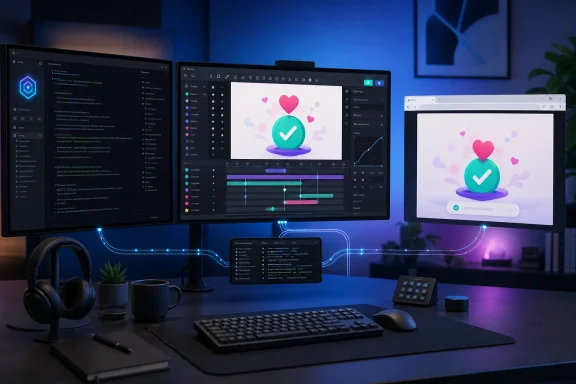 Codex becomes the interface, while Lottie Creator remains the editor
LottieFiles introduced its Creator MCP in April 2026 as a local bridge between an MCP-capable AI assistant and the browser-based Lottie Creator application. Its documentation explicitly lists Codex among the supported clients and says the agent can create scenes and layers, inspect keyframes, animate transforms and paths, modify fills and strokes, apply easing, import SVG files, and export Lottie JSON.That means the agent is operating against structured animation data rather than attempting to approximate motion by emitting a block of opaque JSON. A request such as “replace the stars with hearts but preserve their timing and travel paths” has a plausible mechanical basis: read the existing layer structure, retain transforms and keyframes, replace the relevant vector shapes, then render or export the revised scene.
This is a better fit for Lottie than a generic prompt-to-video system. Lottie animations are structured vector assets built from shapes, paths, layers, transforms, and timing data. They can be rendered by supported runtimes on the web and in mobile applications, and they remain editable after generation. For an engineer responsible for a design system, that is the meaningful payoff: an approved loader, empty state, onboarding accent, or success indicator can become a parameterized source asset rather than a one-off GIF dropped into a repository.
OpenAI’s own recent Codex material frames the product as increasingly useful outside traditional programming work, including design-constrained briefs and creative production tasks. The Lottie integration is a concrete example of that broader direction, though the actual animation capability comes from LottieFiles’ tools and schema access rather than an OpenAI-native animation editor.
The workflow has two separate MCP connections
LottieFiles’ documentation draws a distinction the tutorial’s broad “connect Codex to Lottie” framing can blur. The company ships two different MCP servers, and they have different access models.The Lottie Creator MCP is the one used to build and edit animation content. It runs locally through an npm package and connects to an open Lottie Creator browser tab. LottieFiles instructs users to keep that tab open, enable MCP in Creator’s settings, and verify a “Local MCP bridge connected” notification. This is the bridge that gives Codex access to the current animation document.
The separate LottieFiles MCP is a hosted remote service for workspace data: projects, stored animations, and account-managed assets. It uses OAuth and is designed to organize or retrieve material from a LottieFiles workspace. In practice, a team could use both: Codex can edit an animation in Creator through the local bridge, then manage or locate project assets through the hosted account connection.
That split matters for administrators. A developer who believes they have merely connected an AI assistant to a design file may, depending on the configuration, also be authorizing access to a cloud workspace. Conversely, the local Creator bridge is not headless automation: it depends on a running browser session and an enabled Creator tab. This is a desktop workflow with a cloud-backed editor, not a self-contained Codex feature.
LottieFiles says Creator continuously saves work to a LottieFiles account and makes it available across devices. That is convenient for collaboration, but it means teams with asset-retention, client-confidentiality, or regulated-content requirements should treat generated animation drafts as cloud-synced design material unless their LottieFiles plan and organizational controls say otherwise.
“No After Effects” is credible; “no technical setup” is not
The tutorial’s strongest claim is that motion assets can be made without Adobe After Effects or conventional timeline work. Lottie Creator is a browser-based editor, and the MCP can direct its core animation functions in natural language. For simple icons, loaders, logo reveals, and UI microinteractions, that can remove a real bottleneck: engineers no longer need to translate a verbal motion request into a design ticket, wait for a source export, and then determine whether the output behaves correctly in an application.The claim that the process requires no coding is more limited. LottieFiles’ own installation instructions require Node.js 18 or later because the Creator MCP is launched through
npx. The Codex setup uses a local MCP registration pointing at @lottiefiles/creator-mcp@latest, either through Codex configuration or the codex mcp add command. A browser tab must be opened and the bridge explicitly enabled.Then there is deployment. An exported
.json Lottie asset is not an interactive navigation bar on its own. A web team still needs a player such as lottie-web or a dotLottie runtime, event handling, keyboard behavior, state management, responsive layout rules, and regression testing. The tutorial’s animated navbar example is valuable precisely because it acknowledges this second half: animation authoring and product integration are different jobs, even if Codex can assist with both.For Windows users, the practical setup is straightforward but should be treated like any other local developer integration: install a supported Node.js version, make sure the Codex client is approved for MCP use, open Creator in a modern desktop browser, enable its MCP setting, and start in a disposable project before granting the agent access to production brand assets.
The security catch is the @latest installation command
LottieFiles’ recommended command invokes npx with the @latest version of its Creator MCP package. That is convenient for an individual experimenting with a new feature, but it is the wrong default for a managed endpoint or a reproducible build workflow.Using
@latest means the package resolved at setup time can change without a change to the local Codex configuration. Because the MCP is a local executable bridge and is being given the ability to act on an open Creator document, IT teams should apply the same controls they would to any other developer tool that launches code from a package registry. Pin a reviewed version where the deployment process permits it, record the package version and hash in internal documentation, and restrict installation to approved Node.js environments.The MCP capability itself deserves scrutiny. LottieFiles says the connection can create and delete assets, modify layers, alter timing, import images and SVGs, and export scenes. Those are useful permissions, but they are write permissions. The safer operating model is to use a dedicated animation workspace, keep source SVG and Figma exports in version control where possible, and require a human preview before replacing an approved production asset.
The risk is not that an animation agent is uniquely dangerous. It is that “describe it and ship it” collapses several previously visible steps—editing, export, and integration—into a single conversational instruction. That makes review more important, not less.
Natural-language edits work best when the structure already exists
The video’s star-to-heart and logo-replacement examples point to the highest-value use of the integration: constrained transformation. Codex does not need to invent an animation’s visual language from nothing when it can inspect the existing layers, preserve timing and motion, and change the discrete element that needs updating.That has immediate value for product teams. A rebrand may involve replacing logos across splash screens, onboarding panels, loading states, and website microinteractions. A seasonal campaign may require heart, confetti, or color variants of the same interaction. Accessibility work may call for slower motion, reduced visual intensity, or higher contrast. In each case, the requirement is usually not “design a new animation”; it is “change this approved animation without breaking what already works.”
LottieFiles says the Creator MCP can inspect animation state and modify timing, easing, colors, paths, and layers. It also promotes accessibility and brand checks, although those should be read as assistance rather than certification. An agent can identify a potentially rapid loop or weak contrast and propose a fix, but it cannot establish that an application satisfies reduced-motion expectations unless the consuming site or app actually honors user preferences at runtime.
For web work, the necessary follow-through is familiar: provide a static or reduced-motion alternative, test the player under
prefers-reduced-motion, validate keyboard and focus behavior around interactive elements, and check that the asset does not introduce excess CPU use or layout instability on lower-powered client devices. None of those operational requirements disappear because the asset began as a prompt.Animation is becoming another editable project artifact
The practical lesson from this tutorial is not that Codex has replaced motion designers or that every product team should turn an AI loose on brand animation. It is that Lottie’s structured format and Lottie Creator’s MCP now make vector motion accessible to the same agent-driven workflow developers use for code, SVGs, HTML, and UI copy.For quick status animations and product microinteractions, that can materially shorten the gap between a working interface and a polished one. For teams with established motion systems, the more valuable application may be maintaining variants: changing a logo, adapting colors for a customer tenant, generating a dark-mode edition, or slowing an existing animation without rebuilding it by hand.
The immediate consequence is that Lottie JSON should be treated like source material, not merely an exported design attachment. Keep it reviewable, test it in the target runtime, pin the local MCP tooling on managed systems, and retain the original assets. Codex can now make the animation changes quickly; the team still owns what those changes do in production.
References
- Primary source: YouTube
Published: August 6, 2026 at 1:41 PM UTC
Loading…
youtu.be - Related coverage: docs.lottiefiles.com
Loading…
docs.lottiefiles.com - Related coverage: github.com
Loading…
github.com - Related coverage: help.lottiefiles.com
Loading…
help.lottiefiles.com - Related coverage: lottiefiles.github.io
- Related coverage: help.lottiefiles.com

- Related coverage: docs.codex.io
Codex Docs MCP - Codex
Add the Codex documentation MCP server to your AI coding tools for instant access to API docs.docs.codex.io - Related coverage: cdn.openai.com
- Related coverage: doccompiler.ai
- Related coverage: cdn.openai.com
- Related coverage: lottiefiles.com
Lottie Creator MCP: Create animations with your favorite AI assistants - Tutorials - LottieFiles
The world's largest library of free, lightweight Lottie animations. Create, edit, test, and ship motion graphics for web, apps, and social in no time.lottiefiles.com - Related coverage: openai.com
Codex for every role, tool, and workflow | OpenAI
Discover new Codex plugins, sites, and annotations that help analysts, marketers, designers, investors, and other teams get more done with AI.openai.com - Related coverage: lottiefiles.com
Lottie Creator Now Speaks MCP - LottieFiles Blog
Connect Claude, Cursor, or any MCP-compatible AI to Lottie Creator and let it build, edit, and generate animations directly. Your tool, new capability.lottiefiles.com - Related coverage: developers.openai.com
OpenAI Developers
Docs and resources to help you build with, for, and on OpenAI. developers.openai.com
- Related coverage: developers.openai.com
ChatGPT use cases
Explore example workflows, teams, and tasks you can take on with ChatGPT.
developers.openai.com
- Related coverage: openai.com
OpenAI models, Codex, and Managed Agents come to AWS | OpenAI
OpenAI GPT models, Codex, and Managed Agents are now available on AWS, enabling enterprises to build secure AI in their AWS environments.openai.com - Related coverage: mcpservers.org
आधिकारिक Lottie Creator MCP सर्वर | Awesome MCP Servers
Lottie Creator MCP आपके AI सहायक को सीधे आपके एनिमेशन वर्कफ़्लो में लाता है — इसे LottieFiles Creator तक पूर्ण पहुँच प्रदान करता है ताकि यह प्राकृतिक भाषा...mcpservers.org