
Microsoft has marked Microsoft 365 Roadmap item 405754 as Launched, adding PST import support to Outlook for Mac across Current Channel and Preview. The practical significance is narrower, but more urgent, than the label suggests: Mac users moving from Windows can now expect a supported route for bringing Outlook Data Files into the newer client path—just as Microsoft’s documented support window for legacy Outlook for Mac closes in October 2026.
The roadmap entry, updated August 6, lists a general-availability target of June 2026 and availability for Worldwide, GCC, GCC High, and DoD tenants. It says only that Outlook for Mac can import PST files. Microsoft has not published a matching release note with build numbers, a feature walkthrough, file-size limits, or a clear statement of which Outlook for Mac installations have actually received the command.
That missing implementation detail is the central issue for administrators. Microsoft’s own support documentation still describes PST import as a feature of legacy Outlook for Mac, while warning that legacy support ends in October. The roadmap’s launched status therefore resolves the product-planning question, but it does not yet provide the deployment evidence an IT team needs before retiring legacy Outlook from managed Macs.
A PST, or Personal Storage Table, is Outlook’s long-standing local archive format on Windows. It can contain mail, folder structures, attachments, contacts, calendars, tasks, notes, and other locally stored Outlook content. It remains common in environments with older POP configurations, departed employees’ archives, mergers, PC replacements, and long-running retention practices.
For a Mac user who received a PST from a Windows machine, the absence of import in the newer Outlook for Mac was a real migration blocker. The user could keep an older client installed, move the data through an Exchange mailbox, use a Windows PC as an intermediary, or turn to third-party conversion tools. Those routes create support burdens and, in the worst cases, lead users to upload corporate archives to unapproved services merely to get mail readable on a Mac.
Microsoft’s roadmap says the feature is available in both Preview and Current Channel, with cloud coverage extending beyond commercial Microsoft 365 tenants to GCC, GCC High, and DoD. That is important because PST migration is particularly common in regulated organizations where users cannot simply copy archives through personal accounts or cloud drives.
The roadmap does not say whether imported PST contents are placed in a local store, uploaded into the user’s mailbox, or handled differently depending on account type. It also does not say whether an administrator can block the action through policy, whether import requires a Microsoft 365 subscription, or whether tenants can audit imported content. Those are operational questions, not cosmetic omissions: importing years of mail into an Exchange Online mailbox may consume quota, trigger retention processing, and create eDiscovery obligations that did not apply while the archive remained only on an endpoint.
That page carries an October 2026 end-of-support warning for legacy Outlook for Mac. The timing explains why item 405754 matters: Microsoft is attempting to preserve a core migration function before the old client is no longer a viable long-term fallback.
But Microsoft has not yet reconciled the two records. The roadmap now calls PST import launched for Outlook on Mac, while the support article still confines the exact feature to legacy Outlook. There is no published Microsoft support page, as of August 6, that identifies the new Outlook for Mac build containing PST import or supplies steps for its interface.
For IT teams, that means the roadmap should be treated as a rollout signal, not as a deployment checklist. A user seeing “Outlook for Mac” in an app title does not establish that the capability is present. Microsoft’s Mac client has had two materially different experiences—legacy Outlook and the rebuilt newer Outlook—and the import menus, local-data behavior, and available commands have differed between them.
The safe operational test is a controlled import on the production update channel your organization uses, using a disposable copy of a representative PST. Verify the result before changing user guidance or uninstalling the fallback client:
This distinction is easy to miss when the work is framed as “move my Outlook data from Windows to Mac.” Imported folders and messages may arrive, but mailbox rules, local views, permissions, and other environment-specific settings must be recreated. For organizations using PST files as informal records repositories, the lack of a documented statement on retention, audit, and mailbox synchronization behavior needs to be resolved locally before a broad self-service rollout.
Microsoft Learn also retains a warning about a format edge case that predates this rollout but remains relevant. Outlook for Mac cannot import legacy ANSI-format PSTs created in the Outlook 97–2002 format. Microsoft’s stated workaround is to open the archive in an older Windows Outlook client and create a new Unicode PST before moving it to the Mac. That means older archives—often the very files discovered during a long-delayed migration—can still require access to Windows Outlook.
The roadmap entry does not state that ANSI compatibility has changed. Administrators should assume that limitation remains until Microsoft documents otherwise. The test set should include the oldest PST formats the organization expects to encounter, rather than relying on a newly exported Unicode archive that passes without incident.
Microsoft has not publicly explained whether OLM import and export shipped separately, were removed from this roadmap item, or remain planned for a later release. That matters because OLM is the traditional local archive format used by Outlook for Mac. Microsoft Support still says OLM export is a legacy-Outlook-only capability, and Microsoft Learn says Outlook for Windows does not support OLM files or provide a Microsoft conversion utility from OLM to PST.
The apparent narrowing has a concrete consequence: organizations should not interpret PST import availability as proof that the newer Outlook for Mac can replace every legacy OLM archive workflow. If a Mac estate depends on creating portable OLM exports for backup, litigation holds, device replacement, or offline handover, that workflow needs separate validation. The roadmap item is a migration feature for Windows-originated PST files; it is not published evidence of a complete local archive-and-restore system on macOS.
Microsoft needs to publish the specific Outlook for Mac versions that include the capability, explain where imported data resides, and clarify whether the previously advertised OLM functions have moved, shipped, or been dropped. Until then, support teams should preserve a tested legacy-Outlook path for PST and OLM edge cases, inventory the format and age of user archives, and document a verification process before importing sensitive mail.
The October 2026 legacy-support deadline is now the hard operational date: any Mac deployment that still relies on its import and export menus needs either confirmed feature parity in the newer Outlook or a documented alternative before that client ceases to be a supportable fallback.
That missing implementation detail is the central issue for administrators. Microsoft’s own support documentation still describes PST import as a feature of legacy Outlook for Mac, while warning that legacy support ends in October. The roadmap’s launched status therefore resolves the product-planning question, but it does not yet provide the deployment evidence an IT team needs before retiring legacy Outlook from managed Macs.
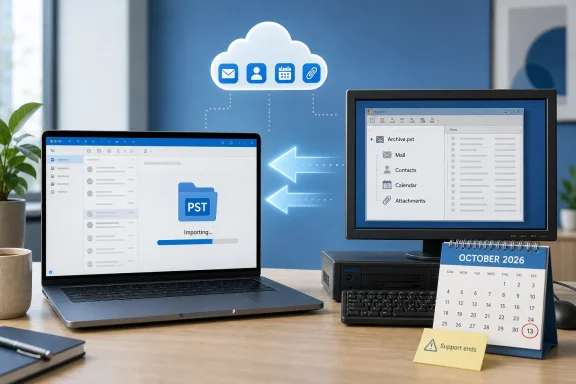 Roadmap item 405754 closes a migration gap
A PST, or Personal Storage Table, is Outlook’s long-standing local archive format on Windows. It can contain mail, folder structures, attachments, contacts, calendars, tasks, notes, and other locally stored Outlook content. It remains common in environments with older POP configurations, departed employees’ archives, mergers, PC replacements, and long-running retention practices.For a Mac user who received a PST from a Windows machine, the absence of import in the newer Outlook for Mac was a real migration blocker. The user could keep an older client installed, move the data through an Exchange mailbox, use a Windows PC as an intermediary, or turn to third-party conversion tools. Those routes create support burdens and, in the worst cases, lead users to upload corporate archives to unapproved services merely to get mail readable on a Mac.
Microsoft’s roadmap says the feature is available in both Preview and Current Channel, with cloud coverage extending beyond commercial Microsoft 365 tenants to GCC, GCC High, and DoD. That is important because PST migration is particularly common in regulated organizations where users cannot simply copy archives through personal accounts or cloud drives.
The roadmap does not say whether imported PST contents are placed in a local store, uploaded into the user’s mailbox, or handled differently depending on account type. It also does not say whether an administrator can block the action through policy, whether import requires a Microsoft 365 subscription, or whether tenants can audit imported content. Those are operational questions, not cosmetic omissions: importing years of mail into an Exchange Online mailbox may consume quota, trigger retention processing, and create eDiscovery obligations that did not apply while the archive remained only on an endpoint.
Microsoft’s documentation still points to legacy Outlook
Microsoft Support’s current PST-import instructions for Outlook for Mac explicitly label the process as being for legacy Outlook for Mac. The documented workflow is straightforward: choose File > Import, select an Outlook for Windows archive file, select the PST, and complete the import. The imported material appears under On My Computer, which indicates local storage rather than an automatic upload to a Microsoft 365 mailbox.That page carries an October 2026 end-of-support warning for legacy Outlook for Mac. The timing explains why item 405754 matters: Microsoft is attempting to preserve a core migration function before the old client is no longer a viable long-term fallback.
But Microsoft has not yet reconciled the two records. The roadmap now calls PST import launched for Outlook on Mac, while the support article still confines the exact feature to legacy Outlook. There is no published Microsoft support page, as of August 6, that identifies the new Outlook for Mac build containing PST import or supplies steps for its interface.
For IT teams, that means the roadmap should be treated as a rollout signal, not as a deployment checklist. A user seeing “Outlook for Mac” in an app title does not establish that the capability is present. Microsoft’s Mac client has had two materially different experiences—legacy Outlook and the rebuilt newer Outlook—and the import menus, local-data behavior, and available commands have differed between them.
The safe operational test is a controlled import on the production update channel your organization uses, using a disposable copy of a representative PST. Verify the result before changing user guidance or uninstalling the fallback client:
- Confirm that the PST import command appears in the Outlook for Mac build actually deployed to users.
- Import a small, representative archive containing nested folders, attachments, contacts, and calendar entries rather than testing only a mail-only PST.
- Check where Outlook stores the imported material and whether any content synchronizes to Exchange Online.
- Validate search results after the import, since Microsoft advises that macOS Spotlight indexing may need time to catch up after PST or OLM data is added.
- Keep the original PST intact until folder counts, attachments, contact records, and calendar items have been verified.
A PST import does not mean a complete archival migration
Microsoft’s general PST documentation makes clear that a PST export can include mail, calendar entries, contacts, and attachments. It also confirms what does not travel with the file: folder properties such as views and permissions, message rules, AutoArchive settings, and blocked-sender lists are excluded. A successful import should therefore not be described to users as a complete restoration of their previous Outlook configuration.This distinction is easy to miss when the work is framed as “move my Outlook data from Windows to Mac.” Imported folders and messages may arrive, but mailbox rules, local views, permissions, and other environment-specific settings must be recreated. For organizations using PST files as informal records repositories, the lack of a documented statement on retention, audit, and mailbox synchronization behavior needs to be resolved locally before a broad self-service rollout.
Microsoft Learn also retains a warning about a format edge case that predates this rollout but remains relevant. Outlook for Mac cannot import legacy ANSI-format PSTs created in the Outlook 97–2002 format. Microsoft’s stated workaround is to open the archive in an older Windows Outlook client and create a new Unicode PST before moving it to the Mac. That means older archives—often the very files discovered during a long-delayed migration—can still require access to Windows Outlook.
The roadmap entry does not state that ANSI compatibility has changed. Administrators should assume that limitation remains until Microsoft documents otherwise. The test set should include the oldest PST formats the organization expects to encounter, rather than relying on a newly exported Unicode archive that passes without incident.
The OLM half of the earlier plan has disappeared
There is another change hidden by the short roadmap description. Earlier captures of Roadmap ID 405754 described a broader feature: PST import for Outlook for Mac alongside OLM import and export support. CloudScout’s archived change history shows Microsoft first pushed the item from early 2025 to late 2025, then delayed preview to April 2026 and general availability to June 2026. The current launched wording covers PST import only.Microsoft has not publicly explained whether OLM import and export shipped separately, were removed from this roadmap item, or remain planned for a later release. That matters because OLM is the traditional local archive format used by Outlook for Mac. Microsoft Support still says OLM export is a legacy-Outlook-only capability, and Microsoft Learn says Outlook for Windows does not support OLM files or provide a Microsoft conversion utility from OLM to PST.
The apparent narrowing has a concrete consequence: organizations should not interpret PST import availability as proof that the newer Outlook for Mac can replace every legacy OLM archive workflow. If a Mac estate depends on creating portable OLM exports for backup, litigation holds, device replacement, or offline handover, that workflow needs separate validation. The roadmap item is a migration feature for Windows-originated PST files; it is not published evidence of a complete local archive-and-restore system on macOS.
What administrators should do before October
The launch status gives Outlook for Mac administrators a reason to begin testing now, especially for users transitioning from Windows-held archives. It does not yet justify declaring the legacy client unnecessary across the board.Microsoft needs to publish the specific Outlook for Mac versions that include the capability, explain where imported data resides, and clarify whether the previously advertised OLM functions have moved, shipped, or been dropped. Until then, support teams should preserve a tested legacy-Outlook path for PST and OLM edge cases, inventory the format and age of user archives, and document a verification process before importing sensitive mail.
The October 2026 legacy-support deadline is now the hard operational date: any Mac deployment that still relies on its import and export menus needs either confirmed feature parity in the newer Outlook or a documented alternative before that client ceases to be a supportable fallback.
References
- Primary source: Microsoft 365 Roadmap
Published: 2026-08-06T21:59:36.3266496Z
Loading…
www.microsoft.com - Related coverage: support.microsoft.com
Loading…
support.microsoft.com - Related coverage: support.microsoft.com
Loading…
support.microsoft.com - Related coverage: learn.microsoft.com
Loading…
learn.microsoft.com - Related coverage: learn.microsoft.com
Loading…
learn.microsoft.com - Related coverage: answers.microsoft.com
Loading…
answers.microsoft.com - Related coverage: answers.microsoft.com
Importing Classic Outlook PST to New Outlook on new computer - Microsoft Q&A
I purchased a new computer, Windows 11. The new computer will not accept "Classic" Outlook. How do I import my old PST file from my old computer that has Outlook "Classic" to my new computer which will only run "New"…answers.microsoft.com - Related coverage: surfpac.navy.mil
Loading…
www.surfpac.navy.mil - Related coverage: montgomerycountymd.gov
Loading…
www.montgomerycountymd.gov - Related coverage: researchsnipers.com
Loading…
researchsnipers.com - Related coverage: en.ittrip.xyz
Loading…
en.ittrip.xyz - Related coverage: fr.ittrip.xyz
Loading…
fr.ittrip.xyz - Related coverage: cozumpark.com
Loading…
www.cozumpark.com - Related coverage: techcommunity.microsoft.com
Loading…
techcommunity.microsoft.com - Related coverage: techcommunity.microsoft.com
Controlling Access to Office 365 and Protecting Content on Devices
PDF documenttechcommunity.microsoft.com