
For organizations that allow staff to send sensitive business email from phones, the practical change is straightforward: Outlook mobile will be able to hold a message at the moment a user presses Send while Microsoft Purview evaluates it against Data Loss Prevention policy. Administrators will also be able to set the period users wait for that evaluation. If a policy finds restricted content, the user can be warned, offered an approved override path, or blocked according to the organization’s DLP rules rather than having a message leave before the check finishes.
Microsoft has not published a precise rollout day in September, required Outlook app versions, licensing details, default timeout, or timeout behavior when the service cannot complete an evaluation. Those omissions matter more than the roadmap’s short description suggests: a feature designed to stop data from leaving needs administrators to know whether an expired wait permits sending, keeps the message pending, or produces a failure requiring user action.
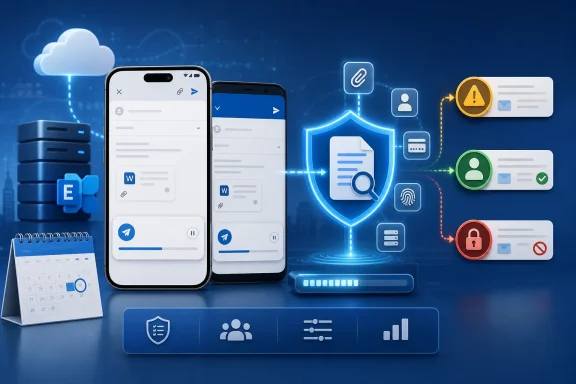 Microsoft’s documentation shows the mobile gap that is being closed
The new roadmap item is significant because Microsoft Learn’s current Outlook mobile DLP reference explicitly says Outlook for Android and iOS do not yet support DLP Wait-to-Send. That page was last updated on April 16, 2026, and directs administrators watching for the feature to the Microsoft 365 Roadmap.
This is therefore a roadmap-to-documentation transition, not a claim that mobile DLP starts from zero in September. Outlook mobile already supports Purview DLP policy tips, including warnings, blocks, and override experiences for sensitive or labeled email, when the appropriate configuration and licensing are in place. Microsoft describes an oversharing dialog for iOS and Android that can show a warning, allow an override with justification choices, or block sending.
But policy feedback and wait-on-send are different controls. A policy tip tells a user that a message appears to violate a rule. Wait-on-send holds the send operation long enough for the DLP service to return an answer before Outlook lets the message proceed. In a desktop-oriented workflow, that distinction can seem minor. On a phone, where users often send quick replies after adding an attachment, a recipient, or a copied account number, it is the difference between an advisory screen and a dependable enforcement point.
Microsoft’s existing Outlook mobile documentation says the policy-tip interface is disabled by default. Administrators must enable the Microsoft 365 Apps Admin Center policy named “Enable Purview Data Loss Prevention (DLP) policy tips in Outlook,” and can target it to selected users or groups. Organizations that have never enabled that client-side experience should not assume that wait-on-send will make their existing mobile DLP deployment visible or understandable to users without a deliberate pilot.
The setting is governed by Exchange Online, not by each phone
Microsoft’s PowerShell documentation for Exchange Online identifies two organization-level controls: DLPWaitOnSendEnabled and DLPWaitOnSendTimeout, both parameters of Set-OrganizationConfig. Microsoft’s Outlook mobile DLP page specifically says wait-on-send is centrally managed through Exchange Online mailbox settings.
That architecture has an important operational consequence. This is not likely to become a separate iOS or Android toggle that IT teams can manage independently in Intune. The mobile apps are gaining the ability to honor a policy decision controlled through Exchange Online. In practice, administrators should treat the September rollout as an expansion of an organization-wide mail compliance control into another Outlook client, not as a wholly new mobile-only DLP product.
It also means a tenant that already uses wait-on-send for supported Outlook clients should review its current Exchange Online configuration before the mobile rollout begins. A configuration that was reasonable when only desktop users encountered the delay may be far more noticeable on cellular connections and during time-sensitive field work. The roadmap promises flexible control over the wait period, but Microsoft has not yet said whether existing values will automatically apply to Outlook mobile, whether mobile will use a separate supported range, or whether rollout will require an additional service-side enablement step.
Exchange Online is already where Outlook for iOS and Android depend on service-side processing for some other security features. Microsoft’s sensitivity-labeling documentation, for example, says encryption for messages sent from Outlook mobile occurs in Exchange Online transport after the app sends the email. Wait-on-send moves the decision point earlier in the experience: instead of relying solely on downstream processing, it gives the sender a visible pause while policy evaluation finishes.
That does not mean DLP inspection is suddenly performed locally on the phone. Microsoft’s roadmap describes waiting for a DLP evaluation, and its existing documentation identifies Exchange Online as the central control plane. Administrators should not interpret the feature as offline DLP scanning or as a promise that a mobile device can make compliance decisions without a working service connection.
The policy decision is only as useful as the rule design
Wait-on-send will improve enforcement consistency only for policies that can be evaluated accurately and are designed for email. Purview DLP policies can inspect email content against sensitive information types, custom sensitive information types, exact data match classifiers, sensitivity labels, and trainable classifiers. Microsoft’s Outlook mobile reference says these categories are supported for the mobile policy-tip experience, along with email-related conditions and actions.
The new feature should make the mobile experience more aligned with the DLP policy authors intended, but it will not correct a noisy rule. If a financial-data policy regularly flags harmless strings, users will now encounter a delay plus a warning or block instead of merely a warning. If an allowed business workflow depends on a justified exception, administrators need to confirm the override and audit path works as intended on both platforms before enforcement reaches the full mobile population.
There is a second complication for organizations with older Exchange-based policy-tip configurations. Microsoft notes that Outlook policy tips can draw from DLP policies in the Microsoft Purview portal or from Exchange admin center configurations, but not from both at once. Where Exchange-configured policy tips are active, Purview policy tips do not appear in supported Outlook clients until the Exchange-side tips are turned off.
That limitation predates the mobile wait-on-send announcement, but it becomes more consequential as mobile clients become capable of stronger pre-send enforcement. IT teams should map which policy store is actually generating their Outlook DLP experience before treating a successful desktop test as proof that iOS and Android will show the same message, override options, or user guidance.
September is a rollout target, not a deployment date
Microsoft labels Roadmap ID 569718 “In development,” with general availability targeted for September 2026. A roadmap date means the company intends to begin broad availability in that month; it does not establish that every eligible tenant, sovereign cloud, or device will receive it on September 1.
The listed cloud coverage is unusually broad for an initial roadmap entry: Worldwide standard multi-tenant, GCC, GCC High, and DoD are all named. Still, government customers should not schedule a production policy change solely from that line. Microsoft often stages service capability by cloud environment, and the roadmap entry does not provide separate dates or app-build requirements for those clouds.
No independent outlet had published substantive reporting on Roadmap ID 569718 at the time of publication. The primary record is Microsoft’s roadmap entry, while Microsoft Learn provides the useful corroborating context that the capability remains absent from Outlook mobile today. That record supports reporting the planned feature and the current gap; it does not support assumptions about the exact interaction design, telemetry, licensing threshold, or timeout outcome.
What administrators should do before Outlook mobile catches up
The sensible response is preparation, not a rush to turn on a setting that has not shipped. Teams responsible for Purview and Exchange should first inventory whether DLPWaitOnSendEnabled is already configured, what timeout is set, and which DLP rules affect outbound email. They should then identify the groups most likely to be affected by a mobile send delay: executives, sales staff, clinicians, support teams, field engineers, and employees who routinely send attachments from unmanaged or intermittently connected locations.
A controlled pilot should include real mobile scenarios rather than only a desktop Outlook test:
- Test messages with sensitive text in the subject and body, plus attachments that trigger the organization’s most important DLP rules.
- Test block, warning, and permitted-override outcomes, including whether justification text is captured where compliance investigators expect it.
- Measure the actual wait experience on both Wi-Fi and cellular networks before selecting a timeout that applies broadly.
- Check that the policy-tip interface is enabled for the pilot users, because Microsoft documents it as disabled by default for Outlook mobile.
- Document a user-facing explanation of the pause so employees do not interpret a compliance evaluation as a failed send or resend the message through another channel.
The September release will remove a known disparity between Outlook mobile and other DLP-capable Outlook experiences. But the immediate consequence for IT is more demanding than checking a roadmap box: once wait-on-send reaches iOS and Android, the organization’s existing DLP rules, timeout choice, exception process, and user training will be felt at the exact moment a mobile user tries to send sensitive information.