
Neowin and Windows Report flagged the release’s Command Palette focus, but Microsoft’s release notes and the underlying PowerToys pull requests provide more useful detail about what actually broke. The display fix is about Windows changing the identifiers and topology it reports for connected monitors during transitions; the performance work targets repeated extension updates that could continually create UI objects instead of reusing and disposing of them.
For ordinary PowerToys users who never enable Command Palette Dock, there is little reason to switch to this preview. For developers, laptop users, and IT staff who use Dock as a persistent launcher or status strip across desks, conference-room displays, or docking stations, the update fixes failure modes that can otherwise look like settings corruption.
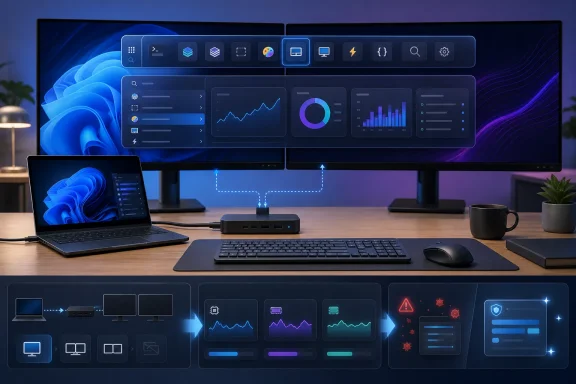 The Dock failure was tied to changing monitor identity
Command Palette Dock is PowerToys’ always-visible toolbar, positioned on an edge of one or more displays and populated with pinned commands and extensions. Microsoft’s documentation makes clear that it depends on Command Palette running in the background; it is more stateful than opening the palette with a keyboard shortcut and closing it again.
The defect in v0.101.2282.0 appeared when Windows reported a new or transitional display arrangement. Microsoft’s PowerToys engineers describe several triggering paths: connecting or disconnecting a laptop, switching projection modes with Win+P, and the flurry of display-change messages Windows can send while the new monitor arrangement settles. In those cases, Dock could become empty, disappear, or retain a misconfigured display assignment.
The code-level explanation is more specific than the headline release note. During a display transition, a lookup could briefly fail and PowerToys could fall back to a volatile Graphics Device Interface device name. The Dock configuration reconciler could then treat a monitor that was still connected as entirely new hardware. A familiar secondary display could therefore receive a fresh, disabled, or empty Dock configuration instead of recovering the one the user had already created.
Microsoft changed the handling in several ways. It now retries display-configuration lookups after display changes, debounces bursts of display notifications before persisting a configuration, and keeps the monitor cache current even if no Dock window is active. It also adds a narrowly constrained reconciliation path: when exactly one saved secondary-monitor configuration and one unmatched secondary monitor exist, PowerToys can reassociate them rather than discard the prior setup.
That last condition is important. Microsoft is not claiming perfect monitor matching across every complex docking station, DisplayLink adapter, KVM, virtual display, or rapidly changing multi-monitor setup. The project’s own implementation notes say that Dock scaling behavior when a window moves to a display with a different DPI remains outside this fix. Users whose Dock has positioning or scaling issues on mixed-DPI panels should not assume this preview resolves those separate problems.
The performance fix closes a resource-growth path
The second significant change is described tersely in the release notes as reduced Dock resource usage during refreshes. The associated PowerToys change shows why that wording understates the bug: repeated ItemsChanged notifications from a Command Palette provider could cause unbounded resource growth and eventually a UI hang.
The Dock refresh code was creating replacement item view models repeatedly even when the underlying command or extension item had not meaningfully changed. It also processed bursts of refresh notifications individually. On a Dock with frequently updating content—performance monitors and other live extensions are the obvious examples—that behavior could produce needless object churn, leave discarded models for cleanup, and queue further refreshes that could repopulate the interface after cleanup had run.
Version 0.101.2282.0 reuses Dock view models while their source items remain stable, combines bursty notifications into one follow-up refresh, and explicitly cleans up models that have been superseded or discarded. It also prevents queued work from restoring disposed items after the Dock has cleaned itself up. Microsoft added unit tests covering reuse and cleanup behavior.
In practical terms, this is not a claim that PowerToys will suddenly use dramatically less memory across the entire suite. It is a targeted correction for Command Palette Dock refresh behavior. The likely beneficiaries are users who leave the Dock running all day with extensions that update continuously, rather than users who only invoke Command Palette as an occasional launcher.
The timing also matters. PowerToys v0.100.2, the current non-preview release, already patched a separate Command Palette memory leak involving the Performance Monitor Dock extension. This new preview reaches deeper into the generic refresh path, suggesting that the team is still working through the consequences of turning Command Palette into a persistent multi-monitor surface rather than a transient command window.
Failed extension operations will no longer masquerade as changes
The preview also corrects extension package handling for installation, update, and removal. Windows Report characterized the fix as security hardening, but Microsoft’s public PowerToys record supports a more precise conclusion: this is primarily an operation-status validation fix, not a disclosed security vulnerability.
PowerToys relies on Windows package catalog events when handling Command Palette extensions. Microsoft’s implementation notes say a PackageCatalog operation can report itself as complete while also exposing a failure through an error code. The prior code checked completion but did not require the error state to be clear. As a result, a failed extension install, update, or uninstall could enter the same handling flow as a successful package change.
The fix requires both conditions: the package operation must have completed and its reported error code must be null. The check now applies to installation, uninstallation, and update events.
That should reduce confusing behavior in the Extension Gallery, such as a failed package transaction triggering extension reload activity or leaving Command Palette’s displayed state out of sync with what Windows actually installed. Microsoft has not issued a CVE, an MSRC advisory, or a claim that the prior behavior enabled code execution or privilege escalation. Administrators should treat it as a reliability correction in extension lifecycle processing, while continuing to apply the usual caution around third-party extensions and package sources.
DevDocs is moving out of the built-in bundle
One behavioral change is easy to miss: DevDocs is being published through the third-party Command Palette plugin directory rather than remaining a built-in component. The underlying PowerToys contribution describes the move as a decision to publish DevDocs as a standalone third-party plugin.
For users, that means DevDocs becomes discoverable and installable from the Command Palette extension directory instead of arriving automatically with PowerToys. It also means a fresh preview installation may not have DevDocs available until the user explicitly installs it.
The shift fits the direction Microsoft established in PowerToys 0.100, which introduced Command Palette’s Extension Gallery and expanded multi-monitor Dock support. Separating a feature into an independently installed extension can lower the default footprint and let its release cadence diverge from the main PowerToys package. The trade-off is that extension availability, updates, and removal are now more visible parts of the user experience—which makes the failed-package-state fix in the same preview more relevant.
Admins maintaining a standardized PowerToys deployment should check whether anyone depends on DevDocs before treating the 0.101 branch as a drop-in update. The release notes do not provide a migration prompt, policy change, or enterprise deployment guidance for existing DevDocs users.
Preview installers exist for x64 and ARM64, but this is still a test build
Microsoft published per-user and machine-wide installers for both x64 and ARM64 systems, along with SHA-256 hashes for the files. That gives testers a way to verify the downloaded installer before deployment, particularly where PowerToys is used on development workstations.
Windows Report says the preview requires a manual download, and Microsoft’s GitHub release is indeed where the preview installers and hashes are published. However, the official release note does not promise that this build will arrive through the normal stable update channel, nor does it state a date for a stable 0.101 release. It should therefore be treated as a test build, not as a fleet-wide remedy.
PowerToys v0.101.2282.0 is most useful for a defined set of testers: people whose Command Palette Dock empties after Win+P or docking events, and people seeing persistent resource use or sluggishness from a frequently refreshing Dock. Everyone else can wait for Microsoft to fold these fixes into a regular release—especially because the remaining mixed-DPI Dock issue is explicitly still unresolved.
