
VideoCardz first highlighted the abrupt version jump from ROCm 7.14 to 10, while SMBtech detailed the three ROCm.AI components: AMD Skills, ROCm CLI, and Hyperloom. AMD’s own release notes confirm the important underlying change: ROCm 7.14 was the first production release using TheRock, AMD’s new common build and release system, and ROCm 10 now carries that transition into the company’s new ROCm Core SDK distribution.
The skipped version numbers are therefore not evidence of two missing public feature releases. AMD is moving away from the legacy ROCm release stream and using the ROCm Core SDK’s new packaging and installation model. That creates real compatibility and operational consequences for Linux administrators, while Windows users get more coherent SDK support but still do not receive a simple, broadly supported ROCm desktop experience.
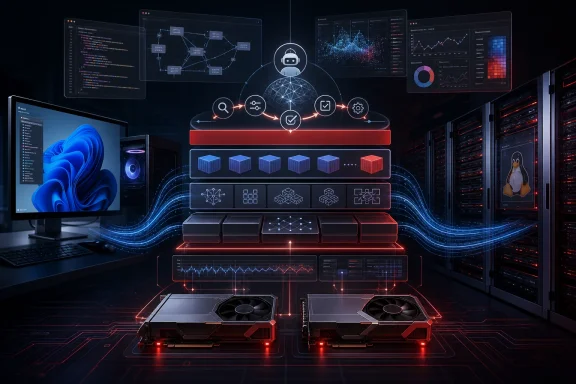 ROCm 10 is a tooling and distribution reset
AMD describes ROCm 10 as a modular foundation for AI workloads across Instinct accelerators, Radeon GPUs, and Ryzen AI systems. The company has changed package naming, installation locations, and release construction under TheRock. On Linux, the new packages use the amdrocm- prefix rather than the older mixture of rocm-, roc, and hip names; the default major-version installation layout also changes.
For administrators, this is the meaningful part of the jump to version 10. A common build-and-validation foundation should reduce the mismatched component versions that have long complicated GPU compute installations, particularly where framework wheels, containers, compiler components, and system packages came from separate channels. AMD’s transition documentation says the new package layout is deliberately designed to allow downstream release streams while retaining backward-compatible symlinks for familiar /opt/rocm/ paths on managed Linux deployments.
That does not make an in-place upgrade consequence-free. Teams with scripts that pin package names, inspect a specific ROCm directory, build custom extensions, or load ROCm through HPC environment modules should test those assumptions before treating 10.0.0 as a routine point upgrade. The familiar path may still resolve, but the package identity and major-version directory conventions have changed underneath it.
ROCm 10 also updates the officially supported framework set, including PyTorch 2.13.0, JAX 0.11.0, vLLM 0.27.0, SGLang 0.5.15, TensorFlow 2.21, MIGraphX 2.17, and ONNX Runtime 1.27.0. Those versions matter more than the round version number: a deployment’s actual outcome will depend on whether its framework, model-serving engine, driver, firmware, and GPU architecture appear together in AMD’s compatibility matrix.
ROCm.AI adds agents to the GPU software workflow
The new ROCm.AI layer combines three distinct products that address different parts of the development process.
Hyperloom is the most ambitious. AMD calls it an autonomous, agentic system that profiles an inference workload, locates bottlenecks across host code and GPU kernels, explores optimizations, applies changes, benchmarks the output, and validates results. ROCm 10 expands Hyperloom support across AMD Instinct GPUs and targets workflows using vLLM and SGLang, with optimizations spanning HIP, Triton, and FlyDSL.
The useful distinction is that Hyperloom is not a replacement runtime or a magic switch that accelerates every model. It is an optimization workflow that can modify code and test alternative kernels, scheduling, and memory-management decisions against a specific workload. That makes it potentially valuable for organizations operating repeatable large-model inference services on Instinct hardware, where a narrow bottleneck can justify substantial engineering effort. It is far less relevant to a Windows PC owner running occasional local inference.
AMD Skills takes a different route: it places vendor-authored workflows and AMD-specific guidance inside coding agents including Claude Code, Cursor, and Codex. AMD says the available skills cover local AI and application integration, cross-stack diagnostics and replay analysis, plus server-side serving, profiling, and performance analysis for Instinct GPUs and EPYC systems.
There is a practical governance issue here. An AI coding agent that can recommend or invoke environment setup, diagnostics, and optimization workflows should be treated like any other automation that can alter a build or deployment. The Skills catalog may be vendor-validated, but teams should still review generated patches, preserve benchmark baselines, and restrict credentials and production access. AMD says Hyperloom validates performance and correctness, but that is not the same as proving that a code change meets an organization’s security, maintainability, or application-level correctness requirements.
The 3.3x performance figure is not a ROCm 10 baseline
AMD’s headline claim is an average 3.3x inference improvement and 2.4x training improvement over ROCm 7 on the same hardware. Both VideoCardz and SMBtech correctly identify that these are AMD Performance Labs figures, not independently reproduced results.
AMD’s methodology puts firmer boundaries around the number. The inference comparison used a Supermicro system with eight Instinct MI355X GPUs and three models—GLM-5, Kimi-K2.5, and DeepSeek-R1-0528—run through SGLang or vLLM. It compared ROCm 7.0 configurations with a preview ROCm.AI configuration based on ROCm 7.2.2, including newer containers and workload-specific optimized kernels, parallelism, and scheduling.
In other words, the 3.3x result does not compare a stock ROCm 10 install with a stock ROCm 7.14 install. It measures a combined stack of software revisions, containers, optimized kernels, and tuning techniques on an eight-GPU Instinct server. The reported average is legitimate as a vendor benchmark for that configured test, but it is not a reasonable expectation for every model, every AMD GPU, or a single-GPU Windows workstation.
The training figure has the same limitation. AMD compared ROCm 7.0 with a ROCm.AI preview configuration using Megatron-LM and three models: DeepSeek-V2-Lite, DeepSeek-V3-16B, and Qwen3-30B-A3B. It also warns that results vary with server configuration, driver versions, software, and applied optimizations.
There is an immediate reminder in AMD’s own ROCm 10 known-issues list. On Instinct MI350X systems, certain Hugging Face training workloads can see 9% to 25% lower throughput because AOTriton 0.13b selects a less effective flash-attention backward kernel. AMD’s workaround is to rebuild PyTorch and pin AOTriton to 0.11.2b. A release can therefore contain substantial improvements in carefully tuned workloads while still exposing regressions in others.
Windows support is real, but it remains narrowly scoped
ROCm 10’s release notes apply to Linux and Windows, and AMD lists Windows 11 version 25H2 as the supported Windows release for Radeon and Ryzen platforms. The company also publishes Windows TheRock tarballs for multiple GPU architecture families, including multi-architecture, RDNA 3, RDNA 4, and selected Ryzen AI-oriented builds. This is a substantive improvement over treating Windows as a separate HIP SDK side path.
But the Windows experience should not be overstated. The current documented procedure still has users download and extract a tarball into C:\TheRock\build; it is not the conventional consumer-facing installer implied by “native Windows installer.” VideoCardz reported that such an installer is planned later in 2026, but AMD’s public ROCm 10 documentation currently provides the archive-based path rather than an announced delivery date or installer specification.
The ROCm CLI itself is available as a prebuilt binary on Windows and Linux without a pre-existing ROCm installation. AMD says it can inspect systems, install and manage ROCm environments, serve models, run diagnostics, update components, and activate or roll back side-by-side runtimes. The bundled ROCm Console adds visibility into runtime health, model serving, GPU use, and supported telemetry.
However, the CLI is explicitly a Technology Preview. AMD says its version-agnostic workflow begins with ROCm 7.13 and that official ROCm 10 support is still “coming soon.” That wording creates an important split in the launch: ROCm Core SDK 10.0.0 is production software, while the command-line control plane AMD is using to simplify setup and lifecycle management has not yet reached full ROCm 10 support status.
Windows developers also need to examine the hardware and workload-specific support tables rather than infer compatibility from the presence of a Windows download. AMD’s release notes list known Radeon problems including JAX BERT FP16 training crashes on some devices, GPU resets or application crashes in Llama-Factory or Unsloth training on Radeon RX 9070-series and Radeon AI PRO R9700 systems, and SGLang failures with the default AITER attention backend on certain Radeon GPUs. Ryzen AI systems using gfx1103 graphics can also experience intermittent faults or GPU hangs with some vLLM or ComfyUI workloads.
What administrators should do before moving to ROCm 10
ROCm 10 is worth evaluating for teams deploying AMD Instinct inference, maintaining a supported Radeon AI workstation fleet, or standardizing GPU compute tooling. It offers a more credible path from installation to framework validation and performance investigation than the older collection of ROCm components and bespoke setup instructions.
Before deployment, administrators should take a few concrete precautions:
- Verify the exact GPU, operating system, driver, firmware, framework, and Python combination against AMD’s ROCm 10 compatibility matrix rather than relying on family-level support.
- Test existing package-management scripts, container builds, compiler integrations, and module files against TheRock’s renamed packages and changed installation layout.
- Benchmark representative models on the organization’s own serving engine and hardware before using AMD’s ROCm.AI performance averages for capacity planning.
- Keep ROCm CLI and Hyperloom out of unattended production change paths while they are in preview, and require review for generated code or configuration changes.
- Document AMD’s published workarounds where a current release has a known regression or crash condition affecting the deployed workload.
AMD has made ROCm 10 a significant software-platform release, but its strongest benefits are aimed at managed AI infrastructure, not a frictionless upgrade for every Radeon owner. The immediate result for Windows users is expanded alignment with the core SDK and a usable preview CLI; the larger payoff depends on AMD delivering the promised native installer and turning ROCm.AI’s preview management layer into a fully supported production tool.