
BGR’s warning that Microsoft is “ending support” for several Surface PCs in 2027 is directionally correct but imprecise in the way that matters most to owners and IT departments: six 2021-era Surface models are reaching the end of Microsoft’s driver-and-firmware servicing period, not the end of Windows support or the end of the machines’ usable life.
Microsoft’s own Surface lifecycle record sets the cutoffs. The Surface Pro 7+ reaches the date first, on January 15, 2027; Surface Laptop 4 follows on April 15, 2027; and Surface Pro 8, Surface Laptop Studio, Surface Go 3, and the Wi‑Fi-only Surface Pro X all reach it on October 5, 2027. After those dates, Microsoft says it will cease publishing new Surface-specific firmware and driver updates for each model.
That is a meaningful change, especially for businesses that depend on UEFI fixes, docking stability, camera and audio reliability, Windows Hello, wireless performance, or vendor remediation for hardware-level security flaws. But it is not a switch that turns a working Surface into an unsupported Windows PC overnight. Microsoft’s support documentation explicitly says Surface devices continue to receive Windows feature and security updates under the Windows lifecycle policy after their hardware servicing period ends.
The practical issue is narrower, and more uncomfortable: if a future Windows update exposes a model-specific flaw, Microsoft will no longer be committed to issue the firmware or driver fix that resolves it.
Microsoft’s Surface driver and firmware lifecycle table identifies these 2027 cutoffs:
The timing follows Microsoft’s six-year policy for Surface devices released on or after January 1, 2021. Microsoft announced that policy in 2023, positioning the longer window as a security and longevity commitment. The dates therefore are not a newly announced withdrawal of support; they are the scheduled expiration points of a policy that was already in place when these devices were sold.
There is an important model-name trap here. The October 2027 deadline applies specifically to the Surface Pro X Wi‑Fi, Microsoft’s later Wi‑Fi-only configuration. Earlier Surface Pro X models using Microsoft SQ1 and SQ2 chips already reached driver-and-firmware end of servicing on August 10, 2025. An organization inventory that merely labels a device “Surface Pro X” without distinguishing its configuration could easily assign the wrong retirement date.
Likewise, Surface Pro 7 owners should not confuse the 2019 consumer model with the 2021 Surface Pro 7+. The original Surface Pro 7 reached its firmware-and-driver servicing cutoff on October 30, 2025. The Pro 7+ gets through January 15, 2027.
Microsoft’s Surface documentation says a device whose driver-and-firmware servicing period has concluded continues to receive Windows OS feature and security updates under the applicable Windows lifecycle policy. Its Windows 11 version 25H2 guidance makes the division even more explicit: compatible Surface devices can be offered the Windows 11 2025 Update, while only devices still inside their Surface servicing period receive newer driver and firmware packages.
In other words, a Surface Pro 8 that passes its October 5, 2027 firmware deadline can still receive cumulative Windows security updates as long as the installed Windows 11 edition and release remain in support. Windows Update does not suddenly disappear. Microsoft Defender updates do not disappear. Office, browsers, applications, and cloud services do not stop working because the Surface-specific cutoff date arrives.
However, Windows servicing cannot substitute for a vendor firmware response. Windows can patch the operating system; it cannot reliably address every issue in the firmware, touch controller, battery-management logic, camera stack, wireless chipset, Surface Connect implementation, or UEFI configuration beneath it.
Microsoft itself has described Surface firmware as part of the machine’s security model. The company says its custom firmware is involved from startup, validates hardware components, and can enforce hardware-level controls such as disabling cameras, microphones, Bluetooth, or USB boot. Once the servicing clock expires, those components remain in the field but stop receiving new Microsoft maintenance releases.
That distinction is especially relevant to the two ARM devices on the list. The Surface Pro X Wi‑Fi is an ARM-based Windows machine with a hardware and driver stack that differs substantially from the Intel-based Surface Pro 7+, Laptop 4, Pro 8, Laptop Studio, and Go 3. It will continue receiving Windows updates if it remains eligible, but its Microsoft-authored hardware support package will be frozen after October 5, 2027.
Microsoft’s own treatment of older models supports that conclusion. Its Windows 11 25H2 guidance lists several devices that had already passed Surface driver-and-firmware end of servicing — including Surface Pro 6, Surface Pro 7, Surface Laptop 3, Surface Go 2, Surface Book 3, and older Surface Pro X variants — as still eligible to be offered the feature update when readiness data permits. Hardware servicing expiry did not prevent Windows 11 servicing.
The exposure emerges when the software platform moves and the hardware package cannot follow. A future Windows 11 release could change power-management behavior, graphics handling, Modern Standby, USB behavior, external display support, biometric operation, or a security requirement that needs a Surface-specific driver or UEFI revision. Microsoft may still mitigate an issue in Windows itself, but its policy does not promise new firmware or device drivers for these six models after their stated dates.
For consumers, that is an acceptable risk if the machine is functioning normally and its value is already largely realized. For businesses with standardized Surface fleets, it is a lifecycle-management issue. A device can remain productive while becoming harder to certify for a new Windows feature release, a revised endpoint-security baseline, a new dock deployment, or a regulated hardware-security posture.
There is also a difference between “no planned updates” and “no possible updates.” Microsoft’s lifecycle page says it will cease to publish updates at the designated date. Owners should plan on that as a hard boundary rather than assume an emergency exception will arrive for a serious defect. A vendor can always make an unusual decision later, but a support plan cannot be built around an exception that has not been promised.
Administrators should first identify the exact models and configurations in their inventory rather than relying on broad family names. “Surface Pro 7” and “Surface Pro 7+” have different servicing timelines; “Surface Pro X” is similarly ambiguous. Asset systems should record the full commercial model, processor platform, serial number, current UEFI version, and current driver package level.
The second task is to establish a known-good software baseline. Microsoft publishes Surface update histories and device-specific driver-and-firmware packages, including deployment-oriented packages for managed environments. Organizations that reimage Surfaces should retain the final supported package for each model, document the UEFI and driver versions deployed, and test their recovery process before the servicing date rather than discover a missing dependency during a later rebuild.
A sensible plan for the affected fleet includes:
For Surface Pro 7+ owners, the first date to put on the calendar is January 15, 2027. For the other five affected systems, it is April 15 or October 5, 2027. The devices will still boot, run Windows, and receive operating-system updates after then; what ends is Microsoft’s obligation to keep their hardware layer current when Windows and the physical device no longer cooperate.
That is a meaningful change, especially for businesses that depend on UEFI fixes, docking stability, camera and audio reliability, Windows Hello, wireless performance, or vendor remediation for hardware-level security flaws. But it is not a switch that turns a working Surface into an unsupported Windows PC overnight. Microsoft’s support documentation explicitly says Surface devices continue to receive Windows feature and security updates under the Windows lifecycle policy after their hardware servicing period ends.
The practical issue is narrower, and more uncomfortable: if a future Windows update exposes a model-specific flaw, Microsoft will no longer be committed to issue the firmware or driver fix that resolves it.
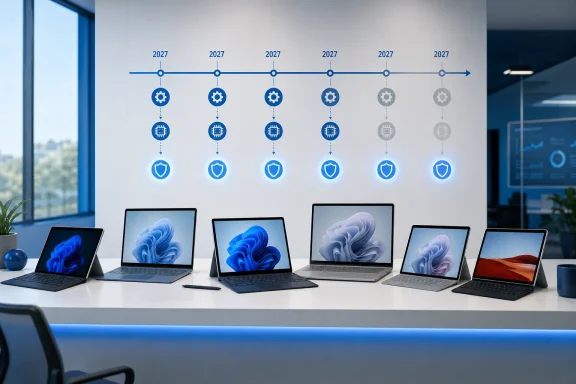 The six Surface devices and their actual deadlines
Microsoft’s Surface driver and firmware lifecycle table identifies these 2027 cutoffs:| Surface model | Original release date | Firmware and driver servicing ends |
|---|---|---|
| Surface Pro 7+ | January 15, 2021 | January 15, 2027 |
| Surface Laptop 4 | April 15, 2021 | April 15, 2027 |
| Surface Pro 8 | October 5, 2021 | October 5, 2027 |
| Surface Laptop Studio | October 5, 2021 | October 5, 2027 |
| Surface Go 3 | October 5, 2021 | October 5, 2027 |
| Surface Pro X Wi‑Fi | October 5, 2021 | October 5, 2027 |
There is an important model-name trap here. The October 2027 deadline applies specifically to the Surface Pro X Wi‑Fi, Microsoft’s later Wi‑Fi-only configuration. Earlier Surface Pro X models using Microsoft SQ1 and SQ2 chips already reached driver-and-firmware end of servicing on August 10, 2025. An organization inventory that merely labels a device “Surface Pro X” without distinguishing its configuration could easily assign the wrong retirement date.
Likewise, Surface Pro 7 owners should not confuse the 2019 consumer model with the 2021 Surface Pro 7+. The original Surface Pro 7 reached its firmware-and-driver servicing cutoff on October 30, 2025. The Pro 7+ gets through January 15, 2027.
Windows 11 updates will continue, but that is only part of the contract
The key correction to the broad “support ends” framing is that Microsoft separates the Windows operating system lifecycle from the Surface hardware lifecycle.Microsoft’s Surface documentation says a device whose driver-and-firmware servicing period has concluded continues to receive Windows OS feature and security updates under the applicable Windows lifecycle policy. Its Windows 11 version 25H2 guidance makes the division even more explicit: compatible Surface devices can be offered the Windows 11 2025 Update, while only devices still inside their Surface servicing period receive newer driver and firmware packages.
In other words, a Surface Pro 8 that passes its October 5, 2027 firmware deadline can still receive cumulative Windows security updates as long as the installed Windows 11 edition and release remain in support. Windows Update does not suddenly disappear. Microsoft Defender updates do not disappear. Office, browsers, applications, and cloud services do not stop working because the Surface-specific cutoff date arrives.
However, Windows servicing cannot substitute for a vendor firmware response. Windows can patch the operating system; it cannot reliably address every issue in the firmware, touch controller, battery-management logic, camera stack, wireless chipset, Surface Connect implementation, or UEFI configuration beneath it.
Microsoft itself has described Surface firmware as part of the machine’s security model. The company says its custom firmware is involved from startup, validates hardware components, and can enforce hardware-level controls such as disabling cameras, microphones, Bluetooth, or USB boot. Once the servicing clock expires, those components remain in the field but stop receiving new Microsoft maintenance releases.
That distinction is especially relevant to the two ARM devices on the list. The Surface Pro X Wi‑Fi is an ARM-based Windows machine with a hardware and driver stack that differs substantially from the Intel-based Surface Pro 7+, Laptop 4, Pro 8, Laptop Studio, and Go 3. It will continue receiving Windows updates if it remains eligible, but its Microsoft-authored hardware support package will be frozen after October 5, 2027.
The risk is compatibility debt, not instant obsolescence
Owners should resist the simplistic conclusion that a 2027 cutoff requires an immediate replacement. These are not obsolete products today. The Surface Pro 8 and Surface Laptop Studio, in particular, remain relatively capable Windows 11 PCs for ordinary productivity work, conferencing, browser-based workloads, and many line-of-business applications. A Surface that is stable on a supported Windows release may remain stable for years after the last firmware release.Microsoft’s own treatment of older models supports that conclusion. Its Windows 11 25H2 guidance lists several devices that had already passed Surface driver-and-firmware end of servicing — including Surface Pro 6, Surface Pro 7, Surface Laptop 3, Surface Go 2, Surface Book 3, and older Surface Pro X variants — as still eligible to be offered the feature update when readiness data permits. Hardware servicing expiry did not prevent Windows 11 servicing.
The exposure emerges when the software platform moves and the hardware package cannot follow. A future Windows 11 release could change power-management behavior, graphics handling, Modern Standby, USB behavior, external display support, biometric operation, or a security requirement that needs a Surface-specific driver or UEFI revision. Microsoft may still mitigate an issue in Windows itself, but its policy does not promise new firmware or device drivers for these six models after their stated dates.
For consumers, that is an acceptable risk if the machine is functioning normally and its value is already largely realized. For businesses with standardized Surface fleets, it is a lifecycle-management issue. A device can remain productive while becoming harder to certify for a new Windows feature release, a revised endpoint-security baseline, a new dock deployment, or a regulated hardware-security posture.
There is also a difference between “no planned updates” and “no possible updates.” Microsoft’s lifecycle page says it will cease to publish updates at the designated date. Owners should plan on that as a hard boundary rather than assume an emergency exception will arrive for a serious defect. A vendor can always make an unusual decision later, but a support plan cannot be built around an exception that has not been promised.
What administrators should do before 2027
The deadline is distant enough that there is no operational reason to force-replace every affected Surface in 2026. There is, however, enough time to avoid a rushed migration when a Windows release, security policy, or hardware problem forces the issue.Administrators should first identify the exact models and configurations in their inventory rather than relying on broad family names. “Surface Pro 7” and “Surface Pro 7+” have different servicing timelines; “Surface Pro X” is similarly ambiguous. Asset systems should record the full commercial model, processor platform, serial number, current UEFI version, and current driver package level.
The second task is to establish a known-good software baseline. Microsoft publishes Surface update histories and device-specific driver-and-firmware packages, including deployment-oriented packages for managed environments. Organizations that reimage Surfaces should retain the final supported package for each model, document the UEFI and driver versions deployed, and test their recovery process before the servicing date rather than discover a missing dependency during a later rebuild.
A sensible plan for the affected fleet includes:
- Inventorying the six models separately and correcting any records that merge Surface Pro 7 with Surface Pro 7+ or the different Surface Pro X generations.
- Applying current firmware, driver, and Windows updates while the devices remain inside Microsoft’s servicing window.
- Testing the organization’s required Windows 11 feature release, docks, VPN client, endpoint-security agent, display adapters, and peripherals on each Surface model before committing to a broad deployment.
- Setting replacement priorities around operational dependency rather than age alone, with devices tied to regulated workloads, fixed docking setups, external monitors, or hardware-backed access controls moving first.
- Preserving a validated driver-and-firmware deployment package and recovery procedure for every model that will remain in service after its cutoff.
For Surface Pro 7+ owners, the first date to put on the calendar is January 15, 2027. For the other five affected systems, it is April 15 or October 5, 2027. The devices will still boot, run Windows, and receive operating-system updates after then; what ends is Microsoft’s obligation to keep their hardware layer current when Windows and the physical device no longer cooperate.
References
- Primary source: bgr.com
Published: 2026-08-05T01:47:00+00:00
Loading…
www.bgr.com - Related coverage: support.microsoft.com
Loading…
support.microsoft.com - Related coverage: learn.microsoft.com
Loading…
learn.microsoft.com - Related coverage: support.microsoft.com
Loading…
support.microsoft.com - Related coverage: learn.microsoft.com
Ending Support in 2027 - Microsoft Lifecycle | Microsoft Learn
Find out which products will retire, reach end of support or move from mainstream support to extended support in 2027.learn.microsoft.com - Related coverage: microsoft.com
Loading…
www.microsoft.com - Related coverage: blogs.windows.com
Introducing new Surface devices built for business and AI acceleration
Every IT leader and partner we work with is navigating the same challenges: AI is changing the demands of how teams work, security threats are growing more sophisticated and agents are changing investment decisions for the future. All under greater sblogs.windows.com - Related coverage: microsoft.com
Loading…
www.microsoft.com - Related coverage: blogs.windows.com
Loading…
blogs.windows.com - Related coverage: cdn-dynmedia-1.microsoft.com
Loading…
cdn-dynmedia-1.microsoft.com - Related coverage: cdn.techcommunity.microsoft.com
Surface Surface devices solution guide solutionguide 110321
PDF documentcdn.techcommunity.microsoft.com
- Related coverage: download.microsoft.com
- Related coverage: techcommunity.microsoft.com
- Related coverage: techradar.com
Microsoft has all but given up on Windows 11 SE – and it looks like the war against Chromebooks has been lost | TechRadar
Surface Laptop SE owners may well be confused here, too - with good reasonwww.techradar.com - Related coverage: windowscentral.com
Loading…
www.windowscentral.com - Related coverage: windowscentral.com
Loading…
www.windowscentral.com