
Valve’s latest Steam Beta adds HDR Remote Play streaming to the Steam Deck OLED, allowing compatible host PCs and games to preserve high-dynamic-range output when streamed to Valve’s OLED handheld rather than flattening the image to SDR.
As reported by GamingOnLinux, the July 29 Steam Beta also improves video color range across Remote Play clients, a change that should help reduce the washed-out or crushed-looking output users can encounter when a host PC, display mode, and streaming client disagree about color handling.
The Steam Deck OLED has an HDR-capable display, but that capability has not automatically meant HDR could survive a Remote Play session from a Windows gaming PC. The new beta closes that gap for streaming, making the Deck OLED a more credible companion for playing demanding PC games remotely while retaining the contrast and highlight detail HDR is intended to provide.
The limitation remains important: this is a Steam Beta feature, and HDR streaming depends on more than the handheld. The game must support HDR, HDR must be correctly enabled on the host PC, and the network must sustain a low-latency, high-bitrate stream. A weak Wi‑Fi connection can still cause artifacts or latency that outweigh the visual upgrade.
The release includes fixes beyond streaming, including a correction for the Steam user chooser appearing at startup when it was not requested and additional repairs for local-network game transfers that failed to begin.
Steam users can opt into the client beta through Settings > System > Update Channel. For Steam Deck OLED owners with an HDR-capable Windows host, the practical test is straightforward: enable the beta, launch a known HDR title through Remote Play, and check whether the streamed image retains the expected HDR presentation rather than reverting to SDR.
As reported by GamingOnLinux, the July 29 Steam Beta also improves video color range across Remote Play clients, a change that should help reduce the washed-out or crushed-looking output users can encounter when a host PC, display mode, and streaming client disagree about color handling.
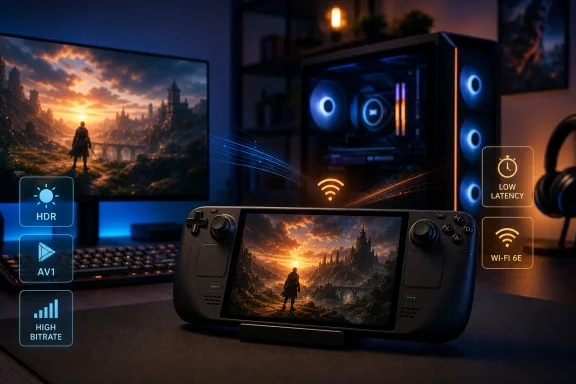 HDR finally reaches the Deck’s OLED panel over Remote Play
The Steam Deck OLED has an HDR-capable display, but that capability has not automatically meant HDR could survive a Remote Play session from a Windows gaming PC. The new beta closes that gap for streaming, making the Deck OLED a more credible companion for playing demanding PC games remotely while retaining the contrast and highlight detail HDR is intended to provide.The limitation remains important: this is a Steam Beta feature, and HDR streaming depends on more than the handheld. The game must support HDR, HDR must be correctly enabled on the host PC, and the network must sustain a low-latency, high-bitrate stream. A weak Wi‑Fi connection can still cause artifacts or latency that outweigh the visual upgrade.
AV1 arrives behind an experimental SteamRT3 client
Valve has also added AV1 video streaming support for Steam Deck when users opt into the experimental SteamRT3 Steam Client. AV1 can provide better image quality at a given bitrate than older codecs, potentially helping Remote Play on constrained networks, but hardware encoding and decoding support on both the host and client will determine whether it is useful in practice.The release includes fixes beyond streaming, including a correction for the Steam user chooser appearing at startup when it was not requested and additional repairs for local-network game transfers that failed to begin.
Steam users can opt into the client beta through Settings > System > Update Channel. For Steam Deck OLED owners with an HDR-capable Windows host, the practical test is straightforward: enable the beta, launch a known HDR title through Remote Play, and check whether the streamed image retains the expected HDR presentation rather than reverting to SDR.
References
- Primary source: GamingOnLinux
Published: 2026-07-29T19:49:05+00:00
Steam Beta adds HDR streaming on Steam Deck OLED | GamingOnLinux
Valve just released the latest Steam Beta for all supported platforms, bringing with it some important fixes and improvements to Steam Deck OLED streaming.www.gamingonlinux.com
