
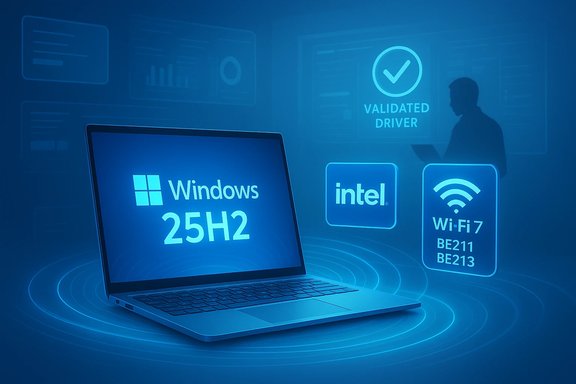
Windows 11’s 25H2 enablement update has quietly unlocked a crucial compatibility loop for modern wireless hardware by way of vendor-validated driver packages—most notably from Intel—bringing formal support for Wi‑Fi 7 clients and refreshed Bluetooth audio stacks that together remove a common blocker for users and administrators planning to move to 25H2.
 Background / Overview
Microsoft delivered Windows 11 version 25H2 primarily as an enablement package that flips on features already staged in the servicing branch for systems running 24H2. This approach minimizes downtime and preserves the existing servicing baseline while resetting support windows for consumer and enterprise SKUs. The enablement model means many of the visible user-facing features are already present in prior cumulative updatesk adoption are device-level compatibility holds driven by drivers or firmware mismatches. For networking and audio, the missing piece historically has been validated vendor drivers. When vendors publish drivers that explicitly state they are validaure update, Microsoft can lift compatibility holds and permit the update to flow via Windows Update. Intel’s recent wireless driver packages—bundles that span Wi‑Fi and Bluetooth—are the vendor-side validation that clears this path for a wide set of Intel adapters.
What Intel shipped and why it matters
The packages, names, and what they validate
Intel’s public support pages and IT-administrator downloads document two key families of packages: the Intel Wireless Wi‑Fi Drivers (recent packages labeled 24.10.0 in downloads, with the driver lineage calling out 23.170.0 in validation notes) and the Intel Wireless Bluetooth Drivers (package lines that show 24.10.0 while referencing validation from the 23.170.0 family). Importantly, Intel explicitly states that driver releases from the 23.170.0 family onward have been validated to support Microsoft Windows 11 version 25H2.
- Intel Wireless Wi‑Fi Drivers: package releases listed as 24.10.0 in the download center, with release notes indicating validation beginning with the 23.170.0 driver family. These downloads include driver binaries for Intel Wi‑Fi 7, Wi‑Fi 6E/6, and many W)
- Intel Wireless Bluetooth Drivers: package releases listed as 24.10.0 (and related builds), with release notes that indicate Bluetooth driver validation for Windows 11 25H2 from 23.170.0 onward. These packages also mention pairing/unpairing caveats for legacy devices.
This validation is consequential: when a vendor documents that a driver has been validated for a given Windows feature update, Microsoft’s update safeguards can be lifted for affected configurations—meaning previously blocked machines can now receive the 25H2 enablement package via Windows Update once the validated driver is present.
Supported adapters (high‑value list)
Intel’s driver packages cover a broad range of chips. The high‑impact items for 25H2 readiness include:
- Intel Wi‑Fi 7 (BE2xx family): BE200, BE201, BE202, later BE211 and BE213 in newer package lines. These are the client modules that expose 802.11be / EHT features such as Multi‑Link Operation (MLO).
- Intel Wi‑Fi 6 / 6E: AX411, AX211, AX210 and related AX‑series parts.
- Legacy Wireless‑AC: 9560, 9461/9462, 9260 and selected 9000‑series adapters.
Intel’s official pages explicitly list BE211 and BE213 in recent package notes and confirm that the relevant driver family has been validated for Windows 11 version 25H2.
Technical implications: Wi‑Fi 7, 6 GHz, MLO and the OS-driver invel readiness alone is not enough
Wi‑Fi 7 (IEEE 802.11be, aka Extremely High Throughput) introduces features that depend on tight coordination between the operating system, the client driver, adapter firmware, and access-point infrastructure. Notable Wi‑Fi 7 features include:
- Multi‑Link Operation (MLO) — parallel use of multiple radio links (2.4 / 5 / 6 GHz) for aggregated throughput and latency reduction.
- Wider channelization — potentially contiguous channels up to 320 MHz in ideal spectrum conditions.
- Advanced modulation and scheduling — higher QAM rates and better high‑density performance.
These features require the client driver to expose and negotiate capabilities correctly with enterprise APs. Microsoft prepared platform-level primitives in Windows 11 24H2/25H2, but client drivers are the practical gatekeepers for feature activation on real devices. Intel’s validated drivers are therefore the essential bridge to make Wi‑Fi 7 client capabilities usable on Windows desktops and laptops.
6 GHz operation and regulatory caveats
All Intel Wi‑Fi 7 products inherently support the 6 GHz band, but the availability and usable features in 6 GHz depend on:
- Regional regulatory allowances for 6 GHz.
- OS-level support and policy (Windows exposes and enforces 6 GHz behavior).
- Network infrastructure (AP firmware and controllers).
- Enterprise authentication and cipher suites (WPA3 / 802.1X profiles).
The practical upshot is that simply installing a BE2xx client and a validated driver does not automatically deliver full Wi‑Fi 7 behavior everywhere; organizations must validate AP firmware, RADIUS and controller settings, and local regulatory constraints. Intel’s documentation notes the reliance on Windows for 6 GHz operation and cautions that some Wi‑Fi 7 features are available starting with Windows 11 24H2.
Audio and Bluetooth: what changed and what to watch for
Intel’s Bluetooth packages packaged alongside the Wi‑Fi drivers include functional updates aimed at performance and pairing stability across supported adapters. The refresh matters for audio scenarios (headsets, earbuds, LE Audio support) and for peripheral stability in conferencing and low‑latency applications.
Practical areas impacted:
- Bluetooth audio pairing and reconnectiosure of modern Bluetooth LE features (including LE Audio primitives where hardware supports them).
- Interactions between Wi‑Fi and Bluetooth stacks (coexistence and scheduling tweaks that can affect audio latency).
Intel’s release notes include upgrade caveats for older adapters (for example, recommendations to unpair Bluetooth devices before performing certain driver upgrades), which reflects real-world pairing-state complexity and the potential for transient regressions that administrators must plan to mitigate.
Real‑world reports, community signals, and caveats
Community coverage and forum reports echo Intel’s official notes: industry outlets reported that Intel’s 23.170.0 / 24.x driver family validated for Windows 11 25H2 opens the upgrade path for many systems and brings client support for BE211/BE213 Wi‑Fi 7 modules. These independent signals are useful early indicators, but they should be treated as corroboration rather than the canonical release record. Intel’s official download pages and IT admin notes remain the authoritative references.
There are real, anecdotal reports of Bluetooth regressions or pairing oddities after driver upgrades. While many of these are resolved by following Intel’s unpair/repair guidance or performing a clean driver reinstall, they underscore that driver rollouts—even validated ones—can produce localized issues depending on OEM firmware, previous driver state, and peripheral ecosystem. When community reports lack corroboration from vendor notes or Microsoft advisories, treat them with caution and validate in a controlled pilot ring.
Practical guidance: safe upgrade checklist for power users and admins
These steps are a concise, field-ready checklist to minimize disruption when moving an Intel‑based PC to Windows 11 25H2.
- Verify adapter model and current drivers: open Dk adapters / Bluetooth and confirm the exact adapter model and driver version.
- Read the vendor release notes: consult Intel’s official Wi‑Fi and Bluetooth driver pages for precise package names and adapter-level notes.
- Back up and prepare rollback: create a system restore point, full image, or at least a recovery drive. For fleets, ensure driver repositories and rollback scripts are available.
- Update drivers first: install the Intel validated Wi‑Fi and Bluetooth packages (or deploy them via driver management tools) before seeking the 25H2 enablement package.
- Pilot in a controlled ring: validate Wi‑Fi roaming, 6 GHz operation, MLO behavior (if applicable), and Bluetooth audio in a pilot group that represents the organization’s hardware mix.
- Scale with monitoring and staged deployment: use Windows Update for Business, Intune rings, or WSUS to gradually expand deployment while monitoring support tickets and telemetry.
- If problems appear: follow Intel’s pance, consider rolling back the driver via Device Manager, and consult OEM support if the hardware came with vendor-customized drivers.
Benefits of this approach include removing a common upgrade blocker (wireless drivers), ensuring predictable rollout behalpdesk surges tied to audio or network regressions.
Enterprise considerations: policy, certificates, and support matrices
For enterprise WLANs, enabling Wi‑Fi 7 client features must be treated as a configuration and operations project, not a simple client upgrade.
- Authentication and certificates: WPA3‑Enterprise profiles and updated RADIUS infrastructure may be required or recommended. Ensure RADIUS and supplicant configurations are tested post‑driver upgrade.
- AP firmware compatibility: AP vendors have their own timelines for Wi‑Fi 7 support. MLO in enterprise settings often requires matched AP and client-side feature negotiation; validate AP firmware versions before enabling advanced features.
- OEM-customized drivers: many OEMs ship modifiower management, thermal behavior) and may recommend their own updates; installing Intel’s generic package can work but may change OEM‑specific behaviors. Check OEM advisories for validated OEM packages.
- Managed rollout tooling: use Intune, WSUS, or third‑party patching to push driver packages and enable 25H2 on a th your change control processes. Keep driver packages in internal repositories for controlled redeployment and rollback.
Strengths and strategic upsides
- Clear vendor validation — Intel explicitly validated driver packages for Windows 11 25H2, removing a key compatibility barrier that previously kept some devices from receiving the enablement update. This reduces friction for both consumers and IT teams.
- Wi‑Fi 7 client coverage — the driver train brings BE2xx modules (including BE211/BE213) into the supported fold, enabling practical s where APs and policies are in place.
- Consolidated driver family — by supporting Wi‑Fi 7, Wi‑Fi 6/6E, and many legacy adapters in unified packages, Intel simplifies driver management for mixed fleets and reduces fragmentation headaches for IT.
Risks, unknowns, and why caution still matters
- OEM divergence — some manufacturers provide OEM‑tuned drivers for thermal, power, or security reasons. Installing Intel’s generic package may override OEM optimizations or conflied firmware; consult OEM guidance for managed laptops.
- Pairing and Bluetooth regressions — documented advisories to unpair devices for certain legacy adapters indicate real operational friction; Bluetooth regressions reported in the wild require pilots and ready rollback plans. ([intel.com](Intel® Wireless Bluetooth® Drivers for Windows® 10 and Windows 11* regulatory limits for 6 GHz** — 6 GHz operation and the full Wi‑Fi 7 feature set depend on local spectrum rules. Administrators must verify regulatory allowances before assuming full capability.
- Unverified community reports — many helpful signals come from enthusiast pages and forum posts, but when community claims lack vendor documentation, treat them as preliminary until validated by Intel or Microsoft.
Where claims or anecdotal results could not be verified against Intel’s official release notes or Microsoft documentation, those items are flagged as unverified community reports and should be validated in pilot rings before broad deployment.
Step‑by‑step: applying the Intel drivers and moving to 25H2 (concise)
- Download or stage the Intel Wi‑Fi and Bluetooth packages from the official Intel download center or use Intel Driver & Support Assistant for automated detection.
- Install drivers and reboot; verify Device Manag driver versions for both Wi‑Fi and Bluetooth.
- If you use enterprise WLAN with WPA3/802.1X, validate RADIUS, certificates, and roaming behavior in a pilot group.
- Seek the Windows 11 25H2 enablement package via Settings → Windows Update (or deploy via managed channels) once the validated drivers are present.
- Monitor network and audio telemetry for 48–72 hours after rollout; be prepared to roll back drivers if a reproducible regression appears.
Conclusion: a quiet but important under‑the‑hood win
Windows 11 25H2 is not a flashy visual overhaul, but the ecosystem work happening under the hood—particularly vendor-validated wireless driver releases—matters a great deal for real-world adoption. Intel’s driver packages (driver-family validations starting at the 23.170.0 family and packaged in 24.x installer bundles) close a compatibility loop that previously prevented some Intel‑based systems from being offered the 25H2 enablement package. That alignment is the practical prerequisite for consumer and enterprise users to safely adopt Wi‑Fi 7 client capabilities and benefit from refreshed Bluetooth audio stacks on Windows 11. The recommendation for both power users and IT teams is straightforward: validate and deploy the vendor‑validated drivers first, pilot the upgrade to 25H2, and scale with a staged rollout and robust rollback options. The gains—broader Wi‑Fi 7 client coverage, consolidated driver management, and the lifting of a stubborn compatibility block—are tangible. The risks—OEM divergence, pairing quirks, and regional spectrum limits—are manageable with disciplined testing and change control. Proceed with confidence, but proceed wisely.
