
Windows Latest’s reporting is nevertheless right about the larger direction. In a public reply on X, Microsoft VP and longtime engineering executive Scott Hanselman answered a request to “make Windows run faster” with “Yep. On it.” That is unusually direct for an executive who normally explains implementation details rather than product strategy. But it is a confirmation of ongoing engineering work, not a newly announced Windows roadmap.
The more substantive record is Microsoft’s March 20 post, Our commitment to Windows quality, written by Windows and Devices EVP Pavan Davuluri. It named lower baseline memory use, faster File Explorer launch and file operations, reduced interaction latency through WinUI 3, clearer local-versus-web Search results, quieter Widgets, fewer setup interruptions, and more Start and Taskbar control. Those are measurable targets. The catch is that delivery is divided between patches already installed on mainstream PCs, staged feature rollouts, and Experimental Channel previews that ordinary users will not necessarily see for months.
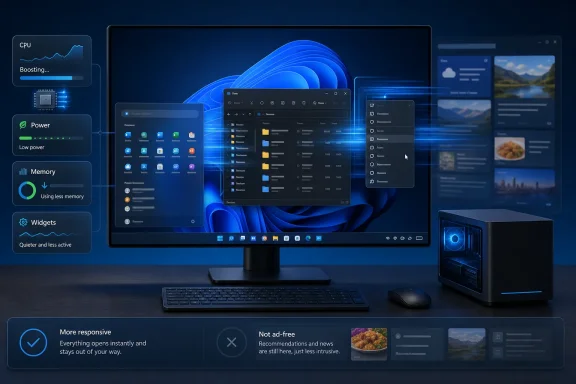 The June performance change is real, but its scope is fuzzier than the headlines
The most tangible shipped change is the Low Latency Profile, a scheduler and power-management behavior that briefly raises CPU frequency during short interactive events: opening a flyout, invoking Start, launching an app, or bringing up a context menu. Windows Central, PCWorld, Digital Citizen, and Tom’s Hardware independently described the feature after it began appearing in Windows 11’s June servicing cycle. The practical aim is to remove the pause between a click and the first visible response.
That means it targets perceived responsiveness, not sustained application throughput. A spreadsheet calculation, a code compile, an export from Adobe Premiere, or a game bottlenecked by the GPU will not suddenly become faster because Windows gives the processor a brief clock-speed burst when the Start menu opens. Older laptops and low-power desktops are more likely to feel a difference because they have less headroom when the shell is waking from idle.
Hanselman’s defense of the design is also technically sound. Modern operating systems already boost processor performance for interactive tasks and return it to a lower-power state afterward. The distinction users should keep in mind is that this is a sound latency-reduction technique, but it cannot substitute for reducing the amount of work Windows has to do in the first place.
Microsoft’s June 9 security update, KB5094126, delivered OS builds 26100.8655 for Windows 11 24H2 and 26200.8655 for 25H2. Yet Microsoft’s own support article does not name Low Latency Profile in its published change list. It says the cumulative update includes prior preview improvements, while detailing Secure Boot certificate work, virtualization crash fixes, and folder-customization changes.
That documentation gap matters for administrators. Windows Central reported that Low Latency Profile began as a controlled rollout, and Microsoft routinely uses Controlled Feature Rollout technology to enable functionality progressively after an update is installed. In other words, having KB5094126 or a later cumulative update is not proof that a fleet has received every experience associated with that servicing wave. Microsoft’s own Insider team has acknowledged that “you read about a new feature in our blog, update your PC, and it’s not there” remains a major user frustration.
For managed environments, the correct posture is to test the cumulative update normally, measure real workflow changes on representative hardware, and avoid treating a snappier Start menu as evidence that Windows 11’s broader memory and reliability work is complete.
Microsoft’s formal plan goes beyond the CPU burst
Davuluri’s March announcement is more important than Hanselman’s two-word reply because it sets out the underlying engineering work. Microsoft said it would lower Windows’ baseline memory footprint, improve app responsiveness under load, move more core experiences to WinUI 3, speed up File Explorer search, navigation, context menus, copying, moving, and common file operations.
Windows Central’s recent hands-on reporting says some of that work is now visible in current builds. It reports faster file-tree navigation, better search consistency, a new WinUI-based Run dialog, and improved responsiveness in interfaces using Microsoft’s newer composition infrastructure. The same report says more memory-footprint reductions and shell migrations remain in progress rather than broadly finished.
This is the meaningful divide in the 2026 cleanup: Low Latency Profile masks short delays; the WinUI and memory work is intended to remove some causes of those delays. Microsoft needs both. The first can make a PC feel better quickly. The second determines whether an 8GB machine remains usable once Microsoft Edge, Teams, a line-of-business app, an endpoint agent, and several browser tabs are all competing for RAM.
Windows Latest reports that Davuluri has discussed tuning Windows for machines with 8GB of memory. Microsoft’s March post did promise reduced baseline memory use, but it did not publish a target idle-memory figure, specify which editions receive the benefit first, or commit to a date when 8GB systems will meet a defined responsiveness standard. Those omissions are significant. “Optimized for 8GB” is a useful marketing phrase only if Microsoft discloses a repeatable test scenario: fresh boot, typical background services, screen resolution, active apps, and measured memory pressure.
The company has also not published an administrator-facing inventory of shell components moving from older frameworks to WinUI 3, nor has it quantified the memory saving per migration. Windows Latest points to redesigned legacy dialogs, including Print Management and File Explorer properties, as evidence of the transition. Those changes show modernization work is underway, but a dialog-by-dialog rewrite should not be confused with a complete replacement of Windows 11’s mixed stack of native, XAML, Win32, and web-hosted surfaces.
“Fewer ads” is a direction, not a zero-ads commitment
Microsoft’s March pledge uses more careful language than the coverage around it. Davuluri promised “less noise, less distraction and more control,” a quieter setup process, Widgets that surface information more intentionally, and controls to personalize or turn off Widgets and feed content. The company did not announce an end to promotions for Microsoft 365, OneDrive, Copilot, Game Pass, or other Microsoft services across Windows 11.
That distinction is not semantic. The difference between reducing unsolicited feed content and ending promotional placements is the difference between a cleaner default configuration and a policy change. Microsoft has made the first move; it has not announced the second.
Windows Central has observed meaningful changes: Widgets now default to local widgets rather than MSN news and sponsored material, while Search is testing a stripped-down home surface with fewer Bing- and MSN-driven elements. Start’s “Recommended” area is being reframed as “Recents,” with controls to hide sections entirely. Microsoft’s own May Insider post confirms quieter Widgets defaults, including disabled open-on-hover behavior and taskbar badging turned off by default.
However, Microsoft labeled those Widget changes as Experimental Channel work. Search cleanup is also not a blanket guarantee across all Windows 11 installations. The Windows Latest article treats the removal of web content as a performance win because web-driven surfaces can add processes and network activity. It may be a win, but Microsoft has not published before-and-after CPU, memory, or startup measurements showing how much of the gain comes from removing content rather than from shell optimizations.
The broader credibility test is whether the same standard reaches the places that create the most resentment: new-PC setup, Start suggestions, notifications, Settings recommendations, and inbox-app cross-selling. Microsoft’s own OOBE documentation still describes first-run setup as including Microsoft-account sign-in or creation, while Windows 11 Home still requires both internet connectivity and a Microsoft account for initial setup. Microsoft has promised fewer setup pages and reboots; it has not announced a retreat from that requirement.
Reliability remains the harder part of the repair
The March plan also promised more reliable drivers, Bluetooth and USB connections, Windows Hello, camera and audio behavior, and updates. Those are less glamorous than a movable taskbar or a faster right-click menu, but they are more consequential for organizations that manage hundreds or thousands of PCs.
KB5094126 illustrates why performance announcements must be read alongside servicing reality. Microsoft documented known issues after the June update, including cases where third-party applications using OLE automation could fail to launch Office applications or documents. It also recorded a Recycle Bin confirmation-dialog bug that displayed an internal file name instead of the original name. Neither issue negates the broader improvement program, but both reinforce the problem Windows 11 is trying to solve: an operating system does not earn a reputation for quality through individual UI wins while cumulative updates introduce new line-of-business friction.
Microsoft says it is consolidating update-related restarts toward a single monthly reboot and expanding user control over pause, restart, and shutdown behavior. That is valuable for admins and end users alike, provided the update cadence does not turn every monthly patch into a larger, harder-to-isolate bundle of behavior changes.
The immediate result is a Windows 11 release that may feel faster in common interactions, especially on modest hardware, while still being midway through the deeper work that decides whether it uses less memory, behaves more predictably, and stops treating the desktop as a promotion surface. The June update is worth deploying under normal validation procedures. It is not yet evidence that Microsoft has finished rebuilding Windows 11’s performance reputation.
References
- Related coverage: blogs.windows.com
Improving your Windows Insider experience
Hello Windows Insiders, Last month, Pavan shared our commitment to improving Windows quality, with a focus on performance, reliability and craft, iblogs.windows.com - Related coverage: techcommunity.microsoft.com
Loading…
techcommunity.microsoft.com - Related coverage: blogs.windows.com
Loading…
blogs.windows.com - Related coverage: techcommunity.microsoft.com
- Related coverage: windowscentral.com
I tested 5 major changes and improvements coming to Windows 11 this year: Microsoft is clearly serious about fixing Windows, and it's doing things right this time | Windows Central
When Microsoft announced its plans to fix Windows 11, a part of me was concerned that it was all just words and to expect broken promises. To my surprise, it's actually delivering.www.windowscentral.com - Related coverage: learn.microsoft.com
Loading…
learn.microsoft.com - Related coverage: windowscentral.com
Here are the 6 biggest features and improvements coming to Windows 11 in the June 2026 update on Tuesday | Windows Central
Microsoft's June 2026 Windows 11 update boosts responsiveness, adds Shared Audio, expands NPU metrics, and improves OOBE.www.windowscentral.com - Related coverage: cn.linkedin.com
Loading…
cn.linkedin.com - Related coverage: pcworld.com
Windows 11’s June update makes PCs feel faster. Here's what's new | PCWorld
Windows 11 received a host of new features and improvements in June. Here are the five most exciting ones. Be sure to give them a go!www.pcworld.com
- Related coverage: digitalcitizen.life
Loading…
www.digitalcitizen.life - Related coverage: digitaltrends.com
The Windows 11 June update makes your Start menu and Search feel much more snappier - Digital Trends
Windows 11's June update rolls out Low Latency Profile to all 24H2 and 25H2 users, a CPU boost technique that makes Start, Search, and Action Center feel noticeably faster.www.digitaltrends.com - Related coverage: eventtools.event.microsoft.com
Loading…
eventtools.event.microsoft.com - Related coverage: techradar.com
Windows 11's June update is here — these are the 3 most important features, including a huge move to make apps and menus load much faster | TechRadar
Low Latency Profile, shared audio, and a boost for searchwww.techradar.com - Related coverage: pcgamer.com
Microsoft rolls out Windows Low Latency Profile, giving older PCs a bit more snap when opening the Start Menu and apps | PC Gamer
Every little helps, even if it really is very little.www.pcgamer.com - Related coverage: tomshardware.com
Microsoft staunchly defends its new 'Low Latency Profile' for Windows 11 after community backlash — says every other OS already boosts CPU speeds for quicker load times | Tom's Hardware
The quest to fix Windows 11 is a bumpy one.www.tomshardware.com - Related coverage: cincodias.elpais.com
Windows 11 prepara un modo turbo para abrir apps hasta un 40% más rápido | Lifestyle | SmartLife | Cinco Días
Una función muy conocida en Maccincodias.elpais.com - Related coverage: support.microsoft.com
June 9, 2026—KB5094126 (OS Builds 26200.8655 and 26100.8655) | Microsoft Support
June 9, 2026—KB5094126 (OS Builds 26200.8655 and 26100.8655)support.microsoft.com - Related coverage: learn.microsoft.com
Windows 11 - release information | Microsoft Learn
Learn release information for Windows 11 releaseslearn.microsoft.com - Related coverage: support.microsoft.com
June 9, 2026—Baseline - Microsoft Support
 support.microsoft.com