
But the change should be read precisely. It is a battery-reserve safeguard, not a cure for every Modern Standby failure that leaves a hot notebook in a backpack or consumes a double-digit percentage of charge overnight. Above 80 percent, Microsoft is deliberately allowing more time in Modern Standby to favor instant-on resumes. If a Wi-Fi driver, USB device, firmware component, or background workload keeps a system from reaching its deep idle state, the policy does not eliminate that activity; it can give it more time to occur.
Windows Latest first reported the change as appearing in Windows 11 Insider Preview Build 28120.2630 for the Experimental 26H1 channel. Microsoft’s release material and Windows Central’s independent build roundup show a broader rollout picture: the same adaptive-hibernation adjustment is in Experimental Build 26300.9032, with parallel availability in Build 28120.2630 and Beta Build 28020.2623. In other words, the Windows Latest build number is real, but it is not the only flight carrying the policy.
For ordinary Windows 11 users, none of this is available in the stable release channel yet. For IT administrators, it is another reason to distinguish a genuine low-power-idle defect from normal Windows behavior: Microsoft is modifying the escape hatch from Modern Standby, while the platform and driver work that determines actual sleep power draw remains the larger problem.
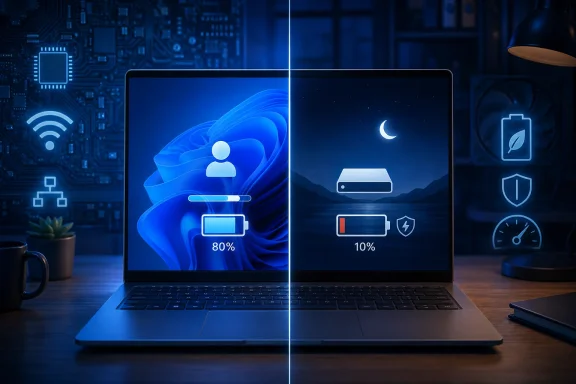 The 80 percent and 10 percent thresholds change the tradeoff
Microsoft describes the change as an update to its adaptive hibernate policy, intended to increase instant-on resumes from Modern Standby while preserving more battery at the low end. The visible rules are unusually direct: less hibernation above 80 percent, earlier hibernation below 10 percent.
At a high charge level, Windows is betting that a user values a nearly immediate resume more than the energy saved by ending the session in hibernation. At a critically low level, the system changes priorities. It writes RAM contents to the hibernation file and enters ACPI S4, preserving the open desktop while drawing a fraction of the power required for a working or low-power-idle state.
That is a sensible user-experience rule, but it does not mean that Windows had no adaptive hibernation before this release. Microsoft’s own hardware documentation says adaptive hibernation has been enabled by default on clean Windows installs since the Windows 10 May 2019 Update. The system already used battery-drain budgets and a reserve-time calculation to decide when a Modern Standby system should hibernate.
The actual news is that Microsoft is retuning an existing system-level policy, including specific battery bands that favor either responsiveness or reserve capacity. That distinction matters for expectations. This is not Windows 11 suddenly gaining the ability to hibernate from sleep; it is Microsoft revising when the operating system exercises an ability that has existed for years.
Microsoft’s documentation also says the adaptive triggers apply on battery power, not while a laptop is connected to AC. A laptop plugged into a dock overnight may still suffer the heat, wake, or power-management behavior associated with a poor Modern Standby implementation, even though battery depletion is no longer the immediate consequence.
Modern Standby remains dependent on the hardware beneath Windows
Modern Standby is Windows’ S0 low-power idle model. Rather than entering the old S3 sleep state used by many earlier PCs, the device remains in an S0-derived state and is meant to spend most of its time in its deepest available runtime idle state. That design enables rapid wake and, on supported systems, tightly managed network and maintenance activity.
The catch is that the operating system cannot reach its intended low-power floor when components continually demand attention. Microsoft’s Modern Standby guidance tells platform makers to measure low-power residency with SleepStudy and expects a well-behaved device to spend more than 90 percent of a four-hour connected standby session in its low-power state. When it does not, the Top Offenders table in the report is supposed to identify the component responsible.
That is why stories about Modern Standby are often wrongly reduced to a Windows setting. The operating system supplies the framework and policy, but the observed result comes from the whole machine: BIOS and embedded-controller behavior, SSD power management, USB devices, network adapters, GPU drivers, Bluetooth stacks, enterprise endpoint agents, and applications that can trigger work during a sleep session.
A low-battery hibernation threshold can prevent the worst outcome — a laptop reaching zero while supposedly asleep — without establishing why it was draining abnormally in the first place. On a machine that already reaches deep idle reliably, the new policy should be mostly invisible except near the bottom of the battery gauge. On a machine with persistent wake activity, it may preserve the last 10 percent while leaving the underlying culprit untouched.
That is still useful. A policy that protects the remaining charge makes a laptop more predictable in the scenario users care about most: opening it for a meeting, flight, or commute and discovering it still has enough power to resume. It is not evidence that the high-drain Modern Standby complaints have been comprehensively solved.
The release identifiers reveal a fragmented Insider rollout
Windows Latest attached the change to Build 28120.2630 and described it as an Experimental 26H1 feature. Windows Central’s reporting identifies Build 26300.9032 as the main Experimental release carrying the same adaptive-hibernation changes, then says the policy is also available in 28120.2630 and 28020.2623.
That discrepancy is more than a pedantic build-number issue. Windows Insider channels now carry parallel development branches, and features can be tested across them without providing a clean promise that the feature belongs to one future consumer release. An administrator testing 26H1 should not assume a policy visible in one branch is exclusive to it; equally, a user seeing the feature in an Insider changelog should not read it as a commitment to a particular stable Windows 11 version.
Microsoft’s own Insider terms make that limitation explicit: features delivered through Controlled Feature Rollout can reach only a subset of testers, can change during testing, and may never ship outside the Insider program. The policy is therefore real in the cited flights, but its final settings, device eligibility, and stable-channel destination remain unannounced.
Microsoft also has not published a user-facing toggle for the new 80 percent and 10 percent behavior. The company’s existing power documentation exposes adaptive hibernation largely as hidden power-policy settings that OEMs can configure through provisioning. That leaves consumers with no supported way to select a different threshold, and it leaves enterprise administrators without a newly documented Intune or Group Policy control specifically for these bands.
The absence of that control is notable. A field technician may reasonably want a more aggressive hibernation policy for travel-heavy users with known problematic hardware, while a developer or help-desk worker may prefer longer instant-on availability. Microsoft is imposing a system policy rather than exposing that preference in Settings.
What affected users and administrators can check now
Stable Windows 11 users do not need to join an Insider channel to address a laptop that drains heavily during sleep. The immediate task is to determine whether the device supports Modern Standby and whether its sleep sessions are actually reaching the low-power state Microsoft expects.
The
powercfg /acommand will show which sleep states the firmware exposes. On Modern Standby hardware, it will generally report S0 low-power idle and explain why older S3 sleep is unavailable. The
powercfg /sleepstudycommand generates a report that breaks down battery loss, time in low-power idle, and components that consumed disproportionate energy during the session.
The most useful checks are straightforward:
- Run a SleepStudy report after an overnight or several-hour drain event, rather than after a brief manual sleep test.
- Look for low time in the system’s low-power state and examine the report’s Top Offenders rather than assuming Windows Update was responsible.
- Update BIOS, chipset, graphics, storage, and wireless drivers from the PC manufacturer before relying on registry workarounds or third-party sleep tools.
- Use hibernation deliberately before travel or when leaving a troubled laptop unattended for long periods, because S4 writes the current session to disk and avoids ongoing RAM refresh and connected-idle activity.
- Treat “network disconnected during sleep” as a narrower mitigation, not a universal repair, because a device or driver can still prevent deep idle without network traffic.
The storage cost of hibernation also remains real. Windows saves the active session into the hibernation file on the system drive, and Microsoft has historically documented a default hibernation-file allocation measured as a substantial share of installed memory. On modern SSD-equipped machines that tradeoff is usually acceptable, but low-storage systems and systems with large RAM configurations should not be treated as cost-free cases.
Microsoft is protecting the symptom users see first
The best reading of this Insider change is modest but favorable: Microsoft is making Windows less likely to squander the last usable portion of a laptop battery while preserving fast resumes when a battery is comfortably charged. Users were right to demand that outcome, and the explicit low-battery rule is more understandable than an opaque timer.
Yet the high-charge behavior points to the policy’s limit. Above 80 percent, Windows is extending Modern Standby rather than terminating it sooner. That preserves the feature’s intended benefit, but it means machines that genuinely fail to enter deep idle can still drain power and generate heat before the new low-battery protection becomes relevant.
For now, Build 26300.9032, Build 28120.2630, and Build 28020.2623 are test beds, not a stable Windows 11 remedy. The concrete measure of success will be whether Microsoft carries the policy into a supported release while publishing clearer controls and whether SleepStudy reports on real hardware show fewer systems stuck awake when they were supposed to be asleep.