
The core behavior is straightforward: writes to a protected Windows volume are redirected into a temporary overlay or discarded restoration layer. Apps, settings, browser extensions, downloaded clutter, startup entries, and many other session changes can appear to work normally until the next restart. Then the device returns to a deliberately prepared baseline.
Microsoft explicitly positions UWF for public and shared endpoints such as school, library, hotel, thin-client, and workspace PCs. That makes the family media PC and garage display use cases more than a clever home-lab trick: they are smaller versions of the managed-device problem UWF was built to solve. The software-testing case is useful too, although it comes with a more important warning than the original experiment makes clear: a reboot rollback is configuration recovery, not a security boundary.
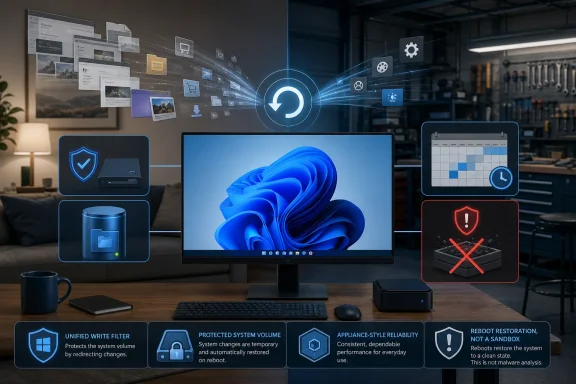 A shared media PC stops accumulating invisible support debt
A living-room PC tends to become a maintenance trap because each individual change is small enough to ignore. Someone changes the browser’s search engine, pins a different app, signs into a streaming service, installs a codec pack, accepts a browser extension prompt, or leaves downloaded installers on the desktop. Nobody action is necessarily catastrophic, but the machine becomes less predictable over weeks or months.
A restore-on-reboot configuration changes the operating model. The administrator defines a working state—accounts, browser bookmarks, media apps, display settings, audio configuration—and treats every guest session as disposable. Restarting becomes the cleanup workflow rather than a later project involving Startup Apps, browser settings, installed-app inventories, and disk cleanup.
That is particularly valuable on a PC used by visitors who do not have administrator accounts or any reason to understand the household’s setup. A guest can use a website that wants a temporary download, install an extension for a one-off task, or rearrange the desktop without leaving the owner to reverse-engineer what changed. Microsoft’s UWF documentation confirms that protected writes can include application installations, settings changes, and saved data, all redirected to a virtual overlay that is normally cleared at reboot or guest sign-out.
The overlooked consequence is that this setup only works when the PC is treated as an appliance. Saved game progress, application preferences, local downloads, browser profiles, Windows account changes, and logins can disappear with the same reboot that removes unwanted clutter. A shared media PC should therefore use web services, synced libraries, or a separate persistent data volume for anything users are expected to keep.
It also needs a clear rule for accounts. Logging out of streaming, social, shopping, or email accounts before restarting remains necessary. The restore layer can remove the local session traces, but it cannot revoke a password that was exposed, an account token copied elsewhere, or a purchase made during the session.
A testing PC gains a reset button, not a malware sandbox
The software-testing scenario in How-To Geek is probably the strongest personal-use case. Anyone who regularly evaluates utilities, changes Windows settings, tests installers, works with PowerShell, or edits file associations knows how quickly a “quick test” becomes an afternoon of cleanup.
The practical advantage is not merely avoiding a reinstall. It is avoiding the uncertainty left by incomplete uninstallers. A test application may add context-menu handlers, background services, scheduled tasks, startup entries, codecs, browser components, registry settings, or per-user files that remain after its main uninstaller says the job is done. Rebooting into a known baseline is faster and more dependable than relying on every software publisher to remove every trace of its product cleanly.
This is where a self-resetting PC differs from Windows System Restore. System Restore is a recovery feature intended for diagnosing and reversing system changes after something goes wrong. It is not designed as a repeatable clean-session mechanism before every experiment. Microsoft’s own Windows recovery guidance places System Restore among repair tools for a machine that is already having problems. A write filter or baseline-restoration product changes the default state before the problem occurs.
But the reboot mechanism does not make untrusted software safe. A malicious program can read files accessible to the current user, steal browser cookies or passwords, capture keystrokes, access shared folders, encrypt or alter an unprotected drive, exploit other machines on the network, or send data off the device before the reset happens. The next reboot may erase the local persistence mechanism; it cannot retrieve information that has already left the PC or undo damage to resources outside the protected Windows volume.
For test work, the baseline should be paired with separation. Use a non-administrator test account when possible, keep source code and personal documents off the protected machine, remove access to production credentials, and isolate questionable software from shared network locations. A virtual machine remains the better choice when snapshots, multiple operating systems, network isolation, or repeatable automated test environments are required. The self-resetting physical PC is most useful for software that needs direct access to actual Windows hardware, peripherals, GPU drivers, or a real desktop environment.
The garage workstation becomes an appliance
The garage PC described by How-To Geek has the traits of a classic single-purpose endpoint: it may sit unused for days, then be used intensely by multiple people for repair videos, parts diagrams, music, and exercise content. It needs to work immediately more often than it needs to preserve every local change.
For that class of device, the baseline has tangible value. A browser can be preconfigured with manufacturer repair portals, bookmarked parts catalogs, useful YouTube channels, a weather page, and the desired media services. Audio output, monitor scaling, sleep settings, and any Bluetooth accessories can be set once. The user should not have to discover, mid-repair, that a previous visitor changed the default browser, filled the screen with downloads, or installed something that launches at sign-in.
The most valuable part is predictability after periods of neglect. Conventional Windows PCs slowly accumulate state even when nobody is consciously administering them: application updaters run, websites request notification permissions, browser profiles change, temporary files grow, and users save items wherever is convenient. A reboot-to-baseline design deliberately rejects that accumulation.
The catch is physical data. Repair manuals or diagrams saved to the protected C: drive may disappear, as should anything downloaded during a session. The sound design is to put permanent content somewhere expressly persistent: a separate unprotected partition, a NAS share, removable storage, or a cloud folder configured with care. Microsoft’s UWF supports file, folder, and registry exclusions, but exclusions should be narrow. Every excluded path is a place where unwanted changes can survive the reboot.
Updates are the operational cost the reset button hides
The article’s biggest omission is the one that determines whether these PCs stay reliable after the initial setup: Windows and application updates do not simply take care of themselves when writes are meant to disappear.
Microsoft states that system updates are normally disabled while UWF protection is active because their changes would be erased as soon as the overlay clears. UWF has a servicing mode that clears the overlay, reboots the device, temporarily disables the filter, applies Windows updates, Microsoft Store updates, antimalware signatures, and other approved updates, then re-enables protection. That is the right mechanism for managed endpoints, but it requires an administrator to schedule and validate the maintenance process.
Horizon DataSys offers a similar update-baseline workflow for Reboot Restore Standard and Enterprise. Its current documentation says the product can check for and install Windows and third-party updates, then create a new baseline after the update process finishes. It also publishes separate guidance for Windows feature updates, which is a signal that major Windows version upgrades need deliberate handling rather than an unattended reboot.
The result is a trade-off that should be made explicit. A self-resetting PC reduces accidental configuration drift, but it raises the importance of scheduled baseline management. An owner who never disables protection or refreshes the baseline can end up with an immaculate, dependable device that remains stuck on older Windows patches, browser versions, Defender definitions, or application builds.
For a home media or garage system, a monthly maintenance window is usually enough: disable or service the protection, apply Windows and application updates, confirm that critical sites and peripherals still work, update the known-good baseline, and re-enable automatic restoration. For a business shared PC, the same process belongs in endpoint management and change-control procedures.
There is also a hardware and security complication for the third-party route. Horizon DataSys’s current requirements list Windows 10 and Windows 11 support but say Secure Boot must be disabled and note conflicts involving drive encryption. That is a material compromise on a modern Windows 11 PC, particularly one that may use BitLocker or Windows Device Encryption. UWF avoids adding a separate pre-OS restoration product, but it is unavailable on Windows Home and Pro; Microsoft lists only Enterprise, Education, and IoT Enterprise as supported editions.
A self-resetting Windows machine is therefore a good fit for a shared screen, a public-facing workstation, a workshop reference PC, or a carefully isolated test box. It should not be deployed as an excuse to run suspicious software on a personal machine, and it should not be installed with the expectation that ordinary patching will continue untouched. Prepare the baseline, decide where permanent data belongs, and put updates on the calendar—the reboot only solves the problems that the design allows it to solve.
References
- Primary source: howtogeek.com
Published: August 8, 2026 at 10:00 AM UTC
3 problems a self-resetting Windows PC can solve
Imagine a Windows PC that forgets every change after a reboot. It's perfect for shared PCs, safer browsing, software testing, and more. www.howtogeek.com
- Related coverage: learn.microsoft.com
Unified Write Filter (UWF) feature (unified-write-filter) | Microsoft Learn
Unified Write Filter (UWF) feature (unified-write-filter)learn.microsoft.com - Related coverage: learn.microsoft.com
- Related coverage: support.microsoft.com
Recovery options in Windows | Microsoft Support
Learn about the recovery options in Windows. Find out how to reset your PC, go back to a previous version of Windows, or use media to reinstall Windows.support.microsoft.com - Related coverage: techcommunity.microsoft.com
- Related coverage: support.microsoft.com
Windows Update: FAQ | Microsoft Support
Learn how to get the latest Windows updates. Find answers to FAQ about updating Windows to keep your PC up to date.support.microsoft.com - Related coverage: support.industry.siemens.com
- Related coverage: christ-es.com
- Related coverage: microsoft.com
Windows 11 Qualifying Operating System Licensing Guidance
This page provides detailed information about Windows 11 Qualifying Operating System and helps users understand key considerations, options, and scenarios related to this topic within Microsoft licensing programs. It supports informed decision-making and clarifies important requirements.www.microsoft.com - Related coverage: microsoft.com
Windows 11 Education | Microsoft Education
Unlock student potential with Windows 11 Education. Find secure education tools for classroom management and personalized learning with Microsoft Education.www.microsoft.com
- Related coverage: support.horizondatasys.com

How to configure the Update Baseline settings to automatically install Windows Updates
automatic update, windows update, reboot restore, update baseline, antivirus, updates, software updates, software
support.horizondatasys.com
- Related coverage: support.horizondatasys.com
How To Allow Windows 11/10 Feature Updates With Reboot Restore and RollBack Rx installed
windows feature update, 24H2, creator's updates, windows 11, rollback rx pro, reboot restore enterprise , standard
support.horizondatasys.com
- Related coverage: industrialmonitordirect.com
Protect Standard Windows from Config Loss: Reboot Restore vs Deep Freeze – Industrial Monitor Direct
Protecting Standard Windows from configuration loss without EWF/UWF using third-party tools like Reboot Restore Rx and Deep Freeze. industrialmonitordirect.com