

Navigation section
You are using an out of date browser. It may not display this or other websites correctly.
You should upgrade or use an alternative browser.
You should upgrade or use an alternative browser.
Featured content
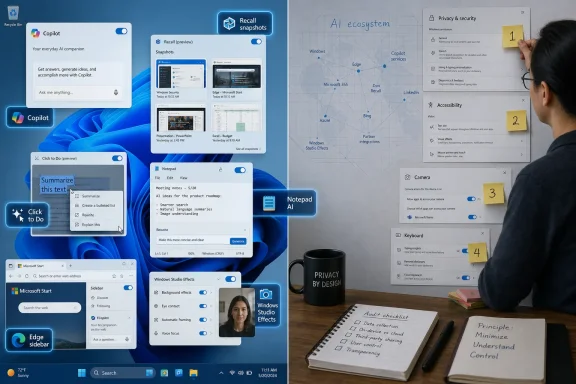
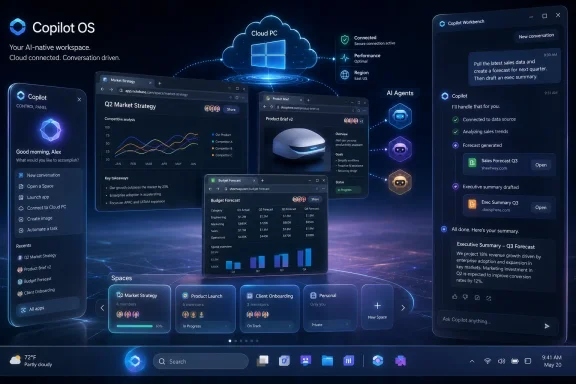
Project Aion is reportedly Microsoft’s 2024 internal prototype for a Copilot-centered operating system shell, built from a modified Microsoft Edge browser, designed to run above Windows 11, Android Open Source Project builds, or a lighter Windows variant known as Win3. The leak matters less because it proves Microsoft is about to ship a new Windows replacement, and more because it shows how seriously Redmond has been testing the idea that the browser, the cloud PC, and the AI agent can...
Intel released Wi-Fi and Bluetooth driver package 24.50.0 for Windows 10 and Windows 11 on June 30, 2026, bringing wireless fixes, security updates, and one of the first visible links between Intel’s PC drivers and Microsoft’s new Driver Quality Initiative. The interesting part is not that a wireless driver got faster; it is that Microsoft is trying to make the entire Windows driver economy less chaotic. Intel’s update is an early proof point for a larger bet: Windows 11 performance will...
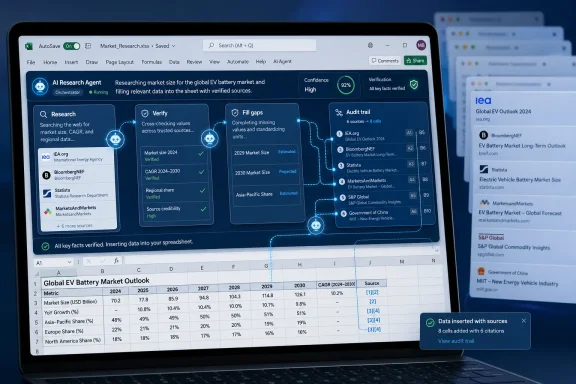
Microsoft plans to roll out an improved web-search system for Copilot in Excel in July 2026, using multiple coordinated AI sub-agents to research, verify, and fill gaps in answers across Excel for Windows, Mac, and the web. The feature sounds modest because it lives inside a spreadsheet app, but it points to a larger shift in Microsoft’s productivity strategy. Excel is no longer being treated as a place where users merely calculate numbers; it is becoming a workspace where data, web...
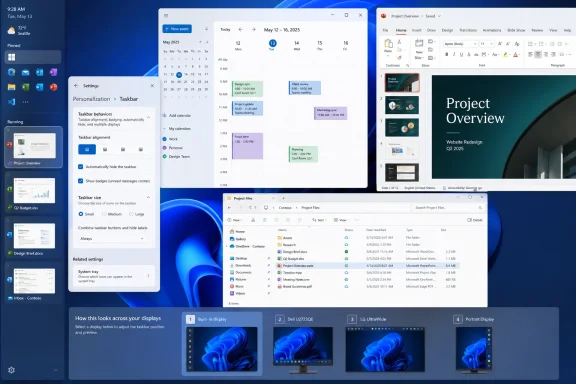
Microsoft began testing restored Windows 11 taskbar positioning and smaller taskbar controls in Insider Experimental Build 26300.8493 on May 15, 2026, with later build 26300.8758 adding a clearer dedicated size setting on June 26. The change matters because it reverses one of Windows 11’s most visible regressions: a desktop shell that asked professional users to accept less control than they had in Windows 10. It is not yet a guaranteed general-release feature, and some breathless reporting...
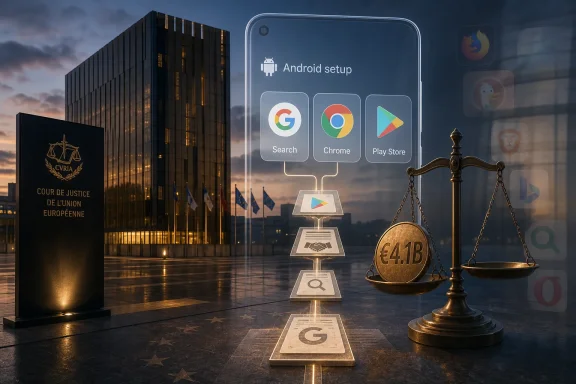
On July 2, 2026, the Court of Justice of the European Union dismissed Google and Alphabet’s final appeal in the Android antitrust case, leaving in place a roughly €4.1 billion penalty over contracts that tied Google Search, Chrome, Play Store access, and Android device licensing together. The ruling ends an eight-year courtroom fight, but it does more than close an old file. It gives Brussels a durable legal win just as European regulators are trying to move from punishing platform conduct...
Google is rolling out a native Android system app called Signatures through the June 2026 Google Play system update, giving supported phones a built-in way to store and insert a user’s handwritten signature into documents and app workflows. The feature appears first as a quiet platform component rather than a headline Android release, but that is precisely why it matters. Google is turning a mundane document chore into another system-level trust primitive. For users, it may feel like...
On July 2, 2026, the Court of Justice of the European Union dismissed Google and Alphabet’s final appeal in Luxembourg, confirming a roughly €4.1 billion Android antitrust fine tied to contracts that steered phone makers toward Google Search, Chrome, and approved Android builds. The ruling closes one of Europe’s defining Big Tech cases, but it does not close the argument it exposed. Android may be open source in theory, but the business machine around Android was never just about source...

Haleon announced on June 29, 2026, that it has signed a new five-year collaboration with Microsoft to expand its use of Azure, Microsoft 365 Copilot, agentic AI, security, and identity tools across its global consumer-health business. The deal is not really about a chatbot answering vitamin questions. It is about Microsoft turning health-tech transformation into an enterprise cloud story, and Haleon betting that AI can make a sprawling consumer-health company faster without making it less...
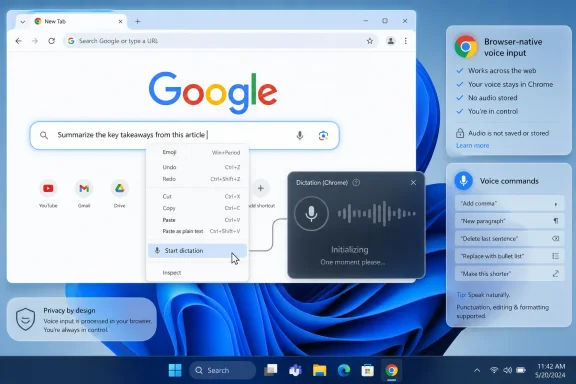
Google is developing a built-in Chrome voice typing feature that has been spotted on Windows 11, where early builds expose a “Start dictation” command in text fields but do not yet complete the speech-to-text flow. The important part is not that Chrome may soon let users talk into a box. It is that Google appears to be pulling dictation closer to the browser itself, rather than leaving it entirely to Windows, ChromeOS, Google Docs, extensions, or the Web Speech API. If this ships broadly...
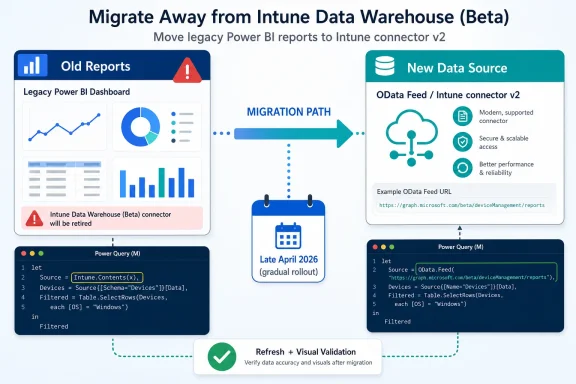
If your Power BI reports still use the Intune Data Warehouse beta connector, Microsoft says you must move them to Intune connector v2 or the OData Feed connector before the retirement finishes after a gradual rollout beginning in late April 2026. Reports created after November 2025 already use connector v2 and are not affected. The practical decision is simple: inventory old reports now, migrate anything that still calls Intune.Contents(x), and validate refresh before the two-week transition...
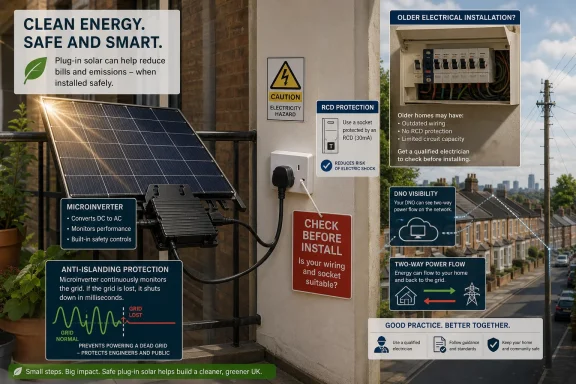
UK electrical safety bodies have warned in June 2026 that plug-in solar kits could create fire, shock, grid-management, product-quality, insurance, and installation risks if households connect panels to ordinary sockets without proper standards and professional assessment. The warning does not mean balcony solar is doomed, or that small-scale home generation is inherently reckless. It means the industry has spotted the familiar danger point in every consumer-energy boom: the moment a...
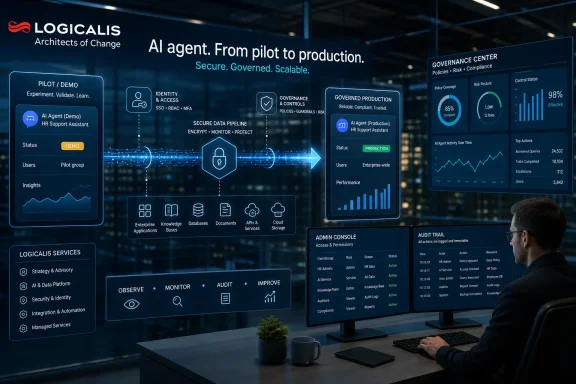
Logicalis Australia has been awarded Microsoft Frontier Partner status in July 2026, adding the recognition to its Microsoft Copilot specialisation and placing the company among a small group of Microsoft partners validated for enterprise AI, Copilot, data, security, and cloud transformation work. The award is not merely another channel badge for a press release carousel. It is a signal that Microsoft’s partner economy is being reorganised around a harder problem than licensing Copilot...
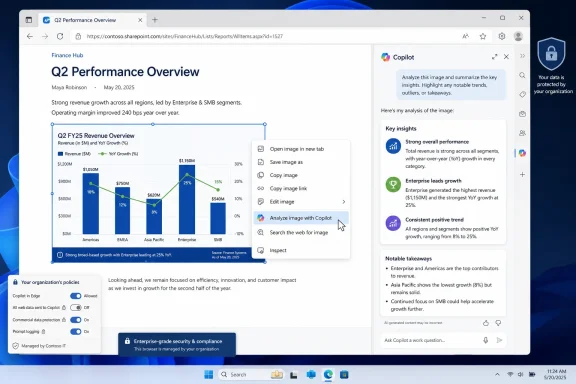
Microsoft added an Edge roadmap entry in early July 2026 for a Copilot image-analysis feature that will let users ask Copilot about web images from the browser’s right-click menu, with worldwide availability currently scheduled for August 2026. That sounds like a small convenience feature, but it is really the public paperwork catching up with months of Canary-channel plumbing. Microsoft has not merely found another place to paste a Copilot button. It is turning the browser context menu into...

Insight has signed on as a launch partner for Microsoft 365 E7 and is deploying Microsoft’s new Frontier Suite across more than 14,000 employees worldwide, turning itself into an early enterprise test case for Microsoft’s bundled productivity, security, identity, Copilot, and AI-agent governance stack. The move is not just another reseller badge on a partner page. It is a bet that the next phase of Microsoft 365 adoption will be judged less by whether Copilot can draft an email and more by...

Advanced Micro Devices and Marvell Technology both reported AI-driven quarters in 2026, but AMD is the broader AI chip maker while Marvell is the more concentrated infrastructure supplier, making AMD the stronger all-around bet and Marvell the sharper, riskier play on hyperscale buildouts. That is the real distinction buried underneath the stock-comparison framing. These are not two versions of the same AI story. They are competing answers to where the most durable profit pools in artificial...
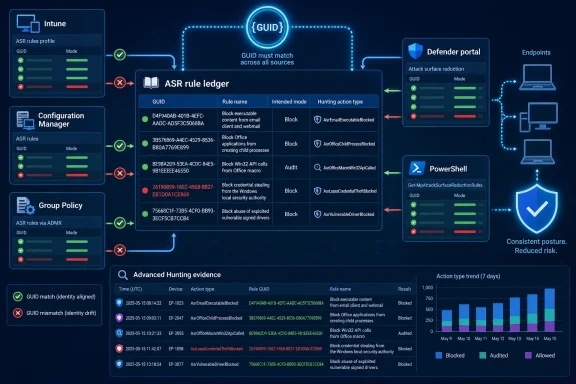
To reconcile Defender for Endpoint Attack Surface Reduction governance drift, inventory every ASR rule by Microsoft’s shared rule identity — Intune name, GUID, and advanced hunting action type — then compare that identity across Defender portal reporting, Intune policy, Configuration Manager policy, exclusions, and any fallback Group Policy. The practical answer is not to ask whether “Office child process blocking” is enabled somewhere, but whether the same GUID is being governed the same...
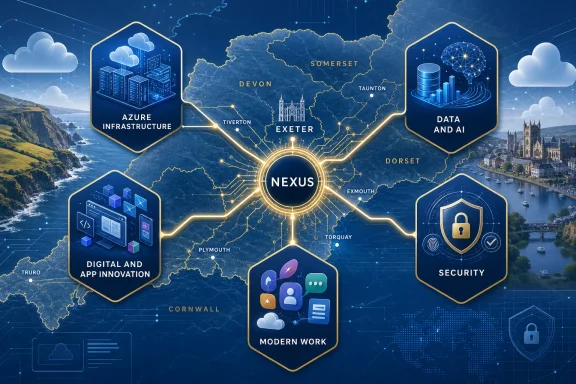
Exeter-based managed service provider Nexus has secured five Microsoft Solutions Partner designations across Azure infrastructure, Azure digital and app innovation, Azure data and AI, security, and modern work, positioning the company as one of the more broadly accredited Microsoft partners in South West England. The announcement is more than a local trophy cabinet update. It is a useful signal of how the Microsoft partner economy is being reshaped around measurable delivery, cloud...

Plug-in solar kits are moving from niche energy gadget to mainstream retail product in 2026, with UK electrical bodies warning in June that self-installed balcony-style panels can create fire, shock, grid, insurance, and mounting risks if regulation and household wiring checks lag behind adoption. The warning is not an argument against small solar. It is an argument against pretending that a power-generating appliance is just another charger. The technology’s promise is real, but so is the...

Intel and AMD are being pulled into a new supply squeeze in mid-2026 as agentic AI workloads increase demand for server CPUs, turning what looked like a GPU-and-memory boom into a broader data-center compute shortage. The important shift is not that CPUs have suddenly become fashionable again; it is that AI systems are becoming more operational, more distributed, and more dependent on general-purpose orchestration. That makes the shortage less like a cyclical PC parts crunch and more like a...