

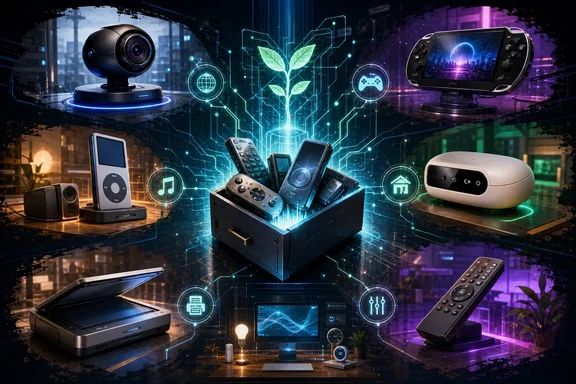
The most promising reuse projects do not simply restore an old product exactly as it was. They shift it toward a new job: a desktop controller, a local music endpoint, a Windows-connected sensor, or a home-automation accessory. That can keep capable hardware in use for longer, though there is no evidence here that these projects have reduced e-waste at meaningful scale. It is better understood as a practical option for individual owners than a proven environmental solution.
1. Spotify Car Thing: from disabled car controller to desk controller
Spotify introduced Car Thing in the United States in February 2022 as an in-car controller for Spotify. It combined “Hey Spotify” voice commands with a touchscreen and physical interaction through taps, turns, and swipes. Its short commercial life ended especially abruptly: Spotify disabled all Car Thing units on December 9, 2024 and advised owners to reset and dispose of them according to local e-waste guidance.
That server-side shutdown is important. A Car Thing cannot be treated as a normally discontinued media accessory whose original function merely lacks updates. Its intended service has been switched off.
DeskThing offers a different path. The maintained open-source project describes itself as an alternative operating system for the Car Thing. Its stated goals include running community apps, controlling Spotify, and controlling locally playing media. In practical Windows terms, that makes the small screen and dial potentially useful beside a PC: a dedicated controller for playback rather than an in-car Spotify device.
The appeal is obvious for anyone who misses tactile media controls. A repurposed Car Thing could occupy a narrow, specific role on a desk without requiring a second monitor or continuously unlocking a phone.
However, this is not a turnkey restoration of Spotify’s product. DeskThing’s own documentation cautions that not every listed feature is updated and that some are pending revision. Prospective users should therefore evaluate the functions they actually need before investing time in installation. “Controls Spotify” and “controls local media” are useful capability claims, but they should not be read as a guarantee that every app, workflow, or community add-on is equally mature.
Best fit: Windows users who want a compact physical companion for desktop media and are comfortable treating it as a community software project rather than a supported consumer appliance.
2. Meta Portal: developer access opens a narrow second life
Meta’s Portal hardware is another example where the timeline matters. Meta said in an April 4, 2023 update that it was no longer selling Meta Portal and that supported features could change over time. That does not mean the hardware is locked away forever. In June 2026, Meta opened Portal development to developers and documented a way to enable Android Debug Bridge (ADB) access and deploy applications.
For technically capable owners, that changes Portal from a retired communications display into a device that can host purpose-built software. Meta’s documented setup involves enabling ADB from the device’s debug settings, then deploying an app through ADB. This is a notably more official route than relying entirely on an undocumented exploit.
One community project, Portal HA Bridge, shows the kind of reuse now possible. It requires a Portal with ADB enabled, a Home Assistant installation, and an MQTT broker. The bridge publishes Home Assistant MQTT auto-discovery information and exposes functions relating to the Portal’s screen wake and sleep state, camera, sensors, and presence.
That makes Portal potentially useful as a room-aware Home Assistant accessory. For example, a technically maintained smart-home setup could use Portal-related presence and sensor information as part of automations, while retaining screen controls in the same broader system.
There is an important boundary on what the evidence supports. Portal HA Bridge is documented as an MQTT bridge; its documentation does not establish that it renders a Home Assistant dashboard on the Portal itself or directly controls music playback. Those may be achievable through separate software, but they should not be attributed to the bridge without confirming the specific application and configuration.
There is also a serious ownership and risk question. Enabling developer tooling and sideloading applications is not comparable to installing a normal app from a consumer store. Meta warns that sideloading or modifying system applications may be irreversible. Owners should assume that mistakes can leave the device in an unsupported state and should not experiment on hardware they rely on for essential calls or household services.
Best fit: Developers and experienced Home Assistant users who already run MQTT and understand ADB-based deployment. It is less suitable for someone simply seeking a plug-and-play smart display replacement.
3. Logitech Squeezebox: the unusually durable local-music route
Among the devices here, legacy Logitech and Slim Devices players may have the clearest long-term software story. Lyrion Music Server is open-source server software for these players, including several Squeezebox models. Logitech’s version 7.7 was its final release, but the community continued development with Lyrion Music Server releases from version 7.8 onward.
This matters because an old network audio player is only as useful as the software that can organize and serve music to it. Continued community development means a Squeezebox can remain part of a modern local music system rather than becoming a decorative relic tied to an abandoned vendor application.
For a Windows household, the basic value proposition is straightforward: a PC or another machine on the network can serve as the central music library and control point, while a Squeezebox remains a dedicated audio endpoint in a kitchen, office, bedroom, or workshop. The advantage over reusing a general-purpose tablet is focus. The player exists to play music, and its physical controls and display can still make sense in a room where opening an app is inconvenient.
It is worth being precise about what makes this case stronger than mere nostalgia. Lyrion Music Server is not an archival installer left behind after the vendor departed; it is documented as open source and as the successor to the last Logitech release. That continuing software lineage is exactly what old connected hardware needs.
The tradeoff is that owners still need to assess the health of the particular player. Old power supplies, displays, network hardware, batteries, and mechanical controls can be more consequential than the availability of server software. Community software extends the value of working hardware; it cannot remove the realities of age.
Best fit: Owners with a local music collection or a multi-room listening goal who prefer dedicated audio hardware over another phone- or tablet-based endpoint.
4. Older iPods: Rockbox is powerful, but model checking is mandatory
Rockbox is replacement firmware for digital music players, and it can make certain older Apple devices far more flexible as dedicated offline players. But “certain” is the operative word. Compatibility is model-specific, not a general promise for every iPod ever made.
Rockbox currently lists stable Apple support for iPod Classic generations 1 through 6, iPod Mini, iPod Nano first generation, and iPod Nano second generation. Its guidance is direct: if a player is not on the list, Rockbox does not run on it. An iPod Nano fourth generation, for example, is not among the listed stable Apple ports and should not be bought or kept specifically for a Rockbox plan.
That constraint should shape the shopping and reuse decision before anyone attempts installation. Identify the exact device generation first; Apple product names alone are insufficient. “iPod Nano” covers hardware with sharply different support prospects.
For a supported model, the attraction is control. Replacement firmware lets the owner treat the device as an independent music player rather than as a piece of hardware defined solely by Apple’s original software ecosystem. That remains a compelling idea for commutes, exercise, travel, or distraction-free listening, particularly for people who want a separate device for a local library.
Still, users should avoid repeating an overly broad feature checklist. Rockbox capabilities can differ by player target and build. Claims about particular extra media formats, scrobbling behavior, emulators, or video features need to be checked against documentation for the exact iPod being used. A supported firmware port does not mean every plugin or feature operates the same way across all supported devices.
Best fit: Owners of a specifically supported iPod who want a dedicated local-media player and are willing to verify model-level compatibility before changing firmware.
5. Original Kinect: useful Windows sensor hardware, not a universal Kinect solution
The first-generation Microsoft Kinect remains interesting because it includes more than a conventional camera. The open-source libfreenect project provides a userspace driver for the original Kinect on Windows, Linux, and macOS. Its stated support includes RGB and depth images, motor control, accelerometer, LED control, and audio.
For Windows tinkerers, that means a Kinect can become accessible sensor hardware for experimentation with depth data, computer vision, interactive installations, and other projects that benefit from RGB-plus-depth input. Its motorized and sensor-equipped design gives it possibilities beyond a basic USB webcam.
But the first-generation distinction is non-negotiable. libfreenect is for the original Kinect. The project specifically directs Kinect v2, also associated with Xbox One hardware, to libfreenect2 instead. Treating the two devices as interchangeable is a common route to wasted time, wrong drivers, and incompatible project instructions.
This is also a case where repurposing means development, not an easy consumer upgrade. Having a driver that runs on Windows establishes access to the hardware’s functions; it does not by itself supply a polished app or guarantee compatibility with any given creative, accessibility, gaming, or home-automation project. The owner will need software suited to the intended use.
Best fit: Windows developers, students, makers, and hobbyists who can distinguish original Kinect from Kinect v2 and have a project that genuinely benefits from depth sensing.
6. Logitech Harmony Hub: local control exists, but the route has security costs
Logitech stopped manufacturing Harmony remotes in 2021 while saying it intended to continue service and support. That distinction remains useful: no new products does not inherently mean a service is dead. In fact, Logitech’s current status listing reports Harmony Service as operational. Individual setup or connectivity problems may still occur, but they should not be framed as proof of a broad platform outage.
For owners seeking greater independence or local integration, community repositories describe a more radical reuse option: rooting a Harmony Hub and adding a local web interface. The documented local-control project can provide manual infrared learning, Bluetooth HID functions, and MQTT/Home Assistant integration.
The result could be attractive in a technically managed home. A Hub that remains available to a local web interface and MQTT-based automation can potentially take on duties beyond the standard Harmony application workflow.
Yet this is the highest-risk project on the list. The root tool is not a conventional manufacturer-supported modification. Its documentation describes using a path-traversal vulnerability on affected firmware to enable a debug or development mode and install persistent root SSH access. It requires a Hub the user owns, requires prior normal setup, and was reported as tested on firmware version 4.15.600.
Those details are not paperwork; they are the practical limits. Firmware compatibility outside that tested version is unresolved. Persistent root access and LAN-facing services alter the device’s security posture. Documentation also leaves open questions about ongoing maintenance and about whether unauthenticated local services might be exposed. A factory reset does not remove the broader dependency that ordinary Hub use first requires normal account-backed setup.
For that reason, Harmony rooting should be approached as a security-sensitive hobby project, not as routine Home Assistant configuration. Back up expectations as well as settings: failure, loss of vendor support, and a Hub that needs recovery are plausible outcomes.
Best fit: Advanced owners of a spare, owner-controlled Hub who understand firmware constraints, network exposure, and the difference between local convenience and local security.
A practical test before you keep or recycle
The question is not simply whether someone has written code for an old device. Before keeping any of these gadgets, apply four tests:
- Confirm the exact hardware revision. Kinect generations and iPod generations are decisive, while old product names can conceal incompatible variants.
- Separate maintained projects from static repositories. A repository can demonstrate possibility without promising reliable daily use. DeskThing’s own feature-update warning is a useful reminder.
- Map the dependencies. Portal HA Bridge needs ADB, Home Assistant, and MQTT. Harmony modifications retain account-setup and firmware considerations. A successful project is often a system, not a single download.
- Weigh risk against value. Installing alternate firmware on an iPod differs substantially from enabling root SSH through a Hub vulnerability. Do not accept the same level of risk for every device.
Open-source communities can give unsupported hardware a meaningful second purpose, particularly when the original device has good speakers, controls, sensors, or a useful display. But the best candidates are not necessarily the most novel ones. They are the devices with a clear job, verified compatibility, an active enough software path, and a risk level that matches the owner’s technical confidence.
When those conditions are absent, responsible recycling is still the better outcome. Keeping obsolete hardware only makes sense when it becomes genuinely useful again—not when it merely postpones the trip to e-waste.
References
- Set up your device Meta Horizon OS Developers
- Lyrion Music Server reference Lyrion Music Server
- Spotify has disabled Car Thing streaming devices TechCrunch