

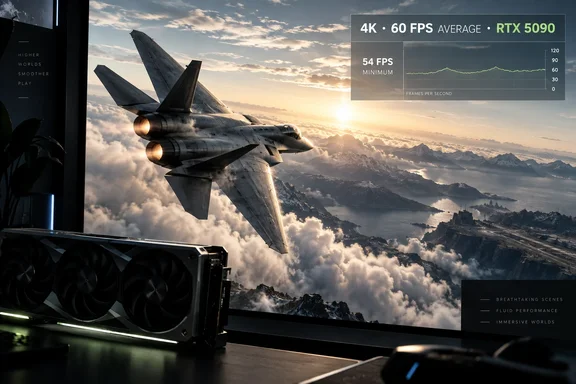
What was tested
GameGPU says it used a Ryzen 7 9800X3D system, DirectX 12, maximum detail settings and 3840 × 2160 resolution without image scaling. Its focused RTX 5080–Radeon RX 7900 XTX comparison identifies the operating system as Windows 11 version 24H2; its broader roundup says Windows 11 without specifying a version. The outlet describes the game as using Unreal Engine 5, Nanite and Lumen.
Here are the reported results, in frames per second. A dash means GameGPU did not state a minimum for that card in these reports—not that the card lacked one.
| Graphics card | Reported minimum | Average |
|---|---|---|
| GeForce RTX 5090 | 54 | 60 |
| GeForce RTX 4090 | 44 | 48 |
| GeForce RTX 5080 | 35 | 38 |
| Radeon RX 7900 XTX | 33 | 37 |
| GeForce RTX 4080 Super | — | 36 |
| GeForce RTX 4080 | — | 36 |
| Radeon RX 9070 XT | 29 | 32 |
| GeForce RTX 4070 Ti Super | 28 | 31 |
| Radeon RX 7900 XT | 27 | 30 |
| GeForce RTX 4070 | 19 | 22 |
| GeForce RTX 3060 | 10 | 12 |
One correction matters: SSBCrack’s account calls 35 fps the RTX 5080’s average while also saying it trails the RX 7900 XTX by just one frame. GameGPU’s direct comparison reports 35 fps as the RTX 5080’s minimum and 38 fps as its average. Against the Radeon’s 37 fps average, that makes the stated gap one frame in the RTX 5080’s favor. GameGPU’s broader roundup also gives the RTX 5080 a 38 fps average.
What the numbers can—and cannot—tell you
The older Radeon RX 7900 XTX narrowly beat the RTX 4080 and RTX 4080 Super averages in this test, and finished five frames ahead of AMD’s newer RX 9070 XT. That is an interesting result for this particular workload, not proof that one architecture wins across games. Likewise, the RTX 4070’s 22 fps and RTX 3060’s 12 fps averages describe maximum-detail native 4K; they say nothing conclusive about either card at 1440p, 1080p or reduced settings.
There are also limits to how closely readers can scrutinize the figures. The two GameGPU news reports do not identify the exact game build, graphics-driver versions, benchmark route, repeat count or how the stated “minimum” was calculated. They provide no equivalent results with upscaling or frame generation. A fast processor is a sensible way to reduce CPU interference, but its presence alone does not establish that every result was entirely GPU-limited. Treat the one-frame RTX 5080–RX 7900 XTX difference accordingly: as a reported observation, not a buying decision settled to the nearest frame.
Timing adds another reason for caution. GameGPU dated its reports September 26, 2026. Bandai Namco lists Deluxe Edition early access for September 29 and the general release for October 2 on PC via Steam, Xbox Series X|S and PlayStation 5. The benchmark reports do not explain which pre-release build was tested or how it was obtained. Players comparing their own Windows 11 performance after launch should match the resolution, preset, scaling setting, driver and game build before deciding whether their GPU is underperforming.
Update: SSBCrack reports peak system-memory use above 31 GB (September 27, 2026)
SSBCrack now reports that its Ace Combat 8 testing recorded total RAM use peaking at 31,229 MB during gameplay. If accurate, that would make 32 GB of system memory the practical baseline for avoiding page-file activity and the stuttering that can follow on 16 GB Windows PCs.
The outlet attributes the demand to the Unreal Engine 5 title’s streaming workloads and visual features, including dynamic weather, volumetric clouds and detailed landscapes. It also lists reported total memory use near 28–30 GB across several tested GPUs and resolutions.
These figures are a single outlet’s report and do not establish an official memory requirement. Still, Windows gamers planning to play at maximum settings should monitor total system memory—not only VRAM—especially if browser tabs, overlays, capture tools or other applications remain open.
References
- Benchmarking Results: NVIDIA GeForce RTX vs. AMD Radeon RX in Ace Combat 8 Revealed - SSBCrack SSBCrack · 2026-09-27T05:44:53+00:00
- Benchmarking Reveals Ace Combat 8 Requires Over 32 GB RAM for Smooth Gameplay - SSBCrack SSBCrack · 2026-09-27T12:50:54+00:00
- RTX 5080 and RX 7900 XTX showed almost identical FPS in Ace Combat 8 in 4K en.gamegpu.com