

Where the K5 came from
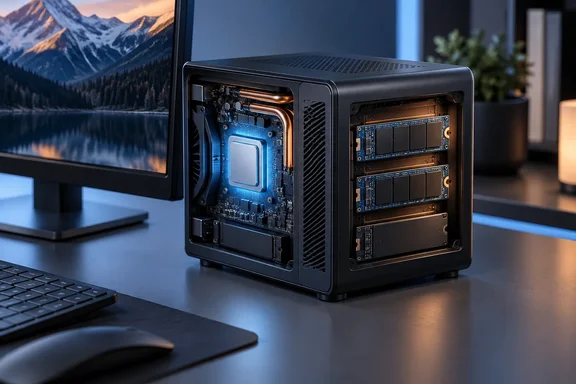
The name has changed along the way. ACEMAGIC first announced it as the Kron Mini K5, a compact desktop PC built on Intel's Core 5 320 processor, and described it as one of the first mini PCs to use this Wildcat Lake chip. TechRadar's reviewer says the unit arrived as the "KRON mini K5" and was later renamed plain "K5." Buyers searching for either name are looking at the same machine.
Intel lists the Core 5 320 as part of its Core processor Series 3 family (formerly Wildcat Lake), launched in Q2 2026. The chip is built on Intel 18A. Independent coverage from June matches that: VideoCardz reported that Intel lists this processor with 2 Performance cores and 4 Low Power Efficient cores, for 6 cores and 6 threads in total, with a 4.6 GHz maximum turbo clock, 6MB of Smart Cache and Intel 18A lithography.
Section summary: The K5 is an early retail system built on Intel's 18A-based Core 5 320. Launch coverage and the final product page agree on the core specifications.
Specs at a glance
| Component | Acemagic K5 (US configuration) |
|---|---|
| CPU | Intel Core 5 320, 2P + 4 LP E-cores, 6 threads, up to 4.6GHz |
| GPU | Intel Graphics, 2 Xe-cores, up to 2.5GHz |
| NPU | Up to 16 TOPS (Int8) |
| Memory | 16GB LPDDR5-6400, soldered |
| Storage | 512GB NVMe (PCIe 3.0 x4 drive), two M.2 2280 slots at PCIe 4.0 x2 |
| Display | HDMI 2.0, DP 1.4, USB-C DP Alt Mode, each up to 4K60 |
| USB | 2x USB-A 10Gbps (front), 4x USB-A 5Gbps (rear), 1x USB-C 20Gbps |
| Networking | 2.5GbE, Wi-Fi 6, Bluetooth 5.2 |
| Size | 128 x 128 x 41.3mm |
| Power | 19V/3.42A DC barrel, 25W design |
| OS / warranty | Windows 11 Pro / two years |
Price and availability: check the date on the box
ACEMAGIC's US store lists the K5 at $559, shown next to a crossed-out $799. The page also says pre-orders start shipping on October 18, a firmer date than TechRadar's "mid-October." There is one US configuration: the Core 5 320 with 16GB of RAM and a 512GB SSD.
TechRadar reports two European models due on October 12: a matching Core 5 320 version at €549, and a Core 3 304 version with 12GB of RAM and 256GB of storage at €349. ACEMAGIC's European page confirms that the Kron Mini K5 comes powered by Intel Core 3 304 or Core 5 320 with Intel Graphics and AI Boost NPU.
The Core 3 version complicates the value question. How-To Geek reviewed that model and said at its current discounted price of $380, the Acemagic K5 is solid value and often undercuts competing Intel Core 3 304 mini PCs. Shoppers should confirm which chip, how much RAM and which region's listing they are looking at, because the K5 name covers two quite different price points.
Performance: a big jump over N150
TechRadar compared the K5 with a Beelink ME mini running Intel's N150, the kind of chip Wildcat Lake is meant to replace. These are TechRadar's results on those two machines, not results that will hold for every unit or workload:
| Benchmark | Acemagic K5 (Core 5 320) | Beelink ME mini (N150) |
|---|---|---|
| 3DMark Wild Life | 11,018 | 2,298 |
| 3DMark Fire Strike | 3,508 | 732 |
| 3DMark Time Spy | 1,693 | 293 |
| 3DMark Steel Nomad | 1,254 | 188 |
| Cinebench 2024 single / multi | 110 / 402 | 56 / 135 |
| Geekbench 6 single / multi | 2,559 / 7,852 | 1,103 / 2,334 |
| PCMark 10 Office | 6,280 | 2,781 |
| CrystalDiskMark read / write (MB/s) | 1,786 / 1,748 | 1,731 / 1,686 |
The single-core results roughly double, and the graphics results are four to six times higher, depending on the test. TechRadar's reviewer also says the Core 5 320's single-core scores beat a Core Ultra 5 125H and its graphics scores beat a Core i7-12650H. Those comparisons use numbers from outside this test table, so read them as rough indicators rather than a head-to-head test.
The reasons are straightforward. The old Twin Lake parts used only efficiency cores, single-channel memory and UHD graphics, and had no NPU. Wildcat Lake adds two performance cores, Xe-class graphics and an NPU. That costs some power: TechRadar says the Beelink ran within 9–15W, while the K5 runs at 9–25W.
Power figures deserve a caveat. Intel rates the Core 5 320 at 15W base power and 35W maximum turbo. ACEMAGIC advertises a 25W design for the whole system. TechPowerUp's launch report said instead that AceMagic maxed out its cTDP to offer 15 W base power and 35 W maximum turbo power. Short turbo bursts and sustained power limits measure different things, so these figures don't necessarily contradict each other. TechRadar's 9–25W observation is the only hands-on number here.
Section summary: For office work, browsing and light graphics, the K5 is a generational jump over N-series boxes. The storage numbers in the last row are where the trouble starts.
The storage bottleneck
Both machines in TechRadar's test land at about 1,700–1,800MB/s in CrystalDiskMark, even though the K5's drive is rated for roughly double that. The explanation comes down to how PCIe lanes are wired.
- The slot: Both M.2 2280 slots run at PCIe 4.0 x2, meaning two lanes instead of the usual four.
- The drive: Acemagic ships a PCIe 3.0 x4 SSD. In a two-lane slot, a Gen3 drive runs at Gen3 x2.
- The math: PCIe 3.0 x2 tops out just under 2GB/s in theory, so TechRadar's ~1,786MB/s read is about what you'd expect. A Gen4 drive in the same slot would run at Gen4 x2, which is roughly double. TechRadar puts that ceiling at about 3,800MB/s. (The per-lane figures come from general PCIe specifications, not TechRadar's testing.)
TechRadar blames Acemagic for fitting a Gen3 drive, and that's fair: a Gen4 SSD would have doubled sequential throughput at no cost in lanes. The two-lane slots themselves are a separate issue. Intel's own specification sheet lists six PCIe 4.0 lanes for the Core 5 320, split as one x4, three x2 or six x1. VideoCardz flagged the same limit back in June, noting that Intel's official Core 5 320 spec lists only six PCIe 4.0 lanes, so the final storage layout may need confirmation once the product page goes live. The shipping hardware bears that out: two storage slots at x2 each.
TechRadar's reviewer goes further, suggesting Intel deliberately limited the lane count so Wildcat Lake wouldn't compete with its Core Ultra chips. That's the reviewer's opinion, not an established fact. Intel hasn't said why it chose six lanes, and small low-power chips have always had fewer lanes to spare. Readers can judge for themselves, but the practical effect is the same whatever the reason.
What this means in practice:
- Office work, browsing, Teams calls and app launches: you're unlikely to notice. Random, small-file performance matters more than sequential speed here.
- Large video files, big game installs or scratch disks: you will notice.
- Upgrading: buy a Gen4 NVMe drive for the spare slot. A Gen5 drive won't go any faster in an x2 Gen4 slot. ACEMAGIC quotes support for up to 4TB of total storage.
Design and ports: plastic, practical and one confusing port
The chassis measures 128 x 128 x 41.3mm and is mostly plastic under metallic-look paint. That keeps it light, and a VESA bracket is included for mounting it behind a monitor. The illuminated "POWER" button is a nice touch, and there's a security slot on the back.
Getting inside isn't as easy as the launch materials suggested. VideoCardz's June report said ACEMAGIC also lists two M.2 2280 NVMe PCIe 4.0 x2 slots with tool-less access. TechRadar found that a rear slider does release the lid, but below it sits a metal heat-spreader plate held by four screws, with a thermal pad you have to pry loose. A third slot, M.2 2242, holds the Wi-Fi module. The RAM is soldered, so the 16GB it ships with is permanent.
The ports are generous: six USB-A, HDMI, DisplayPort and 2.5GbE. The front USB-C port is the odd one out. ACEMAGIC's specifications list DP Alt Mode, 20Gbps data and "USB PD 100W input," but TechRadar found you can't power the PC through it (power comes from the 19V barrel jack), and it didn't charge devices either. Until ACEMAGIC explains what that power rating means, treat the port as video plus fast data only.
There's also no USB4 or Thunderbolt. Intel's processor listing does include Thunderbolt 4 support, but a chip feature only counts if the PC maker wires it up, and on the K5 it isn't there. If you rely on a Thunderbolt dock or fast external drives, that settles it.
The "40 TOPS" AI claim
ACEMAGIC markets 40 TOPS of CPU, GPU, and NPU-powered AI performance. Windows users should read that figure carefully. It's a platform total: Intel rates the NPU at 16 TOPS and the GPU at 20 TOPS, with the CPU making up the rest.
TechRadar says local Copilot needs 47 TOPS but doesn't say which Copilot product or requirement it means. A clearer yardstick, based on Microsoft's publicly stated Copilot+ PC hardware requirements, is that Copilot+ features need an NPU rated at 40+ TOPS on its own. The K5's 16-TOPS NPU is well short of that. It can still handle Windows Studio Effects (which Intel lists as supported) and apps built on OpenVINO, DirectML, Windows ML or ONNX Runtime. It isn't a Copilot+ PC, and platform-wide TOPS figures don't change that.
Verdict: good chip, weak value at $559
TechRadar scores the K5 4/5 for design, 3/5 for features, 3.5/5 for performance and 3/5 for value, for 3.5/5 overall. Price is its main complaint. As an example, it cites a $459.99 GMKtec system with a Ryzen 5 7640HS, USB4, dual 2.5GbE, two Gen4 x4 M.2 slots and upgradeable SO-DIMM memory. That's an older chip with far more connectivity for $100 less. Retail prices change quickly, so check before you buy.
How-To Geek's review of the Core 3 model reaches a similar conclusion from the other direction. It noted that some older but more powerful AMD machines tend to offer substantially better integrated GPUs and multi-threaded performance for around the same price.
Consider the K5 if:
- You're replacing an N100/N305 office box and want a big boost in responsiveness without much extra power draw.
- You need lots of USB-A ports and three 4K60 displays without a dock.
- You want a small, quiet machine to mount behind a monitor.
Skip it if:
- You need USB4 or Thunderbolt.
- You move large files regularly or need fast scratch storage.
- You want to upgrade RAM later. 16GB is all you get.
- You're paying $559 and an older Ryzen box with better connectivity costs less.
The Core 5 320 shows Intel's replacement for its budget chips is a real improvement. The K5 around it is held back by two-lane storage slots, a Gen3 drive, a USB-C port whose power behaviour isn't clear, and a launch price that expects buyers to pay extra for being early. TechRadar's reviewer says he'd recommend it for office use at around $400. Other Wildcat Lake systems are still on the way, so waiting for more competition and lower prices may be the smarter choice.
References
- Acemagic K5 mini PC review TechRadar · 2026-09-29T18:50:00+00:00
- ACEMAGIC unveils Kron Mini K5 with Intel Core 5 320 "Wildcat Lake" CPU - VideoCardz.com videocardz.com
- AceMagic Intros Kron Mini K5 Mini PC Powered by Intel "Wildcat Lake" Processor | TechPowerUp techpowerup.com