

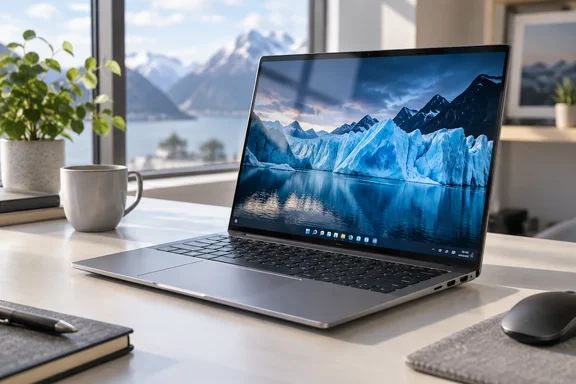
This article walks through what was tested, what the review found and where the caveats sit. It also explains why you should check the exact model number before buying, because the Aspire 16 AI name now covers quite a few different machines.
The configuration PCWorld tested
PCWorld's unit is a specific build. Its figures come from the review's own spec list:
- CPU: Intel Core Ultra 7 355 (Panther Lake)
- GPU: Intel Arc 140V integrated graphics
- NPU: Intel AI Boost, up to 49 TOPS
- Memory and storage: 16GB LPDDR5X and a 512GB PCIe Gen 4 NVMe SSD
- Display: 16-inch 1920×1200 OLED touchscreen, 16:10, 60Hz, 100% DCI-P3 and 100% sRGB, rated at 300 nits
- Connectivity: Wi-Fi 7, Bluetooth 5.4+, two USB4 Type-C ports, two USB-A ports, HDMI 2.1, a 3.5mm jack and a microSD reader
- Battery and weight: 65Wh, 3-cell battery; 3.23 pounds
- Price: $1,279.99 MSRP at the time of the review
Treat that price as the review-time MSRP, not a live retail quote.
Why the model number matters
Acer has sold several Aspire 16 AI variants, and they differ more than the shared name suggests. PCWorld's earlier reviews describe a Core Ultra 9 288V unit and a cheaper 120Hz model:
- The earlier review unit came with an Intel Core Ultra 9 288V CPU.
- That review called the machine a serious value at $1,099.
- A September 2025 review covered a lower-priced model with a 120Hz display.
- That model reached roughly 15 hours 30 minutes in PCWorld's standard battery test.
Other outlets tested AMD-based versions. Trusted Reviews examined a Ryzen AI model, and it had a 2048×1280 OLED panel with a 120Hz refresh rate. The new PCWorld unit is a 60Hz, 1920×1200 panel. Don't mix up spec sheets or review conclusions across these variants.
Lightweight and cool for a 16-incher
The reviewer says she kept forgetting she was carrying a 16-inch laptop at 3.23 pounds. She also preferred the aluminum chassis to plastic bodies. She noted vents across the underside and little fan noise, and the bottom stayed cool.
Those are hands-on impressions. The review includes no thermal measurements or sustained-load stress test, so "cool and quiet" applies to her light usage.
The OLED display is the star
The display is the main reason the review is so warm. Three points stand out:
- 16:10 aspect ratio. She valued the extra vertical space for long emails and articles.
- OLED colour and contrast. She described the colours as rich and the dark scenes as having depth. She tried a Björk concert and an Iceland documentary, where glacier ice looked especially blue.
- Touchscreen. It's included, though she rarely used it.
Where the display falls short
Brightness is the one thing she wished were better. Even at maximum, she wanted another click or two, and Acer rates the panel at up to 300 nits, which matched her experience. The screen is also quite reflective under bright lights.
Compare that with Trusted Reviews' AMD-based Aspire 16 AI. It measured 375.8 nits of peak brightness, which that reviewer judged acceptable for indoor and outdoor work. That is a different model with a different panel, and the two reviewers used different methods. Still, it suggests that if you work near windows or outdoors, brightness is worth checking on the specific SKU you buy.
Keyboard, speakers and ports
Keyboard
The keyboard is large and has a number pad, which will suit anyone who works with figures. The reviewer found the layout too big for her hands. She usually uses a 14-inch laptop and often hit the wrong keys at first. She also disliked the shorter vertical arrow keys. A dedicated key toggles the backlight, so you don't have to dig through Windows settings. Whether any of this bothers you depends on your hands and habits.
Speakers
The speakers get loud. Her husband recognised the Björk concert from another room. Sound quality is "OK", and music lovers are better off with headphones.
Ports
Ports are plentiful: two USB-C, two USB-A, HDMI 2.1 and a headphone jack, so she didn't need an adapter for ordinary peripherals. The one gripe is that charging only works from one side. Both USB-C ports support charging, but they sit on the same side. Check your desk layout if you are fussy about cable routing.
Copilot+ and the AI features
The 49 TOPS NPU makes this a Copilot+ PC. The reviewer says she is a bit tired of AI features. The only one she used was Live Captions, which she finds helpful because she has a harder time processing audio alone. She mentions Recall, which saves snapshots of what you're looking at. She did not test it, so the review says nothing about its performance or privacy settings. If Recall matters to you, review its settings and your organisation's policy before enabling it.
Performance and battery numbers
Her daily workload is light, with a few browser tabs of Google Docs, YouTube, social sites and PCWorld. She noticed no slowdowns.
Benchmarks ran with Acer's Standard Performance profile. They compare three systems:
| Laptop | Chip | MSRP | PCMark 10 |
|---|---|---|---|
| Acer Aspire 16 AI | Core Ultra 7 355 (Panther Lake) | $1,279.99 | 7,135 |
| Acer TravelMate P2 14 AI | Core Ultra 5 322 (Panther Lake) | $1,699 | 6,581 |
| Dell XPS 13 | Core 5 320 (Wildcat Lake) | $699.99 | 6,103 |
In 3DMark Time Spy the Aspire scored 3,236 against the TravelMate's 1,479. The reviewer suggests the Arc 140V graphics explain at least part of that gap. That is plausible, but she doesn't isolate it, so it remains a likely explanation and not a proven one.
Light gaming only
She played the city-builder ComboLands for a couple of hours. It ran smoothly, got slightly warm and the fans never ramped up, even on her lap. She stresses that this is a low-demand game and doesn't make the laptop a gaming machine. Nothing in the review speaks to demanding titles.
Battery
In one UL Procyon battery test the laptop lasted 11 hours and 47 minutes. She calls that more than a full workday, though not class-leading. She contrasts it with a 36-hour result for the Dell 14S. Read that comparison cautiously. The review doesn't show the settings behind it, and the devices may have been tested differently.
Battery tests also vary widely by method. Other Aspire 16 AI reviews posted numbers from 10 hours 15 minutes to 15.5 hours, but on different models and with different tests. Compare only like with like.
Who should buy it?
By this review, the Aspire 16 AI suits someone who wants a big, beautiful screen without lugging around a heavy 16-inch machine. The reviewer's summary is that it makes the most sense at that price for exactly that buyer.
Pros, per the review:
- OLED display with 16:10 space
- Light for its size
- Good port selection
- Smooth everyday performance
- Nearly 12 hours of battery life in one test
Trade-offs:
- A 300-nit, reflective panel
- A big keyboard that takes adjustment
- Charging from one side only
- Average speaker quality
- Battery life that is good but not best-in-class
The bottom line
This is a single reviewer's account of one configuration, so it isn't a lab teardown. The review lacks display-measurement data, thermal testing and detail on its battery methodology. But the picture it paints is coherent: a light, quiet, capable Windows laptop whose screen will probably win you over, provided you can live with the brightness and keyboard.
Before you buy, confirm the exact model number and compare the processor, panel type, refresh rate, battery and price against the specs listed above. Given how different the Aspire 16 AI variants are, the name alone tells you very little.
References
- Acer Aspire 16 AI review: The laptop I keep reaching for PCWorld · 2026-10-05T13:24:15+00:00
- Acer’s new Aspire AI laptops keep it simple, and that’s a good thing | PCWorld pcworld.com
- Acer Aspire 16 AI Review - Trusted Reviews trustedreviews.com