

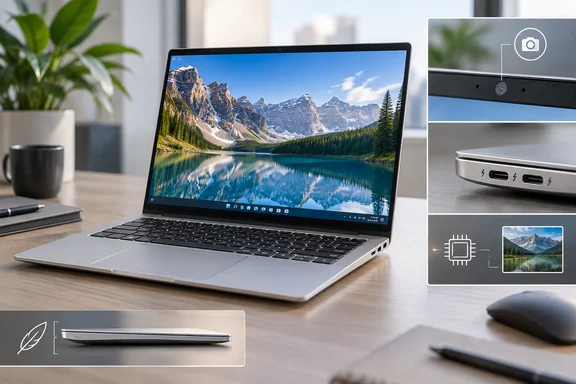
For Windows buyers, the important distinction is between features that improve everyday use and specifications that expand what the laptop can do. This Swift offers several of the former—but its Copilot branding needs careful reading.
A polished design, with everyday compromises
Chang’s Singapore configuration combines an Intel Core 5 Processor 320, 12GB of memory and a 512GB SSD in a 1.19kg chassis. He found some body, lid and keyboard flex, limited key travel, but a satisfactory touchpad.
Acer independently confirms an all-aluminium chassis, a 180-degree hinge and a 14-inch, 120Hz display for the SFA14-I31 family. Its US specification page lists a matte IPS panel with a 1,920 × 1,200 resolution and a 16:10 aspect ratio. These are useful distinctions: the design is not simply a shiny lid wrapped around an unspecified screen.
However, regional configurations matter. Acer’s US SFA14-I31-58V8 lists the same Core 5 320 processor and 512GB storage, but only 8GB of standard memory, rather than the reviewed unit’s 12GB. Buyers should verify the full model number and installed RAM, not assume every Swift Air 14 matches the review.
A fast screen does not make a gaming laptop
Chang reports a PCMark 10 score of 7,026, a 10-minute, 58-second HandBrake transcode of a 1GB video, and noticeable lag in Slay the Spire 2. The review does not provide enough settings to reproduce those results or make rigorous cross-review comparisons.
Intel’s specifications provide useful context: the Core 5 320 has six CPU cores—two performance cores and four low-power efficiency cores—and integrated Intel Graphics with two Xe cores. Those specifications corroborate the modest graphics positioning without establishing a frame-rate prediction.
The sensible interpretation is that this is an everyday productivity machine, not a creative workstation wearing a smaller jacket. A 120Hz panel is a welcome display feature; it is not evidence that the graphics hardware can deliver 120 frames per second in games.
Copilot is included; Copilot+ eligibility is not
The clearest Windows-specific caveat goes beyond the review’s NPU warning.
Microsoft requires a compatible processor with a 40+ TOPS NPU, at least 16GB of DDR5/LPDDR5 RAM, and at least 256GB of SSD/UFS storage for a Copilot+ PC. The reviewed configuration therefore misses two thresholds: NPU performance and memory capacity. Its SSD capacity clears the storage minimum.
Intel rates the Core 5 320’s NPU at 16 TOPS and explicitly lists Windows Studio Effects support. Consequently, failing Copilot+ qualification does not mean the machine has no AI acceleration or camera effects.
Microsoft also distinguishes cloud-based experiences such as Microsoft Copilot from the higher-specification Copilot+ category. A Copilot key or installed assistant is not a substitute for checking the hardware requirements.
Practical takeaway: choosing more RAM alone would not turn a Core 5 320 configuration into a Copilot+ PC; the NPU would still fall below Microsoft’s requirement.
Connections and battery: read the conditions
The reviewed unit includes USB-A alongside two Thunderbolt 4 ports, but no HDMI. Chang found the webcam noisy; its physical shutter also blocks facial sign-in. His maximum-brightness video playback test lasted 12 hours.
Acer’s family page corroborates Thunderbolt 4, Wi-Fi 6E and facial recognition. It also qualifies its advertised 50% charge in 30 minutes: that claim uses a 100W power adapter, and charging speed varies with system conditions. A fast-charging headline is not a promise for every charger in the drawer.
The value judgment
The review reports Singapore prices of S$1,399 for the tested configuration and S$1,199 for a Core 3/8GB model. These are reported regional prices, not US offers.
Our assessment is that the Swift Air 14’s appeal rests on portability, display quality and convenient connectivity—not maximum performance or Copilot+ features. Before buying, confirm the exact RAM configuration and consider whether the missing HDMI port, camera limitations and modest graphics matter to your routine. “Somewhat premium” is a fair description of the proposition: spend for the experience you will use, rather than capabilities the branding might suggest.
References
- Acer Swift Air 14 review: Somewhat premium canbuyornot.com · 2026-10-01T03:00:00+00:00
- Acer Swift Air 14 (SFA14-I31) | Windows 11 Laptop | Acer United States acer.com
- Swift Air 14 (SFA14-I31) - SFA14-I31-58V8 Tech Specs | Laptop | Acer United States acer.com