

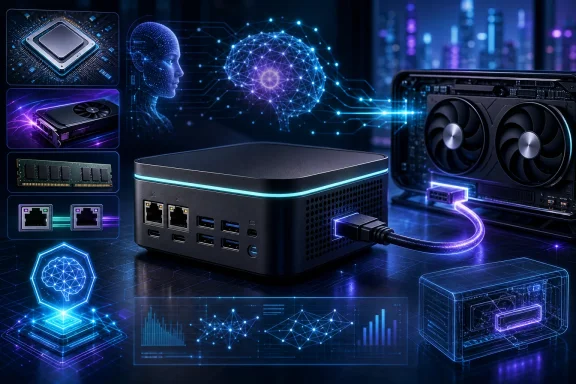
The important qualification is that the RI110 remains an announced product rather than a reviewed one. Acer unveiled it on September 2, 2026, with North American availability planned for the fourth quarter of 2026 and EMEA availability planned for the first quarter of 2027. Pricing has not been published, regional specifications may vary, and there are no RI110-specific independent performance, noise, thermal, or AI-inference tests yet. Those gaps are significant for a machine whose appeal rests heavily on ambitious AI and expansion claims.
A mini workstation defined by I/O as much as compute
The Veriton RI110 measures 138.5 × 131.3 × 52.1 mm and weighs about 0.63 kg. Those figures establish that it is a genuinely small desktop, although claims that it is smaller than a “conventional workstation” are too imprecise to be meaningful without defining the comparison. What is clear is that Acer is trying to fit workstation-style connectivity into a footprint suited to a desk, equipment rack area, lab bench, or a VESA-mounted installation behind a display.
Its central specifications are the Intel Core Ultra X7 358H and Intel Arc B390 graphics, accompanied by up to 96 GB of dual-channel LPDDR5X memory. Acer also lists up to 4 TB of M.2 2280 PCIe Gen 4 SSD storage. For Windows users, the 96 GB maximum is potentially one of the most consequential specifications. Large memory capacity is useful not only for opening many professional applications at once, but also for local development environments, virtual machines, media workflows, and AI workloads that cannot comfortably fit in the memory available on more conventional mini PCs.
Acer lists support for Windows 11 Home and Windows 11 Pro. The Pro option is particularly relevant to business deployments that need the management, security, and networking features associated with that edition. The hardware also includes a fingerprint reader, a small but practical addition for Windows sign-in where the system is deployed in a shared office or is accessible at a workstation rather than locked away.
Connectivity is the other major differentiator. The published port and network list includes Wi-Fi 7, Bluetooth 5.4, separate 10GbE and 2.5GbE LAN ports, two USB4 Type-C ports, HDMI 2.1, DisplayPort, USB 3.2 Gen 2 Type-A and Type-C ports, USB 2.0 ports, and an audio jack.
The two Ethernet ports are notable. A 10GbE connection could be useful when the RI110 is attached to fast shared storage or handles large project assets over a local network, while 2.5GbE allows connection to a second network or a more common multi-gigabit switch. In practical Windows terms, that layout could suit a compact machine that moves large video, design, dataset, or VM files without relying solely on wireless networking. It may also be useful in segmented business networks, though a second physical port does not by itself guarantee any particular routing, management, or security capability.
Multiple display outputs and USB4 also make the system plausibly versatile as a desk-based workstation. Yet buyers should not treat the port list as proof of a particular multi-monitor resolution, refresh-rate configuration, or peripheral compatibility. Those details have not been established in the available information.
OCuLink is the key expansion feature
The RI110’s standout interface is OCuLink, which Acer specifies as a dedicated PCIe 4.0 x4 connection with bandwidth rated at up to 64 Gbps. Acer positions it for direct connections to external GPUs and high-speed NVMe storage. This is more significant than simply adding another USB port: OCuLink is designed as a direct PCIe-oriented expansion route.
For prospective Windows workstation users, the most appealing scenario is clear. The built-in Arc B390 graphics may be sufficient for everyday productivity, software development, display driving, and some accelerated tasks, while an external GPU could be attached when a project needs more graphics horsepower or broader compute capability. That could make the RI110 a more modular proposition than most mini PCs, where graphics generally cannot be meaningfully upgraded.
There is, however, a large distance between the existence of an OCuLink port and a seamless external-GPU experience. Acer has not yet identified validated enclosures, supported graphics cards, required cables, driver expectations, power arrangements, or actual performance. External GPU setups can involve physical enclosure choices, independent power supplies, Windows driver behaviour, display-routing decisions, and application-specific GPU selection. A buyer should therefore regard OCuLink as a promising expansion option, not as a guaranteed substitute for an internally installed desktop GPU.
The same caution applies to external NVMe storage. A PCIe-based link could be attractive for high-throughput storage workflows, but the eventual user experience will depend on the specific enclosure, drive, cable, firmware, operating system configuration, and sustained thermal performance. Until independent testing appears, it is not possible to say how the RI110 performs under long transfers or demanding external-GPU workloads.
Acer’s 120-billion-parameter AI claim needs context
Acer says the RI110 supports AI models with up to 120 billion parameters locally. It is a striking figure, but it should be read as a vendor capacity claim rather than an independently verified measure of usable performance.
Parameter count alone does not tell a Windows buyer whether a model will run well. The practical requirements depend on the model itself, its quantization format, memory use, context length, runtime, whether the workload is inference or something more demanding, and the required response speed. A model can technically load under constrained settings while producing a response rate unsuitable for interactive work. Conversely, a smaller model can deliver a much better experience for a particular local task.
Acer has not disclosed the specific 120-billion-parameter model or models behind the statement, the quantization level, context length, inference rate, concurrency conditions, or test configuration. Independent reporting likewise does not provide RI110-specific benchmark evidence. As a result, it is not currently possible to translate the headline claim into tokens per second, latency, simultaneous-user capacity, or a recommendation for a particular local model runtime.
That does not make the claim meaningless. The stated 96 GB memory ceiling and OCuLink expansion route indicate why Acer is marketing the system toward local AI development and hybrid AI workloads. They could give users more flexibility than a small PC with far less memory and no direct external PCIe expansion. But potential buyers should ask a more useful question than whether a 120-billion-parameter model is nominally “supported”: which model, at what precision, using which software, and at what interactive speed?
For many Windows users, the immediate benefits may be more modest and dependable than the largest-model headline. Local prototyping, code assistance, document processing, smaller language models, image-related experimentation, and AI-assisted creative workflows could all be plausible use cases. The suitability of the RI110 for any one of them remains unproven until software compatibility and independent performance testing are available.
The storage specification is not yet settled at retail
Storage is the clearest discrepancy in the currently available reporting. Acer’s own materials list up to 4 TB of M.2 2280 PCIe Gen 4 SSD storage. Independent announcement coverage, however, describes configurations with up to 1 TB of SSD storage.
This does not necessarily mean either account is wrong. Acer explicitly says specifications, availability, and pricing vary by region, so the difference may reflect regional SKUs or the difference between a platform maximum and initially sold configurations. Still, it changes the buying decision. A system marketed around local AI, virtual machines, project assets, or external storage expansion may need considerably more than 1 TB in practice.
Until final regional SKU sheets and retailer listings appear, prospective buyers should not assume that a 4 TB factory configuration will be offered in their market. They should also confirm whether memory and internal storage are configurable at purchase, what the warranty conditions are, and whether the desired capacity is available from an approved seller. The published maximum is informative, but it is not the same thing as a confirmed configuration on a local order page.
Who should wait, and who should pay attention
The RI110 looks most interesting to organisations, developers, and technically confident users who value a dense combination of memory, network I/O, compact placement, and potentially expandable graphics or storage. A VESA-mountable design could be appealing for space-constrained installations, while 10GbE and 2.5GbE may suit offices and labs that already have fast local infrastructure.
It is less obviously a straightforward recommendation for someone simply seeking a quiet everyday Windows mini PC. The announced hardware is likely to be more specialised than necessary for web, office, and light home use, and price remains unknown. It also would be premature to buy the system chiefly for a promised local-AI capability when throughput, thermals, supported software, and external-GPU behaviour have not been independently established.
The sensible next checkpoint is the retail launch. Buyers should look for confirmed regional storage configurations, Windows edition and management options, pricing, OCuLink accessory compatibility, and sustained benchmarks rather than relying on peak specification language. They should also watch for tests that measure performance over time, fan noise, power draw, networking throughput, display behaviour, and real local-model responsiveness.
Acer has outlined a distinct mini-workstation concept rather than another generic small desktop. The RI110’s strongest case is its combination of up to 96 GB of memory, unusually rich wired networking, USB4, and a dedicated PCIe 4.0 x4 OCuLink link in a compact enclosure. But its most attention-grabbing promise—local support for models up to 120 billion parameters—remains a claim awaiting the technical detail and independent testing needed to show what Windows users can actually accomplish with it.