

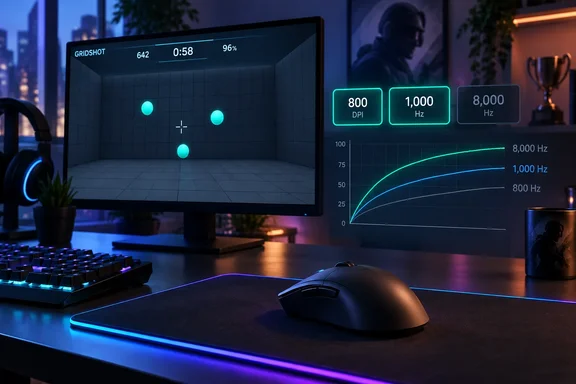
James Bentley tested seven polling rates at three DPI settings using an ASUS ROG Harpe II Extreme Edition 20. His highest recorded score was 60,256 at 800 DPI and 1,000 Hz, compared with 57,232 at his familiar 1,600 DPI setting with the same polling rate. Reading those results together reveals a useful settings experiment—and a much narrower conclusion than a universal recommendation to copy 800 DPI.
Aimlabs testing separated polling speed from aiming comfort
Bentley used Gridshot (Ultimate), an Aimlabs exercise in which blue targets appear on screen and the player shoots them as quickly as possible. There is no movement through a game world and no ammunition management. Misses carry score penalties, so the final result reflects a combination of speed and accuracy.
The reported method involved one or two practice runs at each polling rate, amounting to seven to fourteen warm-up runs, followed by the final runs whose scores were published. The tables contain one reported score for each combination of DPI and polling rate. They therefore show how those particular runs went, without providing a distribution of repeated results for each setting.
Polling rate describes how frequently the mouse reports to the computer. The intervals in Bentley’s explanation are straightforward: 125 Hz means one report every 8 milliseconds, 1,000 Hz means one every millisecond, and 8,000 Hz means one every 0.125 milliseconds. Those are report intervals, not measurements of the complete delay between moving a mouse and seeing a response on screen.
The arithmetic also gives the specification some perspective. Going from 125 Hz to 1,000 Hz shortens the interval by 7 milliseconds; going from 1,000 Hz to 8,000 Hz shortens it by another 0.875 milliseconds. Both changes increase reporting frequency eightfold, but the absolute interval reduction is very different. Whether that remaining difference improves someone’s score is a separate question—the question Bentley attempted to explore.
DPI was the other variable. In this experiment, higher DPI made the controls feel faster, while lower DPI gave Bentley a slower setting that he found easier to use for aiming. The important missing detail is the in-game sensitivity configuration: the report does not document it sufficiently to reproduce the same overall aiming sensitivity simply by entering “800 DPI” on another PC.
The Gridshot scores favor 800 DPI more clearly than 8,000 Hz
Putting PC Gamer’s three result sets together makes the comparison easier to follow:
| Mouse polling rate | Score at 800 DPI | Score at 1,600 DPI | Score at 4,000 DPI |
|---|---|---|---|
| 125 Hz | 57,874 | 58,612 | 37,885 |
| 250 Hz | 58,879 | 51,065 | 41,183 |
| 500 Hz | 59,866 | 57,027 | 43,689 |
| 1,000 Hz | 60,256 | 57,232 | 48,341 |
| 2,000 Hz | 55,041 | 53,244 | 46,242 |
| 4,000 Hz | 58,700 | 52,215 | 50,053 |
| 8,000 Hz | 56,170 | 58,441 | 49,952 |
At 1,600 DPI, increasing the polling rate did not produce a steadily improving score. The best result was actually at 125 Hz, with 8,000 Hz just 171 points behind. Bentley nevertheless preferred the feel of 1,000 Hz and described 125 Hz as awkward. His subjective preference and the numerical winner were different.
At 800 DPI, 1,000 Hz produced the highest score, but neighboring settings also performed well: 500 Hz returned 59,866, only 390 points behind. More revealingly, 800 DPI beat 1,600 DPI at five of the seven matching polling rates. Calculated from the published table, its average across the seven rates was approximately 58,112, versus 55,405 at 1,600 DPI. These averages summarize the reported runs; they are not repeated-trial estimates of expected performance.
The 4,000 DPI results show the strongest association between increasing polling rate and increasing score. Moving from 125 Hz to 1,000 Hz raised the score from 37,885 to 48,341, while the highest result was 50,053 at 4,000 Hz. Bentley also reported losing track of the cursor at 125 Hz and finding it easier to follow at higher reporting rates. Even so, every 4,000 DPI score was below every score recorded at either 800 or 1,600 DPI.
That last comparison is the experiment’s most useful purchasing insight. Faster polling appeared to help Bentley handle a sensitivity he disliked, but lowering that sensitivity delivered better results throughout the published table. At a fixed 1,000 Hz, switching from 1,600 to 800 DPI improved his recorded score by approximately 5.3%. That is a description of two runs, not a forecast of what another player will gain.
An 8,000 Hz mouse specification cannot choose your sensitivity
Bentley described the ASUS ROG Harpe II Extreme Edition 20 as supporting up to 65,000 DPI and 8,000 Hz. He also tried that maximum DPI setting, scoring 10,294 and finding it extremely difficult to control. The report does not specify the polling rate for that extra run, so it belongs outside the three-way comparison above.
Its practical message is still clear: a maximum sensitivity specification does not tell a player which setting they will find useful. Bentley’s preferred aiming setting was a small fraction of the mouse’s stated maximum. He planned to add 800 DPI to his gaming routine while retaining 1,600 DPI for desktop navigation across two monitors.
Other personal accounts illustrate why this should remain an individual tuning decision. A December 2025 first-person report at XDA described polling rate as making more difference to the writer’s aim than DPI, particularly during quick flicks and small adjustments at high refresh rates. That is a separate subjective experience, not an independent reproduction of Bentley’s Gridshot results.
The limitation of Bentley’s experiment is its small, single-person sample, with one published final score per configuration and no documented randomized test order. Practice, fatigue, and ordinary variation could influence the differences. Gridshot also isolates rapid target acquisition and clicking; success there does not encompass the movement and ammunition decisions explicitly excluded from the exercise. The evidence supports Bentley’s preference, without establishing a best setting for “average gamers” as a group.
Use the Aimlabs results to tune your existing mouse first
If your current mouse offers adjustable DPI and polling rate, the sensible first decision is to compare its available settings before spending money to reach a higher headline frequency. Bentley’s result supplies a concrete starting point—800 DPI and 1,000 Hz—but the goal is to find a comfortable configuration, not reproduce his score.
A personal comparison should distinguish two decisions: how fast you want aiming movement to feel, and whether a different polling rate improves the experience at that sensitivity. Changing both simultaneously makes the result harder to interpret. Repeated runs are also more informative than selecting whichever setting happens to produce one personal best.
- Try 800 DPI against your usual setting if aiming currently feels too fast, treating it as a candidate rather than a universal target.
- Use 1,000 Hz as one comparison point if your mouse supports it; it was Bentley’s preferred rate and produced his highest recorded score.
- Keep DPI and in-game sensitivity fixed when comparing polling rates, then hold polling rate fixed when comparing DPI.
- Record several runs and your comfort at each setting, because Bentley’s highest 1,600 DPI score came from a rate he found awkward.
- Keep desktop and aiming preferences separate when evaluating the result; Bentley still preferred 1,600 DPI for navigating two monitors.
- Do not use this experiment alone to justify an 8,000 Hz upgrade, because the published scores show no consistent advantage for that rate at 800 or 1,600 DPI.
Bentley finished with a useful personal choice: 800 DPI for aiming and a preference for 1,000 Hz polling, despite having hardware capable of much more. For readers considering a new gaming mouse, the immediate opportunity is to learn whether their existing settings suit their hand and task. That comparison can improve the buying decision even when it ends, as this one did, with a lower number.
References
- I set out to prove polling rate affects my aim and instead found my favourite DPI setting PC Gamer · 2026-09-22T16:31:00+00:00