

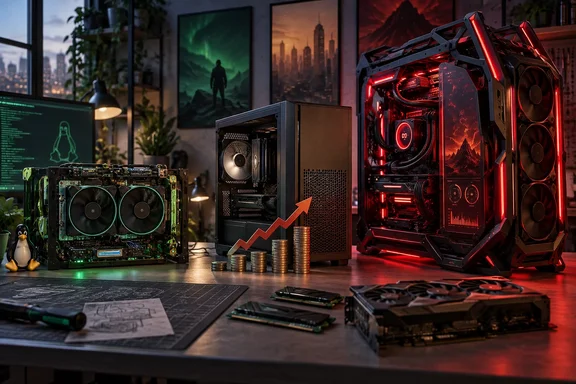
The AMD BC-250 turns a PS5-derived mining board into a $400 Linux gaming box
The BC-250 is the most concrete part of the argument, because Tom's Hardware benchmarked it in an August 11 feature by Jake Roach. The board is a crypto-mining blade built around an AMD APU closely related to the PlayStation 5's chip. As shipped, it has a Zen 2 CPU with six of eight cores active and an RDNA 2 GPU with 24 of 40 compute units (CUs) enabled. It carries 16GB of GDDR6 that the CPU and GPU share, so no separate DDR4 or DDR5 kit is needed. That shared memory is why Safford says the board sidesteps the current RAM price problem.
The board works only because enthusiasts wrote the software for it. Tom's Hardware says it needs a community-developed BIOS and GPU driver just to boot. Recent community work has also produced tools that switch on all 40 CUs and the two disabled CPU cores. The 40-CU unlock has been reported by more than one outlet. It comes from a driver-level register patch published on GitHub by duggasco, which unlocks all 40 CUs through a kernel module parameter that writes to two hardware registers during GPU driver initialization. Community documentation says the remaining 16 CUs are not physically damaged but fused off in firmware, and the community re-enables them at the driver level with no permanent hardware changes and no firmware modification. The patched amdgpu module is gated by PCI device ID 0x13FE (BC-250 only) and a kernel module parameter that is off by default.
The unlock does not work on every board. Tom's Hardware reports that some boards run fine with all 40 CUs, others only with 32 or 36, and some only at the stock 24. Its own sample ran all 40 CUs stably at up to 1,850 MHz, well above the recommended 1,500 MHz ceiling. Earlier reporting on the patch noted that it also supports activating 32 or 38 CUs, so owners who didn't win the silicon lottery aren't left completely in the dust.
The extra units make a real difference. In an earlier round of testing reported by Tom's Hardware, YouTuber ETA Prime saw Spider-Man 2 run 28% faster, at 46 FPS versus 36 FPS on the stock 24 CU configuration, with games tested at 1080p high settings and the GPU clocked at 2 GHz.
The BC-250's half-price claim against the Steam Machine holds up, with limits
The cost comparison is the main selling point. Tom's Hardware spent about $350 on its test build: roughly $200 for the board, which was listed for around $175 on eBay at the time, plus a 3D-printed case, fans and a power supply. It estimates $400 to $500 for someone starting from scratch. Reusing an old PSU, NVMe SSD and fans, and printing your own case, brings the cost close to the price of the board alone. For comparison, the same outlet lists the PS5 Digital Edition at $600, the PS5 Pro at $900, and Valve's Steam Machine from $1,050 with 512GB of storage. Marketplace prices for a discontinued mining board change quickly, and Tom's Hardware notes the BC-250 once sold for under $100.
On performance, Tom's Hardware concludes that the BC-250 can reach "the realm of Steam Machine performance for half the price." The details are more mixed than that headline. The board's M.2 slot runs at PCIe 2.0 x2, which the outlet puts at about 1GB/s at best, so a fast SSD is wasted money and a larger, cheaper drive makes more sense. The 16GB of shared memory has to serve the whole system, and the packet summary of the review notes that some 4K workloads ran out of memory, some games failed or showed rendering glitches, and Furmark stress testing caused thermal throttling. Other outlets agree that the board is not a straight swap. VideoCardz concluded that the BC-250 is not a direct substitute for Valve's Steam Machine, which is a compact, quiet, supported, and ready-to-use PC.
Heat is the limit the community keeps returning to. The unlock's GitHub documentation reports that 40 CUs at 2 GHz draws about 181W and hits 96C, and recommends capping at 1500 MHz / 900 mV via cyan-skillfish-governor. The community docs describe sustained testing with the stock heatsink and two Arctic P12 Max fans in push-pull, in which sustained throughput dropped about 10% over 10 minutes as the package throttled. Their summary is that the thermal envelope is the constraint, not the silicon.
The display output also limits living-room use. Output is DisplayPort only, and television users may need an HDMI adapter that can restrict features such as variable refresh rate. The board has no Wi-Fi or Bluetooth. Its ports are one DisplayPort 1.4, two USB 3.0, two USB 2.0 and Gigabit Ethernet.
Setting up a BC-250 on CachyOS or Bazzite takes a weekend of tinkering
Safford calls the BC-250 "more of a project than a PC," and the setup process supports that. It is a Linux project from start to finish. Nothing in the reporting suggests a Windows path, so a Windows user should treat this as learning a new operating system as well as building a new machine. The sequence below is what Tom's Hardware followed. Community scripts change it often, so treat it as an outline of the work rather than a fixed procedure.
Hardware prerequisites
- Use a power supply that can deliver at least 20A on the 12V rail. Tom's Hardware recommends 300W or more, and says FlexATX units suit most 3D-printable case designs.
- Budget for two high-pressure fans if you plan to unlock CUs. The outlet recommends Arctic P12s. The board has no fan mounting points of its own, so the case or a shroud has to hold them.
- Check the 8-pin power pinout against the community documentation before first power-on. Tom's Hardware warns that 12V pins in the wrong position can destroy the board.
Firmware and BIOS
- Flash the community BIOS from the shell. The board has no firmware-flashback recovery, and a power loss during the flash bricks it until you reset it with a hardware programmer. Tom's Hardware recommends running the flash on a UPS.
- Clear CMOS by removing the battery.
- In the BIOS, force integrated graphics, set the UMA frame buffer size and disable IOMMU. Skipping this configuration causes immediate crashes.
Operating system and tuning
Choosing a distribution affects performance a great deal. Tom's Hardware started with Bazzite, a Fedora Atomic-based immutable distro, and hit repeated problems applying low-level fixes. It could not enable the extra CPU cores on Bazzite. It then wiped the machine and switched to CachyOS, a rolling Arch-based distro. There, a community script called BC250-Toolkit automated nearly all configuration in a few hours, compared with more than a day of work on Bazzite. Performance improved: Forza Horizon 6 went from 61 to 72 FPS at 4K on the Low preset, and Cyberpunk 2077 went from 74.7 to 82.2 FPS at 1080p on the Steam Deck preset and from 47.8 to 56.5 FPS at 1440p, with 40 CUs in every case. Community users report a similar split. As one Hackaday commenter put it, most run Bazzite or CachyOS with game mode, while real SteamOS is more hassle for kernel changes and governors.
The kernel version matters. At the time of Tom's Hardware's testing, 6.18.18 LTS was recommended, 6.17.11 and later worked, and the 6.12.x to 6.14.x LTS kernels were fine. Some releases, 6.15.0 among them, trigger a kernel panic. The outlet's tuning steps, in order of importance, were:
- Install the GPU and CPU governors. The GPU governor is required for dynamic frequency scaling; without it the GPU is locked at about 1,500 MHz.
- Unlock the 40 CUs. The bc250-cu-live-manager utility does this through a User Mode Register without a kernel patch, and the change survives kernel updates.
- Set up Zswap with a 32GB swap page.
- Install the ACPI fix.
- Configure the PWM fan sensors.
Test the CU unlock thoroughly before layering on other tweaks, because each board's usable CU count and clock speed have to be found by trial and error, much like overclocking. Tom's Hardware also warns against pre-built "optimized" BC-250 OS images, which at best are out of date. Start from a clean, official distro image and use the maintained scripts.
ASUS ROG Edition 20 shows where luxury PC building has gone
At the other end, Safford assembled a PC from ASUS's ROG Edition 20 parts. ASUS unveiled the collection at Computex on June 1, 2026, to mark 20 years of its Republic of Gamers brand. According to ASUS's press release, it is a limited-edition range styled in black, red, translucent "Crystal Lens" and "Radiant Gold."
The components are real flagship parts with anniversary styling added. ASUS says the ROG Crosshair X870E Edition 20 motherboard has an integrated ROG Ryujin Edition 20 AIO that cools both the CPU and the VRM, a 24+2+2 power-stage design, support for up to nine M.2 slots, and swivelling dual 6.67-inch AMOLED screens that sync with Edition 20 graphics cards. The ROG Astral GeForce RTX 5090 Edition 20 has a curved AMOLED display, four fans, liquid-metal thermal compound and, per ASUS, a power draw of up to 800W. The ROG Thor 3000W Titanium III Edition 20 power supply is rated to run up to four RTX 5090s. The GR20 Edition 20 is an open-frame aluminium case. ASUS also sells a prebuilt, the ROG G1000 Edition 20, which supports up to an RTX 5090 and a Ryzen 9 9950X3D2. These are ASUS's specifications, not independent test results.
Safford's build shows what those parts cost together. About $2,000 in peripherals, a $3,300 motherboard-and-cooler combo and a $6,000 RTX 5090 put the finished PC at roughly $15,000, and that was with only 32GB of RAM and a 2TB SSD. He estimates that moving to a 128GB tight-timing kit and 8TB of flash storage pushes a similar build to about $20,000. Those are one editor's figures from the parts he chose, not an ASUS list price for any system.
He argues this segment will survive because it always has. He points to the boutique systems with custom liquid loops and quad-SLI that he reviewed from Digital Storm and Maingear years ago. His summary is that the luxury market "isn't going away; it's just getting more expensive." This is his informed judgment rather than sales data, but it fits the record: ASUS chose to launch a full premium line in the middle of a component price spike.
Mainstream desktop gaming PCs face the hardest squeeze
The third path gets the least encouraging assessment. Safford expects the mainstream desktop market to keep shrinking. He thinks buyers who want a system under $2,000 that "just works" will increasingly choose consoles, gaming laptops, handhelds or console-style PCs such as the Steam Machine, while acknowledging that consoles are getting more expensive too.
He names several pressures. Intel and AMD are reviving or extending DDR4 platforms, but DDR4 is not getting cheaper, and Tom's Hardware's own testing found it increasingly holds back gaming performance. He considers it unlikely that Chinese memory maker CXMT will be approved to sell in the US and ease DDR5 prices. Even if it were, he notes, CXMT would rather sell to AI hyperscalers at the same high prices SK hynix, Micron and Samsung charge. Meanwhile, GPU, SSD and hard drive prices are rising too. The overall direction is well reported, but this section is an editor's forecast, not a measured market analysis.
His view on software is guarded. He expects AI upscaling and other VRAM-saving techniques to keep modern games playable on 8GB and even 4GB cards before component prices fall significantly, but says it is hard to tell whether that will keep the mainstream market attractive. His main evidence for optimism is Steam's record revenue, which he reads as proof that demand for PC gaming remains high.
What this means for your next build or upgrade
The right choice depends on what you have more of: time, money, or a working PC. If your current system still meets your needs, Safford's first advice applies: keep it running rather than rebuild at today's prices. If you enjoy tinkering and are willing to game on Linux, the BC-250 is the one option in this story that costs less than it used to deliver. If you need Windows, want no fuss, or want the parts to carry a warranty, the BC-250 is the wrong board, and the realistic options are a ready-made console-style PC, a laptop, or a scaled-back desktop build.
- Buy a BC-250 only if you are prepared to flash firmware without a recovery option, run Linux, and troubleshoot games that won't run.
- Check the 8-pin pinout before first power-on, run the BIOS flash on a UPS, and choose a PSU with at least 20A on the 12V rail.
- Start with CachyOS and a clean official image if you want the most performance, or Bazzite if you want convenience and accept the limits of an immutable distro.
- Treat the 40-CU unlock as optional: test your board's stable CU count first, and keep the GPU near 1,500 MHz unless your cooling is clearly up to more.
- Read the $15,000 to $20,000 ROG Edition 20 figures as the cost of one editor's build with collector styling, not as the price of high-end gaming performance.
- Expect sub-$2,000 desktop builds to stay expensive in the near term, and look at DDR4 platforms warily given Tom's Hardware's findings on DDR4 gaming performance.
The strongest part of Safford's argument is the evidence behind it: a $200 discarded mining board running recent games under Linux, and a $15,000 anniversary build that ASUS expects someone to buy. The middle ground has the least support in his piece, and it is where most Windows builders sit. Until memory and GPU prices come down, the realistic choices for a gaming PC are to work harder, pay more, or keep the machine you already own.
References
- The three-pronged future of custom PC building — from repurposing forgotten parts to ultra-premium works of gaming art Tom's Hardware · 2026-09-24T13:30:00+00:00
- GitHub - infinitevalence/bc250-40cu-unlock: Re-enable all 40 CUs on the AMD BC-250 (gfx1013 / Cyan Skillfish). Kernel patch + build script. 1.61x compute scaling verified. · GitHub github.com
- Benchmarking AMD's BC-250, offering Steam Machine-like performance at half the price — unlocking 40 CUs, eight Zen 2 cores on the repurposed PS5 APU | Tom's Hardware tomshardware.com