

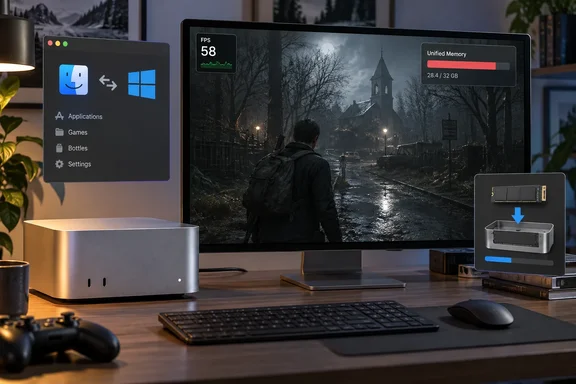
For WindowsForum readers, this is a buyer's question. A gaming PC runs these titles natively. A Mac mini running CrossOver gets you a quiet, compact desktop and depends on per-game settings, upscaling, compatibility settings and a memory limit you can't raise after purchase. Tsai's numbers are one creator's findings on one machine, not a standardized benchmark. They still say a lot about where that trade-off stands on Apple's newest hardware.
Resident Evil Requiem on the M6 Mac mini: the 75 FPS figure comes from one scene
The headline number needs context. Tsai tested ten titles through CrossOver on a 16 GB M6 Mac mini, with different Game Porting Toolkit and CrossOver configurations depending on compatibility. Notebookcheck gives detailed results for four of them. Resident Evil Requiem delivered the strongest numbers of the group.
The settings matter. At a 1440p output resolution using normal-to-low settings and upscaling from 720p, the more demanding Leon sequence ran at around 50 to 55 FPS. The 65–75 FPS range came from the slower Grace section. So "up to 75 FPS" is the ceiling of the easier part of the game. The Leon figure is the better guide to how the game feels under load.
Tsai also tested a higher-quality option. He re-enabled the higher-quality hair strand setting after initially switching it off for performance, and the Leon section still stayed above roughly 50 FPS. The GPU had some headroom left at these settings. The memory didn't.
Upscaling from 720p to 1440p means the game renders only a quarter of the output pixels, and the upscaler fills in the rest. That's a normal technique on modest GPUs. It also means the frame rates here don't compare with a PC running the same game at native 1440p.
The 16 GB unified memory ceiling hit Requiem and 007 First Light
The same problem came up in several games. In Requiem, the larger limitation was low memory, as the game filled the Mac mini's 16 GB unified memory pool and began relying on SSD swap. Apple Silicon Macs use one pool of unified memory for both the CPU and the GPU. A Windows game running through a compatibility layer on macOS has to share those 16 GB with the operating system and everything else that's open.
007 First Light hit the same wall. It initially ran at 1440p using the low preset and upscaling from 720p. Tsai then moved to the medium preset, increased the internal resolution and capped the game at 30 FPS. He chose a steady, better-looking 30 FPS over pushing for 60 FPS with lower settings. According to Notebookcheck, he believes a higher frame rate should be possible with bigger settings cuts, but no measured result for that configuration was reported. Memory use in this game also exceeded 16 GB.
Frame counters don't show swap. When a game spills into SSD swap, it can still post acceptable average frame rates while the system runs at its limit. Tsai's reports of memory pressure are as important as his FPS numbers, and they point to a buying decision covered below.
Control Resonant needed CrossOver 26.3 instead of Game Porting Toolkit 4.0
Control Resonant shows that "runs through CrossOver" isn't one uniform experience. The game required CrossOver 26.3 because Tsai encountered problems with the newer Game Porting Toolkit 4.0 configuration, as Notebookcheck reported. On the M6 Mac mini, the newest translation setup isn't automatically the best one for every game, and some trial and error is part of the job.
Once it ran, performance was usable. Using the game's handheld graphics preset and upscaling from 720p, Control Resonant reached around 50 FPS or more. There were problems too. Tsai saw incorrect colours in some windows, and memory use grew the further he played. He got as far as the first boss. That's more than a launch test, but it doesn't show the whole game is stable.
Tsai also streamed a separate session titled "Windows gaming on M6 Mac + Control Resonant," describing the machine as the M6 Mac mini with 16GB and 12 GPU cores. That's the same hardware as the ten-game test. Readers should also know that Tsai's video descriptions include CodeWeavers store links with a discount code, including on the ten-game video. The listing for "Can the M6 Mac mini Handle These 10 Windows Games?" carries that link. He is also a long-time voice on PC compatibility: his channel describes him as a Mac gamer and founder of PCGamingWiki. Neither fact undercuts the on-screen numbers, but both are worth knowing when you weigh his enthusiasm.
Path of Exile 2 reaches 110 FPS, with shader compilation stutter the first time effects appear
Path of Exile 2 posted the highest frame rates of the four detailed games, on lighter settings. Tsai used the low graphics preset and upscaled from 960p. Frame rates generally ran between 80 and 110 FPS, with occasional drops to around 65 FPS that appeared to coincide with shader compilation.
Notebookcheck describes the pattern: the stutters happened the first time certain spells, abilities or enemy effects were drawn, and became less frequent once the shaders were cached. For an action RPG with lots of effects, that means the first hours of play, or the first time you see a new build or enemy type, may feel rougher than later sessions. This is one reported observation, not a guaranteed pattern for every system or patch level.
The rest of the ten-game test gets no detailed figures. Notebookcheck lists Counter-Strike 2, Red Dead Redemption 2, Marvel Rivals, Black Myth: Wukong and Ratchet & Clank: Rift Apart as also appearing in the video. That's nine named games against a stated ten, and no performance was reported for those five. Don't infer results for them from the four covered here.
Apple's M6 Mac mini specs vs. what CrossOver delivered
Apple's own claims give context but not proof. Apple announced the Mac mini with M6 on August 25, 2026. The M6 has a 12-core GPU, also with two more cores than before, according to the press release, and Apple quotes up to twice the graphics performance of the M4 Mac mini. Apple lists 16GB of standard unified memory configurable up to 32GB, as well as higher memory bandwidth up to 170GB/s. The M6 model starts at $899 in the U.S. and began reaching customers on September 22.
Apple's gaming claim is about a native Mac release: up to 2x faster performance with ray tracing in Cyberpunk 2077: Ultimate Edition compared with the M4 Mac mini. It says nothing about Windows games running through CrossOver, which add translation overhead and compatibility quirks that native ports avoid. The two sets of numbers answer different questions.
An earlier Tsai video looked at native games and CrossOver side by side on the same class of machine. Technetbook reported that Tsai used an M6 chip equipped with a 12 core GPU, 16 GB of memory, and a 256 GB storage drive. In that video, Elden Ring running through CrossOver was tested in offline mode at 1440p on high presets, fluctuating between 45 fps and 60 fps during open world traversal. It also found failures: a beta build of World of Warcraft Forever suffered from severe visual bugs on macOS that triggered sudden system reboots on certain settings. That's a separate test from the ten-game video, but it points the same way: these games are playable when compatibility cooperates and unpredictable when it doesn't.
The 256 GB drive in that earlier test is also relevant to the swap problem. A base Mac mini that pages game memory to a small SSD is using the same drive that holds its game installs.
What this means for Windows gamers eyeing an M6 Mac mini
If you want a Mac mini anyway and would like to play some current Windows games on it, Tsai's results support buying one, ideally with more than 16 GB of memory. If gaming is the main reason you're buying and your library consists of recent AAA Windows games, a Windows PC is still the more predictable choice. The Mac mini with CrossOver works game by game, and it asks you to accept upscaling, 30 FPS caps in some titles and occasional rendering bugs.
The memory finding is the one to act on at purchase time. Two of the four detailed games went past 16 GB, and a third's memory use kept growing during play. Apple offers the M6 Mac mini with up to 32 GB, and you choose memory when you buy. Tsai didn't test a 32 GB unit, so it's an inference, not a measurement, that more memory would remove the swapping. It is the obvious lever the evidence points to.
- Treat "up to 75 FPS" in Resident Evil Requiem as a light-scene peak. The heavier Leon section ran at about 50–55 FPS at 1440p output from a 720p internal resolution.
- Expect the 16 GB base M6 Mac mini to hit swap in demanding titles. Requiem and 007 First Light both exceeded 16 GB in Tsai's testing.
- Be ready to switch compatibility setups per game. Control Resonant worked with CrossOver 26.3 after problems with the Game Porting Toolkit 4.0 configuration.
- Expect first-encounter shader stutter in effects-heavy games like Path of Exile 2, where drops to about 65 FPS eased as shaders were cached.
- Don't read Apple's "2x graphics" claim as a CrossOver forecast. It was measured against the M4 Mac mini using native games such as Cyberpunk 2077: Ultimate Edition.
- Assume nothing about the other games in the video. No results were reported for Counter-Strike 2, Red Dead Redemption 2, Marvel Rivals, Black Myth: Wukong or Ratchet & Clank: Rift Apart.
Tsai's M6 Mac mini test shows an $899 Apple desktop running Resident Evil Requiem, 007 First Light, Control Resonant and Path of Exile 2 at playable frame rates through CrossOver. These are real sessions, not tech demos. They also show that the base machine's 16 GB, not its GPU, is the first limit you'll hit. That makes the memory upgrade the real decision for anyone planning to game on it, and it makes compatibility-layer updates such as the CrossOver 26.x releases the thing to watch for games that don't run properly yet.
References
- M6 Mac mini gaming test: Resident Evil Requiem runs at up to 75 FPS through CrossOver Notebookcheck · 2026-09-25T15:56:00+00:00