

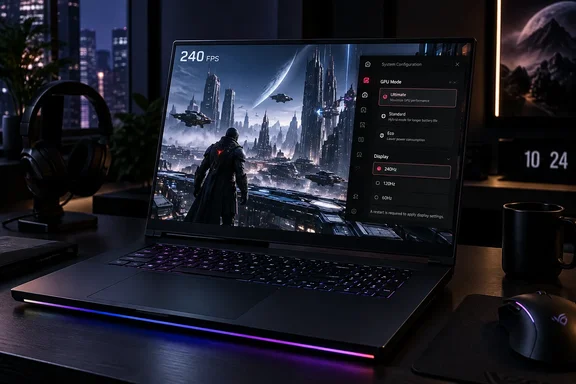
Here's what the review found, what Asus's own specifications confirm, and the setup quirks that owners should know about before they spend $4,000 or more.
What's new in the 2026 model
Asus announced the 2026 ROG Strix SCAR 18 (model G835) on May 15, 2026. It has two headline changes:
- A 4K Mini LED panel. Asus lists it as 18 inches, 3840 × 2400 (16:10), 240Hz/3ms, over 2,000 dimming zones, 100% DCI-P3, G-Sync and Dolby Vision.
- A higher power budget. Asus says total sustained system power rises from 255W on the previous generation to 320W. It credits an end-to-end vapor chamber, a sandwiched heatsink, and fans that it says move 91% more air than the last-generation design.
CGMagazine lays out the display upgrade clearly: peak brightness goes up from 1,200 to 1,600 nits, and resolution goes up from 2.5K to 4K (3840×2400, 16:10). CGMagazine also found the new model almost identical in size to last year's model but heavier by 0.94 lbs. That matches GamesRadar's reported weight gain from 3.3kg to 3.7kg.
The processor is Intel's Core Ultra 9 290HX Plus. Asus's US spec sheet lists 24 cores, 24 threads, boost up to 5.5GHz and an NPU rated up to 13 TOPS. The GPU is an RTX 5080 or RTX 5090 laptop chip. Both run at up to 175W (150W plus 25W Dynamic Boost), and the 5090 has 24GB of GDDR7.
The machine ships with Windows 11 Pro, a Copilot key and a 1080p IR camera for Windows Hello.
Summary: This is a real generational update, not a cosmetic one. The display and the thermals both changed a lot.
The 240Hz catch: it's off by default
This is the most useful point for buyers. The panel's big selling point doesn't work out of the box.
On its US product page Asus says to enable 240Hz, open Armoury Crate and set the GPU mode to Ultimate. The spec sheet adds that the default is 120Hz in Standard, Eco and Optimized GPU modes.
Tom's Hardware, which reviewed the laptop in July, went further. It found that out of the box, HDR is disabled, the refresh rate is capped at 120 Hz, and G-Sync is unavailable since Nvidia Optimus, which dynamically switches between the CPU's integrated graphics and the RTX 5090, is enabled. Its verdict was blunt: tweaking is required to get this display to perform as intended, and it's not simple.
The trade-off is standard hybrid-graphics behaviour. Optimus routes the display through Intel's integrated graphics to save power. Ultimate mode connects the panel directly to the Nvidia GPU, which unlocks full refresh and G-Sync but costs battery life. Asus lists a 90Wh battery.
To get the full panel experience on a new unit, as Asus and the reviewers describe it:
- Open Armoury Crate and switch the GPU mode to Ultimate. This unlocks 240Hz and, according to Tom's Hardware, makes G-Sync available because Optimus is no longer in the path.
- Turn on HDR, which Tom's Hardware found disabled by default.
- Choose a local-dimming mode. GamesRadar describes three: one-zone (aimed at high contrast), multi-zone balanced (a middle ground between shadow detail and full-screen brightness) and multi-zone strong (maximum brightness and punch).
- Consider True Color HDR. GamesRadar got its best results with it on, but notes it locks out the extra visual settings in Armoury Crate.
- Switch back to Optimized or Standard when you're on battery or just browsing, and accept the drop to 120Hz.
Summary: The display has 4K, 240Hz and 2,000-plus zones, but owners have to switch most of that on themselves.
Design, weight and ports
GamesRadar likes the matte-black finish that replaced the older translucent look. It is less keen on the soft-touch plastic deck, which flexes more than expected at this price, and on the AniMe Vision dot-matrix lid. The reviewer calls the lid redundant, though it can be turned off in Armoury Crate.
Asus's spec sheet confirms the size and weight: 3.70kg or 3.73kg depending on configuration, and 0.93 to 1.38 inches thick.
| Model (as reported by GamesRadar+) | Weight | Thickness |
|---|---|---|
| Asus ROG Strix Scar 18 (2026) | 3.7kg | 1.38 in |
| MSI Raider A18 HX A9W | 3.6kg | 1.26 in |
| Razer Blade 18 | 3.1kg | 1.1 in |
GamesRadar's other main complaint is port placement. The ports are all on the sides, where many 18-inch rivals use the rear. Asus's product page gives the layout:
- Right side: two USB-A ports.
- Left side: the audio jack, both Thunderbolt 5 ports, one USB-A, HDMI 2.1, 2.5G Ethernet and the power jack.
Asus rates the Thunderbolt 5 ports at up to 120Gbps, with DisplayPort, power delivery and G-Sync support. It rates the three USB 3.2 Gen 2 Type-A ports at 10Gbps.
Keeping power, display and Ethernet cables on the left does keep your mouse hand clear. It won't help much if your desk layout wants the cables at the back.
Summary: It's big, heavy and made of plastic, with sensible but side-mounted I/O. Razer is still the one to beat on build quality.
Performance: close to MSI, and not at full power
GamesRadar tested four games (Shadow of the Tomb Raider, Total War: Three Kingdoms, Horizon Zero Dawn Remastered and Cyberpunk 2077) at 1080p, 1600p and 2400p on High and Highest settings. It ran each test three times and averaged the results. It also ran 3DMark Time Spy, Steel Nomad and Fire Strike.
The main results:
- Overall: the Scar won 7 tests and the MSI Raider A18 HX A9W won 6. The reviewer admits that's close.
- QHD: this was the Scar's strongest resolution. It led in three of the four games and trailed only in Horizon Zero Dawn Remastered.
- 4K: MSI held its own. It won two 4K game benchmarks to the Scar's one and took Steel Nomad, which GamesRadar treats as its main guide to modern-game performance.
- Synthetics: the Scar scored 24,194 in Time Spy, ahead of both rivals. It scored 41,777 in Fire Strike, second only to MSI.
- Single-core CPU: the Raider's Ryzen 9 9955HX3D averaged 3,186 in Geekbench against the Scar's 2,874.
One detail matters more than it first seems. GamesRadar ran everything in Asus's Turbo preset. Asus's own product page says Turbo gives 95W to the CPU and 175W to the GPU, and that the extra 50W of CPU power needed to reach the advertised 320W is only available in Manual mode. MKAU Gaming describes the same split: 270W power in turbo mode, 95W for the CPU and 175W for the GPU, against a massive combined 320W, 145W for the CPU and 175W for the GPU in Manual.
That doesn't make the review's numbers wrong. Turbo is what most owners will actually use. But the published results reflect roughly 270W, not the 320W figure in Asus's marketing.
Other reviewers also found the machine consistent under load. In Tom's Hardware's 15-loop Metro Exodus stress test, the Scar 18 averaged 141 FPS with minimal variance between runs, starting at 141.5 FPS and finishing at 141.1 FPS. In Handbrake transcoding it was mid-pack: two minutes and 11 seconds to lead the Alienware (2:24) but trail the MSI (1:51) and Razer (2:01).
Summary: This is top-tier performance that barely separates it from the MSI. Anyone chasing the 320W figure needs Manual mode.
Pricing, configurations and upgrades
GamesRadar lists prices from $4,299.99 to $5,299.99 in the US and from £4,199.99 to £5,499.99 in the UK. It estimates about $5,000 for an RTX 5090 model with modest storage. Its test unit (RTX 5090, 64GB RAM, 4TB RAID) had no specific street price. Asus's US store page showed a starting price of $4,299.99 when the source pages were captured.
Asus's US spec sheet has some small print worth reading before you pick a SKU:
- RAM: most listed configurations ship with a single 32GB DDR5-6400 SO-DIMM. One ships with two 32GB modules. There are two slots and the maximum is 128GB.
- Storage: the listed US configurations ship with PCIe 4.0 SSDs, even though Asus says both M.2 slots are PCIe Gen 5 ready.
- SSD compatibility: Asus notes that only single-sided SSDs are supported because of components mounted near the M.2 slot.
- Access: the bottom panel comes off without tools, and the Q-Latch mounts hold drives without screws. Upgrading memory or storage yourself is easy.
- Power: the laptop uses a 450W adapter. Asus's product page says USB-C charging tops out at 100W, which is fine for topping up but not for gaming at full power.
Summary: Buying the entry configuration and upgrading it yourself later is a realistic option, as long as you pick single-sided drives.
A note on Asus's "world's first" claims
Asus calls this the world's first 18-inch 4K 240Hz Mini LED laptop panel with ROG Nebula ELMB. Its footnotes limit that claim to publicly available information as of April 2026, so read it as a dated marketing claim, not a permanent fact.
Asus's own materials also disagree with each other. The May press release says Nebula ELMB uses eight discrete strobing zones, while the US product page says 40. Buyers who care about motion clarity should wait for independent testing rather than rely on either number.
GamesRadar's comparison does support Asus's broader point, though. The reviewer says the Razer Blade 18 is limited to 120Hz at UHD, and the MSI Raider's Mini LED panel also drops to 120Hz. Neither rival, as tested, gives you 4K and 240Hz together.
Verdict: who should buy one?
Taken together, the reviews agree on the trade-off:
- Buy the Scar 18 if you want 4K at high refresh rates on a laptop panel and you can live with the weight, the plastic build and the Armoury Crate setup.
- Look at the MSI Raider A18 HX if raw 4K frame rates and single-threaded CPU speed matter most. By GamesRadar's numbers it edges ahead when the load is heaviest.
- Look at the Razer Blade 18 if you'd rather have 600g less to carry and an aluminium chassis, and don't mind losing a little performance.
GamesRadar's "best 18-inch laptop" title is one reviewer's judgment, and a close one. It's still a defensible call. The display is the feature neither rival matches, as long as you remember to switch it on.
References
- The 2026 Asus ROG Strix Scar 18 holds onto its crown with confident performance upgrades and an ultra-customizable display - GamesRadar+ GamesRadar+ · 2026-09-30T14:49:21+00:00
- ASUS Republic of Gamers Announces ROG Strix SCAR 18 | ASUS Pressroom - Official Global News & Updates press.asus.com
- ROG Strix SCAR 18 (2026) G835 | ROG Strix | Gaming Laptops|ROG - Republic of Gamers|ROG USA rog.asus.com