

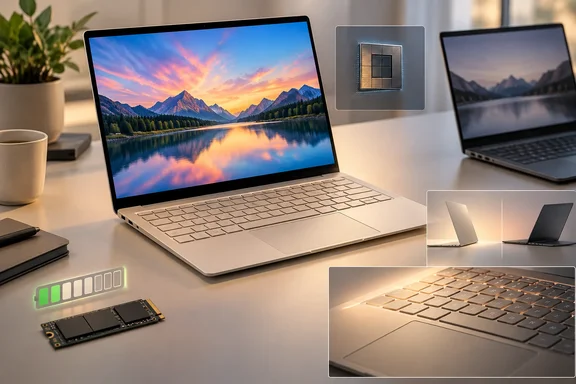
Asus Zenbook 14 UX3480QA: a $799 answer to the MacBook Neo
Asus sells this laptop in the new price bracket the MacBook Neo created. Windows Central reports that since the Neo launched earlier this year, Windows OEMs have scrambled to ship devices that match it from a design and price perspective, and that OEMs like Dell and Acer have come out with $799 laptops that match the MacBook Neo in design and premium build quality. The Zenbook 14 is Asus's entry.
In Notebookcheck's review the model is the Zenbook 14 UX3480QA with Qualcomm's Snapdragon X X1-26-100, an 8-core, 8-thread chip. US pricing is $799 for 8 GB of RAM and 256 GB of storage, and $999 for the 16 GB / 512 GB unit Notebookcheck tested. Asus Deutschland supplied the review unit. The chassis uses Asus's Ceraluminum material in Zabriskie Beige, Arctic Blue or Komodo Coral, and Notebookcheck weighed it at about 1.1 kg. Asus sells it as a lightweight Copilot+ PC with a 45 TOPS NPU, which is what qualifies it for Microsoft's Copilot+ features in Windows 11.
The comparison devices are specific units, not whole product lines. Notebookcheck's "XPS 13" is the Dell XPS 13 DX13260 with Intel's Core 5 320 (a Wildcat Lake chip), and its "MacBook Neo" is the 256 GB model with Apple's A18 Pro. Every "better than" claim below applies to those configurations only.
Other outlets have reached similar conclusions. PCWorld's headline says the laptop feels pricier than it is, and Windows Central calls it one of the better $799 Windows laptops we've tested, thanks to its premium design and excellent OLED display. IT Pro is less positive, as the battery section explains.
Snapdragon X X1-26-100 performance roughly matches the XPS 13 and trails the MacBook Neo in single-core
The X1-26-100 is Qualcomm's entry-level part. Notebookcheck says the Snapdragon X1-26-100 is Qualcomm's slowest Snapdragon X CPU, but the overall CPU performance is definitely still sufficient for everyday tasks. How it stacks up depends on the type of work. According to the review, the results are roughly on par with the Wildcat Lake CPU in the Dell XPS 13, while the A18 Pro in the Apple MacBook Neo is much faster in single-core scenarios, but falls behind when you stress all cores.
Notebookcheck's Geekbench 6.7 results show the pattern:
| Laptop (as tested by Notebookcheck) | Geekbench 6.7 multi-core | Geekbench 6.7 single-core | Cinebench 2024 multi-core |
|---|---|---|---|
| Asus Zenbook 14 UX3480QA (Snapdragon X X1-26-100) | 10,668 | 2,140 | 701 |
| Apple MacBook Neo 256 GB (A18 Pro) | 9,140 | 3,589 | 416 |
| Dell XPS 13 DX13260 (Intel Core 5 320) | 7,888 | 2,575 | not listed |
PCWorld's separately tested unit produced almost the same numbers: Geekbench 6, CPU multi-core: 10,662 points and 2,151 points single-core. Two labs getting matching results is a good sign that the Zenbook's figures are reliable. They aren't a verdict on how every workload will run, though. Notebookcheck's broader CPU rating, which includes emulated benchmarks, puts the Zenbook below the XPS 13 and MacBook Neo. That gap comes from how Windows on ARM handles x86 code, covered in the next section.
The chip holds its performance under sustained load, and Notebookcheck calls it definitely sufficient for everyday tasks and also stable. Two details matter in practice. First, the multi-core performance drops by 8 % on battery power. Second, Notebookcheck ran its benchmarks in Performance mode but recommends Standard mode for daily use, because the performance loss is small and the fan stays much quieter even at full load.
Graphics come from the integrated Adreno X1-45, rated at 1.7 TFLOPS. Notebookcheck measured 10.9 fps in Baldur's Gate 3 at 1920×1080 on the medium preset. That rules out demanding games. "Light gaming" here means older or less demanding titles.
Windows on ARM compatibility checks come before any purchase
The Zenbook 14 runs Windows 11 Home on an ARM processor. Software built for ARM64 runs natively. Most x86 software runs through emulation, which is why Notebookcheck splits its CPU results into native and emulated tables and why the Zenbook drops in the combined rating. Notebookcheck warns that some benchmarks and applications still don't work properly on ARM systems, and it advises checking compatibility for any program you depend on.
Notebookcheck hit this problem itself: the table underneath the CB R15 loop shows emulated CPU benchmarks, and its display calibration software wouldn't run on Windows on ARM, so the lab couldn't calibrate the panel. For home users, that could mean a niche utility, a game's anti-cheat, or a driver for an older peripheral. For IT departments it can mean VPN clients, endpoint security agents and line-of-business apps. Fast benchmark scores don't guarantee any of these will work.
Asus ships the machine as a mainstream consumer laptop, and for browser-based work and Microsoft 365 the review found it responsive. If anything you need is x86-only or depends on a kernel driver, confirm it has an ARM64 version before you buy.
The 14-inch OLED display: excellent image, too dim for outdoor use
The screen is a glossy 14-inch 1920×1200 (16:10) OLED at 60 Hz. Notebookcheck measured 99.6% Display P3 coverage, a contrast ratio of 30,200:1 and response times under 2 ms, and found the colours accurate out of the box. Asus includes P3 and sRGB colour profiles, so photo editing is practical without calibration.
Brightness is the weak point. Notebookcheck measured a maximum of 308 nits and an average of 304, and says the panel only manages around 300 nits and there is no HDR support. On a glossy screen that makes outdoor use difficult. PCWorld also measured about 300 cd/m² on its unit, so this is the panel's normal level and not a one-off sample.
The rival screens each do better in some areas. According to Notebookcheck, the XPS 13 has a 120 Hz IPS panel with a higher resolution (2560×1600) and more brightness, but slow response times. The MacBook Neo uses a brighter 60 Hz IPS panel. In Notebookcheck's measurements both rivals averaged over 500 nits, compared with the Zenbook's 304.
The OLED also uses pulse-width modulation (PWM), which dims the screen by switching it on and off rapidly. Notebookcheck detected PWM at 480 Hz with low amplitude. It says most PWM-sensitive users shouldn't notice it but some still may, and that Asus offers a software option for flicker-free dimming. People who get headaches or eye strain from OLED laptops should factor this in.
Ceraluminum build, ports and the limits of serviceability
The chassis gets most of the praise. Notebookcheck describes the base as very stable, with some flex only at the centre of the keyboard under heavy pressure. The lid is weaker and creaked a little, but the hinges are well adjusted. Notebookcheck calls the keyboard, with 1.7 mm of key travel, a joy to type on, and says the clickpad works very well. Windows Central likewise praises its lush keyboard typing experience.
Here are the ports Notebookcheck confirmed:
- The left side has HDMI 2.1 (TMDS), two USB-C 3.2 Gen 2 ports rated at 10 Gbps with DisplayPort output and Power Delivery charging, and a 3.5 mm audio jack.
- The right side has a single USB-A 3.2 Gen 1 port rated at 5 Gbps.
- Wireless is a Qualcomm FastConnect 6900 Wi-Fi 6E module, which reached about 2 Gbit/s in both directions in Notebookcheck's iperf3 tests.
With HDMI, USB-A and two USB-C ports, most people won't need a dongle for a monitor or a USB stick. There's no Thunderbolt or USB4, though, and both USB-C charging ports are on the same side. MakeUseOf criticised this, writing that it wished Asus would put a charging USB-C port on each side of the device. Reviewers also disagree on the Bluetooth version: Notebookcheck lists 5.4, while PCWorld and MakeUseOf both list 5.3. The difference is unlikely to matter to most buyers.
Serviceability is limited. The M.2-2280 NVMe SSD can be replaced and the fan can be cleaned, but the 16 GB of LPDDR5x memory is soldered to the board. If you buy the $799 model with 8 GB, you're stuck with 8 GB. That's why Notebookcheck recommends the 16 GB version whenever the budget allows.
The 512 GB SSD bug complicates the 20-hour battery claim
On battery life the details matter. The Zenbook 14 has a 50 Wh battery. In Notebookcheck's Wi-Fi browsing test at 150 nits it lasted more than 20 hours, and at maximum brightness more than 11. Those results support the review's verdict that the Zenbook runs longer than the XPS 13 and MacBook Neo.
Notebookcheck didn't get those numbers with the stock drive. The review reports an SSD bug in the 512 GB model: the factory Samsung PM9C1b drive adds about 3 W to power draw. Asus knew about the problem and was working on a fix when the review was published, but Notebookcheck didn't say when or how the fix would ship. The lab replaced the drive with a Samsung 990 Pro for its power and battery tests, then also published results with the original drive for comparison:
| Notebookcheck Wi-Fi test | With replacement Samsung 990 Pro | With stock 512 GB SSD (bug present) |
|---|---|---|
| 150 nits | 20+ hours | 9 hours 20 minutes |
| Maximum brightness | 11+ hours | 6 hours 54 minutes |
So the bug more than halves runtime in the 150-nit test. Anyone who buys the 512 GB model before a fix arrives will get something close to the right-hand column. Asus's own figures come from its July 28, 2026 testing of ASUS Zenbook 14 (UX3480QA), FHD OLED panel, Snapdragon® X processor, 512 GB SSD, 16 GB RAM, 50 Wh battery. Its marketing gives 21 hours on one line and "30+ hours" on another, and it doesn't mention the drive bug.
Other reviewers' battery results vary widely. PCWorld tested a 256 GB unit and reported 5 hours 10 minutes (heavy use, high brightness), approx. 14 hours (light use, low brightness). IT Pro's verdict opens with poor battery performance and an older Snapdragon chip, but its excerpt doesn't say which storage configuration it tested. The tests used different methods and can't be compared directly. One possible explanation, which is our inference and not a confirmed finding, is that some of the spread comes from differences between storage SKUs. Notebookcheck's 20-hour result is achievable on this hardware, but the 512 GB model you can buy today, with its stock drive, won't reach it until Asus fixes the bug.
Notebookcheck recommends a 65 W charger and notes that EU models ship without one. That packaging note applies to the EU. The review doesn't say whether US boxes include a charger.
What this means for you
Buy the Zenbook 14 if you mainly work in a browser or Microsoft 365, want a good keyboard, and value battery life over screen brightness. Choose the 16 GB model. If you're considering the 512 GB version, watch for Asus's SSD fix before relying on its battery figures. Wait, or look elsewhere, if you work outdoors, need x86-only software, or want a high-refresh screen.
The main alternative is last year's model. Notebookcheck found the Zenbook A14 with a Snapdragon X1P-42-100, 16 GB / 512 GB and a brighter HDR OLED for $870 on Amazon at review time, and judged it the better value. That was a dated deal, not a guaranteed price. If you find something similar, the A14's faster chip and better screen make it the stronger buy for about $130 less than the $999 Zenbook 14 configuration Notebookcheck reviewed.
- Pick the $999 16 GB / 512 GB configuration over the $799 8 GB model, because the RAM is soldered and can't be upgraded later.
- Treat the 20-hour battery result as a best case measured with a replacement SSD. The stock 512 GB drive cut Notebookcheck's 150-nit result to 9 hours 20 minutes until Asus ships its fix.
- Confirm that every essential app, driver, VPN client and security agent runs on Windows on ARM before buying, since Notebookcheck's own calibration tool didn't.
- Expect about 300 nits of brightness with no HDR, which Notebookcheck and PCWorld both measured, and don't plan on comfortable outdoor use.
- Use Standard mode for everyday work, where Notebookcheck says the performance loss is small and the fan much quieter, and expect about 8% lower multi-core performance on battery.
- Compare against a discounted Zenbook A14 while stock lasts, since it pairs a faster Snapdragon X Plus with a brighter HDR OLED.
Notebookcheck's testing supports a qualified "better than the XPS 13 and MacBook Neo" verdict on battery life, typing and build, with the Dell and Apple machines still ahead on screen quality and single-core speed respectively. The most important open question for buyers is when Asus ships the 512 GB SSD fix. Until it does, the 256 GB model or a discounted Zenbook A14 is the safer choice for anyone who bought the Zenbook 14 for its battery life.
References
- Asus Zenbook 14 Review: Better Than Dell XPS 13 & MacBook Neo?! Notebookcheck · Wed, 23 Sep 2026 16:07:00