

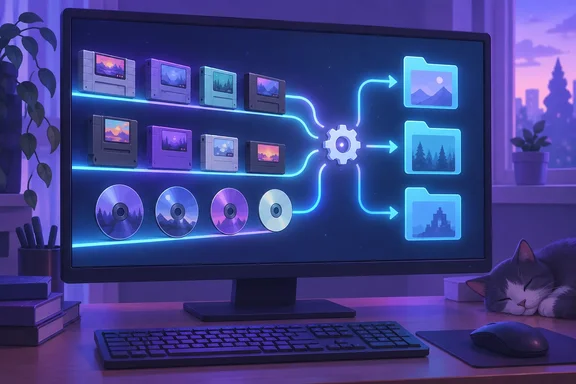
The idea is practical, but “frictionless” needs a boundary. This automates file placement, not everything required to make a game playable. EmuDeck documents separate ROM and BIOS locations, while ES-DE describes itself as a frontend for browsing and launching games through configured emulators. Those responsibilities remain distinct even when the filing happens automatically.
Give each tool one job
The appeal of this workflow is its division of labor:
- EmuDeck handles emulator installation and configuration, with a structured location for ROMs, BIOS files, saves, and related assets.
- File Juggler monitors a folder, identifies files matching a condition, and performs an action such as moving them.
- ES-DE provides the game-browsing interface, controller navigation, themes, and metadata scraping.
Rather than repeatedly opening two File Explorer windows and navigating to a console’s folder, the user defines that destination once. It is a small automation project with an appropriately small ambition: retire the drag-and-drop routine.
There is one important correction to XDA’s account. File Juggler is not an indefinitely free application. Its official licensing FAQ specifies a fully featured 30-day trial and says continued use afterward requires payment. The program continues functioning and displays purchase reminders, but that is not the same as permission to use it free forever.
Start with your actual EmuDeck folders
Before creating rules, establish where your Windows installation stores its games. EmuDeck’s official installation guide offers Easy and Custom modes and allows users to select the ROM and BIOS storage location. Its Emulation folder is created at that chosen location, not necessarily at the root of C:.
Carrasqueira’s NES example uses:
C:\Emulation\roms\nes
Treat that as an example, not a universal destination. EmuDeck’s folder documentation identifies nes as the Nintendo Entertainment System directory; other relevant folders include snes, n64, and gb. The correct automation target is the corresponding folder inside your installation.
For a first rule, choose one system and one known-working game file. Expanding gradually is sensible here: File Juggler’s own guidance warns that it can move, rename, or delete files quickly without warning and recommends having backups before experimenting.
Build a narrow file-routing rule
File Juggler documents three components for each rule: monitored folders, If conditions, and Then actions. Its conditions include a dedicated File Extension field, and its actions include Move file.
For the NES example, configure the following:
- Monitor the intended incoming folder. Carrasqueira uses Downloads. Select your actual Downloads location rather than assuming a hard-coded user path.
- Match the NES extension. Use the File Extension condition to select files with the
.nesextension. - Move matching files to the existing NES folder. Set the destination to your installation’s
Emulation\roms\nesdirectory. - Inspect the matching-file list before trusting the rule. File Juggler updates this list while a rule is edited, allowing you to review which files meet its conditions.
If extracted files land inside nested folders, File Juggler’s documented Include subfolders option extends monitoring into those directories. Enable it deliberately: a broader search area means more files are eligible for your rule.
Also decide what happens when a destination already contains a file with the same name. File Juggler supports three behaviors:
- Rename new file: adds a number to the incoming filename; this is the documented default.
- Skip: leaves the existing destination file untouched and does not move the incoming file.
- Overwrite existing file: replaces the destination file.
For an initial setup, avoiding overwrite is the prudent choice. Automatic filing should not quietly become automatic replacement.
Success looks like this: a test file matches the intended rule, appears in the correct system folder, and subsequently launches through your configured frontend and emulator. Test those stages separately; a successful move proves only that the filing rule worked.
Archives are a separate step
Carrasqueira’s workflow manually extracts archives before File Juggler sorts the resulting game files. That distinction matters: a condition matching .nes examines the file’s extension, so it will not match a .zip merely because that archive contains an NES image.
File Juggler does document an Extract files action, so extraction can be considered as a separate automation project. It is not part of the author’s reported configuration, however, and should not be presented as something this setup already does automatically.
A cautious approach is to extract first, confirm what files were produced, and let narrowly scoped routing rules handle the supported game files. Avoid a general “move every ZIP” rule: the extension identifies an archive, not the console its contents belong to.
Troubleshoot the handoff, not just the move
When something goes wrong, identify which stage failed:
- The file never moves: review the monitored location, extension condition, and matching-file list. If it sits in a nested directory, check whether subfolder monitoring is enabled.
- A same-named file remains in the incoming folder: inspect the destination and collision setting. The documented Skip behavior intentionally prevents that move.
- The file moves but the game does not launch: check the relevant emulator setup and any required BIOS or firmware. EmuDeck explicitly documents these requirements separately from ROM placement.
- The game has no artwork: file routing and metadata scraping are different operations. ES-DE’s built-in scraper retrieves game information and media; moving a ROM does not itself perform that task.
Do not change an unfamiliar file’s extension simply to make it match a rule. File Juggler’s documentation makes clear that changing an extension does not convert the file’s contents.
A better library without pretending Windows disappears
The visual payoff comes from ES-DE, not the watcher. The project documents full controller navigation, customizable themes, and scraping for images, videos, and manuals. Those features can make a Windows retro-gaming PC feel more like a dedicated library than a collection of directories.
Carrasqueira also proposes launching ES-DE at startup for a living-room setup. That is a presentation choice rather than proof of a maintenance-free console: initial configuration, archive handling, launch testing, and troubleshooting still deserve attention.
The strongest lesson is modest and useful: automate the repetitive filing step, keep the rules explicit, and verify the result before expanding them. EmuDeck supplies the structure, File Juggler supplies the routing, and ES-DE supplies the presentation. Once those handoffs are reliable, File Explorer can stop being the unofficial fourth player.
References
- I stopped manually organizing my ROM files, and my retro gaming setup finally feels frictionless XDA · 2026-10-02T19:00:20+00:00
- Move & Copy Files Automatically – File Juggler filejuggler.com
- File Juggler Documentation – How the Automatic Rules Work filejuggler.com