

Two caveats up front. The post comes from the product team, so its performance and cost claims rest on what it calls internal benchmarks. Treat those as Microsoft's claims, not independent testing. Also, ACU's newest features sit in a preview API, which matters for anything headed to production.
How the two services relate
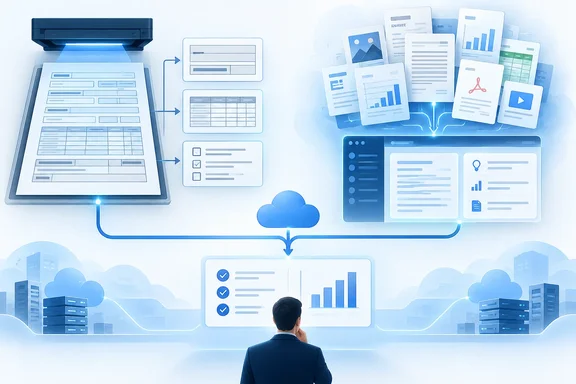
ADI isn't being retired. Microsoft's product pages now describe Document Intelligence as part of Azure Content Understanding in Foundry Tools, a service that uses specialized neural models to extract text, key-value pairs, tables and structure. They position it as high-accuracy, deterministic extraction for structured and templated documents, while ACU adds LLM-powered analyzers for complex, unstructured and multimodal content.
The blog post says the same thing in practical terms:
- Both services do OCR, layout analysis and field extraction.
- Both have capabilities for invoices, receipts, IDs, tax forms and mortgage documents.
- Their APIs, endpoints, SDKs and billing remain separate, so you can adopt ACU for one scenario without touching existing ADI work.
The real architectural difference: field extraction
The two services diverge on how they pull fields out of a document.
ADI uses purpose-trained document models. They learn the two-dimensional relationships in forms, such as labels, values, rows, columns and repeated structures. Microsoft says this suits workloads where:
- the layout is stable or varies only within a bounded range
- the required values are explicitly printed on the page
- you have labeled samples for training
- repeatable results matter most
ACU uses generative models against a schema you define. Microsoft says it fits when:
- layouts and languages vary widely
- the content is semi-structured or unstructured
- fields are defined by meaning rather than position
- answers must be inferred from several passages
- you want to start without a labeled training set
- the data lives in figures or charts
ACU also supports confidence scores and source grounding. Its Learn documentation says it is Microsoft's content AI service that unifies several approaches to document and content processing.
Where to start, by scenario
| Scenario | Suggested starting point |
|---|---|
| Existing ADI workload that meets production needs | Keep ADI |
| New cloud OCR or layout workload | ACU prebuilt-read or prebuilt-layout |
| Standard document with a mature prebuilt (invoice, receipt, ID, tax or mortgage form) | ADI prebuilt, or ACU 2026-06-01-preview |
| Custom, highly structured form with labeled examples | ADI custom model |
| Custom extraction with no labeled examples | ACU custom analyzer |
| High-variation or unstructured content | ACU custom analyzer |
| Inference, reconciliation, calculation or multistep reasoning | ACU custom analyzer, possibly agentic mode |
| RAG preparation | ACU RAG analyzers |
| Images, audio, video or mixed media | ACU |
| On-premises or air-gapped processing | ADI containers |
Two points in that table deserve scrutiny:
- Layout pricing. The post claims better accuracy, lower latency and lower per-page Layout pricing for ACU. A third-party comparison site puts layout at $5.00 against $10.00 per 1,000 pages, with ACU as the cheaper one. That site is not Microsoft and I haven't verified its figures, so check the official price pages for your region before budgeting.
- Standard documents. Microsoft concedes that specialized prebuilts are still sold and supported, and its own table says they keep cost advantages at similar accuracy. In other words, ADI isn't the loser here.
Read and Layout in ACU
ACU's prebuilt-read handles basic OCR. prebuilt-layout adds structure. Both are built on specialized OCR and layout models, not language models, and Microsoft says they need no language or embedding model. The Layout output can include:
- words, paragraphs, sections and tables
- figures and formulas
- signatures and hyperlinks
- barcodes and QR codes
- annotations, metadata and page-level information
Check which elements your API version supports. Microsoft Learn notes that in the 2026-06-01-preview API, Read, Layout and digitalParse return embedded metadata such as author, creation date and title. In the 2025-11-01 GA version, only prebuilt-digitalParse does so by default. Signature detection is likewise a preview feature.
The overview page states the versioning rule plainly: use 2025-11-01 for production workloads, and use 2026-06-01-preview to evaluate newer capabilities.
ADI Layout can still be the better choice if:
- it's already deployed and meeting requirements
- you depend on a capability specific to its response format or integration
- you need containers
- service limits or supported inputs favor it for your workload
Agentic mode: powerful, but preview
For cases where an answer has to be built from evidence rather than copied from one spot, ACU offers agentic mode. Typical uses include reconciling totals, calculating values the document doesn't state, validating conditions, and relating a contract to its amendments.
Microsoft's Learn documentation sets out some limits you should plan around:
- It is available only in the
2026-06-01-previewAPI, which comes without a service-level agreement and isn't recommended for production. - Each analysis request takes one input file. That file may contain several logically related documents.
- It supports document analyzers only.
- Fields using the
extractmethod aren't supported. - Labeled samples can't be used to improve the analyzer in the initial preview.
- It uses more model tokens and typically takes longer than standard processing.
- It typically needs about 400,000 tokens per minute per analyzer job on your Foundry model deployment. Configure at least that much capacity to avoid 429 rate-limit errors.
You enable it by setting config.workflow to "agentic" when you create the analyzer. After creation, the service reports a resolved value, agentic.2026-06-01-preview.
Microsoft also says agentic mode isn't a substitute for human review in high-impact scenarios, and that straightforward extraction should use a standard analyzer. If you used the old pro mode, that preview API is retired. Agentic mode isn't a drop-in replacement, so review your schema before migrating.
What ACU actually costs
ACU billing has several layers:
- Content extraction. Metered per page for documents and per minute for audio and video.
- Contextualization. A charge for preparing context, scoring confidence and grounding results.
- Foundry tokens. Completion and embedding tokens are billed on your Foundry model deployment, not through ACU. You aren't charged twice, but you do get two bills.
The extraction meter depends on the work actually performed, not on the analyzer you pick:
- Minimal: digital documents such as DOCX, XLSX, HTML and TXT.
- Basic: OCR-only processing of image-based documents.
- Standard: layout analysis of image-based documents.
Analyzers that only extract content, such as prebuilt-read and prebuilt-layout, incur no LLM charges. Agentic workflows use the advanced contextualization rate. Rates vary by region, deployment type and model, so the pricing documentation gives no fixed numbers. Estimate with current rates for your own setup.
How to run a fair comparison
Both the blog post and Microsoft's docs push the same method: run both services on the same representative documents. Include the ugly ones.
- Rule out the obvious. Check whether an established prebuilt covers your document type and schema.
- Build a shortlist. Weigh structure, variation, labels, inference, modality, deployment, latency and cost.
- Prototype on representative input. Include difficult cases and the variation you expect in production.
- Measure business outcomes. Don't stop at field-level accuracy.
- Choose per document type. One process can use different approaches for different inputs.
On measurement, the post makes a good point about exact-string matching. "January 1, 2025", "1/1/2025" and "2025-01-01" are the same business value. Strict string comparison would score them as errors. Microsoft says ACU normalizes supported typed fields such as dates and numbers into canonical forms. Whichever service you test, score semantic equivalence and normalization requirements separately. Consistency isn't accuracy either, since a system can reliably return the wrong value.
Useful metrics include:
- semantic field accuracy
- error and exception rates
- human-review and straight-through-processing rates
- classification and routing accuracy
- latency and total cost
- reliability
- the engineering effort to build and maintain the pipeline
Watch for averages that hide weak spots. A strong overall score can mask poor results on one vendor's invoices or one document subtype.
The FinHero example
Microsoft's customer example is FinHero, a Malaysia-based fintech that uses both services. For receipts, the post describes a three-tier setup:
- ADI prebuilts for common standardized formats
- a trained custom model for known variants
- an ACU custom analyzer for concepts like embedded discounts, nested add-ons, rounding adjustments and service charges
The post reports high-quality, cost-efficient extraction. It gives no accuracy, latency, volume or cost figures, so read this as a vendor-published illustration of the mix-and-match pattern, not a measured comparison.
Practical take
- Running ADI in production without problems? Don't migrate. Microsoft's guidance doesn't ask you to.
- Starting a cloud OCR or layout project? Evaluate ACU's Read and Layout first, then confirm current pricing and limits.
- Documents have no labels, vary a lot, or are mostly prose? Prototype an ACU custom analyzer.
- Need containers or air-gapped processing? The post points to ADI containers.
- Eyeing agentic mode? Budget for tokens, latency and the 400,000 TPM capacity guidance. Keep it out of production while it's a preview.
The post's overall advice is to match each document type to the tool that suits it, measure the results, and avoid betting everything on one approach.
References
- Azure Document Intelligence and Azure Content Understanding: a practical guide Microsoft Foundry Blog · 2026-10-07T18:45:01+00:00
- Azure Content Understanding azure.microsoft.com
- Azure Content Understanding in Foundry Tools prebuilt analyzers - Foundry Tools | Microsoft Learn learn.microsoft.com