

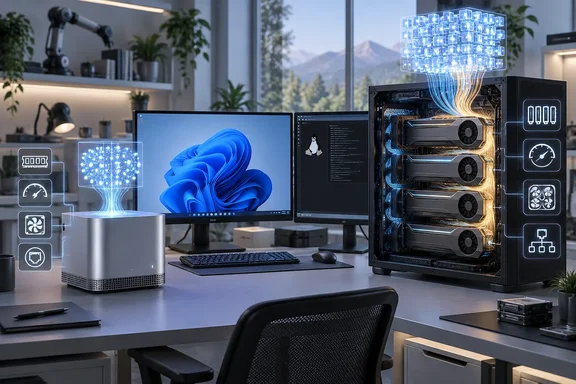
For Windows users, two details deserve particular attention. NVIDIA’s DGX systems are Linux-based AI computers, not conventional Windows desktops. And NVIDIA’s newly announced 64GB DGX Spark configuration has a future availability date: October 23, 2026, starting at $4,999 through manufacturer partners. That announcement should not be mistaken for a completed independent benchmark of the new configuration.
What the leaderboard actually measures
StorageReview says its selections come from laboratory testing rather than specification-sheet comparisons. Its methodology combines inference throughput, time-to-first-token, time-per-output-token, compute efficiency, storage performance and street price. Eligibility requires either interactive performance with a 30B-class model or at least 96GB of model-accessible memory.
That makes this a local-AI ranking, not a general-purpose desktop performance chart. A machine that excels at rendering or conventional workstation benchmarks does not automatically deliver the best inference experience.
The distinction also explains why the guide separates appliances from towers. Capacity determines whether a workload is feasible; latency and throughput determine whether using it feels productive.
These remain StorageReview’s findings and editorial selections, not benchmarks conducted by WindowsForum.
The compact and unified-memory selections
StorageReview’s appliance categories cover several different purchasing priorities:
| Category | StorageReview’s selection | Principal distinction |
|---|---|---|
| Overall deskside AI system | NVIDIA DGX Spark | 128GB unified memory and distributed-inference capability |
| GB10 implementation | Acer Veriton GN100 | Cooling design |
| x86 alternative | AMD Ryzen AI Halo | Windows/Linux flexibility |
| Without a discrete GPU | HP Z2 Mini G1a | Large-model inference on integrated graphics |
| GB300 system | MSI XpertStation WS300 | Much larger coherent memory pool |
| GB300 alternative | ASUS ExpertCenter Pro ET900N G3 | Comparable measured throughput in the outlet’s comparison |
The categories describe different strengths rather than a single fastest-to-slowest ladder.
DGX Spark: capacity, CUDA and a clustering option
NVIDIA’s documentation confirms that the 128GB DGX Spark combines a GB10 Grace Blackwell processor, a 20-core Arm CPU and unified LPDDR5X memory. It includes ConnectX-7 networking and runs NVIDIA DGX OS. This is a specialized development appliance, not a drop-in replacement for an everyday Windows workstation.
The new 64GB configuration retains GB10 and the NVIDIA software stack. NVIDIA says two units can connect over its 200GbE fabric using NVIDIA Sync Cluster Assistant, providing 128GB of aggregate memory. Its advertised performance improvement of up to 1.7 times is a vendor claim, not a result StorageReview says it has verified for the new configuration.
Two networked computers should also be understood as a distributed system, not simply one computer with an enlarged memory module. Buyers should evaluate the intended runtime and model configuration alongside the aggregate capacity.
Acer: the chassis still matters
StorageReview gives Acer’s Veriton GN100 its GB10 implementation award on cooling grounds. That is a useful reminder that common silicon does not make every system interchangeable: the outlet’s thermal comparison is part of its selection rationale.
For buyers, the sensible question is not merely “Does it contain GB10?” but “How does this implementation behave during sustained inference?” A short demonstration and a long-running service are different demands.
AMD and HP: the Windows-capable route
StorageReview selects Ryzen AI Halo as its x86 alternative and reports running 200B-parameter-class models on its tested configuration. It also reports that HP’s Z2 Mini G1a ran GPT-OSS 120B without a discrete GPU.
AMD’s own documentation independently confirms Ryzen AI Halo’s 128GB unified memory and support for AI workflows on both Windows and Linux with ROCm. That operating-system flexibility is a concrete advantage for readers who want to retain an x86 development environment. It does not, by itself, establish identical performance or software support across both operating systems.
The practical takeaway: choose the operating system and inference stack before choosing the enclosure. Compatibility belongs near the top of the checklist, not in the footnotes.
GB300: “deskside” becomes a much bigger commitment
StorageReview’s MSI XpertStation WS300 selection occupies a different scale from the compact appliances. The outlet reports 748GB of coherent memory, comprising 252GB of HBM3e and 496GB of LPDDR5X, and successful serving of a 433GB GLM-5.2 checkpoint.
Its reported thermal test lasted 2.8 hours, with the Blackwell Ultra die at 60°C and a steady 2.07GHz clock. Those are measured results for that test—not a guarantee for every room, workload or configuration.
The ASUS ExpertCenter Pro ET900N G3 provides a useful comparison. StorageReview reports that 24 of 28 peak-throughput comparisons, across 14 models and two workloads, fell within 2% of the MSI system. Its coherent-pool workloads performed at parity or better.
The implication is narrower, and more useful, than declaring either tower universally superior: when two implementations perform closely in the tested workloads, cooling, serviceability, networking and deployment requirements deserve more weight.
HP’s ZGX Fury AI Station remains outside the rankings while testing continues. AMD’s announced Threadripper Halo Station is likewise a watch item, not a tested winner. StorageReview describes an x86 host with multiple Instinct accelerators, but reports no benchmark results, pricing or availability. Neither belongs in a proven-performance recommendation yet.
The outlet also lists Dell Pro Max with GB10, ASUS Ascent GX10, GIGABYTE AI TOP ATOM, HP ZGX Nano G1n and HP EliteDesk 8 Mini G1a as tested alternatives without category awards.
Workstation towers: speed and expansion headroom
StorageReview’s tower selections emphasize discrete GPU memory and inference performance:
- Dell Precision 7875: Its tested dual-RTX PRO 6000 Blackwell configuration provides 192GB of aggregate VRAM. The outlet identifies it as its fastest tested standard-form-factor local-inference system and says two dual-width cards are the chassis limit.
- HP Z8 Fury G6i: Tested with two RTX PRO 6000 Max-Q cards, but selected for expansion to four cards and 384GB of aggregate VRAM.
- Comino Grando RTX PRO 6000: The extreme configuration, with eight liquid-cooled cards and 768GB of aggregate VRAM in a 4U chassis.
NVIDIA independently specifies 96GB of GDDR7 memory per RTX PRO 6000 Blackwell Workstation Edition card. HP’s official product page confirms support for up to four RTX PRO 6000 Blackwell Max-Q Workstation Edition GPUs in the Z8 Fury G6i. Those facts corroborate the capacity and expansion distinction—not the comparative benchmark rankings.
For purchasing, the tested configuration and the chassis maximum are different numbers. Buying two GPUs today does not automatically guarantee an uncomplicated four-GPU upgrade tomorrow; the exact supported configuration matters.
Two caveats the buyer should not miss
Spark’s ordinary Ethernet port is 10GbE, not 100GbE
StorageReview describes a shared-storage experiment reporting 10.8GiB/s reads and a centrally hosted 78GB model loading within 13% of local NVMe. However, its wording that every Spark already carries 100GbE ports needs qualification.
NVIDIA specifies one 10GbE RJ-45 port, alongside separate ConnectX-7 high-speed connections. Buyers should not design a 100GbE storage deployment around the ordinary Ethernet socket. The network interface and topology used for high-speed storage must be identified explicitly.
That distinction is not cosmetic. A networking label can become an expensive assumption.
The Mac Studio exclusion needs updating
StorageReview excludes Mac Studio partly on the premise that Apple stopped offering its high-memory configurations. That premise does not match Apple’s current published product specifications: Apple lists M5 Max configurations with up to 128GB of unified memory and M5 Ultra configurations with up to 512GB.
Published maximum specifications do not establish immediate availability of every configuration. Nor do they justify inserting an untested Mac into StorageReview’s leaderboard. They do mean that a blanket dismissal based on the disappearance of high-memory options is insufficient.
How to use the rankings
Before ordering, define five things:
- The actual model and quantization. Parameter count alone is not a complete memory requirement.
- Context length and concurrency. A single-chat demonstration does not establish multi-user serving capacity.
- Acceptable latency. Agent workflows can involve repeated model calls; responsiveness matters alongside model fit.
- Operating system and runtime. Windows-capable x86 hardware and Arm-based DGX appliances involve different software commitments.
- Deployment requirements. Verify storage, networking, power input and cooling for the exact configuration.
StorageReview estimates roughly 40–48GB of model-accessible memory for a 70B model at four-bit quantization before context. Treat that as a planning estimate, not a universal guarantee. Its high-end power guidance also warrants configuration-specific checking: a power-supply rating is not the same thing as measured wall consumption.
The leaderboard’s strongest lesson is therefore not “buy the largest box.” It is buy enough capacity for the workload, enough performance for the workflow, and a platform your team can actually operate. A model that fits but leaves everyone waiting is a technical achievement—and potentially a poor purchase.
References
- Best Desktops for Local AI in 2026: Lab-Tested Leaderboard StorageReview.com · 2026-10-02T21:04:18
- Hardware Overview — DGX Spark User Guide docs.nvidia.com
- DGX OS — DGX Spark User Guide docs.nvidia.com