

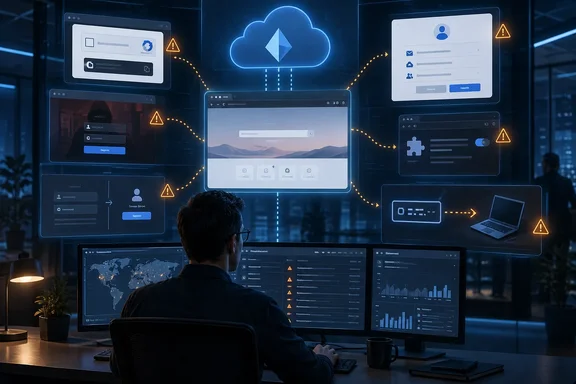
Here is what the six techniques are, what the independent evidence supports, and where Windows admins should look first.
The framing needs a qualifier
The piece opens by saying most breaches today begin in a browser session and often never leave it. That is a strong claim, and the independent data doesn't support it as stated. Microsoft's own figures describe a mix of entry points. On its Security Insider summary of the 2025 Microsoft Digital Defense Report, Microsoft Incident Response found that 28% of breaches were initiated through phishing or social engineering, 18% were via unpatched web assets, and 12% leveraged exposed remote services.
The browser clearly matters. But unpatched servers and exposed RDP haven't gone anywhere, and a roundup from a browser-security vendor has an obvious reason to put the browser at the center of everything.
Section summary: The six techniques are worth knowing. The "most breaches start in the browser" line is marketing framing, not a measured fact.
1. AiTM phishing: stealing the session, not just the password
The first category covers reverse-proxy adversary-in-the-middle (AiTM) kits. The piece names Tycoon2FA, Sneaky2FA and Evilginx. These kits sit between the victim and the real sign-in page and pass credentials and session tokens along as the login happens. Because the victim really does complete MFA, the attacker ends up holding a valid session. According to the roundup, the kits are sold as Phishing-as-a-Service with anti-bot filtering and automated session replay.
The delivery statistics come from Push and should be read that way. The LinkedIn piece says about half of phishing arrives outside email. Push's own recent blog posts put it differently, saying roughly one in three intercepted phishing payloads came through non-email channels such as search ads, social media and messaging apps. The direction is the same, but the size is not settled, even within one vendor's material.
Push's webinar page supports the other figure: about 89% of phishing domains it observes are live for less than two days. The practical point holds either way. If your phishing defense is an email gateway plus a domain blocklist, you are defending one door of a house with several.
2. ClickFix: the attack where the user runs the malware
This is the technique Windows users should know best. The victim is shown a fake CAPTCHA, a fake "verify you're human" screen or a fake error message. They are told to paste a command into the Run dialog or a terminal. The page has already put that command on their clipboard.
Microsoft's figure is solid, but its scope is often stretched. According to Microsoft, ClickFix was the most common initial access method recorded via Microsoft Defender Experts notifications in the past year, "accounting for 47% of attacks." Traditional phishing accounted for 35%. That population is Defender Experts notifications, not every attack worldwide. The LinkedIn piece's wording ("47% of observed attacks") leaves that out.
How it works on Windows: users are tricked into copying a command (often embedded in a fake pop-up, job application, or support message) and pasting it into the Windows Run dialog or a terminal. The command executes PowerShell or mshta.exe, pulling malicious payloads directly into memory. The technique is formally recognized: MITRE gave the behavior its own sub-technique, T1204.004, User Execution: Malicious Copy and Paste in March 2025, listing Windows, macOS and Linux as affected platforms.
Push's September 2026 detection report adds some vendor-specific detail:
- Share of detections: ClickFix averaged 52% of Push detections through Q2 2026 and reached 67% in August.
- Kit concentration: Three kits, ERRTRAFFIC, TURNTIP and NOCHAIN, made up 73% of those detections.
- Delivery: Four in five ClickFix payloads Push intercepted were reached from search engines, through compromised sites, malvertising and SEO poisoning.
- Win+X: Some kits now tell victims to press Win+X, then I, which opens PowerShell or Terminal as administrator, instead of the classic Win+R.
The Win+X point matters for Group Policy. Push notes that blocking the Run dialog, the usual first ClickFix mitigation, does nothing about the Power User menu, and there is no built-in policy to disable Win+X. Even with both shortcuts blocked, a user can still reach a shell through Start search, the File Explorer address bar or Task Manager's "Run new task." Locking the Run box alone won't stop this.
The variants the roundup mentions are also documented in Push's catalog. InstallFix uses fake "quick install via PowerShell" pages for developer and AI tools; Push says it has seen Claude Code, NotebookLM, ChatGPT and Codex branding used this way. It spreads through malvertising, cloned documentation and shared chatbot conversation links, which is the "LLMShare" route.
What Microsoft-aligned guidance recommends, as summarized in an analysis of the Digital Defense Report: Script block logging + clipboard‑to‑terminal monitoring; WDAC/AppLocker rules; Teams/Outlook comms kit.
Section summary: ClickFix starts in the browser and ends on the endpoint. Defend both: user training, PowerShell script block logging, application control, and detections for command lines launched from the clipboard.
3. Authorization phishing: going around MFA
This is the category most likely to surprise identity teams. These attacks don't steal the login. They abuse OAuth authorization after sign-in, so passkeys and MFA never come into play. The roundup lists three forms:
- Consent phishing: The victim approves a malicious third-party app.
- Device code phishing: Abuse of the RFC 8628 device authorization grant. The victim types a short code into a real Microsoft page. Microsoft's report noted the incorporation of new access methods like device code phishing by both cybercriminal and nation-state actors.
- ConsentFix: Push says it first found this in a December 2025 campaign linked to APT29. The victim copies a legitimate Microsoft URL containing an OAuth authorization code and pastes it into the attacker's page. The attacker then uses that code to sign in to a first-party Microsoft app such as Azure CLI. Push reports a criminal "ConsentFix v3" toolkit was being advertised on forums by April 2026.
On kit counts, the LinkedIn piece says Push tracks "30+" device-code phishing kits. An earlier Push post said "at least 12." The number has probably grown, but treat any single figure as a snapshot.
For Entra admins, Push stresses one point: Microsoft's main advice for device code attacks is to block the device code flow with Conditional Access, and that does not stop ConsentFix, which uses the authorization code grant (RFC 6749). Push's recommendations, which should be checked against current Microsoft documentation before rollout:
- Create service principals for the targeted first-party apps and limit which users can access them.
- Search sign-in logs for the relevant application and resource IDs.
- Flag cases where the IP of the first sign-in doesn't match the IP of later activity. The user performs the sign-in; the attacker performs what follows.
4. Malicious and unauthorized browser extensions
The roundup warns that extensions are often legitimate at first and turn malicious after an ownership change or a compromised update. Push says 46.76% of the 20,000 extensions it analyzed across customer environments have permission combinations that could allow account takeover with no user interaction. That describes potential exposure, not compromise. Ad blockers and password managers need the same permissions.
The Verizon 2026 DBIR figure cited in the piece, that the average company had more than 15% of users running unauthorized AI extensions, is the strongest independent evidence here. It does not show that those extensions are malicious. The roundup's recommendation is sensible and product-neutral: default-deny with an allowlist, plus monitoring for changes to extensions you have approved. In Edge and Chrome, extension allowlisting is a standard managed-browser policy.
5. Credential stuffing and "ghost logins"
"Ghost logins" are local username-and-password logins that stay active alongside SSO. Your identity provider never sees them. Push says that of its last million observed logins, one in four were password logins rather than SSO, two in five lacked MFA, and one in five used a weak, breached or reused password. Those are Push's customers, not the whole industry.
Cloudflare's 2026 Threat Report, as cited by Push, adds that 63% of human logins involved credentials already compromised elsewhere. The Snowflake breaches of 2024 remain the standard example of what happens when password-only access stays switched on.
Practical takeaway: For every SaaS app behind Entra SSO, check whether local password login is still enabled. Many are.
6. Session hijacking and unmanaged devices
If an attacker steals a session token, usually through infostealer malware, they don't need your password or your passkey. The roundup links this back to ClickFix, which it calls the main infostealer delivery method today. Flare's analysis of Microsoft's report likewise noted that Microsoft attributes nearly half of initial access events (47%) linked to infostealer infections to ClickFix-style deception.
Be careful with the Verizon 2025 DBIR figure. The LinkedIn piece says 46% of infostealer infections leading to corporate breaches came from unmanaged devices. Push's own blog words it more loosely, as where "46% of infostealer infections originate." The two versions don't match. Readers should treat the statistic as a strong signal about BYOD and contractor-laptop risk, not a precise causal breakdown. The roundup also points out that browser profile sync can carry a personal compromise into a corporate session.
What to do on Monday morning
For Windows and Microsoft 365 shops, the list is manageable:
- Turn on PowerShell script block logging and alert on PowerShell or mshta launched from explorer.exe with encoded or download-style arguments.
- Don't count on disabling Win+R alone. ClickFix kits now use Win+X, and there are many other ways to reach a shell.
- Review OAuth exposure in Entra: restrict device code flow where you can, and separately limit access to high-risk first-party apps. Blocking device code does not stop ConsentFix.
- Allowlist browser extensions through Edge or Chrome management policy and watch for permission changes.
- Find and disable ghost logins on SSO-connected apps.
- Decide what unmanaged devices are allowed to access. Assume their session tokens can be stolen.
The roundup comes from a vendor with a product to sell, and some of its numbers shift from one Push post to the next. Its main argument still holds up: most attacks now reach users through the browser, whether they end with a pasted command on the endpoint or a stolen token. Security teams watching only email, the network or the endpoint are missing much of that activity.
References
- Know Your Enemy: Browser-Based Attack Techniques In 2026 - LinkedIn LinkedIn · 2026-09-30T12:01:43+00:00
- Attack on Identity: Dissecting the 2025 Microsoft Digital Defense Report flare.io
- The numbers behind ClickFix attacks in H2 2026 pushsecurity.com