

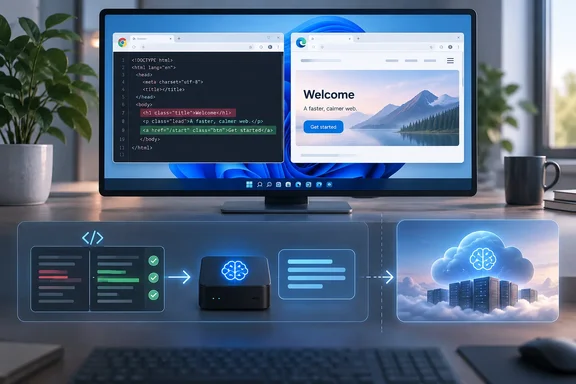
The piece is about SEO tooling, but the lesson applies to anyone building browser extensions, internal tools or AI features on Windows PCs. Both major browsers on Windows now ship with a local model, which makes it more useful still.
What Green was trying to do
Green's experiment began with Exactly Matchy, a tool meant to help people see whether their content can be retrieved by AI systems. He wanted people to be able to run it without dealing with API keys, credit cards or setup chores. Chrome's Gemini Nano, which downloads when needed, looked like a way around all of that.
He says plainly that the aim was never to show a small local model could replace a frontier model, because for many tasks it can't. The question was how much useful work could be moved onto the user's own machine.
His reasons for avoiding cloud services by default are familiar:
- Resource intensity: data centers, water use and so on.
- Cost: he expects remote AI to get more expensive.
- Data privacy: prompts leave the device.
- Dependence: the remote service is a point of failure you can't control.
He also admits the other side. Running most models locally is complicated, often needs strong hardware, and anyone expecting a Claude-like experience from a small local model will be disappointed.
Section summary: This is a firsthand architecture account, not a benchmark study. Green reports his observations but publishes no test counts, scoring method, latency figures or cost measurements.
A "small" task isn't necessarily an easy one
The core test was a job technical SEOs do constantly: comparing a page's raw HTML with its rendered DOM. After JavaScript runs, a link (<a> tag) might show:
- the same anchor text but a different destination
- the same destination but different anchor text
- a destination that is broken in the initial HTML but works after rendering
- two different URLs that end up at the same final destination
Code can find these differences reliably, and the evidence it produces is fairly small. The hard part is deciding whether a given difference actually matters. To do that, a model has to understand the evidence, stay consistent with the facts, combine several signals, avoid inventing reasons that aren't in the data, and then reach a correct conclusion.
Nano couldn't be trusted with that last step. Green found it useful for some tasks but unreliable for the final judgment. A stronger API model from OpenAI or Google handled the same structured evidence "considerably better." He says he compared Nano with models he calls Gemini Flash and "ChatGPT Luna," but gives no methodology, so read it as a practitioner's observation rather than a ranking.
He doesn't blame Nano for this. It is deliberately small, fast and quantized so it can run inside the browser without slowing it down. It did what it was built to do. It just wasn't built for this.
Section summary: A task can be small in scope and still require difficult reasoning. The final call on "is this a real problem?" is where the small model fell short.
The three-layer design
The extension ended up with three layers, and this is the part developers should pay most attention to.
- Code handles anything that must be exact. Fetching URLs, comparing HTML, checking HTTP responses, matching elements, identifying canonical relationships and detecting destination changes don't need probabilistic reasoning. Green warns that asking an LLM to answer these questions is risky.
- A small local model handles light interpretation and presentation. Once code has established the facts, Nano turns a messy bundle of results into a short passage a person can read quickly, instead of JSON or a spreadsheet. Green sees Nano not having to make the decision as a strength of the design.
- A larger model is available when real judgment is needed. For ambiguous or technically complex cases, the same structured evidence can go to Gemini, OpenAI or another capable model. Only the model changes; the pipeline stays the same.
That third point is sound engineering. If the evidence format is stable, the model becomes a replaceable part. When a better local model ships, you swap it in without redesigning the tool.
Green also noticed a useful side effect. Designing for a weak model forced him to improve the deterministic code and state every technical assumption explicitly. The cleaner evidence then made the stronger models perform better too. A large model can hide sloppy engineering; a small one exposes it.
Section summary: Code produces the facts, the small local model explains them, and the large model is reserved for hard judgments. Better evidence helps every layer.
What Chrome's built-in model actually requires on Windows
Green calls Nano "something that ships with all Chrome." Google's own developer documentation adds some caveats that matter to Windows users and developers.
According to Google's "Get started with built-in AI" documentation, the Prompt, Summarizer, Writer, Rewriter and Proofreader APIs work in Chrome on Windows 10 or 11, macOS 13 or later, Linux, and ChromeOS on Chromebook Plus devices. Chrome for Android and iOS aren't yet supported for these foundation-model APIs. Google lists these requirements:
| Requirement | Chrome built-in AI (Gemini Nano) |
|---|---|
| OS | Windows 10/11, macOS 13+, Linux, ChromeOS (Chromebook Plus) |
| Storage | At least 22 GB free on the volume holding the Chrome profile |
| GPU path | Strictly more than 4 GB of VRAM |
| CPU path | 16 GB RAM or more and 4 or more CPU cores |
| Network | Unlimited data or unmetered connection for the download |
Google says the model is downloaded the first time a user interacts with one of these APIs, and its exact size changes as Chrome updates it. You can check the current size at chrome://on-device-internals. Google's model-management documentation adds that Chrome runs a GPU performance check and then picks a larger variant (such as 4B parameters), a smaller one (such as 2B), or CPU inference. It also says the model can be deleted if free disk space drops too low, if an enterprise policy disables the feature, or if eligibility criteria go unmet for 30 days. It won't re-download on its own until an app calls create() again.
Google's October 2025 developer blog announced CPU inference rolling out in Chrome 140 on Windows, macOS and Linux. It noted that inference is usually faster on capable GPUs.
So "ships with all Chrome" is loosely true at best. The API is built in. The model is downloaded on demand, depends on hardware, and can be removed.
Section summary: On Windows, Chrome's local model needs substantial free disk space and either a decent GPU or 16 GB of RAM. It can appear and disappear, so your code must check availability every time.
The Microsoft angle: Edge has its own local model
Green limited himself to Chrome. Windows developers should know Microsoft has been building the same thing into Edge.
Microsoft's Edge team says it introduced the Prompt and Writing Assistance APIs in Microsoft Edge with the Phi-4-mini language model at Build 2025. Microsoft's June 2026 Edge blog describes Phi-4-mini as a highly capable 4B-parameter language model, but concedes that the model's hardware requirements have limited its availability across devices.
Microsoft's Edge developer documentation sets a higher bar than Chrome for Phi-4-mini:
- Windows 10 or 11 and macOS 13.3 or later
- At least 20 GB available on the volume that contains your Edge profile. If the available storage drops below 10 GB, the model will be deleted
- 5.5 GB of VRAM or more
- The model isn't downloaded if using a metered connection.
To reach more machines, Microsoft is previewing a lighter model. According to the same documentation, starting with version 150.0.4070, the Prompt API can also be used with the prerelease Aion-1.0-Instruct model, which is supported on devices with less capable GPUs or no GPU, via CPU-inferencing. By default, the Prompt API uses the Phi-4-mini model.
IT admins have a control for this as well. Edge 139 release-note coverage from AskVG says admins can control the availability of these APIs via the GenAILocalFoundationalModelSettings policy.
This matters for Green's design. If your tool treats the local model as a replaceable part, you can target whichever browser model is present on a given machine: Nano in Chrome, Phi-4-mini or Aion in Edge. Both vendors say they're working toward shared web standards. Until those settle, check model availability and test each browser on its own rather than assuming identical behavior.
Section summary: Edge offers a comparable local-model setup with different hardware requirements and a lighter model in preview. Enterprises can switch it off by policy, and tools should plan for that.
Practical checklist for building this way
Based on Green's architecture and the Chrome and Edge documentation, here's how a developer might apply it:
- List which outputs must be exact. Redirects, status codes, canonical tags and DOM differences belong in code.
- Emit structured evidence. Make every fact explicit so no model has to infer it.
- Check availability before prompting. Google's documentation says
availability()returns"unavailable","downloadable","downloading"or"available". Only create a session when the model is ready, and trigger downloads after a user action such as a button click. - Handle the model disappearing. Google warns the model can be purged mid-session, so a feature available at startup might not be available later.
- Give the local model the explaining job, not the deciding job. Summarizing verified facts is a good fit for a small model. Rendering a verdict is not.
- Make escalation to a larger model optional and obvious. Green's article doesn't cover how users are asked or billed when a remote model is used. Your tool should spell that out, because escalation brings back the cloud dependency and privacy concerns local inference was meant to avoid.
If the Chrome model misbehaves while you're testing locally, Google's troubleshooting steps are: restart Chrome, open chrome://on-device-internals, check the Broker State tab for errors, then run LanguageModel.availability(); in the DevTools console. It should return available. If it doesn't, wait a while and try again.
Where the argument has limits
Green's case is sensible, but some claims deserve a closer look.
- The privacy benefit is only partial. Local inference keeps the prompt on the device. The moment the tool escalates to a remote model, the data leaves. A hybrid design is only as private as its most-used path.
- The cost and sustainability claims aren't measured. The article gives no energy, water or latency figures. Local inference moves the cost to the user's hardware and disk space; it doesn't make it disappear. Asking users to free up 20-plus GB for a browser model is a real cost.
- Hardware coverage is uneven. Many older Windows laptops won't meet either browser's requirements, so the local layer won't be there for every user.
These don't undercut the main lesson; they define its limits. Green isn't saying local AI is better. He's saying most AI tooling sends too much work to the largest model when code or a small model could handle it.
The bottom line
Green's experiment is a useful correction to the "send everything to a large model" habit. Code produces facts, a small local model makes them readable, and a larger model decides only when a decision is actually needed. It's cheaper, more predictable and easier to audit. Both Chrome and Edge now ship local models to Windows PCs that meet the hardware bar, so Windows developers can use this pattern today, as long as they check model availability and don't treat the local model as always present.
What's your experience been? Have you tried Gemini Nano or Phi-4-mini in the browser, and where did the small model hold up or fall short? Tell the community in the Windows development and AI threads.
References
- Using Local (AI) Compute To Reduce Reliance On Frontier Models - Search Engine Journal Search Engine Journal · 2026-09-30T19:00:04+00:00
- Tip: Disable Phi-4-Mini and New Web AI APIs in Microsoft Edge askvg.com
- Expanding built-in AI to more devices with Chrome | Blog | Chrome for Developers developer.chrome.com