

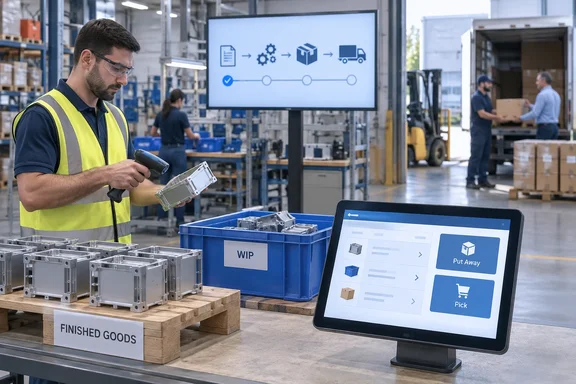
It's a narrow change, and for a manufacturing ERP that's normal. Warehouse staff at a basic-warehouse location get one less exception to remember.
Where it shows up in version 29
The capability belongs to Business Central 2026 release wave 2, also known as version 29. A preview roundup of update 29.0 by Belgian Business Central blog Think About IT lists "Warehouse support for subcontracting, with basic configurations now handling inventory put aways and picks for that work" under supply chain management. Other subcontracting changes ship in the same release:
- Subcontracting instructions carry routing comments and attachments through into purchase orders, so subcontractors get proper operation instructions.
- Assisted subcontracting setup with Contoso demo data for evaluating scenarios.
- Italy subcontracting migration tooling to move legacy data into the newer Subcontracting app.
- Direct transfer orders now work from source locations that require inventory picks or warehouse shipments.
On timing, partner site 365 Vanguard reports that version 29.0 entered public preview in the first week of September 2026 and reaches general availability the first week of October 2026. Business Central publishing has also changed. Microsoft has stopped publishing separate release plan pages, and new Business Central capabilities are now published to the AI at Work roadmap instead. That's why this feature appears as a roadmap card and not in a traditional release plan.
Summary: This is a version 29 feature. It's part of a larger set of subcontracting changes, and it's tracked on the AI at Work roadmap.
The gap it closes
Until now, subcontracting and warehouse documents didn't work together well. Microsoft Dynamics partner Innovia warned earlier this year that if the location uses a Put-Away, subcontracts will not create a put-away. The product is placed in the work center or location's From-Production bin for the related work center/production order. For locations that require warehouse receipts, Innovia noted that you will not be able to receive one on a Whse Receipt. Instead, you must receive it directly from the Purchase Order.
Business Central's warehouse documentation describes a "basic, order-by-order" level. Locations at that level set Require Put-away or Require Pick, and the typical flows are Purchase Order to Inventory Put-away and Sales Order to Inventory Pick. Consolidated warehouse receipts and warehouse put-aways belong to the more advanced levels. Before this change, subcontracted output was the exception to the basic routine. Warehouse staff would put away every other incoming purchase line in the usual way and then handle subcontracting by some other method.
Microsoft's roadmap entry says the business value is that warehouse employees can process subcontracted output without switching to warehouse receipts. Production teams can also move work-in-process (WIP) items between locations without treating them as physical inventory.
Final, intermediate and WIP: three posting outcomes
What the inventory activity does depends on the source line. Microsoft's roadmap entry describes three cases:
| Source line | What posting the inventory activity does |
|---|---|
| Final subcontracting operation (last on the routing) | Records physical production output and the related capacity. Serial and lot numbers assigned to the production order flow to the subcontracting documents and the resulting item ledger entries. |
| Intermediate subcontracting operation | Records the outside processing but creates no physical item or warehouse ledger entries |
| WIP transfer order (inventory pick or return put-away) | Keeps the displayed transfer quantity while the base quantity stays zero, so the line represents production progress, not stocked inventory |
These outcomes follow rules that Business Central already uses for subcontracting:
- Final operation = output. Microsoft's subcontracting documentation says that when a subcontracting purchase is received, an output journal entry is posted automatically if the subcontracted operation is the last one on the routing. Microsoft also cautions that the expected output quantity can differ from the actual quantity, and that the automatic posting date can be misleading. The new put-away doesn't remove that risk; it just lets the warehouse post the receipt. The documented workaround is to make sure the subcontracted operation isn't last, or to add a final operation for the output quantity.
- WIP isn't inventory. Microsoft's WIP transfer documentation explains that posting a WIP transfer creates no item ledger, value or warehouse entries. Quantities go to a dedicated Subcontractor WIP Ledger Entry table, because the semi-finished item belongs to the production order and stays under its cost umbrella. WIP transfer lines also have zero base quantities, so they don't appear as supply or demand in planning.
One catch: that WIP documentation, last updated in July 2026, still says no pick or put-away documents are created for WIP lines. Its compatibility table marks inventory pick and put-away creation as unsupported, with posting directly from the transfer order as the workaround. The new roadmap feature reverses that for WIP transfer orders, so expect Microsoft Learn to lag behind the product for a while. If you're on version 29, trust your sandbox over the older pages.
Summary: Finished goods post output and capacity. Middle operations post only the outside processing. WIP stays in its own ledger, so moving it through a pick doesn't create inventory on paper.
Step by step: putting away subcontracted output
Microsoft's roadmap entry gives this procedure for a final-operation put-away:
- Configure the location. Use a basic warehouse location that requires put-away processing but doesn't require receive processing. In practice that means Require Put-away is on and Require Receive is off. If Require Receive is on, the location belongs to the advanced flow, and this feature doesn't apply to it.
- Create and release the production order. Subcontracting purchase orders can only be created for released production orders.
- Calculate subcontracts and create the purchase order. Run Calculate Subcontracts in the subcontracting worksheet, then create the purchase order. You can also create it directly from the routing line on the production order.
- Assign tracking if needed. For tracked items, assign serial or lot numbers on the production document or the subcontracting document.
- Generate the activity. On the released purchase order, choose Create Inventory Put-away/Pick.
- Record and post. Open the inventory put-away, enter the quantities and bins the warehouse actually handled, and post.
What success looks like: for a final operation, you should see output and capacity entries on the production order. If tracking is used, the serial or lot numbers should appear on the item ledger entries. For an intermediate operation, only the processing is recorded and nothing is added to stock.
According to Microsoft, the activities support partial processing, repeated processing, unit-of-measure conversions, and splitting put-away lines across multiple bins. Partial deliveries from a vendor, which are common, should therefore be handled.
Limits to know first
Microsoft lists a few limits. Some are old subcontracting rules that still apply:
- No item tracking on WIP transfers. This matches the existing WIP documentation, which blocks serial and lot numbers and reservations on WIP transfer lines.
- Invoicing with Get Receipt Lines is still restricted. Microsoft already requires subcontracting purchase orders to be invoiced from the order itself. You can't use Get Receipt Lines or Get Order Lines on a separate invoice, which keeps costs correctly assigned to the production order.
- Some undo-receipt scenarios remain restricted. Even before this change, you couldn't undo a subcontracting receipt once it was invoiced or the production order was finished. Undoing a receipt also doesn't reverse component consumption caused by flushing.
- Transfer routes still matter. Microsoft recommends transfer routes with an In-Transit Code between your warehouse and each subcontractor location. Without one, Business Central creates direct transfers, and how those post depends on the Direct Transfer Posting setting in Inventory Setup.
Analysis: small change, useful for small manufacturers
The following is editorial analysis based on general industry experience, not on Microsoft statements.
Business Central customers often use basic warehousing on purpose. It suits small manufacturers where one person handles receiving, put-away and sometimes invoicing. For them, the old rule that "subcontracting is different" meant extra training, process notes taped to the receiving desk, and finished goods sitting in a From-Production bin until someone noticed.
The interesting design choice is the WIP handling. Microsoft lets warehouse staff use a familiar pick document for semi-finished goods without that document creating inventory value. The alternative was to treat WIP as stock, which would cause costing problems at the next inventory valuation.
A few cautions:
- Roadmap status isn't a rollout guarantee. "Launched" with an October 2026 date doesn't mean every tenant has it today. Version 29 updates are scheduled per environment, so check your environment's version in the Business Central admin center.
- Documentation lags behind. As noted above, the current Learn page on WIP transfers still says inventory activities aren't supported. Until Microsoft updates it, your sandbox is the reference.
- Automatic output can still surprise you. A smoother put-away makes it easier to post final-operation output, and Microsoft's own warning about mismatched quantities and posting dates still applies.
Suggested rollout checklist
- Update a sandbox to version 29 and run the Contoso subcontracting demo scenario.
- Review the location cards: Require Put-away on and Require Receive off where you want this flow.
- Check routings: decide whether the subcontracted operation should be the last one or whether you'll add a final operation.
- Add In-Transit Code transfer routes for each subcontractor location.
- Test a partial receipt, a put-away split across bins, and a lot-tracked final operation before training warehouse staff.
The feature adds no new screens. Warehouse staff at basic locations use the same inventory put-aways and picks for subcontracted work as for everything else. If you've tested it on version 29, share in the forum's Dynamics 365 and ERP threads whether your undo and invoicing cases behaved.
References
- Dynamics 365 Business Central: Supply Chain Management - Use inventory put-aways and picks for subcontracting Microsoft 365 Roadmap · 2026-09-30T23:31:03.389585Z
- Subcontracting in Business Central innovia.com
- Order subcontracting - Business Central | Microsoft Learn learn.microsoft.com