

The entry is marked Launched and tagged General Availability, with an October 2026 GA month. It covers Dynamics 365 Business Central on the Web platform in Worldwide (Standard Multi-Tenant) cloud instances. It's not a headline release, but anyone maintaining a large AL extension knows how tooltip text drifts out of sync when the same report sits behind three different actions.
What the roadmap says
The entry itself is short. Microsoft's summary:
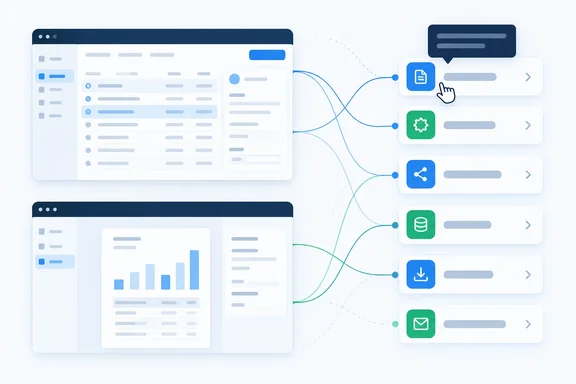
- Tooltips on page or report objects are inherited into actions that run those pages or reports.
- Developers only need to write the descriptive tooltip in one place, and it applies everywhere the object is used.
The metadata adds the scope:
| Field | Value |
|---|---|
| Roadmap ID | 573313 |
| Product | Dynamics 365 Business Central |
| Platform | Web |
| Release ring | General Availability |
| Cloud instance | Worldwide (Standard Multi-Tenant) |
| Status | Launched |
| GA month | October 2026 |
A note on dates: the item was posted to the roadmap on September 30, 2026, and the GA month is October. That doesn't prove every tenant has the feature today. Microsoft says its roadmap gives estimated release dates and that all information is subject to change. Read "Launched" as a strong signal, not a promise that your sandbox already behaves this way.
Section summary: The roadmap adds tooltip inheritance from page and report objects to the actions that run them, for multi-tenant cloud Business Central on the web, with GA in October 2026.
This builds on an earlier change
This is the second step of work Microsoft started earlier. The 2025 release wave 1 (BC26) release plan included a feature called "Running objects in actions defaults to UI descriptors on target object." Business Central MVP Yun Zhu covered it at the time. In his summary, actions that are only used to run specific objects now default to the Caption, Tooltip, AboutText, and AboutTitle of the targeted object, which also ensures that existing actions will benefit from Tooltip, AboutText, and AboutTitle being defined on the targeted object.
The tooltip part of that earlier release only covered reports. Yun Zhu reported that on pages, actions that refer to reports will default to the "Tooltip" defined on the target report, and that in support of this, the ToolTip property has also been added to reports. He added that the behaviour was currently only valid for Report back then.
Microsoft's ToolTip property reference shows the same gap. It lists the property as applying to page labels, page fields, parts, page action areas, actions, action groups, custom actions, system actions, Report, report columns, query columns and table fields (Page Label - Page Field - Page Part - Page System Part - Page Chart Part - Page Action Area - Page Action - Page Action Group - Page Custom Action - Page System Action - Page File Upload Action - Page Analysis View - Report - Report Column - Query Column - Table field). A page object isn't on that list, though pages and their individual controls are.
So the new roadmap item names both pages and reports. That suggests the inheritance now reaches page targets, not just reports. The roadmap text doesn't say how this was done (for example, whether a new page-level ToolTip property exists), so that question has to wait for updated AL documentation.
Section summary: Report-to-action tooltip inheritance arrived in 2025 wave 1. The new item explicitly covers pages too, which is the part developers had been missing.
The same idea for fields
Microsoft has done this before with fields. Starting in Business Central 2024 release wave 1, tooltips can be defined on table fields. Any page that uses the field inherits the tooltip automatically, and a tooltip defined on the page field overrides it. Microsoft's documentation describes the old situation: in 2023 release wave 2 or earlier, tooltips could only live on page fields, so a field shown on both a card and a list needed the text twice.
The ToolTip property reference notes that from runtime 13.0, this allows you to specify the tooltip in one place and have it applied to all controls that reference the table field. It also says there's a new code action to help move the tooltip from page controls to table fields or clean them up from the page in case of duplicates.
The new action behaviour applies the same "define it at the source" approach to navigation and reporting. Fields get their tooltips from tables. Actions now get theirs from the pages and reports they open.
Who benefits
Business Central's action bar has several action areas. Microsoft's actions overview documents:
area(processing)for everyday tasks such as posting a sales orderarea(creation)for the New document grouparea(navigation)for links to other pagesarea(reporting)for the Report menu
The same report or page often appears in several of these, across several pages and page extensions. Take a "Customer Top 10 List" report reachable from a customer list, a Role Center and a custom extension. Until now, each of those actions needed its own ToolTip, and three copies of the same sentence will sooner or later say three different things.
What this means in practice (our analysis, based on the roadmap description):
- AL developers and ISVs: Less duplicated text, fewer chances for descriptions to drift apart, and less work in translation files.
- End users: More actions should show a useful description on hover. That matters for actions whose captions are terse or full of jargon.
- Teams that already write good per-action tooltips: Little visible change. Inheritance mostly helps where tooltips were missing or copied.
Microsoft's own guidance says most system actions also include tooltips so that users get a consistent experience and that your extensions are expected to also include tooltips for the same reason. Inheritance makes it easier to meet that standard.
What the roadmap doesn't say
Developers should be clear about the gaps before changing any code:
- Precedence: For fields, a page-level tooltip overrides the table-level one, and the earlier report behaviour only applied by default. Whether an explicit action ToolTip still wins over the inherited one isn't stated for this release. It would be a reasonable guess, but it isn't documented.
- Syntax and versions: No property name, runtime version, AL Language extension version or application build is listed.
- Extensibility: Yun Zhu noted at the time that because the property 'tooltip' cannot be extended, if the standard does not add this property, it cannot be inherited. If Microsoft hasn't written a tooltip on a base-app object, your action may inherit nothing.
- Deployment scope: The metadata covers the web platform and worldwide multi-tenant cloud only. It says nothing about on-premises or other cloud instances.
Practical checklist for AL teams
Without official syntax, here's a cautious approach:
- Check your tenant's version in a sandbox before relying on inherited page tooltips in production.
- Inventory duplicated tooltips on actions that use
RunObjectto open pages or reports. These are the candidates for cleanup. - Test before deleting. Remove an action-level tooltip in a sandbox and confirm the inherited text shows up as expected.
- Keep action-specific tooltips where the context differs, such as an action that opens a report with preset filters, until override behaviour is documented.
- Watch the AL documentation for updated ToolTip property scope and any new code actions, similar to the table-field migration helper from runtime 13.0.
Bottom line
For Business Central developers, page and report objects can now carry the description for every action that opens them. Report tooltips already worked this way from 2025 wave 1; adding pages is what makes the change meaningful. Until Microsoft publishes the precedence rules and version details, test in a sandbox before deleting any action-level tooltips.
References
- Dynamics 365 Business Central: Development - Actions on reports and pages can now inherit tooltips Microsoft 365 Roadmap · 2026-09-30T23:31:03.389585Z
- Add tooltips to table and page fields - Business Central | Microsoft Learn learn.microsoft.com
- Actions overview - Business Central | Microsoft Learn learn.microsoft.com