

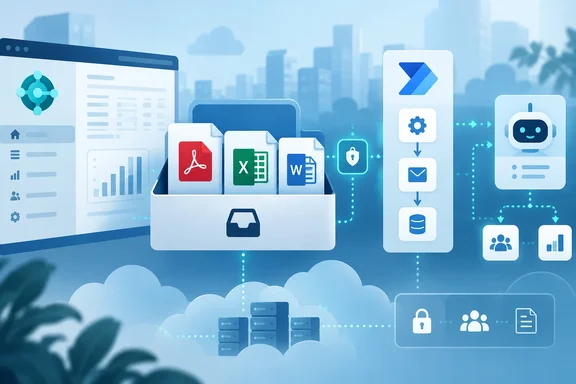
The description is one sentence long, so most of the useful context comes from how the Report Inbox already works and from what developers have had to build to automate it until now.
What the Report Inbox does today
The Report Inbox is where scheduled report output ends up. Microsoft's documentation on running and printing reports says that when you schedule a report, you can save the report to a file (such as Excel, Word, or PDF), print it, or only generate the report. If you choose a file, the processed report is sent to the Report Inbox page on your Role Center for you to view it.
The partner ArcherPoint describes it as a place to access traditional reports that can be scheduled to run on your preferred cadences. Typical uses include aged receivables every Monday, an inventory valuation at month-end, or a sales summary each night.
Microsoft has been expanding scheduling as well. Blogger and Business Central MVP Yun Zhu notes that with Business Central 2026 release wave 1 (BC28), report users can schedule reports for a distribution group. Recipients can get the report output in an email and in their report inbox. He also adds a caveat: not all reports are supported, and not all reports can be sent directly via email, they will only be saved in the Report Inbox within BC.
The gap: Output that only lands in the Report Inbox stays inside Business Central unless someone downloads it or a developer builds a way to get it out.
The workaround this roadmap item targets
Getting Report Inbox files to SharePoint, Teams or a finance mailbox has usually meant custom development. A guide from Congruent Software on sending scheduled reports to SharePoint shows the typical approach. Developers had to expose the 'Report Inbox' table to API with the help of a custom API page via AL, and then a Power Automate connector would collect the data and move it to a SharePoint folder. In their example, the custom page is named 'Report Inbox API' with fields for Report ID, Report Output (attachmentBlob), and System ID.
That works, but it is an AL extension that a partner or in-house developer has to write, deploy, maintain and keep compatible through every major update. An API that Microsoft ships and supports is the obvious replacement, and that appears to be what ID 573318 describes.
My view: The roadmap entry doesn't say whether it fully replaces custom Report Inbox API pages. Still, organizations running such extensions are the clearest candidates to evaluate the official APIs once Microsoft documents them.
Why Power Automate and MCP both matter
Microsoft names two routes, and they suit different people:
- Power Automate is for makers and admins who want a scheduled report to trigger a flow, such as filing a PDF, posting to a channel or starting an approval. Business Central's 2026 wave 1 overview describes this integration as a way of automating repetitive tasks with Power Automate templates.
- MCP (Model Context Protocol) is for agents. Microsoft describes Business Central as moving toward AI‑driven ERP by embedding AI and automation into everyday business processes. If report output is available over MCP, an agent could in principle find last night's report and use it in a task.
A related feature from 2026 release wave 1 shows the pattern. Microsoft's release plan for "Use new APIs for getting the PDF of a document report" (GA June 1, 2026) describes read-only APIs in the document report system intended to automate document reporting outside Business Central. One example it gives is building agents with Copilot Studio and the MCP Server for Business Central for processes that involve document PDFs. That feature covers documents such as sales, purchasing, inventory and assembly records. It is a separate feature from the Report Inbox APIs. Its read-only limit and its list of document types should not be assumed to apply to ID 573318.
My view: Taken together, the two features suggest Microsoft is gradually making Business Central's printed and rendered outputs available to flows and agents, not only to people clicking Download.
What we don't know yet
The roadmap entry leaves out most implementation details. Until Microsoft publishes API reference documentation, these are open questions:
- Endpoints and operations: No endpoint names, entities or fields have been published. It is not stated whether the APIs only read output or can also mark entries as read, delete them or start report runs.
- Triggers: It isn't confirmed whether Power Automate gets a "new report output available" trigger or whether flows must poll.
- Formats and size limits: It isn't stated whether Excel, Word and PDF outputs all come through in the same way.
- Permissions: No permission sets, authentication scopes or rules for accessing another user's inbox have been described. Report Inbox entries belong to individual users, so the access model matters for governance.
- Deployment scope: The entry lists only Worldwide multi-tenant online. Nothing indicates on-premises, sovereign cloud or localization availability. Separately, Microsoft notes that Copilot and agents are available only to Business Central online customers.
- Timing: The AI at Work roadmap itself says it provides estimated release dates and that all information may change. With an October 2026 GA month and today being October 1, a "Launched" label does not mean every tenant already has the feature.
A practical plan for admins and developers
Since the API details aren't public yet, preparation is about taking stock:
- List your Report Inbox workarounds. Find any custom AL API pages, Power Automate flows or scheduled exports that already pull from the Report Inbox. These are the most likely things to migrate.
- Review scheduled reports. Check which job queue–scheduled reports save to file, who owns them, and where the output is supposed to go.
- Settle governance first. Decide which identities, whether service principals, flow owners or agents, should be allowed to read report output. Financial reports in a Report Inbox can be sensitive, and automation makes them easier to forward to the wrong place.
- Test in a sandbox. When the APIs appear in your environment, compare their behavior with your custom page, especially file content, filtering and permissions, before retiring any extension.
- Track the roadmap ID. Microsoft is publishing new capabilities on the AI at Work roadmap rather than in traditional release plans. Its documentation says Release Plans will no longer be published starting in September 2026, so roadmap ID 573318 is the record to follow.
The bottom line
This is a small roadmap entry about a real annoyance. The Report Inbox has worked for scheduling reports, but getting output out of it automatically has meant custom code. Microsoft says native APIs are coming, with both Power Automate flows and MCP-connected agents named as consumers.
If the documentation delivers, many organizations should be able to automate report distribution without building their own extension. Until then, list what you'd want to automate and check the published permission model before connecting financial report output to an agent.
References
- Dynamics 365 Business Central: Reporting and data analysis - Automate report outputs Microsoft 365 Roadmap · 2026-09-30T23:31:03.389585Z
- Use new APIs for getting the PDF of a document report | Microsoft Learn learn.microsoft.com
- Microsoft Dynamics 365 Business Central Reporting Options archerpoint.com