

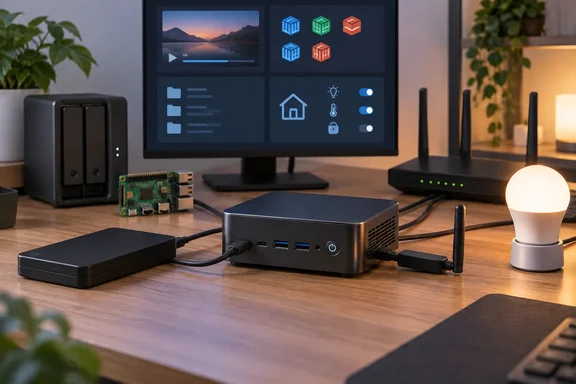
The setup, as the author describes it
This is a personal account, not a benchmark. The author runs Ubuntu Server on his mini PC with a single 6TB external hard drive for backups, photos and media. He uses it to serve video through a self-hosted app like Plex or Jellyfin. The same machine runs the small services he once would have parked on a Raspberry Pi, and it acts as his smart home controller.
His examples of those small services are AdGuard Home, Uptime Kuma and Syncthing. For the smart home, he took his bulbs offline and uses NFC tags as physical light switches.
His case rests on a comparison between a Synology DS225+ and an Acemagic K5. The K5 is the mini PC his article features. It ships with Windows 11 Pro according to the product card, which means a homelabber has to decide whether to wipe it for Linux. He did.
The NAS comparison: more headroom, fewer bays
Synology's own product page lists the DS225+ with an Intel Celeron J4125. That is a quad-core part, so the author's "low-power quad-core Celeron" shorthand is accurate. The DS225+ also has 2GB of DDR4 memory and two SATA drive bays. The memory can be expanded to 6GB. Synology also advertises a built-in 2.5GbE port.
Against that, a modern mini PC with 12GB of memory and a newer Intel Core processor has far more room to run Plex transcoding, containers and file sharing at once. That part of the argument is sound.
Four caveats matter:
- Prices are unreliable. The article says the DS225+ costs $365 and the K5 about $380. The embedded K5 product card lists $550. I could not confirm either K5 figure, so don't treat the comparison as a verified price match.
- The K5 specs are unconfirmed. The Core 3 304, 12GB LPDDR5 and port list come from the article's product card. I could not check them against the manufacturer.
- There are no benchmarks. Nothing in the piece measures transcoding, file transfers or power draw. "Drastically more powerful" is a reasonable inference from specs, not a test result.
- Hot-swap bays are the real trade. A NAS enclosure gives you internal drives you can swap and a supported management workflow. A mini PC with one USB disk gives you neither.
A single external disk is storage, not a backup strategy. If it dies, so does the data on it. Nothing in the article says the drive is mirrored or copied elsewhere. Anyone copying this setup for irreplaceable family photos should add a second copy.
A warning for TrueNAS fans
The article name-checks TrueNAS SCALE, OpenMediaVault and Unraid as NAS-style alternatives. Be careful with TrueNAS in particular. My research notes record that TrueNAS's hardware guide advises against USB-connected hard drives for primary storage. I could not re-open that page to confirm the wording. If it holds, a USB-disk-on-a-mini-PC build is a better fit for plain Ubuntu Server than for a ZFS-based appliance OS.
The Raspberry Pi price claim checks out
The author says the Raspberry Pi 5 8GB "now retails for around $175." The original launch announcement priced that model at $80 for the 8GB version, plus local taxes. The price has climbed several times since, and the later notices explain why.
- In December 2025, the 8GB model went from $80 to $95.
- Early in 2026, it went from $95 to $125, with the company citing LPDDR4 costs.
- A later Raspberry Pi notice listed a $50 increase for 8GB Raspberry Pi 4 and 5 boards.
Stacking those steps gives $125 plus $50, which is $175. That is my own arithmetic, not a figure quoted from Raspberry Pi. It matches the author's number, so his claim looks right as a list price before taxes and shipping. Prices differ by reseller and country, so check your local one.
Raspberry Pi's CEO has described the memory squeeze as temporary. He said the company looks forward to "unwinding these price increases once it abates." If that happens, the Pi side of this argument gets weaker again.
It also helps to remember what a Pi is for. At $175, an 8GB Pi 5 costs about as much as a decent used mini PC. But a Pi is still very good at running a few tiny services at low power. The article's claim is that a mini PC does all of that and more. It does not claim the Pi is bad.
Docker: easy consolidation, no automatic fairness
Putting a dozen services on one host is the easy part. Keeping them from stepping on each other is the part people forget. Docker's documentation says containers have no CPU or memory limits by default. Docker lets you cap them with options such as --cpus and --memory.
The practical advice for a shared box:
- Watch memory use before adding the tenth container.
- Set limits on anything that tends to balloon.
- Remember that a Jellyfin or Plex transcode competes with everything else for CPU.
"A couple dozen services without issue" is the author's experience. Your own mileage depends on the workload.
The article also says the mini PC uses "a bit more power" than a Pi but is still efficient. No wattage figures are given. I can't calculate running costs from this piece, so treat the power claim as qualitative.
Home Assistant: the install choice matters
This is where "one box does everything" needs the biggest asterisk. Home Assistant offers two relevant routes on an x86 mini PC.
Home Assistant OS is the recommended install for most users. Home Assistant's generic x86-64 guide assumes you have a dedicated PC to exclusively run it. The requirements are:
- A 64-bit PC that boots in UEFI mode.
- Secure Boot disabled.
- A boot drive with 512-byte logical sectors. Some drives use native 4K sectors only, and Home Assistant OS cannot boot from those.
Writing the image erases the target drive and any operating system on it. Home Assistant also says it does not recommend an external USB drive as the boot medium. If you install it on a box that also runs Ubuntu and your files, you lose the Ubuntu install.
Home Assistant Container is the route that fits the author's setup. It runs inside Docker on an operating system you already have. The documentation says it needs Docker Engine 23.0.0 or later; Docker Desktop will not work. Once it is running, you reach it at the host's address on port 8123.
The trade-offs of the container route:
- It does not include Home Assistant apps, which the OS install does.
- Bluetooth integration needs D-Bus.
- A Zigbee USB adapter has to be mapped into the container, and the user running the container needs permission to access the device.
So the article's line that a mini PC "has everything it needs" is true of the hardware. The software setup takes more thought. The author's SONOFF Zigbee stick suggestion is sensible, but you still need to wire it into the container.
Who this suits
This approach fits you if:
- You are comfortable with Linux and Docker.
- Your storage needs are modest.
- You want to cut down on single-purpose gadgets.
A dedicated NAS still wins if you want multiple internal drives, hot-swap bays, RAID managed through a polished interface, or a vendor-supported appliance. The article itself acknowledges that Synology DiskStation Manager and QNAP QTS make RAID, permissions, snapshots and drive health simple.
A sensible middle path is to start with the mini PC for services and media, and add real redundant storage before you trust it with irreplaceable data.
The bottom line
The headline claim is plausible, and the article's best point is about headroom. A general-purpose x86 box gives you more CPU and memory than a similarly priced NAS or Pi for mixed workloads. But it is one person's setup, with unverified K5 specs and prices, no measured performance or power data, and a single USB drive that isn't redundant. If you copy it, install Home Assistant as a container, keep a second copy of your data, and watch resource use as you add services.
References
- I didn't expect this mini PC to replace my NAS, Raspberry Pi, and smart home hub How-To Geek · 2026-10-02T18:30:14+00:00
- DiskStation® DS225+ | Synology Inc. synology.com
- Memory Pricing Leads to a $5-25 Price Hike for the Raspberry Pi 5 Single-Board Computer Family - Hackster.io hackster.io