

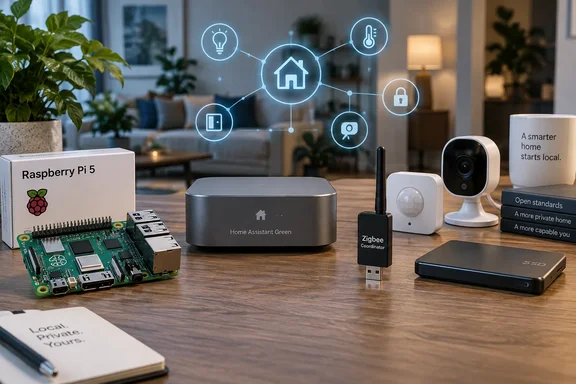
Raspberry Pi 5 price rises broke the cheap Home Assistant box
The Raspberry Pi used to be the default suggestion for a first Home Assistant server. It was powerful enough for a modest setup and cheap enough to buy on impulse. The How-To Geek author ran Home Assistant for years on a Raspberry Pi 3B+ that cost $35. They now say a top-spec Raspberry Pi 5 can cost more than $300, and put the blame on RAM prices driven by AI demand.
The public record backs this up. Raspberry Pi's first increase came in December 2025. The 4GB Raspberry Pi 5 went from $60 to $70, the 8GB model from $80 to $95, and the 16GB model from $120 to $145. In February 2026 the company raised prices again, saying "the cost of some parts has more than doubled over the last quarter." The Register reported that under that round any product with 2 GB of RAM went up by $10, 4 GB models by $15, 8 GB models by $30, and 16 GB units by $60. A third round followed on April 1. Jeff Geerling reported that the increases brought the 16GB Pi 5 up to $299.99. With tax or retailer markup, the "over $300" figure is realistic for the top model.
Raspberry Pi's explanation is the same each time. The increases were driven by an unprecedented rise in the cost of LPDDR4 memory, thanks to competition for memory fab capacity from the AI infrastructure roll-out. The company has called the pressure "painful but ultimately temporary" and said it plans to reverse the increases once memory prices ease. As of this writing, it has not done so.
Home Assistant users are more exposed than the "a cheap Pi still exists" argument suggests. Raspberry Pi protected the pricing of 1GB products, including the $35 1GB Raspberry Pi 4 variant, and the $45 1GB Raspberry Pi 5 variant. However, Home Assistant's Raspberry Pi installation guide requires a Pi 4 or Pi 5 with at least 2 GB of RAM. That means the boards that kept their prices are the ones Home Assistant can't use. The same guide also calls for a separate power supply, an Application Class 2 (A2) microSD card of at least 32 GB, a card reader if your computer lacks one, and an Ethernet cable. Ethernet is required for installation and recommended afterward for reliability. It also warns that phone chargers and computer USB ports may not supply enough power. The bare board has never been the full cost.
The author reports the same trend with mini PCs. They bought a Beelink mini PC for about $200 a couple of years ago and found the identical model listed at $339 on Amazon, and higher still in recent weeks. That is one shopper's observation of one listing, and the exact model and configuration weren't given. It is consistent with wider memory-price reporting, though. IEEE Spectrum reported that the price of an Orange Pi 5B with 16 GB of RAM surged from $160 at the start of 2025 to $312, which shows the pressure extends well beyond Raspberry Pi.
Home Assistant Green costs more up front but less in total
The price rises change how Home Assistant's own hardware compares. The project's hardware FAQ now calls Home Assistant Green "the recommended option for most people". Green is a plug-and-play hub from Nabu Casa with Home Assistant preinstalled. The official page lists it at a recommended $199 (USD, excluding tax) or €179 (including tax), and notes that regional and retailer prices vary.
For that price you get a Rockchip RK3566 with a quad-core 1.8 GHz Arm Cortex-A55 CPU, 4 GB of LPDDR4X RAM, 32 GB of eMMC storage, Gigabit Ethernet, two USB 2.0 ports, a power supply, and an Ethernet cable. Nabu Casa rates its power draw at about 1.7 W idle and about 3 W under load. That figure matters for a device that runs around the clock, and it's one of the few running costs any vendor actually publishes.
With the April increases, Green now looks like the easier and possibly cheaper choice for new users who have no spare hardware. That is WindowsForum's inference from the prices, not a claim from Nabu Casa. A Pi 5 also needs a case, power supply, storage and cable, and a microSD card is a weaker storage medium for a database that writes constantly (more on that below). Green's page doesn't say whether its own memory costs will eventually raise its price. The $199 figure is the current recommended price, not a promise.
The cheapest option is still hardware you already own. The hardware FAQ says a Raspberry Pi, mini PC, NUC, or virtual machine is a good option if you already have suitable hardware or want to run Home Assistant alongside other services. An old small-form-factor PC or an existing hypervisor host avoids the memory-price problem entirely. Sharing a machine does mean Home Assistant's uptime depends on everything else running on it.
Zigbee coordinators, Thread and Z-Wave add hardware costs
Many smart home devices use Wi-Fi. The How-To Geek piece argues that this can congest a home network and often ties devices to the manufacturer's cloud. Zigbee is the usual alternative, because it runs its own low-power mesh network and is controlled locally.
Zigbee needs a radio, though, and most Home Assistant hosts don't have one. The Zigbee Home Automation (ZHA) integration documentation defines a Zigbee coordinator as a hardware radio adapter, usually a USB dongle, that plugs into the computer running Home Assistant. It states that a Zigbee network can have only one coordinator. It also says outright that Home Assistant Green has no built-in Zigbee radio, and that Green or any other computer running Home Assistant needs an adapter such as the Home Assistant Connect ZBT-2. The older Connect ZBT-1 is discontinued but still fully supported. Home Assistant Yellow, which has a built-in Zigbee radio, is listed as out of stock. ZHA also supports third-party coordinators, including the Sonoff ZBDongle-E, SMLIGHT SLZB-07 and ConBee III. It warns against running a coordinator over Wi-Fi, WAN or VPN serial bridges, because the serial link needs a stable local connection.
The author's broader claim is that more protocols can mean more controllers. That holds with one caveat: each protocol's hardware requirements are different. Nabu Casa says the ZBT-2 handles Zigbee and Thread. For Thread, the Green product page adds that Thread support is currently under development. Z-Wave needs its own adapter, and Green's page mentions third-party USB accessories for Z-Wave or Bluetooth. Thread-based Matter devices need a Thread border router on the network, meaning a device that connects the Thread mesh to your IP network. Nabu Casa notes that you may already own one in the form of certain Apple, Google, or Amazon devices. So a Thread purchase isn't automatic, but a Zigbee coordinator almost always is.
ZHA can replace most proprietary Zigbee gateways, which offsets some of this cost. If you already use several brand-specific hubs, one coordinator can take their place. Home Assistant's documentation says official Nabu Casa radios receive firmware updates from within Home Assistant. Third-party adapters need their manufacturer's tools.
Battery sensors and Bluetooth proxies grow your device count
Zigbee's low power use makes battery sensors practical. ZHA's documentation separates always-powered router devices such as plugs and fans, which relay traffic and extend the mesh, from battery-powered end devices such as remotes and motion sensors. Battery devices can go anywhere. The downside, as How-To Geek puts it, is that every battery eventually needs replacing. With enough sensors, keeping up with batteries becomes an ongoing chore and a recurring cost. The source gives no battery-life or price figures, so the size of that cost depends on your device count and models.
ZHA includes a setting that helps. Under Settings > Connectivity > Zigbee > Options, the setting "Consider battery-powered devices unavailable after" defaults to 21,600 seconds, which is six hours. Home Assistant's documentation suggests raising it for sleepy sensors that only report when triggered, and lowering it if you want to hear sooner when a battery dies. Setting it well means you notice dead batteries before your automations quietly stop working.
The larger cost is that devices multiply. The author's example is room-level presence detection with the Bermuda integration. Two Bluetooth proxies in a home can't reliably tell which room you're in, but one per room can. A $10 sensor is cheap on its own and much less cheap when you decide you need eight more. This is one user's setup, not a requirement. Plenty of Home Assistant homes never track presence by room. The pattern it shows is real, though: better automations need more data, and more data means more hardware.
Local video, Frigate and Recorder storage make you the cloud provider
Home Assistant's main appeal is local control. Device data stays on your network instead of passing through the cloud services behind Alexa or Google Home, and Nabu Casa says your home keeps working when the internet is down. The trade-off is that whatever the cloud used to host, you now host yourself.
Video is the clearest case. How-To Geek describes replacing a Ring subscription with a local video doorbell. That removes the monthly fee but requires storage for recordings and a computer that can run Frigate, the open-source recorder that handles motion detection and object recognition. Frigate's hardware documentation says the requirements depend on camera count, how busy the scenes are, CPU features, and whether you use hardware acceleration or a dedicated detection accelerator. One of its reference examples, a Beelink EQ13, is described as handling object detection on several 1080p cameras at low-to-medium activity. That is a benchmark for one workload, not a minimum spec. A single doorbell and a whole-house camera system are very different purchases.
Even without cameras, Home Assistant keeps writing data. The Recorder integration stores state changes and events in a database, SQLite by default, which powers history, logbook, graphs and statistics. Home Assistant's documentation warns that constant writes to a microSD card can hurt responsiveness and shorten the card's life. It suggests a longer commit interval, recording less data, or keeping the database somewhere else. By default, Recorder purges data older than 10 days, and you can exclude noisy entities or whole domains. The documentation also notes that database maintenance can temporarily need free space equal to the database size, and that existing data can't be migrated to a different database engine. If you choose MariaDB or another external database, you're responsible for administering and backing it up yourself.
You are the installer, administrator and support desk
The last cost is the one How-To Geek calls the most expensive: your time. On Home Assistant you pick the hardware, configure the integrations, write and debug the automations, apply updates, and fix whatever breaks. The author admits to losing hours troubleshooting automations that weren't necessary, and says they enjoyed nearly all of it. That is personal commentary, not a measured estimate, but anyone who has run the platform will recognize it.
The official documentation shows plenty of routine maintenance too. ZHA warns that some Zigbee firmware updates can break features such as group binding on IKEA devices, and in rare cases brick a device, so it recommends checking before installing an update. Changing a Zigbee channel can take up to an hour for devices to reconnect. Recorder settings need occasional adjustment as a system grows. None of this is hard, but someone has to do it, and in a Home Assistant home that someone is you.
Some convenience features cost money directly. Nabu Casa's Green page says a Home Assistant Cloud subscription is recommended for smooth integration with the Google Home and Amazon Alexa voice assistants. Going local doesn't remove every subscription. You choose which ones to keep.
What this means for you
Plan the purchase around the features you actually want, not the price of the software. A basic setup that controls existing Wi-Fi and Matter devices can run on hardware you already own. Adding Zigbee, room-level presence, long history and local video each raises both the upfront and ongoing cost. If you're buying new hardware, compare prices now rather than relying on what the setup cost two years ago.
- Before buying a Raspberry Pi for Home Assistant, check the total cost against Home Assistant Green's $199 recommended price. The 1GB Pi models that avoided the price increases don't meet Home Assistant's 2 GB minimum.
- Look for reusable hardware first. An existing mini PC, NUC or virtual machine host is a documented, supported way to run Home Assistant and avoids today's memory prices.
- Budget for one Zigbee coordinator if you want Zigbee, since Green has no built-in radio. Check whether you already own a Thread border router before buying Thread hardware.
- If you run Home Assistant on a microSD card, limit Recorder's retention and exclude noisy entities to reduce write wear. Keep free space at least equal to your database size for maintenance.
- Size any Frigate hardware to your real camera count and activity level. One doorbell doesn't need the hardware a multi-camera system does.
- Adjust ZHA's battery-device unavailability timeout so dead sensors get flagged before automations fail silently.
Home Assistant still delivers what its users come for: a local, vendor-agnostic smart home that doesn't lock you into unnecessary subscriptions. What changed in 2026 is the price of getting started. The cheap single-board computer that made the platform easy to recommend has been hit by AI-driven memory prices, while Nabu Casa's own hub has held at $199. Until Raspberry Pi follows through on its promise to reverse the increases, new users should compare the full cost of a Green, a reused PC and a Pi setup before buying.
References
- The hidden costs of running a Home Assistant smart home (and why they're worse than you'd expect) How-To Geek · 2026-09-25T10:00:14+00:00
- Raspberry Pi - Home Assistant home-assistant.io
- What hardware do I need to run Home Assistant? - Home Assistant home-assistant.io