

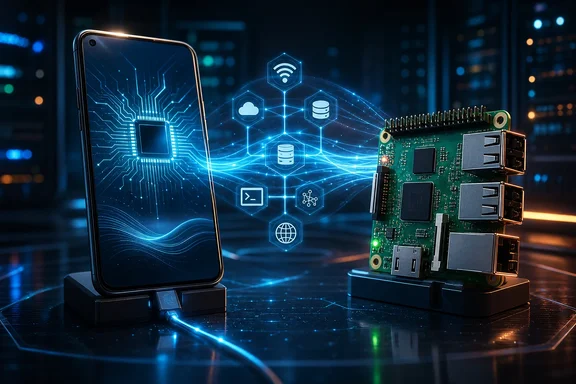
That distinction matters especially as Raspberry Pi hardware has become more expensive. Raspberry Pi announced further memory-driven price increases across parts of its range in 2026, although lower-memory models remained available at lower prices. Reusing a phone can therefore be economically sensible—but only when its operational limits fit the job.
Why the idea is attractive
The attraction starts with consolidation. A phone contains a processor, storage, networking, a battery, and a compact enclosure. For someone whose needs are limited to remote command-line access, modest local automation, or a service that can tolerate brief interruptions, recovering value from an old handset is a rational experiment.
The proposed software route is Termux, with an SSH server exposed from its environment. There is one important practical difference from a conventional Linux host: Termux’s SSH daemon defaults to TCP port 8022. Android treats ports 1 through 1024 as privileged, so assuming the standard SSH port 22 will lead to failed connections unless a different configuration is available and appropriate for the device.
That detail is small, but it illustrates the wider reality. A phone-hosted service is not a miniature desktop Linux installation. It is software operating within Android’s rules. Anyone moving scripts or remote administration workflows from a Raspberry Pi should expect to revise connection settings, startup expectations, and recovery plans rather than simply transplant an existing configuration.
The financial case is also workload-dependent. Avoiding the cost of a new board, power supply, case, storage, and accessories may make a retired phone the least expensive option for a personal experiment. Conversely, a low-memory Raspberry Pi remains an option for users who need the board’s interfaces and more conventional operating behavior. Rising prices strengthen the case for reuse; they do not erase the Pi’s technical advantages.
The biggest limitation is availability, not just performance
The strongest counterargument to using a phone as an always-on server is Android power management. Android’s Doze mode is designed to reduce battery consumption by deferring background CPU and network activity when the device is unused. Its App Standby behavior can also limit background work. These are useful policies on a personal mobile device, but they are directly at odds with the expectation that a server should answer a request or run a scheduled task whenever needed.
This does not mean every phone-hosted workload will fail. It means a successful test from one handset cannot be treated as a general availability guarantee. Android version, manufacturer customization, network behavior, the service’s activity pattern, and the user’s power settings can all affect results. The dossier does not establish a specific phone model, Android version, workload, uptime record, thermal behavior, or recovery procedure. It therefore cannot substantiate broad claims that web applications, file synchronization, scheduled jobs, dashboards, or other services will “just work” on all such setups.
A battery-optimization exemption, where a device offers one, should not be viewed as a blanket solution. Android’s documented idle behavior encompasses background CPU and network activity, so removing one optimization setting does not eliminate every scheduling or availability constraint. A service may appear reliable during active testing and still become less responsive after long idle periods.
This leads to a useful dividing line:
- Reasonable candidates: personal tools, remote access experiments, development environments, low-stakes local services, and workloads designed to recover from interruptions.
- Poor candidates: monitoring systems that must alert promptly, services with strict uptime requirements, business-critical automation, or anything that could cause harm or significant loss if it silently stops.
That is an inference from Android’s background-execution design, not a claim that no Android phone can operate reliably for long periods. The correct lesson is to match the device to the consequence of failure.
Remote access can be safer in principle—but test the whole path
A private overlay network such as Tailscale offers a promising remote-access pattern. Its documented model allows devices on a private tailnet to connect without a public IP address or router port forwarding. In principle, that avoids exposing an SSH service directly to the public internet and sidesteps the awkwardness of residential IP changes or router configuration.
For a phone server, that architectural approach is more compelling than casually opening inbound ports. It can limit the number of systems allowed to reach the phone and makes remote access less dependent on a public-facing network configuration.
However, the architecture’s validity is not the same as proof that a particular old phone, Android release, and Termux arrangement will work flawlessly. The available evidence supports the private-tailnet model, not a device-specific claim of perfect connectivity. Before trusting the setup, users should test the complete chain under realistic conditions: after the phone has been idle, after Wi-Fi reconnects, after the router restarts, and after the phone itself reboots.
SSH itself also needs deliberate administration. The dossier does not provide a threat model, patching plan, access-control policy, backup design, or hardening configuration for a phone server. Those omissions matter. A device that holds personal files, automation credentials, or remote administrative access should not be regarded as secure merely because it sits behind a convenient remote-access tool.
GPIO is the clear hardware boundary
The Raspberry Pi remains fundamentally different when a project touches the physical world. Its 40-pin hardware interface exposes direct GPIO capability and supports interfaces including I2C, SPI, UART, and PWM. Raspberry Pi documentation describes 28 multifunction GPIO pins available to implement the standard 40-pin connector on the relevant platform.
An ordinary phone’s USB port does not provide an equivalent set of programmable pin interfaces by itself. This is not a minor inconvenience for projects involving sensors, relays, LEDs, motors, serial peripherals, home-lab electronics, or timing-sensitive control. It changes the architecture.
Android has supported USB host and accessory modes since Android 3.1, but support depends on the hardware in the actual device. A USB-C connector alone is not proof that a phone will reliably host the accessories, hubs, charging arrangement, or peripherals a project requires. The dossier also does not verify that an unspecified phone can use a dock for simultaneous charging and USB-host operation.
A companion microcontroller may be worth investigating when direct pin control is the missing piece. In that model, the phone could potentially handle higher-level network logic while a dedicated controller handles hardware-facing work. But this should be treated as a design possibility requiring compatibility testing, rather than as a drop-in replacement for Pi GPIO. The communications link, power delivery, software support, latency requirements, and fault recovery all need validation on the actual hardware.
For a project that starts and ends with network services, the missing pins may not matter. For a project that begins with electronics, the Pi’s hardware ecosystem is usually not an optional extra—it is the reason to choose the board.
Power, battery condition, and unattended use
A phone’s battery is sometimes presented as a bonus because it can carry the device through a brief power interruption. That possibility depends on battery health, state of charge, charger behavior, outage duration, and Android’s own power policies. There is no evidence here for a particular handset’s runtime or for the safety of its long-term charging arrangement.
The safety floor should be unambiguous: a phone with a swollen, damaged, overheating, or otherwise suspect rechargeable battery should not be repurposed as an unattended server. U.S. consumer-safety material identifies overheating, fire, electrical shock from chargers, thermal burns, and hazards during battery charging among the risks associated with rechargeable battery products.
Even a visually intact old phone deserves cautious assessment. A server-like role means extended operation and often continuous connection to power, which is different from occasional personal use. Users should place the device where heat can be noticed rather than trapped, use suitable charging equipment, and stop using it if battery or charger behavior becomes abnormal. The supplied evidence does not establish that any particular charging limit, battery-preservation setting, or ventilation practice makes continuous operation safe.
A practical decision test for Windows users
For a Windows user, a retired phone is best viewed as an additional small host—not automatically a replacement for every Raspberry Pi in the home lab. The choice becomes clearer by asking a few concrete questions before moving a service.
- Can the task tolerate interruption? If delayed jobs, dropped connections, or a manual restart are acceptable, the phone is a more plausible fit. If not, choose more predictable hardware.
- Does the project need real hardware interfaces? Direct GPIO, I2C, SPI, UART, and PWM point decisively toward a Raspberry Pi or a dedicated controller.
- Can the phone survive an idle-period test? Verify remote access and scheduled work after the device has been left untouched, not only while its screen is active.
- Can it recover from a reboot? Do not assume services restart automatically. Confirm the exact behavior on the actual handset after a full reboot.
- Is the hardware physically fit for unattended operation? Reject devices with battery damage or heat concerns before considering software.
- Is there a recovery plan? Keep copies of configurations and data elsewhere, and make sure a failure does not leave an essential service inaccessible.
A useful reuse project, not a universal Pi replacement
An old Android phone can reduce e-waste and may avoid the cost of buying new hardware at a time when Raspberry Pi pricing has risen. Used carefully, it can be a sensible platform for learning remote administration or hosting non-critical personal tools. The SSH port difference is manageable, and private-tailnet networking offers a sound remote-access pattern in principle.
But the evidence does not support treating the phone as an uncomplicated always-on Linux server. Android’s ability to defer background CPU and network activity is a material limitation, and device-specific behavior is too important to hand-wave away. GPIO is the most obvious capability a phone lacks, yet reliability under Android power management is the more consequential difference for many server workloads.
The pragmatic conclusion is not that one device has defeated the other. It is that a retired phone can take over a carefully chosen subset of Pi-style jobs. Use it where low cost and reuse matter more than deterministic behavior; keep the Raspberry Pi, or comparable dedicated hardware, where physical I/O, predictable recovery, and sustained availability are the actual requirements.
References
- Optimize for Doze and App Standby Android Developers
- Raspberry Pi RP1 Peripherals Raspberry Pi
- USB host and accessory overview Android Developers