

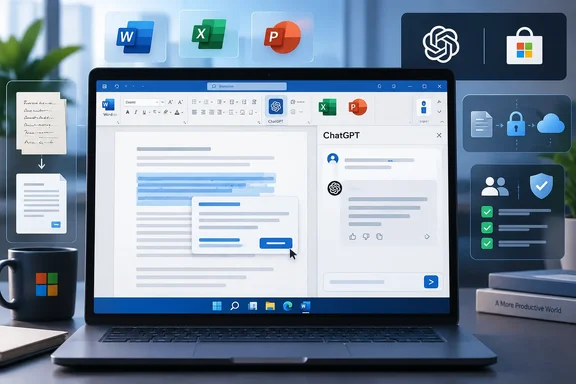
The important correction to the launch narrative is that ChatGPT has not suddenly entered all three core Office apps at once. Excel and PowerPoint support were already generally available; Word is the final piece of OpenAI’s existing Office add-in lineup. That is still a consequential change for people who write, model, and present in Microsoft 365, but it is an expansion of an established product rather than a brand-new suite-wide integration.
For Windows users, the feature is delivered as an Office add-in, not as a built-in Microsoft 365 Copilot capability and not through the ChatGPT desktop app. Install the ChatGPT add-in from Microsoft Marketplace, open Word, invoke ChatGPT from the ribbon, and sign in with the appropriate OpenAI account or workspace. OpenAI says Word, Excel, and PowerPoint use one shared add-in.
The Marketplace listing has not caught up with Word
There is a notable mismatch in the official records on launch day. OpenAI’s September 17 release notes and its dedicated ChatGPT for Word help page say the add-in now works in Word. But Microsoft Marketplace’s product listing still describes the app as “ChatGPT for Excel and PowerPoint,” lists only Excel and PowerPoint under supported products, and shows its last update as July 6, 2026.
That does not disprove the Word rollout; OpenAI’s current documentation is clear that Word support has been added. It does mean IT teams should expect some administrative confusion while Microsoft’s storefront metadata catches up. A help-desk technician looking only at the Marketplace card could reasonably conclude Word is unsupported, while a user following OpenAI’s instructions can install the same add-in and open it from Word’s ribbon.
The discrepancy is also a reminder of how Office add-ins are maintained. The Marketplace entry is the installation and distribution channel, but the add-in itself is a web-connected service that can gain new behavior without an obvious new Windows package or Office build. Microsoft’s own deployment documentation notes that Marketplace add-ins can receive developer updates automatically when users next open the relevant Office application.
For administrators, that means the practical question is not whether there is a separate “ChatGPT for Word” package to approve. There is not. The policy decision concerns the broader ChatGPT add-in and the data it is permitted to read, modify, and transmit.
What Word can do — and what remains manual
OpenAI positions the Word sidebar as a drafting and revision tool. Users can turn pasted notes or source material into a document, summarize an open file, tighten or rewrite selected language, and request changes to headings and formatting. Its Word help documentation also suggests using it to flag inconsistent terminology and to propose outlines before making large-scale changes.
Those are useful operations, particularly for the repetitive first pass of a proposal, client memo, internal policy, or executive summary. They are also operations where review discipline matters. OpenAI explicitly warns that ChatGPT can alter material the user intended to keep and tells users to verify important facts, figures, citations, and edits before sharing the result. It recommends saving a copy before requesting substantial changes.
The limitations are more concrete than the launch announcement suggests. Complex formatting, tables, and charts may require manual repair afterward. ChatGPT for Word can work with the open document, but OpenAI says it cannot independently reference other local files on the PC; users must paste relevant material into the prompt if they want it considered. Conversations created in the add-in remain separate from a user’s ChatGPT.com history, while ChatGPT memory and reusable Skills do not carry over into Word.
That separation may disappoint users expecting a continuous ChatGPT workspace, but it has an operational upside: the Office session is a distinct interaction boundary. It should not be mistaken for a full privacy boundary, however. The Marketplace listing says the add-in can read and make changes to a document and can send data over the internet. It further states that chats, attachments, and workbook or presentation content may be shared with Microsoft and OpenAI to enable file reading and updates. Organizations should assess that data flow before treating the add-in as a harmless writing assistant.
Excel and PowerPoint define the larger Office play
The Word release makes more sense when viewed beside the functionality OpenAI has already brought to Excel and PowerPoint. In Excel, the add-in can create and update workbooks, answer questions across worksheets, tables, formulas, and data, generate formulas and explanations, and support reusable workflows through OpenAI’s Skills and connected apps.
In PowerPoint, it can draft slides from notes, documents, spreadsheets, images, and existing presentations; revise decks; evaluate narrative structure; and create editable slide content where the feature supports it. The Marketplace description makes clear that the phrase “where supported” carries weight: native chart editing, deep shape and formatting controls, animations, complex templates, and custom-font handling remain limited or unavailable in some cases.
The sensible use case is therefore bounded. Let the add-in produce a first draft, suggest a rewrite, identify a formula to inspect, or turn a set of notes into an editable slide sequence. Do not hand it an executive financial workbook or regulated presentation and assume the result is ready for distribution. The tool can make unintended edits or deletions, according to OpenAI’s own Marketplace disclosure, and the vendor specifically tells users to verify formulas, numbers, citations, and claims against primary sources.
The submitted claim that each Office task consumes a fixed 20 to 110 credits is not supported by the current Word documentation. OpenAI describes Word usage as token-based and says it varies with the model, document size, and amount of work requested. Its PowerPoint documentation gives a different illustrative range — 10 to 50 credits for a typical GPT-5.5 task — and says larger, multistep work can consume more. Enterprises should budget from their actual usage and plan terms, not from a universal per-task number.
Admin approval remains the real rollout gate
“Available globally” does not mean automatically available on every managed Windows desktop. OpenAI’s Word instructions say both the ChatGPT workspace administrator and the Microsoft 365 administrator can control access. A Microsoft 365 admin must allow the add-in before it can appear in Word for employees, and an OpenAI workspace admin can enable or disable ChatGPT for Word within the workspace.
Microsoft’s deployment guidance provides the more useful operational route: deploy Office add-ins centrally through the Microsoft 365 admin center’s Integrated apps portal, assigning them to a pilot group, selected users, or the organization. Microsoft recommends a phased deployment, and warns that an add-in can take from 24 to 72 hours to appear in the ribbon after deployment. Users may also need to restart the Office application.
A cautious rollout should begin with a group that includes security, legal, records management, and heavy Office users. Test documents with sensitivity labels, heavily formatted Word templates, protected workbooks, macros, external Excel data connections, and existing PowerPoint corporate templates. Verify what is retained in OpenAI’s workspace, what appears in Microsoft audit or compliance tooling, and whether the organization’s policy allows the content leaving the tenant for OpenAI processing.
OpenAI says Business, Enterprise, and Edu workspace inputs and outputs are not used for model training by default. That is an important contractual control, but it does not eliminate the need to review the service’s data handling, regional requirements, permissions, and retention configuration for a particular tenant.
Copilot now has a branded rival inside the same apps
The release also formalizes an unusual product arrangement. On July 9, OpenAI announced that GPT-5.6 would become the preferred model for Microsoft 365 Copilot in Word, Excel, PowerPoint, Chat, and Cowork. Microsoft continues to use OpenAI models through the API to power Copilot experiences.
Now OpenAI also has its own ChatGPT-branded sidebar in the three flagship creation apps. The two services may share model lineage in places, but they are acquired, governed, billed, and presented differently. Microsoft 365 Copilot is Microsoft’s native product; ChatGPT for Office requires the Marketplace add-in, an OpenAI account, OpenAI plan entitlements or workspace credits, and appropriate admin approvals.
For end users, that creates more choice and more potential for duplicated spending. For IT, it creates another AI service to inventory and govern inside documents that are often the organization’s most sensitive working files. OpenAI says ChatGPT for Word will be enabled by default beginning October 1, 2026. That date is the one administrators should work toward: decide whether the add-in belongs in the tenant before it becomes the default experience for eligible users.