

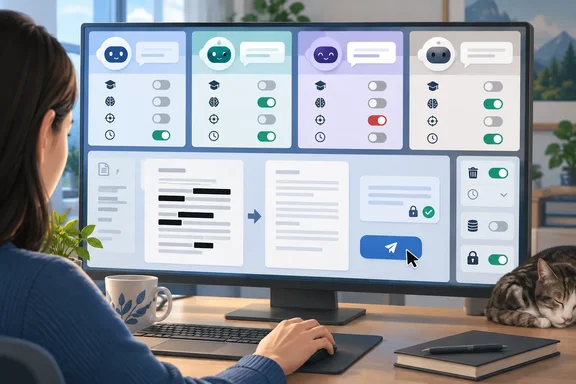
For Windows users, the practical question is less “Which chatbot is free?” and more “What happens to the information I paste into it?” Here is how the four consumer services compare, and which controls deserve attention.
ChatGPT: separate the training choice from the advertising choice
OpenAI’s Free Tier FAQ lists GPT-5.6 Luna, unlimited everyday text conversations subject to abuse-prevention safeguards, and separate limits for uploads, image generation, voice and other tools. Free access therefore does not mean unlimited access to every capability.
Notebookcheck also reports desktop-only free access to GPT-6 Luna and a 27,000-token Free context window, with larger windows on Go and Plus. Those precise desktop and context-window claims are not established by the inspected Free Tier FAQ, so they should not be treated as universal account guarantees.
Stop new conversations from being used for training
OpenAI documents this procedure for signed-in web users:
- Open your account menu and select Settings.
- Select Data controls.
- Turn off Improve the model for everyone and select Done.
The choice applies across devices when signed in. New conversations will not be used for training, but existing chats remain visible. There is also a feedback exception: submitting a thumbs-up or thumbs-down can make the associated conversation eligible for training.
Notebookcheck found the training setting enabled in a free German account in late September. That is an attributed account observation, not a substitute for inspecting your own setting.
Removing ads can reduce free access
OpenAI says US ad testing began on February 9, 2026, with gradual availability for eligible Free and Go users. Notebookcheck reports a German rollout beginning in late August. OpenAI says personalized ads are not initially available in the EEA or Switzerland, and accounts identified as belonging to under-18s do not receive ads.
Where the option is available, select Settings > Ads controls > Change plan to go ad-free > Reduce message limits, then confirm. This removes ads but lowers limits and can remove tools such as image generation or deep research. If the control is missing, eligibility and region matter; OpenAI also recommends updating the mobile app.
For a one-off conversation, open a new chat, select Temporary, and choose Personalized or Unpersonalized before sending a message. Temporary chats are not used for model improvement while they remain temporary, but a copy may be retained for up to 30 days. Saving one converts it into a regular chat governed by your account settings.
Takeaway: Training, temporary-chat personalization and advertising are separate decisions.
Gemini: broad free features, with a retention caveat
Google’s US subscription page lists Gemini 3.6 Flash, varying access to 3.1 Pro, image generation, Deep Research, Gemini Live, Canvas and Gems on Free. Google AI Plus is listed at $4.99 monthly with twice the usage access of Free; AI Pro is $19.99 monthly with four times the access, subject to the page’s feature conditions.
Google says Gemini Apps chats are not being used to show ads. Its more consequential trade-off is activity handling: some conversations are reviewed by people, including trained service providers. Reviewed material is disconnected from the account and retained for up to three years, even after activity deletion.
Review Keep Activity before sharing documents
For personal accounts, Google says Keep Activity is on by default for users aged 18 or older. On a computer:
- Open Gemini and select Settings & help > Activity.
- Near the top, select On.
- Choose Turn off or Turn off and delete activity.
Work and school accounts have administrator-controlled activity settings, so these personal-account choices may not be available.
With Keep Activity off, future chats are not used to improve Google’s AI models unless you submit feedback. They are still retained with the account for 72 hours, and safety processing can include human review. Temporary chats also have a 72-hour retention period and are not used for model training.
There is a functionality cost: some connected apps become unavailable. Notebookcheck additionally reports that Gems will become skills in November 2026, requiring Keep Activity; that future transition is not independently established by the inspected documentation.
Takeaway: Deleting visible activity does not erase material already separated for review.
Claude: a model upgrade does not settle the privacy question
Anthropic announced Claude Sonnet 5.5 on September 28, 2026. Its pricing table includes Sonnet and Haiku access on Free, while Opus requires a paid plan; Notebookcheck identifies the free pairing as Sonnet 5.5 and Haiku 4.5. Free also includes memory across conversations, connected apps and artifacts.
Claude Pro is listed at $20 monthly, or an advertised equivalent of $17 monthly with $200 billed upfront annually. That annual figure is not a month-to-month payment option.
To inspect training permission, open your account menu, select Settings > Privacy, and check Help Improve our AI models. Anthropic’s inspected instructions do not establish a universal default, so checking the actual account is the reliable approach.
Turning it off excludes new chats and coding sessions from future training and stops previously stored material from entering future training runs. It cannot undo training already started or completed. Safety-flagged conversations may still support trust-and-safety models, enforcement and safety research.
Takeaway: The opt-out has meaningful forward-looking effects, but it is not retroactive erasure.
Copilot: account type and app generation matter
Notebookcheck reports that consumer Copilot lost Deep Research on August 18, 2026, with its successor requiring a subscription. That feature claim remains attributed to Notebookcheck rather than independently confirmed by a Microsoft release note.
Microsoft’s privacy documentation establishes a separate, practical boundary: its updated consumer-app controls apply to the experience available from August 18, 2026, signed in with a personal Microsoft account. They do not describe organizational Entra-account Copilot or Copilot inside Microsoft 365 apps.
The consumer Privacy FAQ specifies 18 months of default conversation storage. It says training opt-outs exclude future conversations and that organizational Entra accounts and conversations integrated into Microsoft 365 consumer apps are excluded from generative-model training. Some safety-related human review remains unavoidable.
Turn off ad personalization—not merely memory
In the updated consumer app:
- Sign in with your Microsoft account.
- Open Settings > Personalization.
- Turn off Allow ads personalization.
Microsoft says generic ads use the current conversation rather than past history. Personalized ads may use chat history, saved memories and other Microsoft data you have chosen to share. A separate Microsoft privacy-dashboard control disables personalized advertising across Microsoft services. Under-18 users do not receive personalized Copilot ads.
For memory cleanup, turn off Saved memories, then use Manage > Delete all memories if you also want existing memories removed. Switching off the toggle alone does not delete them.
Takeaway: An advertising switch, a memory switch and a training opt-out do different jobs.
The sensible bargain: minimize what you share
The comparison does not support treating any training-disabled consumer chatbot as a confidential vault. OpenAI retains temporary chats for safety, Google retains activity-off conversations temporarily, Anthropic preserves safety exceptions, and Microsoft documents safety review.
A practical approach is to remove names, account identifiers and unnecessary document content before asking a question. For workplace material, use the organization-approved service and account rather than assuming a personal privacy toggle grants permission.
Free AI can still be useful. Just make the bargain deliberately: choose the necessary features, inspect the relevant controls, and share only what the task actually requires. The settings menu is less glamorous than the model picker—but often more important.
References
- ChatGPT, Gemini, Claude, Copilot: what the free versions cost you - Notebookcheck Notebookcheck · 2026-10-02T08:05:00+00:00
- How do I change my model improvement privacy settings? | Anthropic Privacy Center privacy.claude.com
- Gemini Apps Privacy Hub - Gemini Apps Help support.google.com