

The CLR_CMOS Jumper Outlived the BIOS Password It Once Defeated
The history is simple. In the 2000s, a supervisor or administrator password in firmware stopped anyone else from changing settings, and a power-on password could stop the machine before it reached the boot stage. In the XDA piece, the writer recalls his father moving from a Windows password, which the kids had learned to get around, to a BIOS password that stopped them before Windows loaded. The protection lost much of its value once people learned that a pair of motherboard pins could erase it.
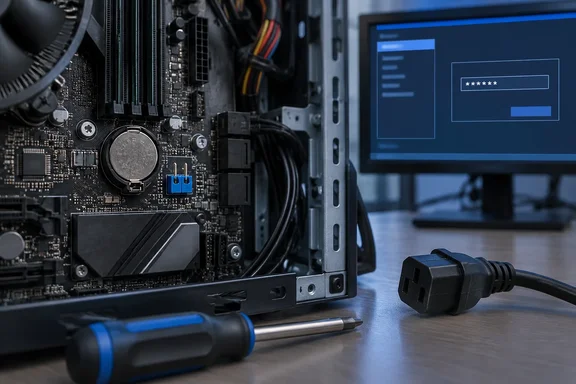
On most consumer boards, the pins are the clear-CMOS jumper. XDA describes it as a pair of pins, usually near the bottom edge of the motherboard, that you bridge for 10 to 15 seconds with the PC unplugged to return the firmware to factory defaults. Labels vary: CLR_CMOS, JBAT, CLRTC, RTCRST and CLR_BIOS all appear on different boards.
MSI's support guidance explains how the password and the settings are tied together on its motherboards: "You may clear the BIOS password by clearing CMOS, however, clearing CMOS will also restore all BIOS settings to its default value." The reset clears everything stored there, including XMP or EXPO memory profiles, boot order, fan curves and virtualization settings. CGDirector's MSI reset guide points out one common casualty: if you run a hypervisor or any virtual machine, you'll have to re-enable the CPU virtualization setting once you reset the BIOS.
XDA's point about why the pins are still there holds up. They cost almost nothing, they give you a way out when firmware settings leave a PC unable to boot, and anyone who buys a used machine with a supervisor password still set may need them.
MSI's Password Clear Option Shows the Reset Is Not Universal
The biggest correction to the popular story is that clearing CMOS is not a reliable way to remove a firmware password. On some boards, the firmware decides whether a CMOS clear also clears the password, and the person who set the password makes that choice.
MSI's FAQ puts it directly: "Clearing CMOS can't reset the bios password if you set the Password Clear to Disabled." MSI's motherboard password support page makes the battery method conditional as well. If you initially set this option, it says to remove the CMOS battery after powering off, wait 3 to 5 minutes, then reattach it, which restores the BIOS settings to their factory defaults. The password only goes away if the setting was chosen earlier. If it wasn't, MSI's advice is to contact support.
User reports show what that looks like in practice. In a 2016 Level1Techs forum thread, an owner of an MSI Z97-G45 said they had tried the Clear CMOS button, the Clear CMOS jumper, and removing the battery for around 11 hours, and still got a password prompt on entering setup. Their conclusion was that the only option they could see would be to replace the BIOS chip entirely. That is one user's account and it doesn't confirm the cause, but it matches the behavior MSI documents.
This changes the security argument. The claim that anyone with physical access can clear the password with two pins is true only on boards where the firmware lets the reset clear it. On an MSI board with Password Clear disabled, the jumper resets your settings and leaves the password in place.
ASUS P12R-I and Laptops Keep the Password Out of the Jumper's Reach
Server and mobile hardware goes further. ASUS has a support page, updated March 2026, for its P12R-I server motherboard with a blunt title: clearing CMOS does not reset the BIOS administrator password. ASUS says that because of the board's hardware design, erasing the CMOS real-time clock (RTC) RAM does not affect the administrator password. The only way to reset it is a full firmware reflash through the web interface of the board's BMC (baseboard management controller). ASUS limits that guidance to the P12R-I, so it doesn't cover every ASUS board. It does show that a board can be built so the reset jumper can't touch the password.
Server hardware doesn't all behave that way. Oracle's documentation for the Sun Netra X4270 server says you can clear the CMOS NVRAM and BIOS password by pressing the CLR CMOS button on the motherboard, and that at power-on the BIOS password is reset to the default and the CMOS NVRAM is cleared. Oracle also requires disconnecting the power cables before performing the procedure. On that system the reset button does clear the password. Behavior differs by product, even among servers.
XDA's broader claims need trimming here. The piece says enterprise server boards store firmware passwords in NVRAM, and that modern laptops "almost always" do the same using EEPROM, flash memory or a TPM. The vendor documentation reviewed for this article supports variation between products, not one storage rule for every laptop or server. The laptop reports do line up with the general point. On iFixit, a responder to an owner locked out of an MSI GE70 2PE Apache Pro laptop said that clearing CMOS will restore the settings in BIOS but not the passwords, and the owner said the CMOS battery had been out for over two years without success. That is a community answer, not an MSI statement, but it shows the pattern: pulling the battery on some laptops won't remove the password.
Business desktops can have separate connectors. Dell describes separate PSWD (password) and RTCRST (real-time-clock reset) connectors in some desktop reset procedures, and warns that the steps vary by model. CGDirector's reset guide gives a similar sequence: remove the PSWD jumper and put it on the RTCRST pins for 5-10 seconds, then put the PSWD jumper back in its original place and press the power button. Don't treat these as the same as a consumer board's single CLR_CMOS header. The two connectors do different jobs.
A Clear CMOS Reset Is Still the Fastest Recovery From a Bad Overclock
XDA makes its strongest case in the recovery section. The writer says he has used the jumper to get back to stable settings after an ambitious overclock and to escape a boot loop after a BIOS update. When a reset of about 15 seconds gets a system booting again, it is often a better first step than hours of diagnosis. XDA admits the obvious catch: if the problem comes back, the reset only covered it up.
There are several ways to trigger the reset, and they aren't all on every board. Newer boards may have a clear-CMOS button on the motherboard or the rear I/O panel. Older boards may have only the jumper, and removing the coin-cell battery is the last resort. CGDirector warns that many MSI motherboards have two buttons on the rear I/O, the BIOS flashback button and the Clear CMOS button, so make sure you do not accidentally press the BIOS flashback button. They sit close together and are easy to mix up in the dark behind a desk.
If the system still reaches POST, you don't need hardware at all. CGDirector notes that if your system successfully POSTs, you can simply enter the BIOS and revert all settings to their default values, usually through the Save & Exit menu, where you select "Restore (Factory) Defaults" and confirm. This avoids opening the case and should be your first choice whenever the firmware menu is still reachable.
Why the Screwdriver Method Is Board-Specific
XDA suggests bridging the two pins with a piece of metal such as a screwdriver. That works on some two-pin headers, but it isn't a universal instruction. The pin layout changes the procedure:
| Arrangement | How the reset is performed | Documented example |
|---|---|---|
| Two-pin header | Short the pins for a few seconds with the system unplugged | MSI JBAT1 (5–10 seconds, per its manuals) |
| Three-pin header with jumper cap | Move the cap from the normal position (1–2) to the clear position (2–3), wait, then move it back | ASUS server-board documentation (5–10 seconds) |
| Separate password and RTC connectors | Move the PSWD jumper onto the RTCRST pins, wait, then return it | Dell-style business desktops |
| Button | Press with power removed | Oracle Netra X4270; many modern ATX boards |
| Battery removal | Remove the coin cell for several minutes | MSI's fallback method (3–5 minutes) |
The timings differ between sources as well. XDA gives 10 to 15 seconds, MSI's manuals say about 5 to 10 seconds of shorting, and MSI's battery method asks for 3 to 5 minutes. On a three-pin header, leaving the cap in the clear position can stop the board from booting normally, which is why the ASUS instructions include moving it back. Your board's manual sets the correct timing and position.
Power handling matters too. CGDirector recommends that before touching the battery or a jumper, you unplug your system from the wall outlet, turn off your power supply, and then press and hold the power button for at least 30 seconds, which will discharge any remaining power from the PSU capacitors.
What this means for you
Try the firmware menu's default-settings option first, and open the case only if you can't reach it. For a hardware reset, identify the exact board, then follow that board's manual for the jumper, button or battery method.
If you're setting a firmware password now, find out how your board handles resets before you depend on it. On MSI boards that have the Password Clear option, leaving it enabled means a CMOS clear can rescue you if you forget the password. Disabling it makes the password harder to remove, and harder for you as well. Write the password down somewhere safe. If you buy a used PC with a supervisor password, a CMOS clear may fix it on a consumer desktop, but on some laptops and servers it won't, and you may need a reflash or vendor support. For a managed work machine, go to your IT department. Don't attempt an undocumented reset on company hardware.
- Clearing CMOS returns all firmware settings to defaults, so write down your XMP/EXPO profile, boot order, fan curves and virtualization settings before you reset.
- On MSI boards with the Password Clear option, a CMOS clear won't remove the BIOS password if that option was set to Disabled.
- The ASUS P12R-I server board keeps its administrator password through a CMOS clear, and ASUS's fix is a full BIOS reflash through the BMC web interface.
- Business desktops may have separate PSWD and RTCRST connectors, and laptops often have no user-accessible reset, so a consumer CLR_CMOS procedure can't be assumed to apply.
- Unplug the PC and drain residual power before touching any jumper or battery, and on rear I/O panels, don't press the BIOS Flashback button when you mean Clear CMOS.
- On three-pin headers, put the jumper cap back in its normal position after the reset.
The clear-CMOS jumper has outlasted the password it used to defeat because its real job is recovery. When an overclock, a memory profile or a firmware update leaves a desktop unable to boot, it gets the machine running again. On the hardware where password protection matters most, vendors such as ASUS with the P12R-I have already moved the password beyond the jumper's reach, while consumer boards keep the reset as an escape route for their owners. Anyone who sets a firmware password on a modern PC needs to know which kind of board they have.