

Here is the full list, the Windows-specific context, and the practical caveats buyers should check before an award badge talks them into a purchase.
The awards at a glance
The scheme follows Currys' 2025 Ai.mazing Awards, its first-year awards focused on AI. AOL reported that a four-person expert panel, led by TV presenter and former Gadget Show host Ortis Deley, judged the 2026 entries across 14 categories covering computing, cooking, entertainment and wearables.
Newsquest's write-up lists 11 winning features. Some won more than once, and AOL's full winners list includes one award the Newsquest round-up leaves out: Google Gemini as Best AI Assistant.
| Category | Winner |
|---|---|
| AI Feature of the Year | Google Pixel Voice Translate |
| Feature of the Year | Samsung Galaxy Privacy Display (S26) |
| Best AI Assistant | Google Gemini (per AOL; not in the Newsquest list) |
| Best Mobile AI Feature | Google Pixel Voice Translate |
| Best Mobile Feature | Samsung Galaxy Privacy Display |
| Best Computing AI Feature | Microsoft Copilot+ PC |
| Best Computing Feature | Asus Zenbook Duo dual 14-inch 3K OLED touchscreens |
| Best Entertainment AI Feature | Samsung AI Motion Enhancement Pro |
| Best Entertainment Feature | LG RGB Primary Colour Pro |
| Best Kitchen AI Feature | Samsung AI Wash |
| Best Kitchen Feature | Ninja Creamify |
| Best Connected Home & Wearables AI Feature | Meta Hands-free AI |
| Best Connected Home & Wearables Feature | Sonos Multi-room Audio |
| Accessibility Award | NEFF Slide&Hide Retractable Oven Door |
Section summary: 14 categories, 12 distinct winners, and two of them directly about PCs.
The 11 winners in brief
- Google Pixel Voice Translate – Real-time voice translation in selected languages that mimics the speaker's own voice and tone. Newsquest says it works on Pixel 10 and later, including Pixel Fold. AOL reports the judges praised its on-device processing.
- Samsung Galaxy Privacy Display (S26) – Limits how much of the screen can be seen from the side. Samsung says it can switch on automatically in sensitive moments, such as some password entry, and can be set per app.
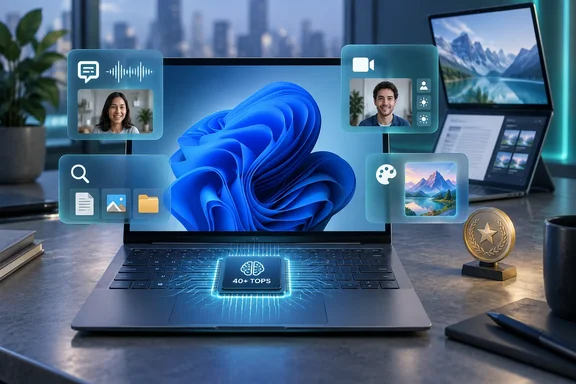
- Microsoft Copilot+ PC – Windows 11 PCs with dedicated AI hardware that runs features such as Windows Studio Effects, Live Captions with translation, improved Windows Search and Paint's Cocreator. More detail below.
- Samsung AI Motion Enhancement Pro – Motion processing on Samsung's AI TVs, aimed at fast content like live sport. AOL's winners list spells the name slightly differently ("AI Motion Enhancer Pro").
- Samsung AI Wash – Uses four sensors to weigh the load and judge how dirty it is, then adjusts water, detergent, rinse time and spin speed.
- Meta Hands-free AI – Voice-controlled calls and messages on Meta's AI glasses. AOL says the judges also pointed to visual search, translation and live captioning as accessibility benefits.
- Asus Zenbook Duo – Two 14-inch 3K OLED touchscreens. Newsquest says together they give a 19.8-inch workspace.
- LG RGB Primary Colour Pro – AOL says the judges described it as LCD TV tech using dedicated red, green and blue LEDs. Newsquest names the "Mini RGB evo" range, but LG's own quoted statement refers to "Micro RGB evo" models with the alpha 11 AI Processor. Check the exact model name before buying.
- Ninja Creamify – Used in Ninja's ice-cream and frozen-drink makers. AOL says the judges liked that you don't need to pre-freeze bowls.
- Sonos Multi-room Audio – Plays the same music in several rooms in sync, or different tracks in different rooms, over Wi-Fi from one app.
- NEFF Slide&Hide Retractable Oven Door – A door that slides away under the oven, plus a sliding handle, giving more room and easier access.
A retailer's award, not a lab test
Currys sells these products, and it says so. Ed Connolly, its chief commercial officer, told AOL the awards are meant to make buying decisions easier, and called Currys the number one omni-channel tech retailer. Currys also released research alongside the awards: seven in ten Brits say they struggle to keep up with technology, and 21% say they've bought a more expensive product because they assumed it must be better.
That research makes a good case against buying on reputation alone, and that includes buying on an award logo. These are judged picks, not independent benchmarks, and no outlet has published comparative testing behind them. The judges' reasons may well be sound, but that is different from proof that one product beats another.
Section summary: Take the awards as a shortlist worth looking into, not a verdict.
What Copilot+ PC actually means
This is the part that matters most for Windows users, because "Copilot+ PC" is not just a marketing name for any recent Windows laptop. It is a category of hardware.
Microsoft defines Copilot+ PCs as a separate class of Windows 11 devices with a neural processing unit (NPU) that can perform more than 40 trillion operations per second (TOPS). Microsoft says Copilot+ experiences are not available on all Windows 11 PCs. They are limited to machines that meet that threshold.
The category is not new. The first Copilot+ PCs ran Qualcomm Snapdragon X Elite and Snapdragon X Plus processors on Arm64, came from Microsoft Surface and partners including Acer, ASUS, Dell, HP, Lenovo and Samsung, and were scheduled to launch in June 2024. Microsoft's business documentation now covers Copilot+ PCs from Qualcomm, Intel and AMD.
Even within one product line, the label is specific. Microsoft's Surface support page puts the 16GB Surface Pro 12-inch (1st Edition) and Surface Laptop 13-inch (1st Edition) in the Copilot+ class, but lists the 8GB versions of the same devices as ordinary Windows 11 PCs from Surface. Same chassis, different badge. Check the exact configuration, not just the model name.
Microsoft is not alone in finding this confusing. When the category launched, one analyst quoted in coverage said success required Microsoft to overcome "communication to consumers of what a Copilot+ PC is and what it enables that is unique and worth paying a premium for." Two years later, an award only helps with that if buyers know what's in the package.
Section summary: A Copilot+ PC is defined by its 40+ TOPS NPU, and the exact configuration you buy decides whether you get it.
The award-winning features: what each one needs
Windows Studio Effects
Studio Effects uses the NPU to improve video calls with automatic framing, eye-contact correction, background blur and voice focus. Microsoft's support documentation makes clear that not every device gets every effect:
- Devices with an NPU under 40 TOPS get only background effects, standard eye contact, automatic framing and voice focus.
- Portrait light, the Teleprompter eye-contact mode and creative filters (Illustrated, Animated, Watercolor) are listed as only available on Snapdragon Copilot+ PCs.
- Microsoft now says compatible third-party cameras are supported. Its business page notes that which effects you get depends on the device maker and the NPU.
How to turn it on:
- Quick Settings: Select the Network, Sound or Battery icon next to the clock, then select the Studio Effects tile.
- Settings: Go to Start > Settings > Bluetooth & devices > Cameras, select your front-facing camera, and turn on the effects you want.
- Camera app: Open Camera and select the Studio Effects icon in the top-right corner.
If it's missing: Microsoft says you may need to add the Studio Effects tile to Quick Settings yourself. If the effects don't appear in camera settings at all, the device may not have an NPU. Microsoft also warns that some effects can noticeably affect performance and battery life on some devices.
Live Captions with translation
This feature has the most confusing version rules:
- Live Captions (transcription) works on any Windows 11 PC running version 22H2 or later.
- Translation needs a Copilot+ PC running Windows 11 version 24H2 or later.
- Microsoft's support page says it translates from more than 40 languages into English and from 27 languages into Simplified Chinese. Microsoft's business page gives the Chinese figure as "25+". Treat the support page as the more detailed source.
Microsoft says all audio processing and caption generation happen on the device. Audio and captions are not sent to Microsoft or the cloud, captions are not stored, and the feature works offline.
How to turn it on: Press Windows key + Ctrl + L, or go to Settings > Accessibility > Captions, or use the Accessibility flyout in Quick Settings. The first time, Windows asks for consent to process voice data on the device and downloads language files. On a Copilot+ PC, translation appears automatically when the output language is English (United States) or Chinese (Simplified).
Common fixes:
- Headset audio isn't being captioned: Live Captions listens to the default output device, so check Settings > System > Sound.
- Your own voice isn't captioned: The microphone is off by default every time Live Captions starts. Turn on Include microphone audio under Preferences. If system audio and your microphone overlap, system audio wins.
- Captions lag: Close heavy apps. Microsoft specifically suggests turning off video background effects.
- Reclaiming disk space: Go to Settings > Apps > Installed apps, search for "Speech Pack" and uninstall the language files you no longer need.
Improved Windows Search and Cocreator
Improved Search lets you describe what you're looking for, such as "Q3 budget presentation", instead of remembering the file name. Microsoft says it only works with specific text, image and document formats, and is optimized for six languages: English, Simplified Chinese, French, German, Japanese and Spanish.
Cocreator in Paint turns a text prompt plus your own sketch into an image. Not all of these image tools run purely on the device. Microsoft says the related Photos tools, Restyle Image and Image Creator, are optimized for English prompts and need an internet connection to reach cloud services used for responsible-AI checks.
Section summary: Each feature has its own rules. Check your Windows version, NPU, chipset, camera and language before expecting all of them to work.
What IT administrators should know
Microsoft says Copilot+ PCs can be managed with the same tools and processes as other Windows 11 Pro PCs. That's good news for deployment, but there are some catches:
- Some features arrive through ongoing updates, and Microsoft says timing varies by device and region. Admins can control the rollout with Group Policy or MDM through Windows Update client policies.
- Recall, a Copilot+ feature that's separate from this award, needs Windows Hello Enhanced Sign-in Security. Microsoft says it isn't supported on Arm64EC models.
- An award doesn't mean every listed feature will be switched on in your organization's configuration.
The other PC winner: Asus Zenbook Duo
The Zenbook Duo's two 14-inch 3K OLED touchscreens won Best Computing Feature. AOL reports the judges praised it for bringing a dual-screen setup to a portable laptop without sacrificing display quality. The 19.8-inch workspace figure comes from Newsquest's report and has not been independently confirmed here. Anyone who has carried a portable monitor on a train will see the appeal.
The bottom line
Currys' 2026 awards give Windows users two things to think about: a Copilot+ category win that rewards the Windows AI features running on the NPU, and a dual-screen laptop that rethinks what a portable PC looks like. Neither is automatically a "must-have." Before buying a Copilot+ PC because of this award, check four things:
- The exact configuration is listed as Copilot+ (40+ TOPS NPU), not just the model family.
- It runs Windows 11 24H2 or later if you want translated captions.
- The Studio Effects you care about are supported on that chipset.
- Your languages and region are supported, and you know which features need the cloud.
If a PC passes all four, the award fits. If it doesn't, you're paying for a badge.
References
- The 11 must-have features you need to get after Tech of the Year Awards 2026 - Largs and Millport Weekly News Largs and Millport Weekly News · 2026-09-30T10:08:11+00:00
- The 11 must-have features you need to get after Tech of the Year Awards 2026 - Border Telegraph Border Telegraph · 2026-09-30T10:08:11+00:00
- The 11 must-have features you need to get after Tech of the Year Awards 2026 - Surrey Comet Surrey Comet · 2026-09-30T10:08:11+00:00