

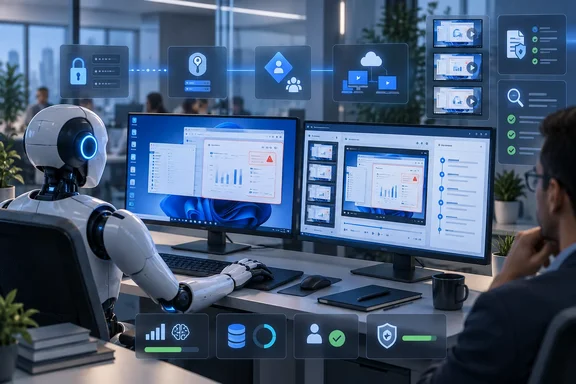
The announcement, published on the Microsoft Copilot Blog and updated on September 15, positions computer use as a way to automate work where APIs are unavailable or conventional robotic process automation breaks after a visual change. Microsoft Learn confirms the underlying mechanism: the agent interprets screenshots, reasons about what is visible, then sends virtual mouse and keyboard actions. That makes this a practical extension for legacy web and desktop software—but it also means every screen, prompt, timing change, and unexpected dialog is part of the control surface.
For Windows administrators, the significant change is less the choice between OpenAI’s Computer-Using Agent and Anthropic’s Claude Sonnet 4.5 than the arrival of operational controls around the models. The agent can now be treated as a managed workload with an identity, a device, logs, and a cost center rather than as a black-box automation running on someone’s unattended VM.
Stored credentials solve one operational problem and create another
Microsoft now lets Copilot Studio makers define credentials for websites and desktop applications, storing passwords either in encrypted Power Platform internal storage or an Azure Key Vault supplied by the customer. The product team says the AI model does not receive the underlying credential values; the system uses them when it reaches a configured login prompt.
That removes the familiar failure mode where an overnight process halts at a sign-in screen. It also enables an agent to span systems that use separate authentication domains—for example, reading a vendor portal in a browser and entering results into a Windows ERP application—without embedding passwords in task instructions or maintaining a person’s active remote-desktop session.
The implementation details matter more than the marketing shorthand. Microsoft Learn says website credentials are scoped by domain, with wildcard support for subdomains, while desktop credentials are matched to an application or process name such as msedge or Notepad. Password fields are supported across many mainstream Windows application frameworks, including Win32, WPF, WinForms, UWP, and WinUI, but Microsoft explicitly calls out unsupported or potentially problematic targets: Electron, Java, Unity, games, command-line interfaces, Citrix, and other virtualized environments.
That limitation should stop organizations from treating “desktop automation” as a universal claim. A large share of enterprise line-of-business software is delivered through Citrix, custom Java clients, browser shells, or Electron-based apps. A pilot should validate the exact login control and task flow on the exact application build before anyone approves an unattended production run.
There is a more immediate access-control concern. Copilot Studio’s documentation warns that if an agent uses maker-provided credentials and is shared, people using that agent can act with the original maker’s access on the configured machine. In other words, a safely encrypted password is still dangerous when attached to an overly powerful account and an agent that is broadly shared.
The right pattern is a dedicated service identity with only the permissions necessary for the workflow, separately owned credentials, and a narrowly assigned machine. Microsoft’s own security guidance recommends dedicated computer-use machines, least-privilege accounts, and browser allow lists. Those are baseline controls, not optional hardening, when an agent can click through a live business system.
Session replay improves accountability, but screenshots are sensitive records
The other major change is advanced monitoring. Microsoft says administrators can inspect session replay screenshots, actions and coordinates, timestamps, inputs, run duration, resource use, human escalations, and the websites, desktop apps, and credentials involved. The logs can also be exported and sent to Microsoft Purview as CUAOperation events.
This is the strongest part of the update. Conventional RPA failures can often be reconstructed from selector errors and execution logs; a vision-driven agent’s mistake may depend on what it visually interpreted from a specific screen state. A replay record can show whether a layout changed, a modal dialog obscured a control, a message was misread, or the agent clicked a plausible but incorrect target.
Yet monitoring adds its own data-handling burden. Microsoft Learn says enhanced computer-use logging stored in Dataverse consumes database, log, and file capacity. The administrative controls permit “All data,” “Data without screenshots,” and “Minimal” verbosity settings, with retention ranging from seven days to indefinitely.
The important fine print is that changing those advanced logging settings does not stop basic computer-use logs from being retained in agent transcripts. Microsoft says transcripts continue to include basic logs, screenshots, and other agent and tool records regardless of the advanced setting. An organization that assumes “Data without screenshots” means screenshots no longer exist may retain more sensitive visual evidence than intended.
That deserves a formal data-protection review before using computer use against HR systems, customer service consoles, finance applications, or medical and legal records. Teams should establish who can open transcripts and Dataverse records, what screenshots may contain, whether Purview ingestion changes retention and discovery obligations, and when logs must be deleted. Session replay makes an agent auditable, but it can also make every sensitive screen it saw auditable—and discoverable.
Windows 365 for Agents replaces the throwaway VM, within preview limits
Microsoft’s Cloud PC pool feature is intended to remove the need for organizations to build and patch their own fleet of automation VMs. The pools are powered by Windows 365 for Agents and provide cloud-hosted machines that are Microsoft Entra joined and Intune enrolled. Microsoft Learn identifies the current pool image as Windows 11 Enterprise 24H2 with Microsoft Edge, hosted in the same geography as the Power Platform environment.
For a Windows and endpoint-management team, that is a meaningful shift. Instead of giving a maker a spare desktop and hoping it remains logged in, an organization can apply familiar Entra and Intune policy controls to pooled capacity, manage access through Power Automate, and let capacity scale as jobs arrive. The documented ceiling is five pools per environment, with each pool able to scale to ten Cloud PCs.
However, Microsoft still labels Cloud PC pools as preview and says preview features are not intended for production use. The prerequisites are also more substantial than a low-code interface suggests: organizations need a working Entra and Intune tenant, Windows MDM enrollment permissions, Entra authentication for RDP, configured device-group consent settings, and required Windows 365 and Azure Virtual Desktop service principals.
There are concrete gaps. Customer-managed keys are not supported for Cloud PC pools, according to Microsoft’s documentation. Only a Microsoft Entra user account can execute computer use, and the signed-in Entra user must match the owner of the computer-use connection. Organizations with strict customer-managed-key requirements or complex delegation models should treat those conditions as blockers until Microsoft changes the service.
Microsoft offers two trial pools per tenant and 50 free hours for published autonomous agents, while embedded test-chat use is not billed. That is useful for a proof of concept, but it does not make a production run free. Cloud PC pools use an Azure pay-as-you-go meter, and computer use itself consumes Copilot Credits.
The real deployment decision is deterministic RPA versus probabilistic control
Microsoft is correct that this capability can complement Power Automate desktop flows and other RPA rather than replace them. A fixed invoice-entry sequence in a stable, controlled application should remain deterministic: selectors, explicit waits, validation rules, and a known transaction outcome are easier to test and govern than a model interpreting pixels.
Computer use is better reserved for a bounded part of a workflow that genuinely needs visual adaptation: a supplier portal with inconsistent layouts, a legacy application without usable APIs, or an intake process where a person currently decides which screen path applies. Even then, a model’s ability to continue through interface changes should not be confused with a guarantee that it will make the right business decision.
Microsoft’s FAQ is unusually direct on this point. It warns that ambiguous instructions and unexpected screen content can cause unintended actions, including effects on connected enterprise, personal, and financial accounts. It also says the technology is not intended for financial transactions, sensitive-domain scoring or recommendations, harmful actions, or unauthorized data sharing.
The human-supervision option is useful as an escalation mechanism, but Microsoft explicitly says it is not a policy-enforcement system and should not be relied on as a fail-safe. A reviewer may be notified when the model detects potentially malicious instructions or ambiguity; the model will not necessarily ask for help in every situation a human would consider risky.
A sensible deployment therefore puts deterministic controls around the probabilistic component: domain allow lists, network segmentation, a dedicated low-privilege account, explicit task instructions, transaction limits, validation after each consequential write, and an approval gate before irreversible actions. The agent should retrieve data or prepare a change before it is allowed to submit a payment, alter a customer record, or publish external content.
Model choice and usage metering make pilot design more important
At the time of Microsoft’s February announcement, OpenAI’s Computer-Using Agent and Claude Sonnet 4.5 were the highlighted options. Current Copilot Studio documentation lists both as generally available standard models, while Claude Sonnet 4.6 and Claude Opus 4.6 are listed as experimental options. Use of Anthropic models requires an administrator to enable external models for the environment.
The practical takeaway is to benchmark models against a real process rather than choose based on a vendor description. Test the same screen set, account restrictions, error dialogs, network delays, and recovery conditions. Measure successful completion, incorrect actions, unnecessary escalations, time per completed task, and the number of model steps consumed—not merely whether an appealing demo works once.
Microsoft currently prices standard computer-use model steps at five Copilot Credits, while the premium Claude Opus 4.6 option costs 15 credits per step. A simple form sequence can require multiple steps, and a run that becomes confused by changing UI elements can consume both time and credits before it reaches human supervision or fails. Pair that with Azure-metered Cloud PC capacity and the financial case depends on completed, validated transactions rather than nominal automation volume.
Microsoft has supplied the operational foundation that computer-using agents lacked when they were mainly a demonstration of UI navigation. The immediate opportunity is a tightly governed pilot on a low-risk, repetitive workflow. The immediate obligation is to treat the agents’ credentials, Windows 11 Cloud PCs, screenshots, and transaction authority with the same discipline applied to any other privileged automation account.
References
- Computer-using agents now deliver more secure UI automation at scale - Microsoft Microsoft · 2026-02-24T17:00:00+00:00