

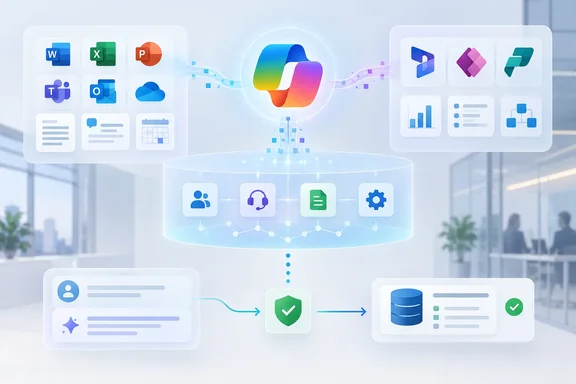
Work IQ Moves Copilot Grounding Into Dynamics 365 and Power Platform Records
Microsoft announced the change on September 25 in a Dynamics 365 blog post by James Oleinik, Partner Director of Product Management for Microsoft Dataverse and Work IQ. It says Work IQ can now reason across productivity data from Microsoft 365 and business data from Dynamics 365 and Power Platform. The business apps stay the systems of record, meaning the authoritative source of the data. Work IQ models their data and processes into context that Copilot and agents can reuse.
The news came alongside a wider Copilot refresh. CIO reports that Microsoft is adding components and infrastructure aimed at turning Copilot from an AI assistant embedded across Microsoft 365 into a broader orchestration layer for enterprise work, and Aroged also reported that Work IQ, scheduled for public preview next month, will extend Copilot to Dynamics 365 and Power Platform data and workflows. The Microsoft 365 message center summary, as mirrored by the M365 Admin tracking site, describes the scope more narrowly: Work IQ now includes Dynamics 365 Sales, Dynamics 365 Customer Service, and Power Platform data, enabling Copilot to ground responses and tasks on business and productivity data.
That narrower wording is worth noting. Microsoft's blog lists a wider range of sources: Dynamics 365 CRM apps (Sales and Customer Service), Dynamics 365 ERP apps (Finance and Operations), Power Apps, and third-party line-of-business apps. The ERP portion is marked for late October. Sales, Customer Service and Power Platform data are the most clearly documented starting point. Microsoft hasn't said how much third-party app coverage exists at launch or what integration those apps need.
This isn't Work IQ's first link to business apps. In March, Microsoft said Work IQ connects signals from Microsoft 365 with operational data from Dynamics 365 and Power Apps, and that users with a Microsoft 365 Copilot license can experience Work IQ with Dataverse integration directly inside Power Apps, Dynamics 365 Sales, and Dynamics 365 Customer Service in public preview by early April 2026. In June, the company said the Work IQ APIs will be generally available on June 16, 2026. That API set covered Microsoft 365 data. The September release adds semantic models, business skills and governed actions for business apps on top of those earlier pieces. It doesn't replace them.
Microsoft's Renewal Scenario Shows Cross-System Reasoning
Microsoft illustrates the idea with a sales lead preparing for a customer renewal. The user starts in Copilot Home with access to Dynamics 365 Sales, Dynamics 365 Customer Service, a custom contract-management app and Microsoft 365 data. They ask: "Which upcoming renewals need my attention, and what should I do next?"
In the scenario, Copilot finds a renewal that looks healthy in Dynamics 365 Sales. Dynamics 365 Customer Service shows an unresolved equipment problem, and a custom equipment app links that problem to a site covered by the renewing contract. Recent customer emails and a Microsoft Teams meeting show that fixing the problem is a condition of renewal, but nobody has an action plan. The answer links back to its sources. Microsoft says it connects account, equipment and contract definitions instead of just matching words across records.
This is Microsoft's example, not a published customer deployment, and the post includes no accuracy or speed measurements. What it does show is the gap Microsoft is trying to close. A sales pipeline view alone wouldn't reveal the risk. Finding it takes structured records from three apps plus unstructured communication in Outlook and Teams. Joining those sources used to mean running several reports or building a custom integration.
The Work IQ Semantic Model Builds on Existing Dataverse Configuration
The key component is the semantic model, a reusable description of what a company's data means and how its records relate. Microsoft says it combines four inputs: a limited data scope chosen for a scenario, down to specific tables and columns; semantic indexing; knowledge already in the business apps; and the company's own terminology.
The configuration input matters most for Dynamics 365 and Power Apps customers. Microsoft says the model automatically derives context from existing setup: business logic in views, forms and table relationships, plus a business glossary. So years of Dataverse customization become the starting point for agent grounding. Teams don't have to write that context into each agent's instructions by hand.
Admins and makers can adjust what the model learns. They can turn individual signals on or off, exclude outdated views or relationships, and add business terms the system can't infer. Microsoft says this delivers faster responses, more accurate answers and consistent results across every agent that uses the same model. Those are design goals. Nobody has published measurements to back them.
This carries a practical risk, which is our inference from the design rather than something Microsoft has documented. If the model learns from existing views and relationships, a messy Dataverse setup could teach it wrong things. Abandoned views, duplicate relationships and inconsistent naming would all feed in. The exclusion controls exist for this reason, and cleaning up that configuration is likely to become part of rollout planning.
Business Skills Replace Instructions Copied Into Every Agent
Microsoft's second building block is the business skill. It bundles the instructions for a business task with the context and resources an agent needs to follow them. Microsoft's argument is that company process knowledge is currently scattered across experts, documents and apps, or copied into individual agents as prompts that are hard to keep in sync.
In the renewal example, the company has written a renewal-readiness skill with four steps:
- Check for unresolved critical cases.
- Confirm who owns the service improvement plan.
- Document the customer's commitment.
- Get approval before offering a concession.
The sales lead asks Copilot to "use our renewal readiness process to recommend the next steps," and the skill runs without a separate agent being called. Copilot then recommends a joint sales and service improvement plan. Microsoft says skills are built into Work IQ across Copilot experiences. They can be defined once and reused by any agent connected to the Work IQ Model Context Protocol (MCP) interface, including agents built in Microsoft Copilot Studio.
That changes the maintenance work. Today, a change to a company process can mean editing instructions in several agents. With a shared skill, it's one edit. Microsoft also adds a limit: extensions reuse skills "where supported," so it doesn't promise the same skill behavior on every agent platform.
Governed Actions Let Copilot Write Back to Dynamics 365 Records
The third building block is governed actions. Here, Copilot and agents show the proposed changes, go through any required approval, and then update the source records within the user's own permissions. In the example, the sales lead asks Copilot to add the service improvement plan to the renewal opportunity and create a follow-up task for the account owner.
Microsoft gives other examples:
- Assigning the equipment issue to a regional service manager while creating a follow-up task for the account owner.
- Escalating the unresolved equipment case, setting its priority to Critical, and linking it to the renewing contract and the affected equipment.
- Recording resolution of the equipment issue as a renewal condition and adding the agreed service commitments to the contract.
Microsoft calls these new "business apps" tools being added to the Work IQ APIs, able to work across Dynamics 365 and Power Platform applications. The post doesn't list which actions are supported or say whether all of them arrive on September 30, so admins shouldn't assume every example works on day one of the preview.
Microsoft's documentation for the existing Work IQ MCP server gives some sense of how write access is controlled. That server exposes ten tools for Microsoft 365 resources through Microsoft Graph. It uses Microsoft Entra authentication and the signed-in user's Microsoft 365 permissions. A separate tenant policy blocks create, update, delete and action requests by default, and admins must enable them. That documentation covers the Graph-based tools. Microsoft hasn't confirmed that the new Dynamics 365 and Power Platform tools work the same way. Still, "blocked until an admin allows it" is the pattern Microsoft has documented for agent writes through Work IQ so far.
Dataverse Ask API and the Work IQ CLI Bring Business Context to Developers
Microsoft names Dataverse as the store for Work IQ semantic models and skills. Dataverse is already the data layer for Dynamics 365, Power Platform and Copilot Studio, and it also powers a new Dataverse Ask API. Microsoft describes several ways to extend the renewal scenario:
- In Agent Builder, a user builds a renewal assistant grounded in selected business apps.
- In Copilot Studio, a maker adds a guided service-improvement process with actions and approvals.
- With custom code, developers bring the same experience into an existing account workspace.
- In custom or third-party agent platforms, teams build groups of agents that run end-to-end processes and suggest process improvements.
For developers, the Work IQ MCP Server, Work IQ command-line interface (CLI) and Work IQ plugin for coding agents bring approved business context into the coding environment. The developer describes the intended business outcome, and the coding agent picks which skills, tools and sequence to use. Microsoft states plainly that the developer is still responsible for architecture, validation, testing and user experience. The post gives no version numbers or installation steps for the CLI or plugin.
Cost is the other question for developers. The September post points to usage-based billing for Work IQ but gives no rates. The June API announcement said Work IQ API pricing is usage-based and charged in Copilot Credits: a fixed component for Tools and a variable one for Chat and Context. The message center summary adds that admins can control access through usage-based billing by going to Microsoft 365 admin center > Copilot > Cost Management, and existing cost management policies may automatically include newly available services. The message center item doesn't say how that policy behavior applies to Work IQ business-app usage.
Work IQ Governance Splits Across the Microsoft 365 and Power Platform Admin Centers
Microsoft says agents built with Work IQ are observable under Microsoft Agent 365. Observable means seeing how AI uses business data and judging the value it produces. Governable means IT decides which business data AI experiences can reach and which users, agents and applications can access it.
There's no new console for this. Responsibility is split across tools admins already use:
| Role | Where they work | What they control |
|---|---|---|
| AI admin | Microsoft 365 admin center | Who can use AI, and the organization's AI policies |
| Power Platform admin | Power Platform administration | Which business environments take part, and who has access |
| Makers and developers | Within admin-set boundaries | How specific business data is exposed to agents |
This split means Microsoft 365 administrators and Power Platform administrators have to coordinate. In many companies those are different teams. A Copilot policy set in the Microsoft 365 admin center doesn't decide which Dataverse environments take part. The announcement doesn't cover audit records, retention settings, the permission model for each action, or how to configure Agent 365.
What this means for you
If you run Dynamics 365 Sales, Customer Service or Power Apps alongside Microsoft 365 Copilot, treat the September 30 preview as a governance exercise before you treat it as a productivity feature. The announcement doesn't state licensing requirements for this preview. The March Work IQ preview inside Dynamics apps required a Microsoft 365 Copilot license, and the Power Apps experience also required a Power Apps premium license, but that's an earlier feature, and the same terms shouldn't be assumed here. Finance and Operations customers can plan for late October. Organizations that rely heavily on third-party line-of-business apps should wait for clearer documentation of what those integrations need.
- Start with a non-production Power Platform environment, because Power Platform admins decide which environments take part in Work IQ.
- Clean up old views, duplicate relationships and inconsistent naming in Dataverse before building a semantic model, since the model learns from that configuration and supports exclusions.
- Pick one well-documented process, such as renewals or case escalation, as a first business skill so you can check whether the agent follows it as written.
- Check whether write operations need admin enablement and approval steps before letting users try governed actions against live records.
- Review Copilot Cost Management settings in the Microsoft 365 admin center, because Work IQ uses usage-based billing charged in Copilot Credits.
- Coordinate Microsoft 365 AI admins and Power Platform admins early, because Work IQ controls are split between their consoles.
The September release gives Copilot a structured, company-specific model of how a business runs: what its records mean, which processes it follows, and which changes need approval. Microsoft's claims about speed, accuracy and consistency are still unmeasured, and the renewal walkthrough is a demonstration. The preview opens September 30 for Dynamics 365 Sales, Customer Service and Power Platform data, with Finance and Operations expected in late October. Companies that clean up their Dataverse configuration and agree on who approves what before then will be in the best position to test whether the promised benefits show up.
Update: Work IQ absorbs Dataverse intelligence as standalone retirement approaches (September 30, 2026)
Microsoft’s documentation now says Dataverse intelligence is part of Business Applications in Work IQ and recommends moving to Work IQ because the standalone service will become unavailable “soon.” Cloud Wars highlighted the transition in its September 30 reporting. Microsoft has not supplied a retirement date in that notice, so administrators should not interpret it as an immediate shutdown or assume a specific migration deadline.
The documentation also explicitly states that the business-applications preview is not intended for production use and may have restricted functionality. That strengthens the earlier recommendation to start in a non-production environment: this is a stated preview limitation, not merely a cautious deployment preference.
For organizations already testing Dataverse intelligence, the practical change is a transition to plan alongside the expanded Work IQ rollout. Power Platform administrators should review existing enablement and pilot dependencies before widening access. The retirement notice does not itself establish whether existing configurations transfer automatically, so that remains something to verify rather than assume.
Update: Microsoft 365 roadmap marks Dataverse Copilot access as launched (October 7, 2026)
Microsoft’s Microsoft 365 roadmap now lists “Dataverse data connected to Microsoft 365 Copilot” as Launched, with general availability dated September 2026 and preview availability dated June 2026.
The roadmap describes the feature more narrowly as letting people search and query Dataverse business data from Microsoft 365 Copilot. It applies to Copilot on desktop and web in worldwide standard multi-tenant tenants, with both General Availability and Preview release rings listed.
This does not confirm that every Work IQ capability—such as semantic models, reusable business skills, or governed write actions—is generally available. But it does indicate that the underlying ability to query Dataverse business data from Microsoft 365 Copilot has moved beyond a preview-only status.
References
- Work IQ: Business and workplace intelligence in the flow of work - Microsoft Microsoft · 2026-09-25T12:00:00+00:00
- What Work IQ Means for Dynamics 365 Finance and Supply Chain Customers - Cloud Wars Cloud Wars · 2026-09-30T16:30:00+00:00
- Microsoft Copilot (Microsoft 365): Dataverse data connected to Microsoft 365 Copilot Microsoft 365 Roadmap · 2026-10-06T22:56:31.053213Z