

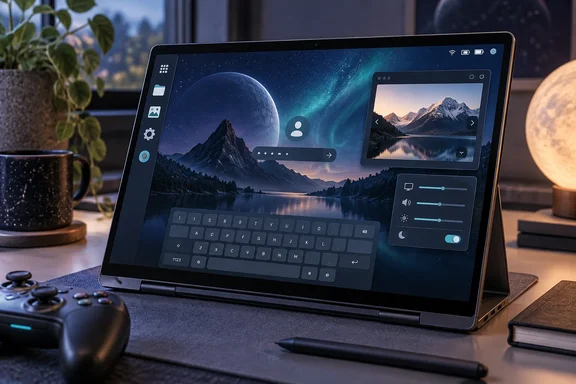
Phoronix reported the release first and called it a big update with new apps and improvements to existing ones. The project's changelog on GitHub, written by System76 engineer Jeremy Soller (who posts as jackpot51), gives the component-by-component detail. Linuxiac, 9to5Linux and Linux Compatible reported it independently. For WindowsForum readers who dual-boot, test Linux on spare machines, or look after mixed fleets, this is a small point release that finishes several features left half-done in 1.8.
COSMIC Epoch 1.9 finishes the on-screen keyboard that 1.8 promised
The on-screen keyboard was expected. When Epoch 1.8.0 came out on September 10, its notes said a large change to cosmic-comp, COSMIC's Wayland compositor, had improved touchscreen support. They also said the on-screen keyboard had seen a lot of work, wasn't in releases yet, and would be released soon. Two weeks later it's here. Coming about two weeks after COSMIC 1.8, the COSMIC 1.9 release introduces two new apps, and the keyboard is one of them.
The 1.8 groundwork is visible in the earlier changelog. It included support for grabs when using touch input, which vastly improves touchscreen support in COSMIC. It also included a compositor fix that updates input modifiers when the keyboard layout changes, which ensures cosmic-osk shows the correct layout. So 1.8 fixed how the compositor handles touch and layout changes, and 1.9 ships the app that relies on those fixes.
The 1.9 changelog says COSMIC OSK "supports both touch and gamepad input." Gamepad support means a controller can type as well as a finger. That's useful on a living-room PC or a handheld where there's no physical keyboard to hand. Linux Compatible reports that the keyboard landed as its own submodule and was authored by Michael "mmstick" Murphy, one of System76's engineers and a Pop!_OS maintainer.
How COSMIC OSK reaches into the panel, Settings and lock screen
COSMIC OSK is built into several parts of the desktop rather than shipped as a standalone app. Linuxiac notes that it integrates directly into the desktop, with a dedicated panel applet for toggling it on demand, new settings controls, and support for displaying it on the lock screen. The GitHub changelog confirms each of those pieces:
- cosmic-applets gains an on-screen keyboard applet for turning the keyboard on and off when you need it.
- cosmic-settings gains a page of on-screen keyboard settings.
- cosmic-greeter, the login and lock screen, gains a button for toggling the on-screen keyboard.
- cosmic-session now depends on cosmic-osk and starts it automatically, so it runs as part of every COSMIC session.
- cosmic-comp now lets layer-shell programs, such as the background and the on-screen keyboard, appear on the lock screen.
The last item is the one that makes a touch-only device actually usable. On Wayland, a layer shell surface is a desktop element such as a panel, wallpaper or overlay that sits outside normal application windows. If the compositor won't draw those surfaces on the lock screen, a tablet user has no way to type a password there. The 1.9 compositor change closes that gap. A related change uses cosmic-bg, COSMIC's background service, to draw the lock-screen wallpaper through a new Wayland protocol, and cosmic-greeter adopts it too.
One small correction: 9to5Linux writes that the keyboard settings and a new day-of-the-week toggle were added to "GNOME Settings". The project changelog puts both in cosmic-settings, COSMIC's own Settings app. GNOME's only role in this release is a separate change that syncs COSMIC's font settings to GNOME applications.
COSMIC Viewer becomes the default image viewer
The second new app has a direct effect on everyday use. The changelog describes COSMIC Viewer as an image viewer that supports a wide range of formats and has several built-in editing features. Linux Compatible calls it a native image viewer and markup tool, meaning it can be used to annotate images as well as view them.
The practical change comes from a cosmic-session entry. The session now recommends cosmic-viewer and sets it as the default image viewer. Linuxiac reports the same: With this release, System76 recommends COSMIC Viewer as the desktop's default image viewer. After updating, double-clicking an image in COSMIC Files may open COSMIC Viewer instead of whatever viewer handled images before.
Neither the project nor the independent reports list the exact formats or editing tools. "Wide range of formats" and "a number of built-in editing features" is as specific as they get. If your work depends on a particular format, such as camera RAW files or a less common web format, test it before assuming the new default covers it. Because the package is only recommended, distributions and administrators can in principle leave it out. The changelog doesn't say how each distribution will handle that.
COSMIC Store, COSMIC Files and the smaller fixes in Epoch 1.9
The COSMIC Store overhaul is mostly visual. According to the changelog, the redesign exists "mostly so we can highlight the developer of each app/applet," and the cosmic-store entry adds the developer's name to app cards along with other interface tweaks. Linuxiac describes the same change: developer names now displayed directly on app cards alongside other interface adjustments. Seeing who publishes an app before you install it is a sensible habit, and COSMIC now puts that information on the card.
COSMIC Files, the file manager, gets a batch of fixes. It swaps its custom context-menu code for the shared libcosmic context menu, fixes the drag-selection box not updating, remembers the file dialog's sort setting, fixes context-menu problems when Shift is held, and lets Escape close menus. It also now shows icons for .exe files. That's small, but people who keep Windows executables on a shared or dual-boot drive will notice it.
The compositor fixes address problems that make a desktop feel unfinished:
- Context menus in the app library and launcher work again.
- The Super key no longer gets stuck in some applications when the launcher opens.
- Escape now closes menus. The same fix also appears in COSMIC Edit, COSMIC Files and COSMIC Terminal.
- Maximized windows no longer shrink back to their original size when they regain focus.
- Keyboard shortcuts are no longer loaded while the login screen is running.
Elsewhere, the audio applet no longer panics (the Rust term for a crash) when an audio output or input device is removed. Icons are no longer pixelated in the app library and launcher. COSMIC Settings fixes WireGuard problems and now shows the COSMIC version on its About page, and cosmic-session sets a matching COSMIC_VERSION environment variable. Linuxiac adds that font settings are now synchronized with GNOME applications for a more consistent appearance. The panel gets a configurable border thickness, and notifications on screen are hidden when Do Not Disturb is turned on.
systemd-homed support comes to COSMIC Greeter as an option
For administrators, the changelog's line "optional support for systemd-homed" in cosmic-greeter is the entry worth noting. systemd-homed is a systemd service that manages user home directories as self-contained, portable units rather than traditional accounts spread across system files. COSMIC's login screen can now work with it. Neither the changelog nor the independent reports explain how to turn it on, which distributions will build it in, or what limits apply. Treat it as a build-time or packaging option to confirm with your distribution rather than a switch you can expect to find in Settings.
It builds on earlier greeter work. Epoch 1.8 fixed multi-factor authentication in cosmic-greeter, and Epoch 1.7 let login continue when PAM, the Linux authentication framework, returns a non-fatal error message. Across three releases in about a month, COSMIC's login screen has been handling a wider range of account and authentication setups.
Epoch 1.9 shipped as a GitHub pre-release before its notes were published
The release paperwork was untidy at first. Linux Compatible reported that GitHub marks it as a pre-release with pending notes, and a capture of the epoch-1.9.0 tag page taken shortly after release showed the "Pre-release" label next to the text "Release notes pending." Phoronix then reported that the notes only became available on September 24. By the time this piece was written, the GitHub releases list showed Epoch 1.9.0 marked "Latest" with the full changelog in place. The tag itself (epoch-1.9.0, commit c7ae713, released September 23 at 20:10) hasn't changed. Only the documentation caught up.
Linux Compatible also reports that the release adds git-lfs as a required dependency. git-lfs is Git's extension for storing large files. The requirement matters to people and packagers who build COSMIC from source rather than install distribution packages, and no other outlet has reported it.
The pace is typical for the project. The GitHub page lists Epoch 1.7.0 on August 25 and 1.8.0 on September 10, so 1.9 arrived about two weeks after the previous release. Each one is published as a single "epoch" tag that updates the versions of many component repositories together, including the compositor, panel, Settings, Files, Store and now Viewer and OSK.
What COSMIC Epoch 1.9 means for Pop!_OS users and Linux testers
Whether you need to do anything depends on how you got COSMIC. Pop!_OS 24.04 LTS users already have it available as an update. Linux Compatible confirms separately that Pop!_OS 24.04 LTS users will get it through a normal system update, while other distros can track the tagged release on GitHub and community repos. Linuxiac expects packages to arrive in the repositories of rolling-release distros such as Arch, openSUSE Tumbleweed, CachyOS, and others shortly. Community packagers were already moving on the day of release: a Void Linux community repository opened a tracking issue on September 23 to update cosmic-workspaces-epoch from 1.8.0 to 1.9.0.
Touchscreen laptops, convertibles and controller-driven PCs benefit the most. Before 1.9, COSMIC on those devices had better compositor touch handling but no built-in way to type without a physical keyboard. That includes the lock screen, which is exactly where a password is needed. On a traditional desktop with a keyboard and mouse, the most noticeable changes are the new default image viewer and the menu, focus and shortcut fixes.
- If you run Pop!_OS 24.04 LTS, Epoch 1.9 arrives through the normal system update, so no manual action is needed.
- If you're on Arch, openSUSE Tumbleweed, CachyOS or another rolling distribution, wait for your repository to pick up the 1.9 packages rather than mixing components from different epochs.
- After updating, check which app opens your images. COSMIC Viewer is now the recommended default, and it's worth confirming your usual formats open correctly.
- On touch or gamepad hardware, look for the new panel applet, the keyboard settings page in COSMIC Settings and the keyboard button on the lock screen.
- If you build COSMIC from source, install git-lfs first, since Linux Compatible reports it's now a required dependency.
- If you want systemd-homed accounts on COSMIC, confirm that your distribution's cosmic-greeter build includes the optional support before planning around it.
The finished lock-screen, panel and Settings integration shows COSMIC is now being built for touch and controller input, not only for traditional desktops. The project has already said where it goes next. 9to5Linux reports that COSMIC 2.0 also promises support for expandable folders in COSMIC File's list view, Wacom tablet support, improved screen reader flow across all COSMIC apps, a COSMIC Printers dialog, firmware management in COSMIC Settings, gaming improvements. If the two-week release rhythm continues, the next epoch should arrive in early October. With a working on-screen keyboard now in place, pen tablets and screen readers are the next input and accessibility features on that list.