

The idea is sound, but there are limits to what it proves. Here's what the claim supports, what it doesn't, and how to check your own system without guessing.
A hot chip, and a cooler that probably wasn't broken
Rozario moved to AMD's AM4 platform in 2020. His Ryzen 9 5900X averaged 80–85°C in AAA games, even with a 360mm all-in-one liquid cooler. He assumed the cooler was the problem. He repasted the CPU with Thermal Grizzly Kryonaut, remounted the block with the screws tightened in a cross pattern, and saw almost no change. He even thought about buying an AIO with a thicker radiator.
Looking back, he says he should have been tracking how much power the CPU was drawing and what performance he got for it, instead of doubting the cooler.
Some context helps here. AMD lists the 5900X at a 105W default TDP with a maximum operating temperature (Tjmax) of 90°C. So 80–85°C in games is warm, but it doesn't show that anything is broken. It's also one person's report. We don't know his power draw, room temperature, fan curves or BIOS version, so it isn't a controlled test.
Section summary: High temperatures on a modern CPU don't automatically mean a bad cooler or a bad mount. You need to know how much power the chip is allowed to use.
"Auto" doesn't always mean stock
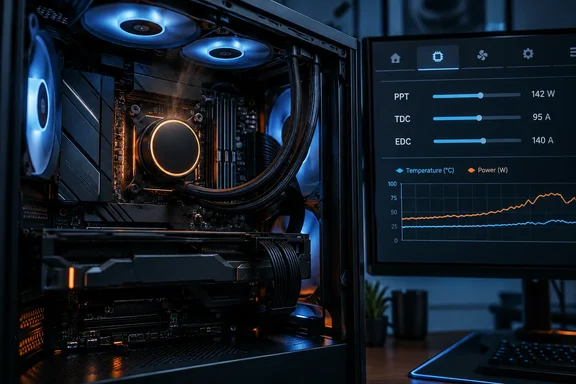
On Ryzen, the key feature is Precision Boost Overdrive (PBO). AMD's normal boost behavior is Precision Boost 2. PBO doesn't lock the CPU to a fixed overclock. It gives the boost algorithm more room to work. How-To Geek explains that PBO overrides key power and thermal parameters, such as PPT (Package Power Tracking), TDC (Thermal Design Current), and EDC (Electrical Design Current).
The three limits in plain terms:
- PPT is the total power the CPU socket may draw.
- TDC is the maximum current (amps) that can be delivered by a specific motherboard's voltage regulator configuration in thermally constrained scenarios.
- EDC is the maximum current (amps) that can be delivered by a specific motherboard's voltage regulator configuration in a peak ("spike") condition for a short period of time.
What do stock limits look like? According to a moderator explanation on AMD's community forums, a 105W TDP processor has default settings of 142W/95A/and 140A respectively. While a 65W processor is 88W/60A/90A respectively. GamersNexus lists the same AM4 baseline: at least 142W on motherboards rated for 105W TDP processors.
Compare those numbers with what boards allow when PBO limits are opened up. In GamersNexus' Ryzen 3000 testing, on the Gigabyte X570 Master with the 3900X, PBO limits were as follows: PPT 1200W, TDC 540A, and EDC 600A. On the MSI Godlike, the limits were: 1000W, 490A, and 630A. The CPU won't actually pull a kilowatt. As the AMD forum explanation puts it, setting the limits to "motherboard" places them at values so high that they essentially are no longer constraints. After that, voltage limits, maximum frequency and temperature decide how far the chip boosts.
Rozario notes that PBO is usually set to "Auto" in the BIOS, and on most boards that effectively means it's off. But he adds that "Auto" doesn't guarantee stock behavior, because board makers can add their own performance presets that push the CPU harder by default.
That's the part to be careful with. The evidence shows these features exist and can change the limits. It doesn't show how many boards ship with them turned on. "Auto" can mean different things depending on the vendor, the model and the BIOS version. Treat it as something to check on your own board.
Section summary: PBO and similar vendor options raise the ceilings on power and current. The stock AM4 limits for a 105W chip are modest compared with what an opened-up board allows.
Intel has the same problem under different names
Intel's equivalents are PL1 (long-term average power) and PL2 (short-term boost power). Board features can relax them. Rozario gives ASUS MultiCore Enhancement as an example. ASUS BIOS manuals for some Intel boards list MCE options that range from enforcing all limits to removing them, plus an "Auto" setting that lets the firmware decide.
This is familiar ground for anyone who followed the Raptor Lake instability problems in 2024. Enthusiast boards with very loose power defaults were a big part of that story. Intel and board makers responded by pushing "Intel default" profiles into firmware updates. The details vary by board, but the lesson is the same: the firmware's defaults decide how hard your CPU runs.
Extra power, small gains
Rozario argues that these aggressive presets rarely deliver what people expect from an overclock. AMD and Intel chips already boost hard at stock, so extra power mostly adds a bit more clock speed rather than frame rates you'd notice. Higher clocks can need more voltage, and more voltage means more heat for the cooler.
This also explains why a bigger cooler can be disappointing. Boost algorithms use whatever thermal headroom they get. Better cooling doesn't always lower the temperature much. The CPU may just boost higher until it hits a limit again. That's not a reason to skip good cooling, because the extra headroom can turn into sustained performance. But if your goal is lower temperatures, a new cooler alone may not get you there.
It's worth noting that How-To Geek says outright that PBO is considered a form of overclocking. It also warns that if your CPU is damaged as a result of overclocking, AMD's warranty will not cover the product. So a board preset that quietly enables that kind of behavior matters for more than temperatures.
Not everyone agrees on whether it's worth it. Some enthusiast guides recommend enabling PBO on well-cooled systems for modest multi-threaded gains, and plenty of users are happy with that trade. The question isn't whether PBO is good or bad. It's whether you chose it.
Section summary: Board-level boost presets swap a lot of power and heat for small gains. That's fine if you chose it, and irritating if you didn't know it was on.
How to check what your motherboard is doing
Menu names and locations differ between vendors and BIOS versions. Treat these as general steps, not exact click paths.
- Get a baseline. Write down your CPU model, motherboard model, BIOS version and a repeatable workload, such as the same game scene or benchmark run. Monitor CPU package power along with temperature. Temperature alone won't tell you why the chip is hot. On Ryzen, AMD's Ryzen Master shows the active PPT, TDC and EDC limits. How-To Geek's author used it to confirm his board-set limits of 1,000 PPT, 180 TDC, and 250 EDC.
- Compare those limits with stock. On a 105W AM4 chip, limits around 142W/95A/140A point to stock behavior. Limits in the hundreds of watts or amps mean the board has removed them.
- Look for vendor performance features. On AMD boards, check the PBO section and any board-branded "enhancement" or "performance" presets. On Intel boards, look for MultiCore Enhancement or similar options and the PL1/PL2 settings.
- Change one setting at a time. After each change, re-run the same workload and compare temperature, power draw and performance. Don't copy PPT/TDC/EDC or PL1/PL2 numbers from a forum post written for a different CPU.
- Consider Eco Mode if you want a cooler chip. On modern Ryzen platforms, AMD's Eco Mode caps power. Club386 describes the ASUS AM5 route as go to the BIOS (Del / F2), switch to the Advanced Mode by pressing F7, navigate to the Ai Tweaker tab, then to Precision Boost Overdrive, choose AMD Eco Mode and select the power target you like. In its test, enabling 65W Eco Mode on my Ryzen 5 7600X system dropped the power consumption from 138W (240W wall) to 88W (181W wall) and temperatures from 95°C to 67°C (28°C drop) compared to the stock condition. That's one test on one system, and multi-threaded performance will drop somewhat. Still, it shows how strongly power limits affect temperature.
- Don't skip the hardware checks. Mounting pressure, contact with the heatspreader, pump and fan operation, and case airflow all still matter. A BIOS setting is one possible cause, not the only one.
How do you know it worked? At the same workload, you should see lower package power and lower temperatures, with a performance loss you can live with. If power stays the same after your changes, the heat is coming from somewhere else.
Undervolting: worth trying, but test it
If your board is already at stock and you still want it cooler, Rozario suggests going the other direction. On his Ryzen 7 5800X3D, he used PBO2 Tuner to apply a -30 Curve Optimizer offset and says gaming temperatures dropped by 4–5°C.
That's one chip's result, and he doesn't describe how he tested for stability. Every CPU responds to Curve Optimizer differently. An offset that works on one 5800X3D can cause random crashes on another. Start with smaller offsets, test thoroughly with varied workloads, and treat -30 as a best case, not a default.
The bottom line
Rozario's conclusion is that the cooler should be the last thing you blame, and his reasoning holds up. Modern CPUs use as much power and thermal headroom as they're given, and some boards give them more than you'd expect. Checking the BIOS costs nothing, while a new AIO is expensive.
Just don't overcorrect. Not every board overclocks your CPU by default, "Auto" isn't always a problem, and high temperatures aren't always a fault. Measure the power, compare it with stock limits, change one thing at a time, and make your decisions from the numbers.
References
- Your motherboard might be overclocking your CPU out of the box, and it's why your cooler is working so hard XDA · 2026-09-30T11:00:18+00:00
- How to use Precision Boost Overdrive to speed up your AMD Ryzen CPU, and what each PBO option does | Club386 club386.com
- Explaining AMD Ryzen Precision Boost Overdrive (PBO), AutoOC, & Benchmarks | GamersNexus gamersnexus.net