

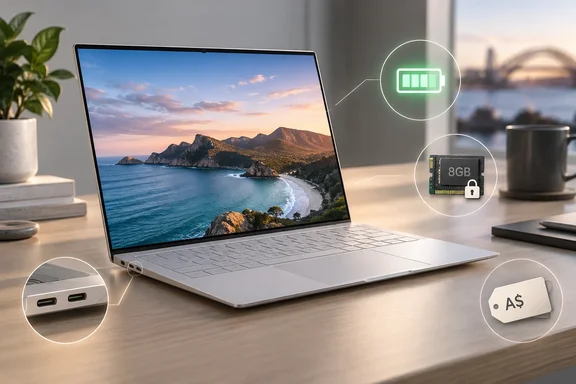
Pickr reviewed the 8GB base configuration at A$1,614.95. Dell Australia's product page for the XPS 13 (2026) shows the same price and repeats Dell's headline claims: "thinnest & lightest XPS laptop ever," 12.7mm, 1kg and up to 17 hours of battery life. Pickr gave the laptop 4 out of 5 overall and called it "oddly placed." For Windows buyers who want something like Apple's MacBook Neo, that description holds up.
What you actually get
The reviewed machine uses Intel's Series 3 Core 5 320, not one of the Core Ultra chips that usually go into XPS laptops. Notebookcheck lists it as a 6-core, 6-thread part with 2 x 4.6 GHz Intel Cougar Cove P-Core, 4 x 3.4 GHz Intel Darkmont LP E-Core, Wildcat Lake. Pickr's point is that the missing "Ultra" in the name is a large part of how Dell kept the cost down.
Everything else, based on Pickr's review and Dell's own listings:
- Display: 13.4-inch, 2560×1600, 120Hz touchscreen. Dell's regional spec sheets list the panel as 13.4", Touch, 2.5K (2560x1600), 30-120Hz, 500 nits, InfinityEdge.
- Memory and storage: 8GB or 16GB of RAM and a 512GB SSD. The Gadgeteer reports that the 8GB in the base model is LPDDR5X, which is soldered to the board rather than socketed, so it isn't a part buyers can replace later. That backs up Pickr's warning that you can't add RAM later.
- Chassis: CNC aluminium. Dell UK lists it at Height: 12.7 mm (0.5 in.) Width: 296.9 mm (11.69 in.) Depth: 200.66 mm (7.9 in.) Starting weight: 1 kg (2.2 lb).
- Wireless and extras: According to The Gadgeteer, Dell's US listing includes Wi-Fi 7, Bluetooth 6.0, a 1080p IR camera, a backlit keyboard, quad speakers, and a 52 Wh battery. The IR camera is what enables the Windows Hello face sign-in Pickr mentions.
- OS: Windows 11 Home.
- Charger: a 65W USB-C adapter. Pickr points out it's small enough to double as a phone charger.
Summary: the thin, light aluminium body and the screen are genuinely good. The components inside are entry-level.
Ports: two USB-C, and Thunderbolt depends on the chip
Pickr counts two USB-C ports with DisplayPort support, no Thunderbolt, and no 3.5mm headphone jack. That's true for the reviewed model, but it doesn't apply to every configuration. Dell UK's spec page separates the two versions. Computers shipped with Series 3 Intel® Core™ 5 320 processor: 2 USB 3.2 Gen 2 (10 Gbps) Type-C with DisplayPort™ and power delivery Computers shipped with Series 3 Intel® Core™ Ultra processor: 2x Thunderbolt™ 4 (USB Type-C™) with DisplayPort 2.1 and power delivery. Dell Singapore lists the step-up chip as the Intel® Series 3 Core™ Ultra 7 Processor 355 (8 Core, 12MB Cache, up to 4.7 GHz).
In practice, one port is often taken by the charger. Consumer Reports makes the same point: you'll lose a USB port to plug in the power cable when charging the laptop. The Gadgeteer adds that there isn't a card reader. Pickr's advice is to buy a USB-C hub straight away, which is sensible. Just keep in mind that on the Core 5 model you get 10Gbps USB, so Thunderbolt docks won't run at full capability.
Pickr also points out that there's no physical webcam privacy shutter. If you want one, a stick-on cover costs very little.
Summary: if you need Thunderbolt 4 for a dock or fast external storage, you need a Core Ultra configuration, not the base model.
Performance: fine for office work, not much more
Pickr reports these scores for the Core 5 320 model: 2,141 single-core, 6,338 multicore and 11,916 GPU OpenCL. Its own comparison results, from its earlier reviews:
| Device | CPU | Single-core | Multicore | GPU OpenCL |
|---|---|---|---|---|
| Dell XPS 13 (2026) | Intel Core 5 320 | 2,141 | 6,338 | 11,916 |
| Apple MacBook Neo (2026) | Apple A18 Pro | 3,612 | 9,265 | 19,725 |
| HP OmniBook 5 (2025) | Snapdragon X | 2,107 | 10,133 | 9,560 |
| Acer Swift Go 14 (2024) | Intel Core Ultra 7 | 2,307 | 12,400 | 34,621 |
| Dell XPS 14 (2026) | Intel Core Ultra X7 358H | 2,664 | 15,462 | 55,043 |
Pickr doesn't name the benchmark software, so treat these as a rough guide rather than lab-grade comparisons. Two things stand out anyway. Single-core speed is competitive, which is what makes everyday Windows use feel quick. Multicore and graphics scores are well behind, including the Apple chip in the MacBook Neo. Pickr goes as far as saying the XPS 13 performs about like an XPS from roughly five years ago, and suggests it would suit a Dell Plus badge better than an XPS one.
Other reviewers found the same limits. Reviewed tested a 16GB unit and said performance dips under demanding multitasking or creative software, and the fan gets noisy under load—but for everyday tasks, it's a compelling budget alternative. The critics also disagree more than usual. The French site Les Numériques gave it 60% with a performance sub-score of 40%, according to Notebookcheck's review roundup, while Tom's Hardware is quoted as calling it "an excellent Windows‑based answer to the MacBook Neo," especially at its $699–$899 price range. Much of that gap comes down to price, which is covered below.
Pickr's usage guidance is practical: email, browsing, streaming, documents and a moderate number of browser tabs are fine. Games and heavy workstation work are not.
Summary: expect a responsive everyday machine. If you need sustained heavy performance, this configuration isn't built for it.
Battery life: the strongest result
Battery life is where the XPS 13 does best. In Pickr's own Battery Bench test it lasted 18 hours 36 minutes, beating Dell's "up to 17 hours" claim. The MacBook Neo managed 13 hours 35 minutes in Pickr's testing. Reviewed also measured nearly 20 hours of battery life on its 16GB unit. Two separate tests both exceeding Dell's figure is a good sign, though your results will depend on brightness and workload.
That runtime from a 52Wh battery is probably helped by the variable 30–120Hz refresh rate and the low-power Wildcat Lake chip. That's my reading as an industry observer, not something Dell has broken down. The Gadgeteer notes that Dell hasn't published a mixed-use figure for the $699 configuration.
Summary: getting through a full school or work day without a charger is realistic.
The display, and one spec reviewers disagree on
Pickr liked the screen, calling it bright and pleasant, HDR-capable and good for video. It also says the panel is only 8-bit. Consumer Reports lists the XPS 13's display with a refresh rate of 120 and a max bit depth of 10. The two sources don't match on this and I couldn't settle it. Colour-critical buyers should check the configuration they're buying. For most people it won't matter. The Gadgeteer reports that Dell also claims full DCI-P3 coverage.
There's one catch in the US that Australian buyers should watch for too. According to The Gadgeteer, Dell's Sky configuration includes the touch panel and the Storm one doesn't, so the finish choice quietly decides whether you get a touchscreen. That probably explains why Pickr's pros list says the touchscreen comes "on some variants." Pickr adds that there's no 360-degree hinge, so this isn't a tablet replacement.
Price: where the Australian model falls behind
In the US, Dell lists the base model in the Sky finish for $699.99. The Gadgeteer also reports a 16 GB, 512 GB version with the same Core 5 320 processor and touch display for $899.99. That makes the memory increase a $200 decision at checkout. Reviewed notes the laptop starts at $699 (or $599 for studients). That likely explains the US$599 figure Pickr reported back in June, when Dell hadn't yet announced Australian pricing.
Australia's A$1,614.95 is where the value case weakens. Pickr's own rough maths on the US$699 price puts it near A$1,000 before GST and no more than about A$1,200 after. The actual price is about A$400 more than that. Pickr says moving to 16GB in Australia adds about A$300. The MacBook Neo, which Pickr says has risen from A$899 to A$1,049, is still cheaper. So is Lenovo's IdeaPad Slim 3 14, which Pickr says uses the same processor and costs about A$400 less.
The US reviews and the Australian review aren't really in conflict. At US$699 the XPS 13 is a strong value laptop. At A$1,615 you are mostly paying extra for the thin, light chassis.
Should you buy one?
A quick checklist:
- Get 16GB if you can. The memory is soldered, so what you buy is what you keep. 8GB with Windows 11 and a modern browser won't age well.
- Choose the processor based on ports. Need Thunderbolt 4? Pick a Core Ultra configuration.
- Check the finish if touch matters. At least in the US, the finish determines whether you get a touchscreen.
- Wait for a sale. Pickr says street prices sometimes get closer to fair value. Dell also offers student and educator pricing.
- Look at alternatives. Pickr suggests AMD Ryzen and Snapdragon laptops, including last year's models, may give better price-to-performance.
Bottom line: the 2026 Dell XPS 13 is a well-made, very light Windows laptop with a good screen and excellent battery life. In the US it's a credible answer to the MacBook Neo. In Australia, at A$1,614.95 for 8GB of soldered RAM and two non-Thunderbolt USB-C ports, it's a nice thin laptop priced above what its specs justify. Pickr expects more direct MacBook Neo competitors around CES 2027. Until then, the XPS 13 is worth considering if you can get it on sale.
References
- Dell XPS 13 review (2026, DX13260) - pickr.com.au pickr.com.au · 2026-09-29T10:28:21+00:00
- The Dell XPS 13 (2026) proves budget laptops don't have to skimp on battery life reviewed.com
- Dell XPS 13 Inch – Lightweight Touchscreen Laptop | Dell Australia dell.com