

For Windows users, Ember is best understood as an ambitious experiment and a useful signal about developer tooling—not a compact alternative to Windows 11, a secure daily-driver OS, or proof that operating-system engineering has become push-button automation.
What Ember says it has built
The public Ember repository describes a system with its own boot sector, FAT filesystem, DOS-compatible interrupts, sound driver, 32-bit runtime, and graphical desktop. Its maintainers say the project does not borrow from Linux, Windows, or FreeDOS.
That is a meaningful distinction. A graphical environment that sits on top of DOS, Linux, or an existing bootloader is a very different technical achievement from an OS project that supplies its own boot path and core runtime components. Ember’s stated architecture puts it in the latter category, at least in the narrow sense that its documentation describes independently implemented foundational pieces rather than a Linux or FreeDOS distribution with a new interface.
The documented user-facing scope is unexpectedly broad for a hobby-scale system. It includes a desktop interface, file manager, word processor, music player, paint program, touch input, PC-speaker support, and Sound Blaster emulation. The repository reports approximately 46KB for its 16-bit NASM kernel and approximately 735KB for the EMBER.N32 desktop program. Together, those named pieces come in below 800KB.
That is impressive as a measure of focus, but it should not become an apples-to-oranges comparison with a modern Windows installation. Those figures describe two listed Ember components, not every asset, dependency, application, driver, installer, recovery environment, update mechanism, and compatibility layer expected of a general-purpose contemporary OS. Windows also serves a vastly wider and more varied hardware and software ecosystem. Small size is valuable, but it is not a standalone measure of capability, quality, or security.
Doom is a compelling demo, not independent validation
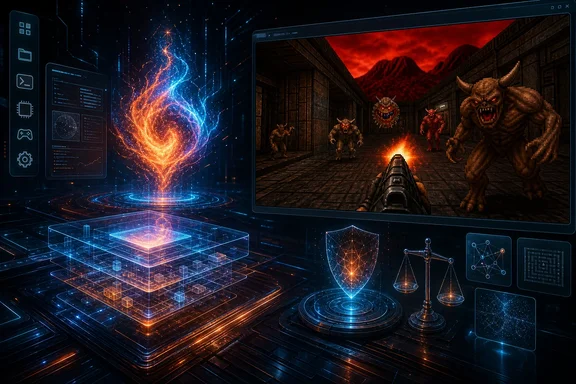
The headline-grabbing claim is that Ember can run real DOS .COM and .EXE programs, including Doom under DOS/4GW, with Sound Blaster sound. The project says it tested this on a Lenovo Yoga 3 Pro, and its README also says Ember can boot from USB on a real laptop.
A working Doom demo is more than cosmetic. It can exercise several difficult areas at once: booting, memory handling, DOS compatibility behavior, graphics output, application execution, and audio support. If reproduced, it would be a substantial demonstration for a compact project.
Still, readers should treat this as a project-author claim, not as an independently replicated benchmark. The available material does not establish that outside developers, reviewers, or security researchers have reproduced the reported laptop boot, Doom execution, or Sound Blaster behavior. There is a public codebase and build documentation, which creates an opportunity for that testing, but public availability is not itself verification of every advertised result.
The terminology also matters. Ember’s own license identifies its native NDOOM component as built against id Software’s GPL-2.0 linuxdoom-1.10 sources. The project also identifies minimp3, NASM, and a font-generation input among third-party components or tooling. Therefore, “from scratch” cannot responsibly mean that every shipped line, game component, and build input is original or AI-authored. It is more accurate to say Ember claims a newly built OS foundation that is not derived from Linux, Windows, or FreeDOS, while incorporating disclosed third-party material where appropriate.
That correction does not diminish the project. It clarifies what has actually been demonstrated.
This was human-in-the-loop development, not one-prompt creation
The creator describes a workflow that should sound familiar to developers who have used coding assistants: define a goal, have Claude implement it, compile the result, boot it on real hardware, photograph or report failures, then iterate. The repository similarly says that a person directed each feature and tested every build on actual hardware.
That human role is central, particularly for operating-system work. Hardware boot failures, firmware behavior, display initialization, file-system faults, and application crashes do not disappear because code is generated by a model. Somebody must choose goals, recognize misleading results, decide what evidence matters, prepare build environments, test the output, and turn a failure into a useful next instruction.
The project’s account supports the conclusion that AI substantially assisted implementation. It does not support the absolute claim that the creator wrote no code manually. The creator said nobody manually typed “most” of the code, which leaves an unspecified portion outside that statement. Meanwhile, the repository makes the broader assertion that Claude wrote the code. Those are close claims but not identical ones, and neither is a substitute for a complete authorship history or independent code-provenance audit.
The creator has estimated roughly two weeks of work, including three full days on Sound Blaster work with a higher-capability model, and later cited 1.83 billion tokens. Those numbers are useful indications of scale, but they remain self-reported. In particular, the token estimate was offered after the creator said they had not previously known how to estimate total use, so it should not be treated as an audited measure of cost, productivity, or model performance.
The durable lesson is not that people can now skip engineering. It is that AI can potentially compress parts of the implementation loop when the operator can state requirements precisely, run tests, interpret failures, and keep pursuing a working system across many iterations.
Hardware and firmware limits matter on modern PCs
Ember’s documentation lists constraints that are easy to miss beside the Doom footage and desktop screenshots. Its legacy boot route requires Legacy Boot or CSM and Secure Boot to be disabled. That is a significant limitation for current Windows hardware, where UEFI and Secure Boot are normal baseline expectations and where some machines may not expose usable legacy boot support at all.
The project describes a UEFI route, but labels it incomplete. Its documented limitations include disk writes that survive only until power-off, lack of a picture for some VGA-memory DOS games on laptops without a VGA core, and no Sound Blaster monitor under the UEFI shim.
These caveats turn Ember from a plausible USB experiment into something that needs careful handling. Disabling Secure Boot changes a device’s boot-security posture. Using an incomplete UEFI path with non-persistent writes makes it unsuitable for normal data storage expectations. And graphics or sound compatibility limitations show why “it boots” is a long way from broad PC compatibility.
For someone curious to try it, the cautious interpretation is straightforward: use expendable test media and a nonessential machine, preserve the existing Windows boot configuration, and do not assume every laptop will behave like the developer’s reported hardware. The project should not be installed on a work PC or a device whose data and availability matter unless the user fully understands the boot and storage implications.
AI origin alone does not settle the security question
It would be wrong to declare Ember insecure solely because AI helped create it. Conventional human-written operating systems and utilities can also contain severe vulnerabilities, and a development origin story is not a security audit.
It would be equally wrong to infer safety from the absence of published problems. Ember’s repository security view reports no security policy and no published advisories. No Ember-specific penetration test, threat model, software bill of materials, vulnerability-disclosure program, or public security assessment was identified in the supplied evidence. Its MIT license also disclaims warranties.
That leaves the correct conclusion in the middle: security is unestablished. The system may be an exciting research or hobby project, but it has not been shown to meet the assurance standard required for sensitive personal files, business information, credentials, or exposed network use.
Secure-development guidance emphasizes regular testing, rigorous code review, and modern vulnerability disclosure practices. Those are especially important in a project that touches boot code, file systems, executable loading, device access, and compatibility layers. AI-generated code can make review more urgent rather than less urgent: generated implementations may be large, unfamiliar to their operator, or subtly wrong at hardware boundaries even when they compile and appear to work in a narrow demo.
A reasonable next stage for Ember would be reproducible independent builds, hardware test reports from outside contributors, code review focused on memory safety and input handling, a documented threat model, a security contact process, and clear disclosure of the boundaries between generated code, human edits, and third-party components.
What Windows users should take from Ember
Ember does not threaten Windows’ role as a general-purpose platform. It does not claim the driver support, application ecosystem, hardware compatibility, manageability, accessibility breadth, update infrastructure, recovery tooling, or security assurance that people expect from a mainstream desktop OS. Its size and scope should be evaluated as a deliberately narrow design, not as evidence that modern operating systems are wasteful by definition.
Yet it does challenge an assumption worth reconsidering: that low-level software necessarily requires a large team and a long development cycle before it can produce visible results on physical hardware. With a capable coding model and persistent human supervision, one developer can apparently assemble a bootable, feature-rich prototype at a remarkable pace.
That prospect has consequences for Windows developers and IT teams. AI assistance may increasingly help create internal utilities, device bring-up tools, compatibility prototypes, educational projects, and specialized embedded environments. But the velocity of creation can outpace verification. Organizations that use AI to generate systems-adjacent code should strengthen build reproducibility, test coverage, code review, provenance tracking, and release controls rather than treating a successful demo as production evidence.
Ember is therefore most valuable as a proof of direction. Its reported achievements suggest that AI-assisted programming can reach surprisingly deep into the PC stack. Its documented limitations and unverified claims are the equally important reminder that making software run is only the opening milestone. Making it portable, maintainable, secure, supportable, and trustworthy is the harder engineering journey that follows.