

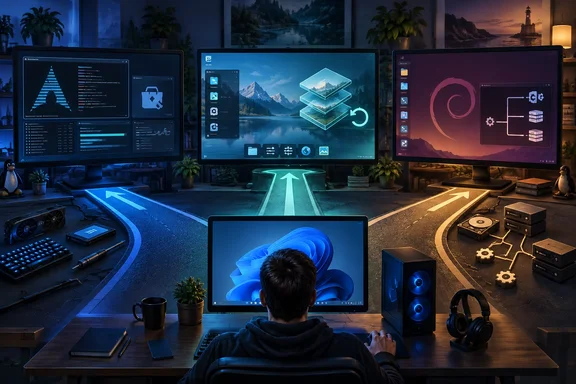
EndeavourOS, Aurora, and Devuan change different Windows compromises
“Bloat” is an understandable complaint, but a poor specification for a replacement operating system. Unwanted applications, intrusive desktop recommendations, background activity, and an update policy you dislike are different problems. Removing one does not establish that the others have improved, and a smaller default application selection does not tell you how a computer will perform once your working software is installed.
BGR’s three recommendations illustrate that distinction unusually well. EndeavourOS emphasizes a relatively lean, customizable Arch-based installation. Aurora supplies a curated KDE Plasma desktop and takes responsibility for delivering operating-system updates as complete images. Devuan’s defining choice is further down the software stack: it removes systemd from its Debian-derived foundation and offers alternative initialization systems.
The official EndeavourOS and Aurora descriptions corroborate those projects’ broad approaches, but they do not establish a performance ranking against Windows or each other. EndeavourOS explicitly calls itself “terminal-centric.” Aurora emphasizes selected applications, automatic updates, expanded hardware support, and optional bundled developer tools. Those are different product priorities, even when both appeal to someone dissatisfied with Windows defaults.
| Distribution | The supported reason to consider it | The responsibility or constraint to understand |
|---|---|---|
| EndeavourOS | It provides an Arch-based, terminal-centric system with Pacman and an included AUR helper. | Its appeal depends on wanting to choose and manage more of the software yourself. |
| Aurora | It provides a curated KDE Plasma desktop with background image updates and operating-system rollback. | It asks you to accept its desktop and image-management approach; release-stream selection matters. |
| Devuan | It offers a Debian-derived system without systemd, with alternative init systems. | Software integration deserves particular attention when applications expect systemd-related components, according to BGR. |
For a Windows enthusiast, these distinctions help identify a sensible experiment. For an administrator, they identify different support obligations. A more customizable operating system may be attractive precisely because it exposes decisions that another system makes automatically—but those decisions still need an owner.
EndeavourOS makes Arch installation easier without hiding its character
EndeavourOS is the clearest fit for someone who wants to assemble a desktop rather than accept a large preset software selection. Its official homepage describes a lightweight Arch-based system intended for personalization, and explicitly places the terminal at the center of the experience. That positioning is more informative than treating it as a Windows replacement that happens to have fewer bundled applications.
The project’s listed installation image is Titan Nova, dated August 15, 2026, with a download size of 3.63 GiB. Its stated requirements are 15 GB of free disk space, 4 GB of RAM, and a 64-bit dual-core Intel or AMD processor. These figures establish an eligibility check for prospective machines; they are not measurements of idle consumption or evidence that a particular workload will run faster than under Windows.
According to BGR, EndeavourOS uses the Calamares installer and supports online and offline installation. BGR reports that the offline option supplies KDE Plasma, while the online route offers additional desktop choices, including GNOME, MATE, Cinnamon, Budgie, Xfce, LXQt, LXDE, and i3. Those particular installer choices are single-outlet reporting here rather than independently confirmed behavior for the Titan Nova image. The broader benefit remains clear: the project offers an installation path into an Arch-based environment without requiring the traditional fully manual Arch setup.
EndeavourOS also supplies more than an empty desktop. Its official component list includes Firefox, the Pacman package manager, Yay for accessing the Arch User Repository, the PipeWire multimedia framework, and hardware-management tools. FirewallD runs with its default public zone enabled, and a power-profile service is enabled by default. This is a configured starting point that leaves substantial room for personalization, rather than a system on which every basic facility must be assembled from scratch.
That package distinction matters. Pacman is the distribution’s package manager; Yay is a helper for the Arch User Repository, or AUR, which contains community-maintained software packaging. BGR cautions users to be careful about what they install from the AUR. The practical implication is that access and assurance are separate questions: finding software through an included helper does not make its community maintenance equivalent to distribution-maintained packages. Nor does access to a large Linux repository establish that a required Windows application is available or supported.
EndeavourOS therefore makes most sense when package selection and a terminal-oriented workflow are part of the attraction. Its easier installation should not be confused with a promise to eliminate operating-system administration. If the objective is to spend less time thinking about the system, Aurora’s much more prescriptive approach may be the better match.
Aurora trades a bare installation for managed image updates
Aurora is the outlier in a list framed around minimalism. Its own project description emphasizes “sensible defaults,” a carefully customized KDE Plasma desktop, selected applications, utilities, and automatic updates. That is a coherent desktop strategy, but it is not an attempt to provide the fewest possible components.
The central mechanism is image-based updating. Aurora says its updates are built and tested before delivery, then applied as a single operating-system image in the background. It also provides the ability to roll back to a known-good state if a new version causes trouble. This makes the deployed operating-system version the unit of change and recovery, rather than presenting the user with an update experience centered on individual packages.
BGR describes Aurora as an immutable distribution based on Fedora Kinoite, Fedora’s KDE Atomic desktop. “Immutable” is useful shorthand for a constrained operating-system base, but the project’s concrete update description is more helpful than treating the word as a guarantee of stability or security. A tested image can still contain a problem; rollback is valuable because Aurora’s maintainers explicitly recognize that possibility. The documented claim concerns recovering the operating-system state, not a general promise to recover documents or undo every application-level change.
Aurora separates application delivery from that operating-system image through its promoted Flathub application-store experience. The project also says it updates the operating system and installed applications automatically. The user-facing bargain is therefore fairly direct: accept more of the project’s chosen structure in exchange for less routine attention to operating-system maintenance.
Its Developer Experience, or DX, variant makes the limits of the “lightweight” label even clearer. Aurora says DX includes Docker and Podman, VS Code, and a preconfigured environment for Dev Containers, while JetBrains products are available through its tooling. It also says Homebrew is included with every installation for command-line tools. For a developer who needs these components, preconfiguration can be useful; for someone judging an operating system by how little software arrives with it, the same bundle answers a different brief.
Hardware selection also deserves attention before download. Aurora’s current selector distinguishes Intel/AMD graphics from Nvidia RTX-series and GTX 16xx configurations. Although the project makes broad claims about expanded graphics, controller, and printer support, that marketing language should not be read as verification of every device. The selector’s specific choices are the actionable information: a prospective user needs to identify the appropriate graphics configuration rather than assume every image is interchangeable.
Aurora’s Stable stream is the meaningful default for a daily PC
Aurora’s release-stream documentation adds an important qualification to BGR’s description of the system as “rock solid.” The project offers Stable, Latest, and Testing streams, each with a different intended audience and update cadence. Image-based deployment is common to the approach; the amount of change users accept is not.
Stable is Aurora’s recommended choice for most users and its stream aimed at production use. It normally receives weekly system builds and uses a gated kernel: the kernel follows the Fedora CoreOS stable cadence, with provision for the Universal Blue team to pin a version temporarily to avoid regressions. Stable can also receive unscheduled builds for important security fixes and major feature updates. Weekly therefore describes the normal schedule, not a rule that urgent fixes must wait.
| Aurora stream | Project’s intended audience | Normal system-build cadence | Kernel policy |
|---|---|---|---|
| Stable | Daily-use and production users | Weekly, with additional builds when needed | Gated, following the Fedora CoreOS stable cadence |
| Latest | Advanced users who want newer features sooner | Daily or as built | Not gated |
| Testing | Enthusiasts validating changes before wider deployment | Daily or as built | Not gated |
Application updates are listed as occurring twice daily on all three streams. This is a useful separation: choosing a slower operating-system cadence does not mean applications inherit the same weekly schedule. Likewise, choosing Testing does not simply mean obtaining uniformly newer packages. Aurora’s documentation says the streams use the same base images and that Testing’s purpose is validating project changes before production.
For an existing Aurora installation, the documented way to inspect the current stream is to run:
rpm-ostree status
Aurora says the output contains the container-image address, which identifies the stream. Its recommended interactive tool for changing streams is:
ujust rebase-helper
That helper also handles transitions between hardware-specific images and the standard or DX variants. These are Aurora-specific instructions, not general Fedora or Linux commands to apply indiscriminately elsewhere. Changing streams also changes the update policy described above, so moving to Latest or Testing should be a deliberate choice rather than a routine troubleshooting reflex.
For a Windows user whose complaint is that the operating system demands too much attention, Stable is the defensible starting point because Aurora itself recommends it for that role. Latest and Testing have legitimate uses, but their existence prevents a blanket claim that every Aurora installation has the same stability priorities.
Devuan makes init-system choice the reason to switch
Devuan addresses a narrower preference than either an easier Arch installation or managed image updates. According to BGR, it is a Debian fork without systemd and offers SysVinit, OpenRC, and runit as alternatives. An init system handles the early initialization and service-management responsibilities that make a running operating system usable. Wanting control over that layer is a specific technical requirement, distinct from wanting fewer desktop applications.
BGR presents avoiding systemd as a way to remove bloat, but provides no measurements establishing a resulting resource saving. The supportable advantage is choice of initialization architecture. A reader who already knows why a workload or administrative preference calls for an alternative init system can evaluate that directly. A Windows user who has no such requirement should not assume the absence of systemd will solve unrelated complaints about advertising, application compatibility, or update interruptions.
The installation route also affects what a user gets. BGR reports that Devuan’s live image uses Xfce and the Refracta Installer, while Netinstall and Desktop DVD images offer other desktop choices. It also describes RefractaSnapshot as a way to create a customized Xfce-based installer for repeated deployment. These are potentially useful distinctions for someone experimenting with a consistent home or office setup, but they are not evidence that a customized image has been validated across a particular fleet.
Compatibility is the consequential trade-off. BGR warns that some applications from Flathub or other outside sources may expect systemd-related components, and that PipeWire or WirePlumber may need manual intervention in some configurations. No second outlet in the available reporting corroborates those specific failure claims, and BGR does not supply affected package versions or a reproducible repair procedure. They should be treated as reasons to validate the intended applications and audio workflow, not as proof that all such software fails on Devuan.
That boundary makes Devuan the most specialized recommendation of the three. Its attraction is strongest when avoiding systemd is itself a requirement and the user is prepared to evaluate the resulting integration choices. Recommending it primarily to an inexperienced Windows migrant on the basis of “less bloat” obscures the very feature that makes it distinctive.
Choose the Linux responsibility you actually want
Start with the problem you need to remove, then choose the distribution whose documented design addresses it. None of these recommendations supplies a verified migration path for every Windows application, a universal hardware guarantee, or a measured performance win. That limits the claim, but still leaves a useful set of choices.
For an everyday personal PC, the decisive question is whether the preferred applications and hardware can support the intended work under the chosen system. For an enterprise-managed machine, the comparison is narrower still: consumer desktop appeal does not establish compatibility with an organization’s endpoint controls or support process. These distributions are candidates for evaluation, not evidence that an existing Windows deployment can be replaced unchanged.
- Choose EndeavourOS when you specifically want an Arch-based, terminal-centric environment, and first compare the machine with its stated 4 GB RAM, 15 GB free-storage, and 64-bit dual-core processor requirements.
- Treat EndeavourOS’s included AUR helper as convenient access to community-maintained packaging, rather than as a guarantee that every available package has the same maintenance assurances.
- Choose Aurora when its curated KDE Plasma desktop, automatic image updates, and operating-system rollback match your priorities; use Stable as the project-recommended starting stream for daily use.
- Match Aurora’s download choice to its listed graphics configurations, and distinguish the standard installation from the DX variant before deciding that its bundled software is useful or unwanted.
- Consider Devuan when alternative init systems are a positive requirement, and regard BGR’s application and audio-integration warnings as validation priorities rather than universal failures.
- Do not make a performance-driven migration decision from the word “lightweight” alone; this comparison contains no measured Windows-versus-Linux results for the tasks your PC needs to perform.
The worthwhile choice here is between three different operating models. EndeavourOS gives users more say over an Arch-based software setup; Aurora makes a case for accepting curated defaults and managed images; Devuan exposes a foundational service-management choice. For a Windows user ready to experiment, identifying which responsibility to take on—and which to delegate—is a firmer basis for the next installation than an unmeasured promise of less bloat.
References
- Sick Of Windows Bloat? Try These 3 Lightweight Linux Distros Instead bgr.com · 2026-09-22T03:17:00+00:00
- Release Streams | Aurora docs.getaurora.dev