

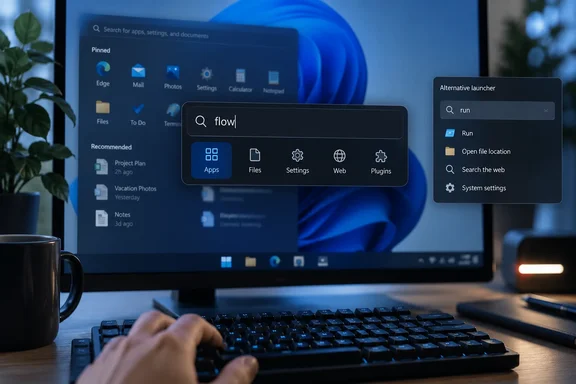
What Flow Launcher is
Flow Launcher is free, open-source software. Its site bills it as a quick file search and app launcher for Windows. As of this writing, the listed release is v2.1.4, dated September 20, 2026, offered as an installer, a portable ZIP, and a WinGet command. The project's GitHub page also lists Scoop and Chocolatey install commands.
The default hotkey is Alt+Space, which opens a small search box. Singleton says it lets you open apps, find files, jump to Windows settings and open bookmarks without touching the mouse. The official feature list adds:
- System commands such as restart, sleep and shutdown.
- Batch and PowerShell commands.
- A calculator.
- Bookmark search across browsers.
- Windows and Control Panel settings search.
- A Plugin Store.
- Themes and other customizations.
The site says the hotkey can be customized.
How file search works
Flow isn't a magic new index of your drives. The site says it can use Everything or Windows Search to find files and file contents. So it is a front end, and the quality of file results depends partly on which back end you pick.
A previous WindowsForum report on version 2.1.4 notes that file search uses the Windows Index by default, and that its Everything integration is limited to version 1.4.x. Check that detail before installing a newer Everything build and wondering why nothing shows up.
To switch to Everything, a Flow maintainer explained in a GitHub discussion to go to the Explorer plugin settings and select Everything as the search engine. Start typing and you'll get a prompt to start or install the Everything app. That discussion dates from 2023, so menu wording may have shifted in later releases.
Web search
Singleton says typing an internet query sends you to your default search engine, with no browser to open first. The official site confirms web searches with your favorite search engine, but it doesn't spell out the setup or the default behavior. Treat the "everything you type goes online" idea with caution. Flow also searches local items, and the setup that governs where queries go is a plugin matter. Check how your install routes queries, and don't assume.
Plugins
The Plugin Store is where Flow stretches beyond search. The official site shows community plugins that:
- Control Spotify.
- Search and launch Steam games.
- Search Obsidian notes.
- Show GitHub notifications.
Developers can write plugins in C#, F#, Python, JavaScript, or TypeScript. Plugins are community-made, so install only what you need and from trusted authors.
The PowerToys Run comparison
Flow has a Microsoft-made rival. Microsoft's documentation describes PowerToys Run as a free, open-source quick launcher. It uses the same Alt+Space default and can be changed in settings. PowerToys Run has some features of its own:
- A Windows Search plugin, activated with
?. - Web search with
??. - Shell commands with
>. - A Windows settings plugin, activated with
$. - A service plugin.
- Window Walker.
- Unit conversion and value generation.
PowerToys Run needs PowerToys running in the background and Run enabled. Microsoft also notes that PowerToys Run is getting an upgrade to v2 through Command Palette.
If you already run PowerToys, try its launcher first. If you want a different plugin store, Everything integration or a theme-heavy look, Flow is worth a trial. Both default to Alt+Space, so don't enable both on the same hotkey unless you enjoy conflicts.
If results seem incomplete
Microsoft documents a useful caveat for PowerToys Run's Windows Search plugin: it only returns what the Windows Search Index covers. If indexing doesn't cover all drives, PowerToys shows a warning. Microsoft says you can open Settings > Privacy & security > Searching Windows, choose Enhanced mode to index all drives, and exclude folders or adjust advanced indexer settings. That page describes PowerToys Run, not Flow, but the underlying index is the same Windows service. If Flow is using Windows Search and misses files, check that the indexer covers them. Switching to Everything is the other route.
A quick trial plan
- Install from the official site or a package manager. The Flow repository warns about look-alike domains, and a previous WindowsForum report notes the installer may trigger a Windows warning because the code is not signed, which the README mentions explicitly. Expect that only for official downloads.
- Press Alt+Space and launch a few apps.
- Search for a file you know exists. If it doesn't appear, check whether Flow uses Windows Search or Everything, and whether that location is indexed.
- Try a web query and see where it lands.
- Add one or two plugins from the Plugin Store, not twenty.
- Judge the result by your own workflow. A few days is enough.
The verdict
Flow Launcher is a credible, actively maintained keyboard-first alternative, and PCWorld's praise is plausible. It does not replace Start or Windows Search; both stay installed. No benchmark backs the claim that it is "much quicker," and results depend on your indexer and plugins. If you live in the Start menu search box, it costs nothing and takes minutes to try.
References
- I found a better way to search my Windows PC PCWorld · 2026-09-27T22:35:17+00:00
- how to enable everything... · Flow-Launcher/Flow.Launcher · Discussion #1936 github.com
- github.com github.com