

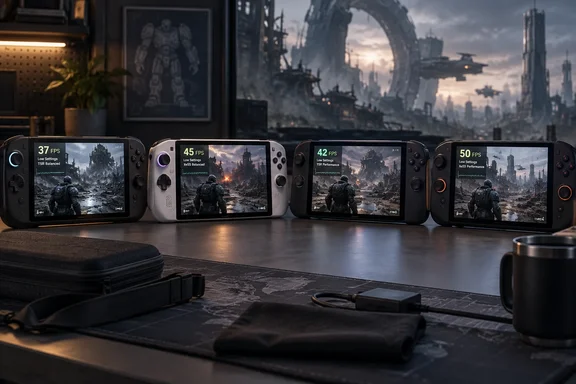
Below is what TechPowerUp recommends for each device, the frame rates it measured, and the problems you should know about before you start.
Why these settings matter now
Xbox Wire, writing for The Coalition, says early access for Premium Edition owners began October 1 at 8am Pacific (15:00 UTC), with the full launch on October 6. Game Pass Ultimate and PC Game Pass members can play from October 6. The game is on Xbox Series X|S, Xbox on PC and Steam.
The studio also said it had kept working on PC stability and performance across many hardware configurations since the multiplayer open beta in July. It updated its PC specifications image on September 28. PC Guide noted that the PC system requirements ask for an RTX 5050 or RX 6600 as a minimum for graphics. A seven- or eight-inch handheld with integrated graphics is well short of that, which is why tuned settings are worth having.
One detail affects every setting below: ray tracing is always on, in either software or hardware form, according to TechPowerUp's conclusion. No toggle removes it, so you can only get frame rate back through presets, upscaling and power limits.
Section summary: The game is new, it costs a lot to render, and ray tracing can't be switched off. On handhelds, presets and power limits are the main levers.
ROG Xbox Ally X and ROG Ally X: Low preset, Ultra textures, TSR
TechPowerUp used the same base recipe on both ASUS handhelds:
- Select the Low preset.
- Raise texture quality to Ultra.
- Set the resolution to 1080p.
- Use TSR (Temporal Super Resolution) on Balanced. TechPowerUp chose it over FSR because it looked better at the same performance.
- Set the TDP to 30 W. The review gives 25 W as the option on the Ally X when you're away from a charger.
Reported results:
- ROG Xbox Ally X: about 45 FPS on average, with dips into the high 30s.
- ROG Ally X: about 35–40 FPS, with dips into the low 30s.
- TechPowerUp didn't see either device fall below 30 FPS, even in the heaviest fights. It called the game very playable because it's a fairly slow third-person shooter.
- Battery life: about an hour and a half with these settings.
For more frames: set TSR to Dynamic and target 60 FPS. You probably won't reach 60 at 1080p, but you'll get more than the Balanced figures above, usually with worse image quality and sometimes much worse.
ASUS's spec sheet lists the ROG Xbox Ally X with a seven-inch 1920 × 1080, 120 Hz display with FreeSync Premium, an AMD Ryzen AI Z2 Extreme, 24 GB of LPDDR5X and an 80 Wh battery. The 1080p recommendation is therefore the panel's native resolution. TSR upscales from a lower internal resolution, and variable refresh helps hide frame rates that move around in the 40s.
A second opinion on the Xbox Ally X
ROG Ally Life published its own Xbox Ally X profile with a different approach. The author reports that at 1080p 35W with FSR Performance, I averaged 30 to 40 FPS, and recommends enabling CPU Boost to steady performance. That site's settings also turn off film grain and chromatic aberration and set animation quality to High.
The two tests used different scenes, upscalers and power limits, so you can't compare them directly. TechPowerUp reported higher averages at a lower 30 W limit with TSR Balanced. If you own an Xbox Ally X, try TechPowerUp's TSR setup first, since it reportedly uses less power.
Section summary: On both ASUS handhelds, use 1080p, the Low preset with Ultra textures, TSR Balanced and 30 W. Expect about 45 FPS on the Xbox Ally X, 35–40 FPS on the Ally X, and roughly 90 minutes on battery.
MSI Claw 8 EX: the best performer
The Claw 8 EX uses Intel's Arc G3 Extreme. PC Guide's summary of the TechPowerUp data agrees that the best-performing was the MSI Claw 8 EX AI+, powered by an Intel Arc G3 Extreme. TechPowerUp raised many settings well above Low and still averaged mostly 40–50 FPS.
The full list of changed settings is only in a screenshot in TechPowerUp's review, and that list isn't reproduced here. We won't guess at it. The settings TechPowerUp gave in text are:
- Resolution: 1200p, the native resolution of the Claw 8 EX's 8-inch 16:10 screen
- Upscaler: XeSS Balanced. TechPowerUp says it still looks good.
- TDP: 30 W
Options:
- XeSS Quality if you want sharper images and can give up some frame rate.
- XeSS Dynamic with a 60 FPS target. It works well in this game and raises performance above TechPowerUp's figures, at some cost to image quality.
The low-power option
TechPowerUp found that the Claw 8 EX at 15 W comes close to the Xbox Ally X at 25 W. Based on that, it suggests a battery-saving profile:
- Set everything except textures to Low.
- Lower the TDP to 17 W.
TechPowerUp says this profile matches or beats the Xbox Ally X running at 30 W. It's an observation across different devices and settings, not a controlled test, but the difference in efficiency is large.
Battery life: about two hours with the optimized settings, and about three hours at 17 W.
MSI Claw 8: a simpler setup
For the regular Claw 8, TechPowerUp's settings are:
- Select the Low preset.
- Raise texture quality to Ludicrous.
- Set the TDP to 25 W.
- Set the resolution to 1200p and XeSS to Balanced.
TechPowerUp says this performs about the same as its ROG Ally X configuration, so expect roughly the mid-to-high 30s. XeSS Dynamic raises the frame rate and lowers image quality. TechPowerUp didn't publish a measured frame rate for Dynamic mode on this device. Battery life is about two hours.
Section summary: Both MSI handhelds use 1200p and XeSS Balanced. The Claw 8 EX can run higher settings at 40–50 FPS or drop to 17 W for about three hours of play. The Claw 8 performs about like the ROG Ally X.
Quick-reference table
| Handheld | Preset / textures | Resolution & upscaler | TDP | Reported FPS | Est. battery |
|---|---|---|---|---|---|
| ROG Xbox Ally X | Low / Ultra | 1080p, TSR Balanced | 30 W | ~45 avg, high-30s dips | ~1.5 h |
| ROG Ally X | Low / Ultra | 1080p, TSR Balanced | 30 W (25 W unplugged option) | ~35–40, low-30s dips | ~1.5 h |
| MSI Claw 8 EX | Custom, many settings above Low (see TechPowerUp screenshot) | 1200p, XeSS Balanced | 30 W | ~40–50 | ~2 h |
| MSI Claw 8 EX (battery profile) | All Low except textures | Not separately specified | 17 W | Matches or beats Xbox Ally X at 30 W | ~3 h |
| MSI Claw 8 | Low / Ludicrous | 1200p, XeSS Balanced | 25 W | Similar to ROG Ally X | ~2 h |
Known issues: shader compilation, crashes and the Steam Deck
The first launch takes a long time. TechPowerUp reports that on the ROG Xbox Ally X and ROG Ally X, the shader compilation step took about 20 minutes to complete. The MSI Claw 8 needed about 25 minutes to compile shaders, and the MSI Claw 8 EX took a whole 35 minutes. Plug the handheld in before you start the game for the first time.
Stability needs work. TechPowerUp didn't see shader-compilation stutter, but it did see traversal stutter. It also found that the game would quite often freeze for a second or two during the first minute after loading a save. You can't change resolution once you're in the game. The only way to do it was to exit the game completely and change it in the main menu before loading a save. TechPowerUp also experienced crashes on every handheld we tested, as well as on our desktop PC. Those results came from a pre-release build, so patches may change them.
The Steam Deck can't run it well. TechPowerUp says the Deck's CPU is the bottleneck, and you can expect the frame rate to hover around the mid-20s, with constant hitches and frequent drops below 20 FPS. Its advice for Deck owners is to stream the game locally or through GeForce NOW.
Our analysis
Several points stand out:
- The Intel handheld wins this test. The Claw 8 EX reportedly matched the Xbox Ally X while using roughly half the power. In this game, Intel's Arc G3 Extreme is the more efficient chip.
- Fixed frame rates are hard to hold. Most results land in the 35–50 FPS range. A variable-refresh screen helps a lot here, because a locked 30 or 60 FPS cap would either waste performance or miss its target.
- Unplugged play is short. About 90 minutes on the ASUS handhelds and two hours on the MSI handhelds means short sessions or a power bank. The 17 W Claw 8 EX profile is the only one that reaches about three hours.
- Keep expectations reasonable. These are one outlet's results on a pre-release build. TechPowerUp's figures don't include frame-time graphs or a detailed battery-test method. Treat its numbers as a starting point and expect drivers and patches to change them.
If you have a strong desktop PC, TechPowerUp suggests streaming the game to your handheld instead, because hardware ray-traced global illumination really shines here.
Bottom line: Start with TechPowerUp's settings for your device. Let the shaders finish compiling while plugged in, choose any resolution before you load a save, and turn on Dynamic upscaling if you care more about frame rate than image sharpness.
References
- Gears of War: E-Day Handheld Performance Review - Windows Handhelds Optimized Settings - TechPowerUp TechPowerUp · 2026-10-01T13:01:56+00:00
- Gears of War: E-Day Handheld Performance Review - Conclusion techpowerup.com
- Gears of War E-Day ROG Xbox Ally X Game Settings rogallylife.com