

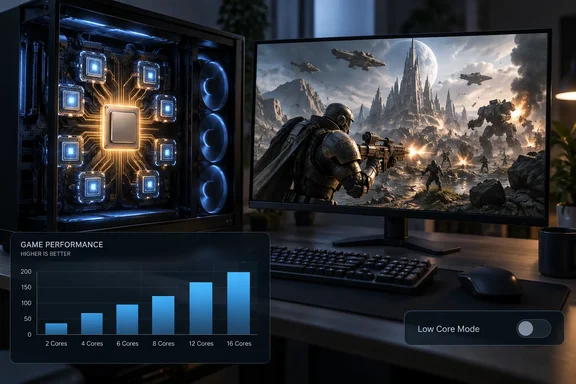
The timing matters. The game uses Unreal Engine 5 and comes out on October 6, on Xbox Series X/S and PC. That makes this one of the first detailed looks at how the game behaves on Windows PCs before most players install it.
The headline numbers
Jake Roach of Tom's Hardware says that with a monitoring overlay open, CPU utilization usually sits between 80% and 90%. That is unusual for UE5. Even the Ryzen 7 9800X3D sometimes hit full utilization at 1080p, and the load stayed about the same through the opening hours, whatever the scene.
The gaps between processors are just as unusual:
- Ryzen 7 9800X3D vs. Ryzen 5 7600X: 42% faster at 1080p on the High preset.
- Core Ultra 7 270K Plus vs. Core i5-14400: about 36% faster at 1080p and about 18% faster at 1440p.
- Performance ceiling: results level off at roughly 150 FPS at 1080p, even on the fastest chips.
For context, Tom's Hardware says it tried to add other UE5 games to its CPU test suite, including Clair Obscur: Expedition 33, The Elder Scrolls IV: Oblivion Remastered and Halo: Campaign Evolved. Most were dropped because the choice of CPU barely changed the results. Marvel Rivals and The Blood of Dawnwalker were exceptions, but even those didn't scale as much as Starfield or Baldur's Gate 3. E-Day does.
Summary: On a fast GPU, this UE5 game can expose real differences between CPUs.
How the testing was done
The method shapes the numbers, so here's the setup:
- GPU: RTX 5090 Founders Edition at 1080p, so the graphics card isn't the bottleneck. A smaller group of chips was also run at 1440p. 4K was skipped because Tom's graphics testing found the game completely GPU-bound there.
- Driver: The CPU-review test benches were unchanged except for the GPU driver. The game wouldn't launch without Nvidia's Game Ready driver.
- Systems: Frozen OS images, identical software, and separate AMD and Intel machines.
- Firmware and OS: VBS disabled, ReBAR on, XMP/EXPO on, memory checked for stability. AMD Precision Boost Overdrive and Intel's Extreme power profile were off because warranties don't cover them. Intel's Core Ultra 200S Boost (covered by warranty) was on for Arrow Lake chips. The Ryzen 5 9600X and Ryzen 7 9700X ran in AMD's warrantied 105W mode.
Two details matter if you plan to test your own PC.
The built-in benchmark runs a bit slower than real gameplay. Two in-game scenes ran slightly faster than the benchmark. Tom's thinks the benchmark's sweeping camera draws more than you normally see while playing. The published results come from an in-game scene, and the benchmark is described as a close approximation, not an exact match.
The graphics preset decides whether your CPU matters at all. Tom's tested four of the game's five presets:
| Preset | 9800X3D lead over 9600X | Notes |
|---|---|---|
| Ludicrous | 6.8% | Mostly GPU-limited |
| Ultra | Nearly 29% | CPU scaling clearly visible |
| High | More than at Ultra | Main test preset; lowest quality level where the game becomes CPU-bound |
| Medium | Slightly more than at High | Very little extra performance |
At Ludicrous, a mid-range CPU and a flagship land close together. Drop to Ultra or High and the processor starts to set the frame rate.
Summary: Your preset and resolution decide whether the CPU or the GPU limits your frame rate. A slow CPU will show up most at High and Ultra.
Core count matters here, which is unusual for games
Cache still helps. The 9800X3D and 7800X3D took the top two spots, and the older 5800X3D placed well below them. The bigger surprise is how much extra cores helped.
- Ryzen 7 7700X vs. Ryzen 5 7600X: Tom's normally sees less than a 5% gap between them in games. Here it was close to 9%.
- 12-core Ryzen 9 chips: These usually trail AMD's 8-core parts in games. In E-Day, the 7900X tied the 7700X and the 9900X was 3.5% ahead.
- Intel's Arrow Lake Refresh: The Core Ultra 5 250K Plus usually beats the Core Ultra 7 265K by about 5% in Tom's gaming averages. Here the 265K led by about 2%.
- Intel overall: Intel's main Raptor Lake and Arrow Lake chips beat everything except AMD's Zen 4 and Zen 5 X3D parts.
Don't read this as "more cores always win." The results apply to one game, one scene and one test bench. Scaling also tops out around 150 FPS. Still, it's rare to see cores beyond six or eight make a measurable difference.
At 1440p, Tom's found a GPU limit around 130 FPS. Chips that beat that at 1080p all settled near 130 FPS. Slower chips stayed within a few frames of their 1080p results. A weak CPU still loses to a strong one at 1440p, but chips from similar product ranges mostly end up waiting on the GPU.
Power and temperatures held no surprises. AMD's Zen 4 and Zen 5 flagships drew about as much as Intel's top Raptor Lake chips. The 9800X3D and 7800X3D led efficiency at nearly two frames per watt. The hottest chip averaged 65.4??C.
Summary: X3D cache gives the biggest boost, and extra cores help more than usual. At 1440p and above, most CPUs end up waiting on the GPU.
The official specs point the same way
Microsoft's published requirements fit these results. The 1080p/60 FPS minimum on the Medium preset lists a Ryzen 5 2600X, Intel i7-6850K or i5-10400, while the 4K/60+ Ultra tier calls for a Ryzen 7 7800X3D or Intel i7-14700K. Those three minimum chips all have six cores, which matches Tom's statement that the requirements start at six cores. Listing a 7800X3D for a 4K tier is unusual and fits the CPU load Tom's measured.
Some caveats on the official numbers:
- All specs assume upscaling (DLSS 4.5, FSR 4 or Intel XeSS) is running.
- A GPU with hardware ray tracing is required for the game's full feature set.
- Storage figures differ by source. Gagadget reports a 130 GB SSD installation for every tier, as TweakTown notes, correcting the 115 GB figure that appeared in earlier listings.
- Store listings name Windows 11 64bit (25H2) or newer as the recommended OS, with Windows 10 build 19045 as the minimum.
Because the official tiers assume upscaling and use different presets, they can't be compared directly with Tom's native 1080p High results. Both still say the same thing: plan on at least six reasonably modern cores.
Low Core Mode: who it's for
Low Core Mode sits in the game's System settings. The in-game description says it can improve performance on devices with few cores and on handhelds. Tom's notes that this isn't a standard UE5 option and that it's rare among recent AAA games.
Tom's re-ran all 25 CPUs with the mode on, using the same scene and settings. Performance fell on every chip, including the quad-core Core i3-14100, and 1% lows didn't improve. Tom's reported results:
| CPU | Off | On | Change |
|---|---|---|---|
| Core Ultra 5 225 | 116.8 | 100.3 | -14.1% |
| Core Ultra 5 245K | 138.7 | 111.1 | -19.9% |
| Core Ultra 5 250K Plus | 144.3 | 113.4 | -21.4% |
| Core Ultra 7 265K | 147.5 | 114.4 | -22.4% |
| Core Ultra 7 270K Plus | 151.6 | 120.2 | -20.7% |
| Core Ultra 9 285K | 149.9 | 117.3 | -21.7% |
| Ryzen 7 2700X | 64.2 | 48.9 | -23.8% |
| Ryzen 5 5500 | 72.3 | 54.7 | -24.3% |
| Ryzen 7 5700X | 89.3 | 65.3 | -26.9% |
| Ryzen 7 5800X3D | 117.7 | 80.4 | -31.7% |
| Ryzen 5 7600X | 118.7 | 90.2 | -24.0% |
| Ryzen 7 7700X | 128.8 | 92.9 | -27.9% |
| Ryzen 7 7800X3D | 153.8 | 110.4 | -28.2% |
| Ryzen 9 7900X | 126.4 | 96.7 | -23.5% |
| Ryzen 9 7950X | 130.6 | 99.7 | -23.7% |
| Ryzen 5 9600X | 122.4 | 100.2 | -18.1% |
| Ryzen 7 9700X | 132.4 | 104.7 | -20.9% |
| Ryzen 7 9800X3D | 168.7 | 133.1 | -21.1% |
| Ryzen 9 9900X | 137.1 | 109.3 | -20.3% |
| Ryzen 9 9950X | 139.7 | 110.9 | -20.6% |
| Core i3-14100 | 90.1 | 79.2 | -12.1% |
| Core i5-14400 | 111.9 | 92.7 | -17.2% |
| Core i5-14600K | 140.2 | 114.7 | -18.2% |
| Core i7-14700K | 150.8 | 119.6 | -20.7% |
| Core i9-14900K | 149.3 | 121.6 | -18.6% |
The losses run from 12.1% on the Core i3-14100 to 31.7% on the Ryzen 7 5800X3D. Chips with more cores and cache generally lose more.
The dual-core test
To find a case where the mode helps, Tom's disabled two cores on the Core i3-14100 in the BIOS, turning it into a dual-core chip. With Low Core Mode off:
- Texture streaming broke. Low-resolution, half-loaded assets stayed on screen for the whole run.
- Menus froze. Pausing to change settings or reload a checkpoint hung the game for up to 30 seconds.
Turning Low Core Mode on fixed both problems and raised performance by 30%. That's a big jump from a very low starting point: going from four cores to two had already cut the 14100 from 89 FPS to 36 FPS, a 59% drop.
Tom's believes the mode changes how the game streams assets, cutting CPU work enough that streaming keeps up on very weak hardware. That's a reasonable reading of the results, but The Coalition hasn't confirmed it.
What hasn't been tested
Tom's points out that the 14100 is the newest true quad-core on the market. Older quad-cores might benefit from the mode, but Tom's expects those cases to be rare. Mobile chips and handhelds weren't tested, even though the game's store copy says it is fully optimized for handheld play on Steam Deck, Xbox Ally X, and Xbox Ally devices. Those handhelds are the hardware the setting's description names, and nobody has published results for them yet.
Summary: On a desktop with six or more cores, leave Low Core Mode off. Try it only if you see broken texture streaming or long freezes on very weak hardware, or on a handheld.
What to do on your own PC
- Check your resolution first. At 4K the game is GPU-bound, and at 1440p most mid-range and better CPUs hit the GPU limit. A CPU upgrade mostly pays off at 1080p and at High or Ultra settings.
- Use the built-in benchmark as a rough guide. Expect real gameplay to run slightly faster than the benchmark result.
- Leave Low Core Mode off on a modern desktop. Every desktop CPU Tom's tested lost 12% to 32%.
- Watch for streaming problems. If textures stay blurry and menus hang for many seconds, your CPU is probably overloaded and Low Core Mode is worth trying.
- If you're upgrading for this game, the 9800X3D and 7800X3D lead the results. Intel's higher-core-count Raptor Lake and Arrow Lake chips also do well, and the 265K beats the usually faster 250K Plus.
The bigger picture
UE5 has a reputation for heavy GPU loads and shader stutter, while CPU limits have mostly shown up in big simulation games like Starfield or Baldur's Gate 3. E-Day shows a UE5 game can push the CPU hard when it streams costly assets with every core. The 4K Ultra recommendation of a 7800X3D or 14700K suggests The Coalition expected this.
Low Core Mode raises a fair question. If heavy streaming is what makes the game so CPU-hungry, will there be a middle setting for six-core laptops and older desktops between "full load" and "dual-core rescue mode"? Launch-day patches, driver updates and handheld testing could change these results, so treat this as an early snapshot. For now: core count matters more than usual, X3D chips lead, and Low Core Mode should stay off unless your hardware is struggling.
References
- Gears of War E-Day is an uncharacteristically CPU-heavy Unreal Engine 5 game — benchmarking 25 CPUs from Intel and AMD and investigating ‘low core mode’ Tom's Hardware · 2026-10-01T13:00:00+00:00
- Gears of War: E-Day PC specs are out — and you'll need an SSD and a ray-tracing GPU gagadget.com
- Can My PC Run Gears of War: E-Day? — System Requirements & FPS Check can-i-run-it.com